A complete exam scheduling system that auto assigns courses, students, invigilators with their positions PLUS student seating arrangements
Timetable Plus (T-Plus) Exam is the most sought after exam scheduling system engineered for all types of exam scenarios across various institutions. It is a standalone complete examination system, lightweight and yet able to fully integrate with your Student Management System. Assigning courses, students, invigilators and invigilator's position is just one touch of the "Generate" button and manual editing is made simple with multi filtration and Highlight Student Clashing functions. Our extensive and detailed reporting which includes the Student-Course Clashing list makes the T-Plus Exam the most sought after Exam scheduling system in the market.
Auto Assign Course-Student and invigilator. User can preset student taking one or two paper per day and preset the workload for invigilator.
Set preferred individual or sets of day/time slot for individual and group of courses/invigilators. User can determined group of courses to be assigned in the 1st week of exam.
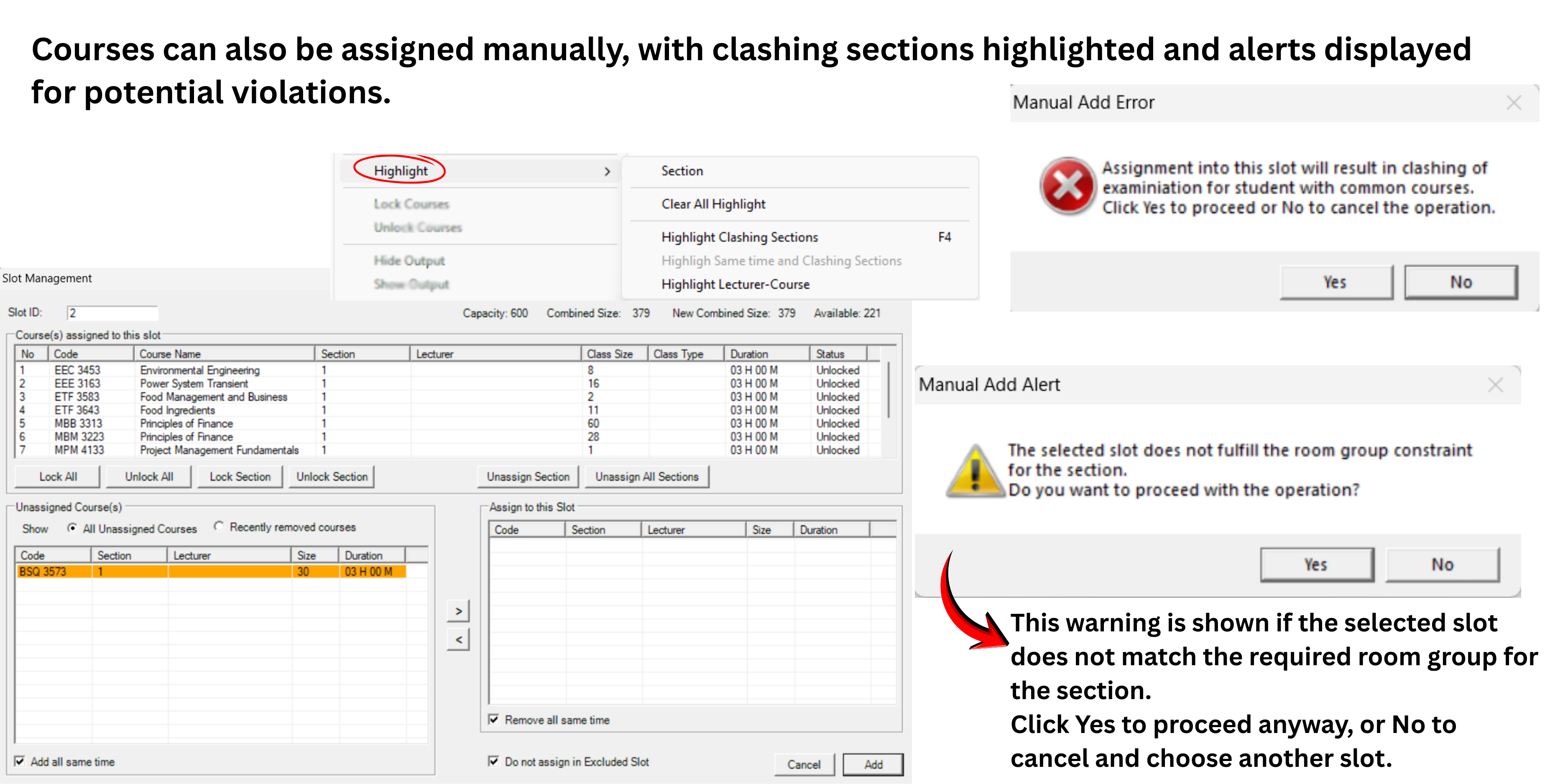
Editing courses/invigilators/student seating is made easy with our advanced editing and filteration tools. User can use our highlighting tools to easily detect clash-free slot before changing into new slot.
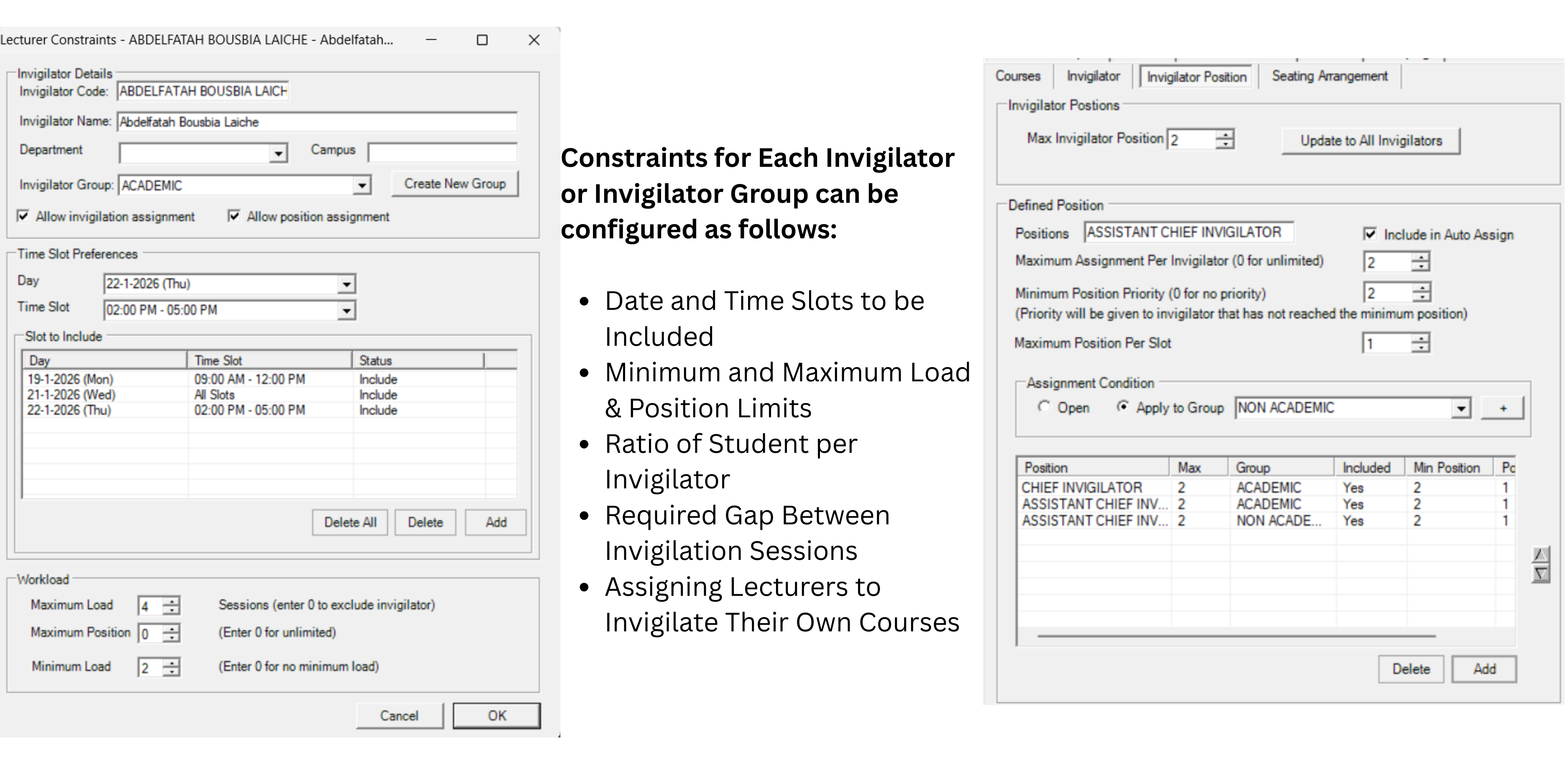
Invigilation can be set for lecturer that teach that subject OR other Academic/Non-Academic staff. User can also determined whether Chief Invigilator should be assigned to Academic/Non-Academic.
Our auto-generate algorithm is intended to maximize the venue with the flexibility in setting of reserved capacity, campus, and buildings. User can determined which room to be prioritized for maximization purposes.
Seating arrangement of each students can be auto-assigned with your preferences settings. User can opt to assign seating that group student by student ID/exam duration/random.
Join educational institutions worldwide that trust Timetable Plus for their scheduling needs
“The system is generally excellent and effective for generating exam timetables. It can handles most of our scheduling constraints, which saves considerable time and minimizes error.”
“Overall, my experience with Timetable Plus Exam is positive. It helps generate schedules quickly without clashing and assign invigilators efficiently”
Follow our intuitive step-by-step process to generate perfect exam timetables
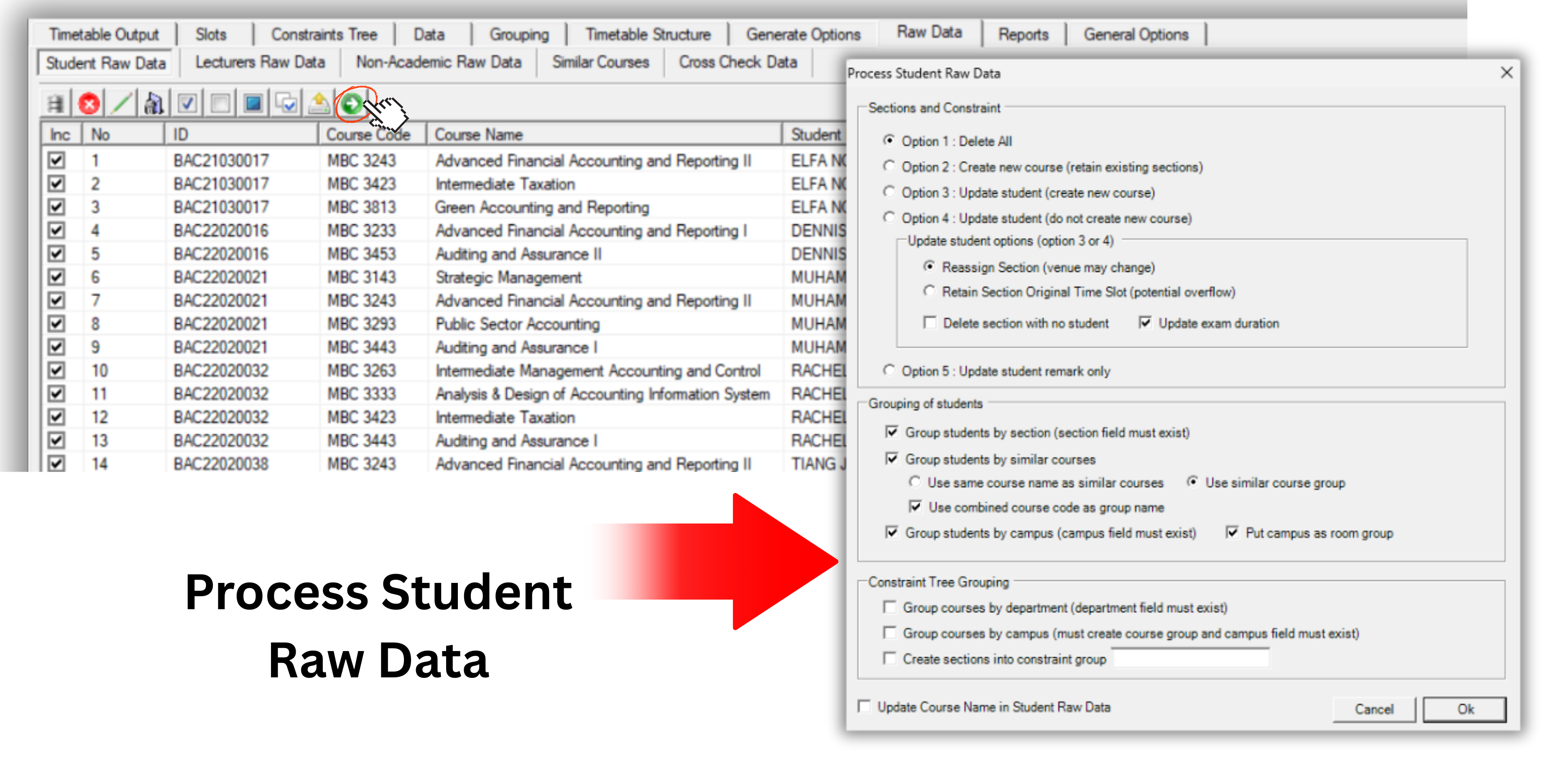
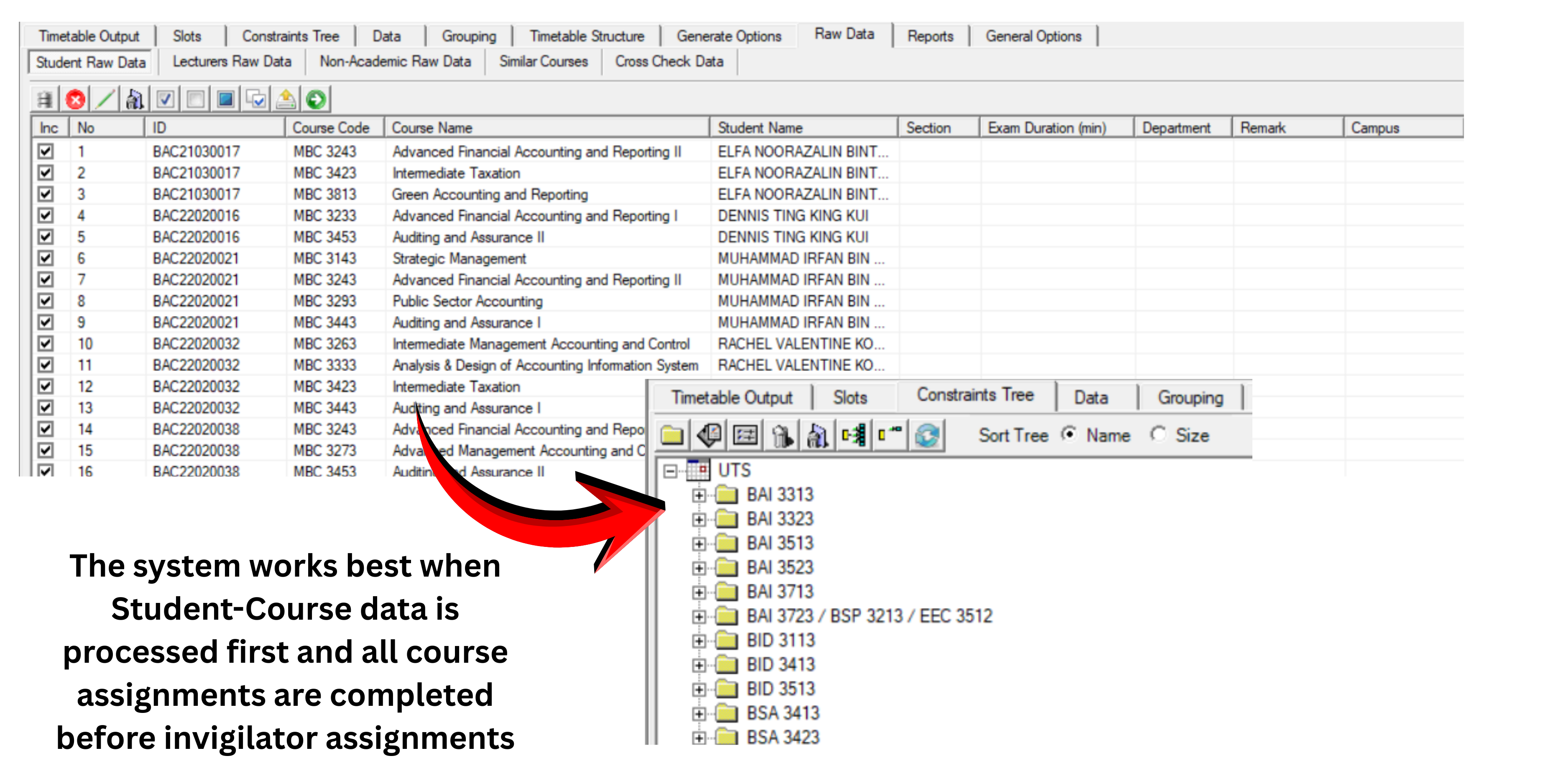
Upload your Student-Course data, Lecturer-Course data, Non-Academic staff data, Exam Venue information, Course-Exam duration data, and Similar-Courses data into T-Plus Exam via Excel and direct integration (API).
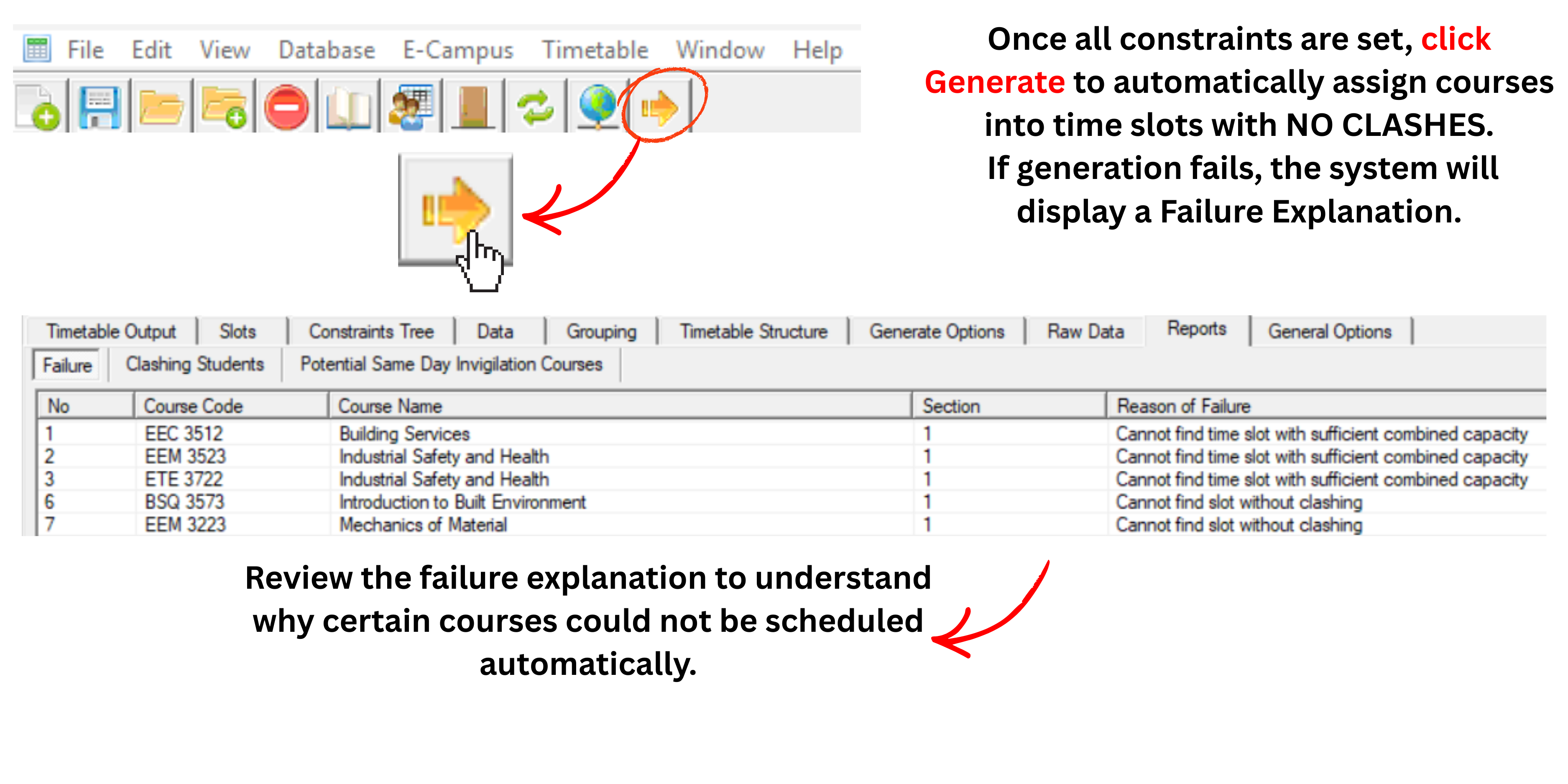
Not only Fast-in-seconds (even with huge data), our processing allow numerous options and flexbility. It allows reprocessing even after completion of Exam Scheduling without changing of slots.
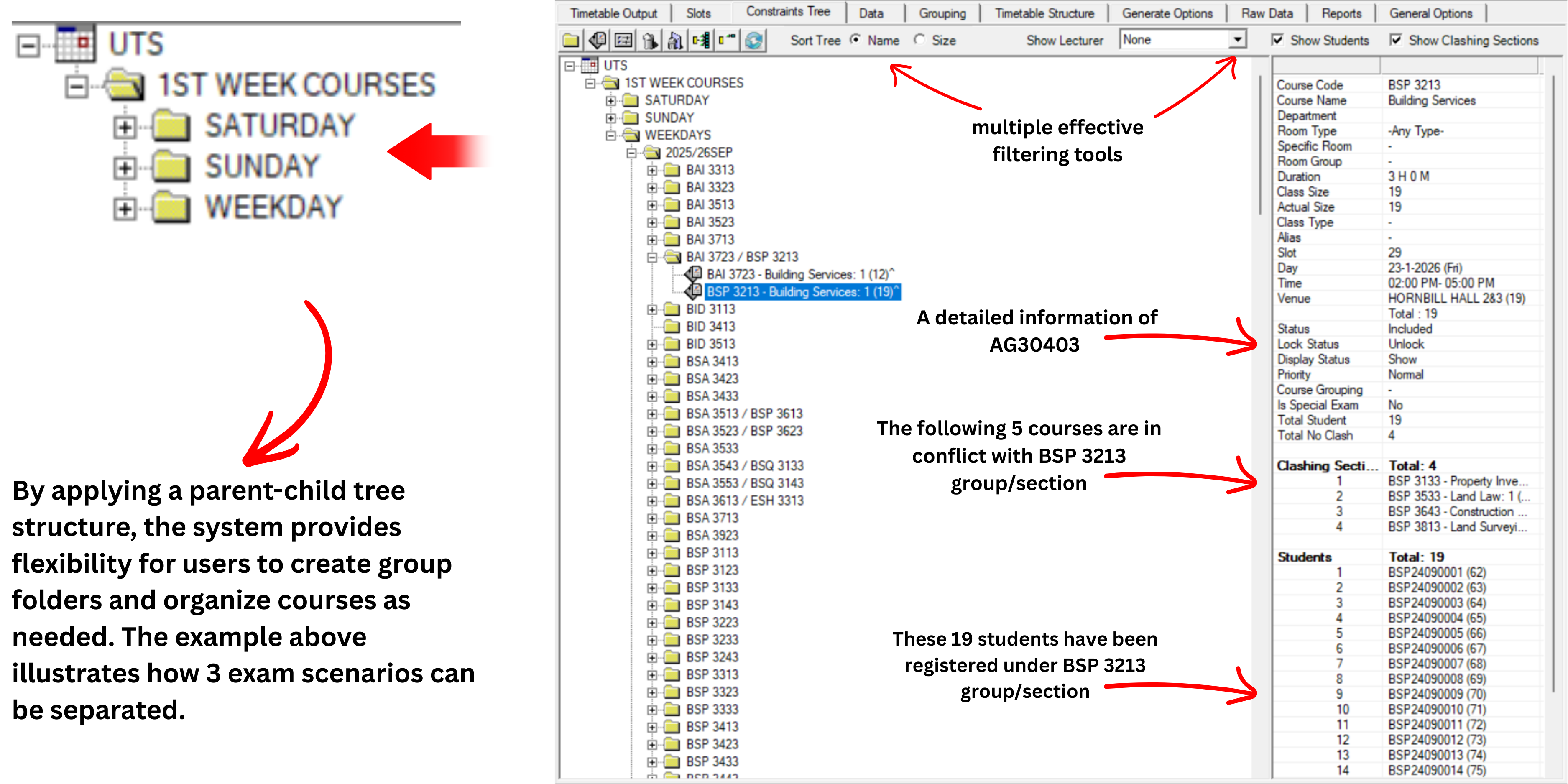
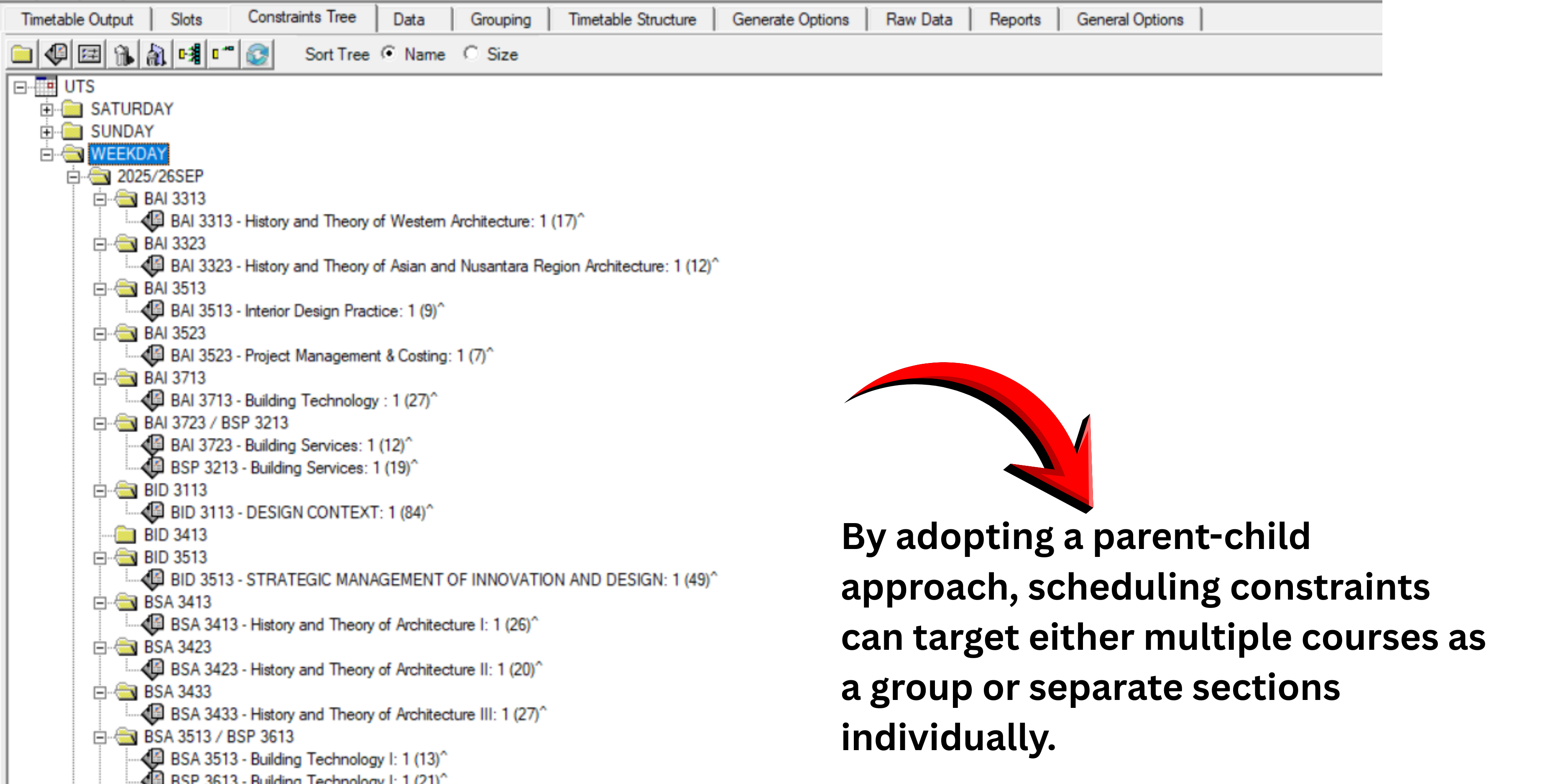
Our parent and child concept at Tree (Data Entry) allows user to have the flexibility to arrange the courses into group constraints folder. Example all courses that need to be in the 1st week will be placed under Group folder called 1st Week Courses.
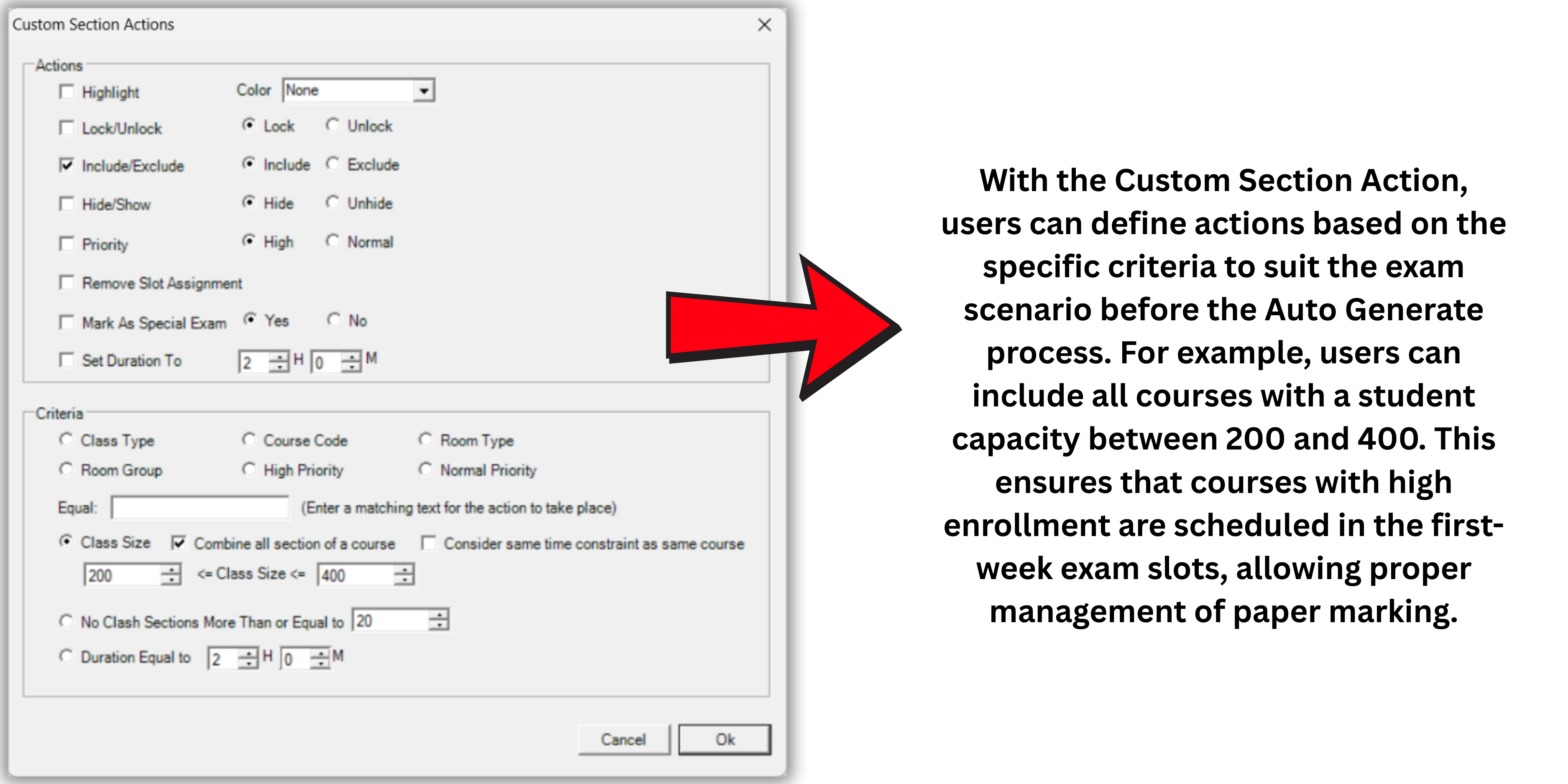
Constraint settings can be set at each Group folder and user can even use T-Plus Exam unique tool called Include/Exclude Section that will only allow users to determine which courses or group of courses to be prioritized in the slot assignment.
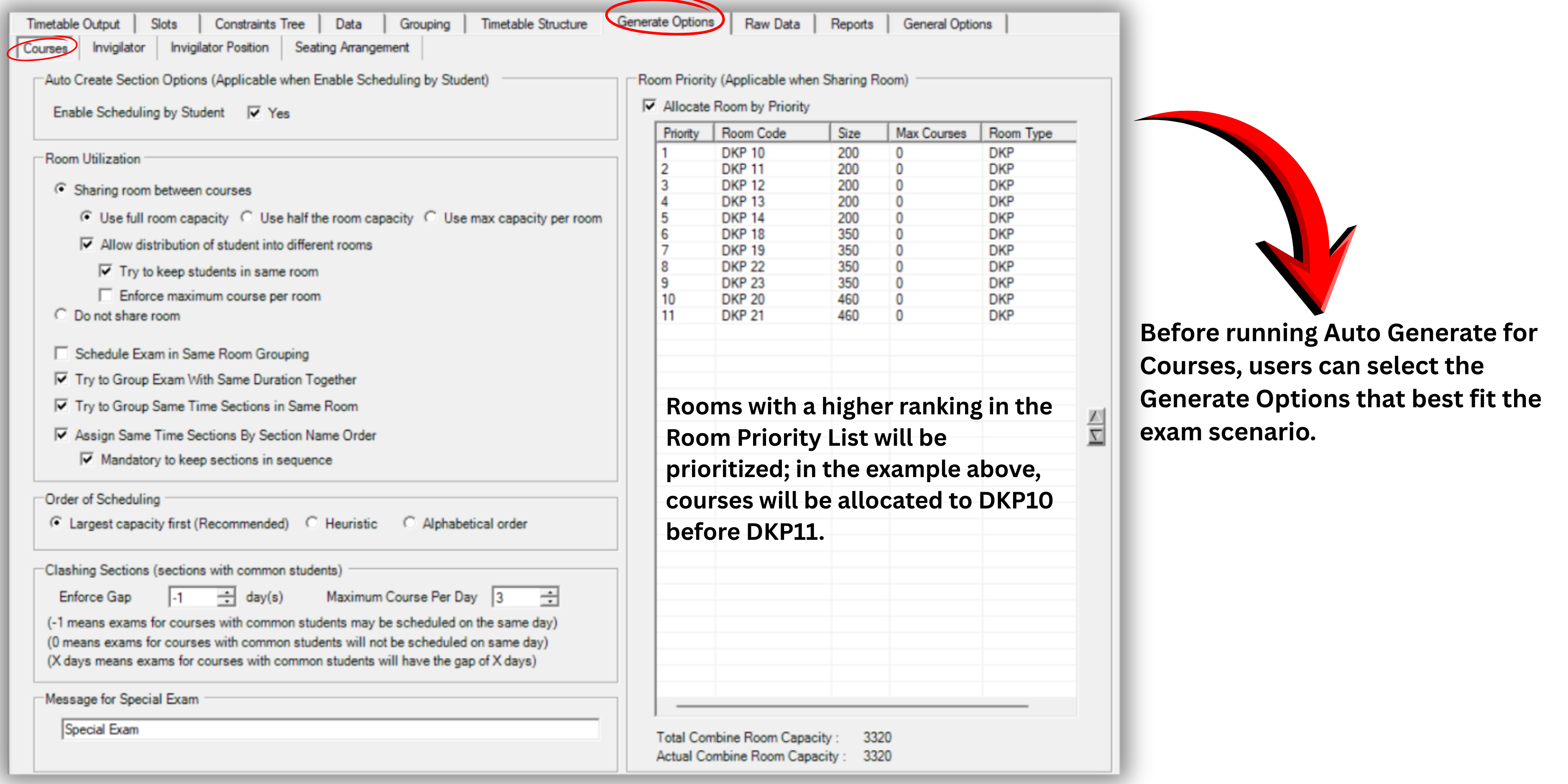
Before user Auto-Generate the courses, setting up of Generate Option for Courses will determine how the courses will be assigned with the room prioritization options. User can determine if each student will be allowed to seat 1 or 2 course/s per day and also determine which rooms to be optimised accordingly.
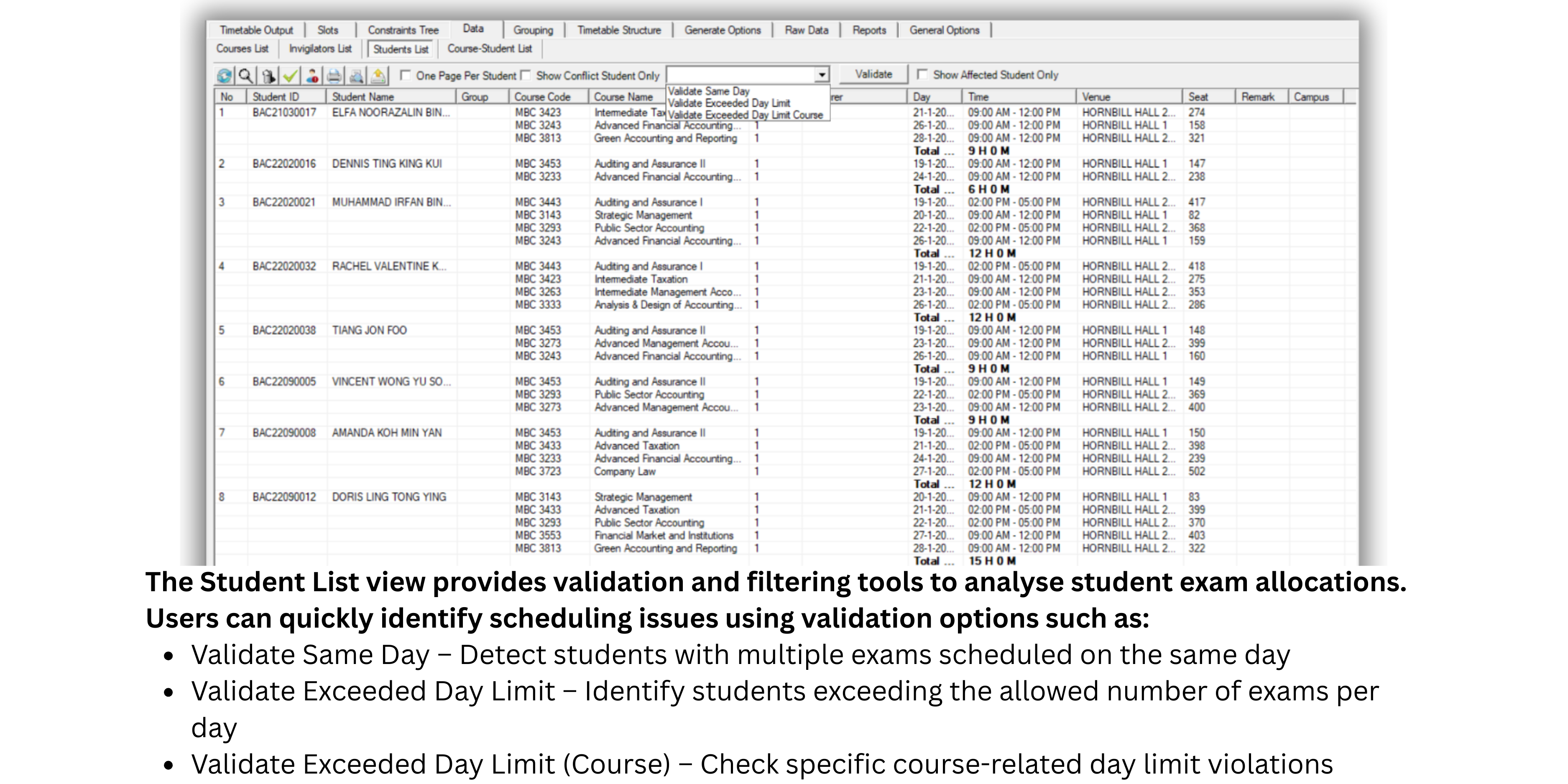
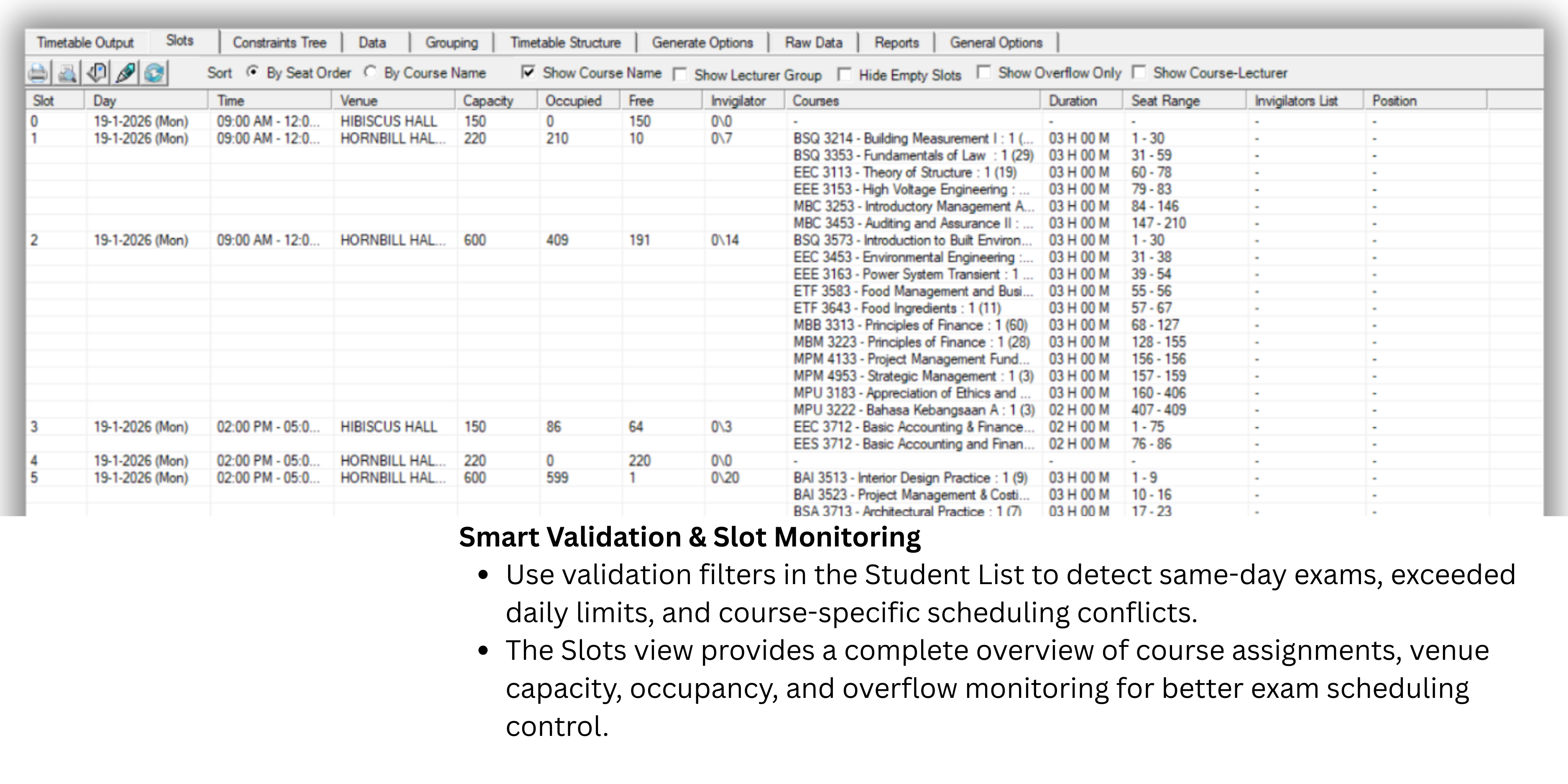
T-Plus Exam offers users various tools and filter options to analyse the assigned courses and students. Filter options will include list of students taking more than 1 paper per day and even listing out clashing students. Overflow slots can be filtered by displaying the number of overflow students per slot.
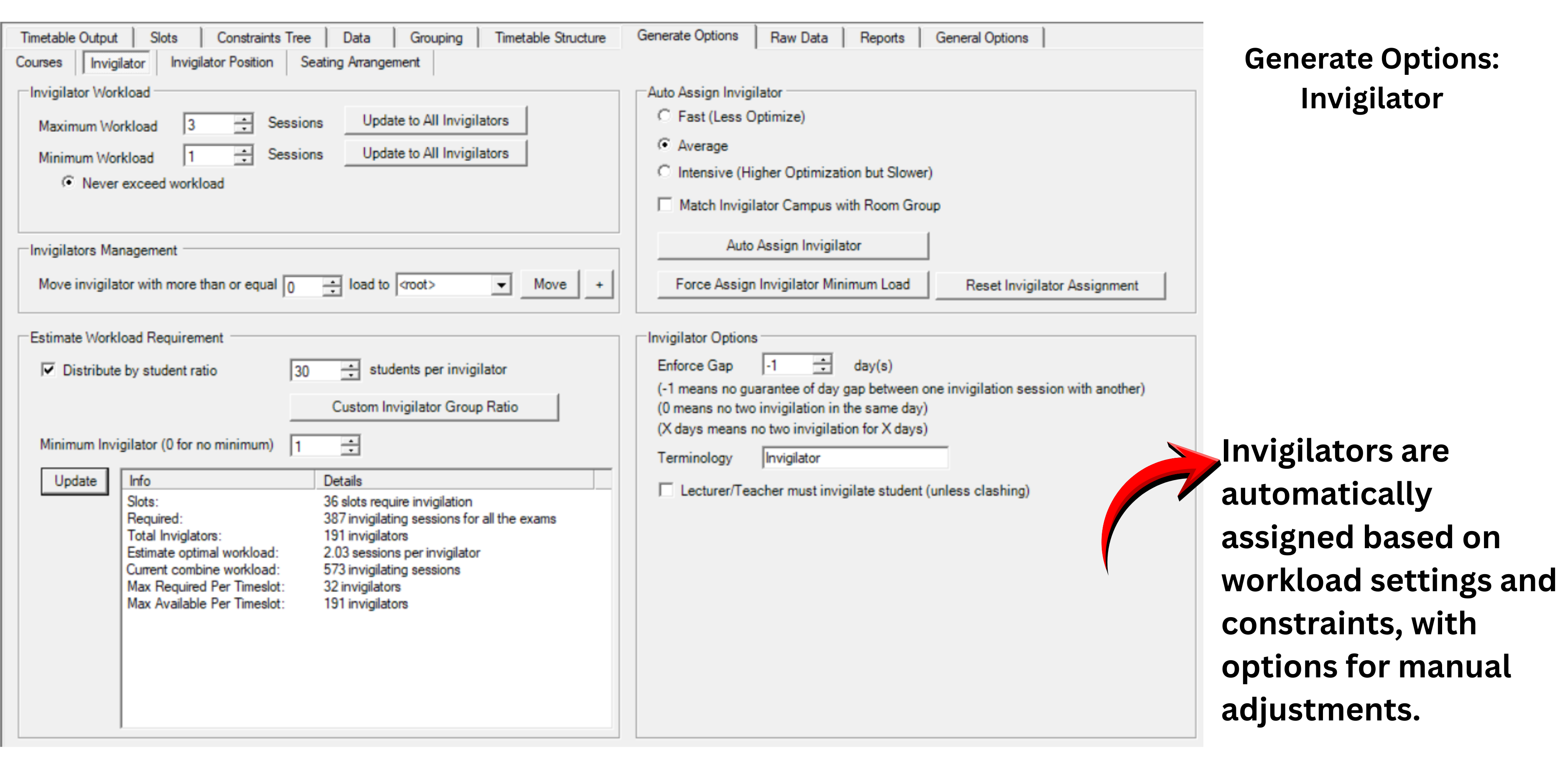
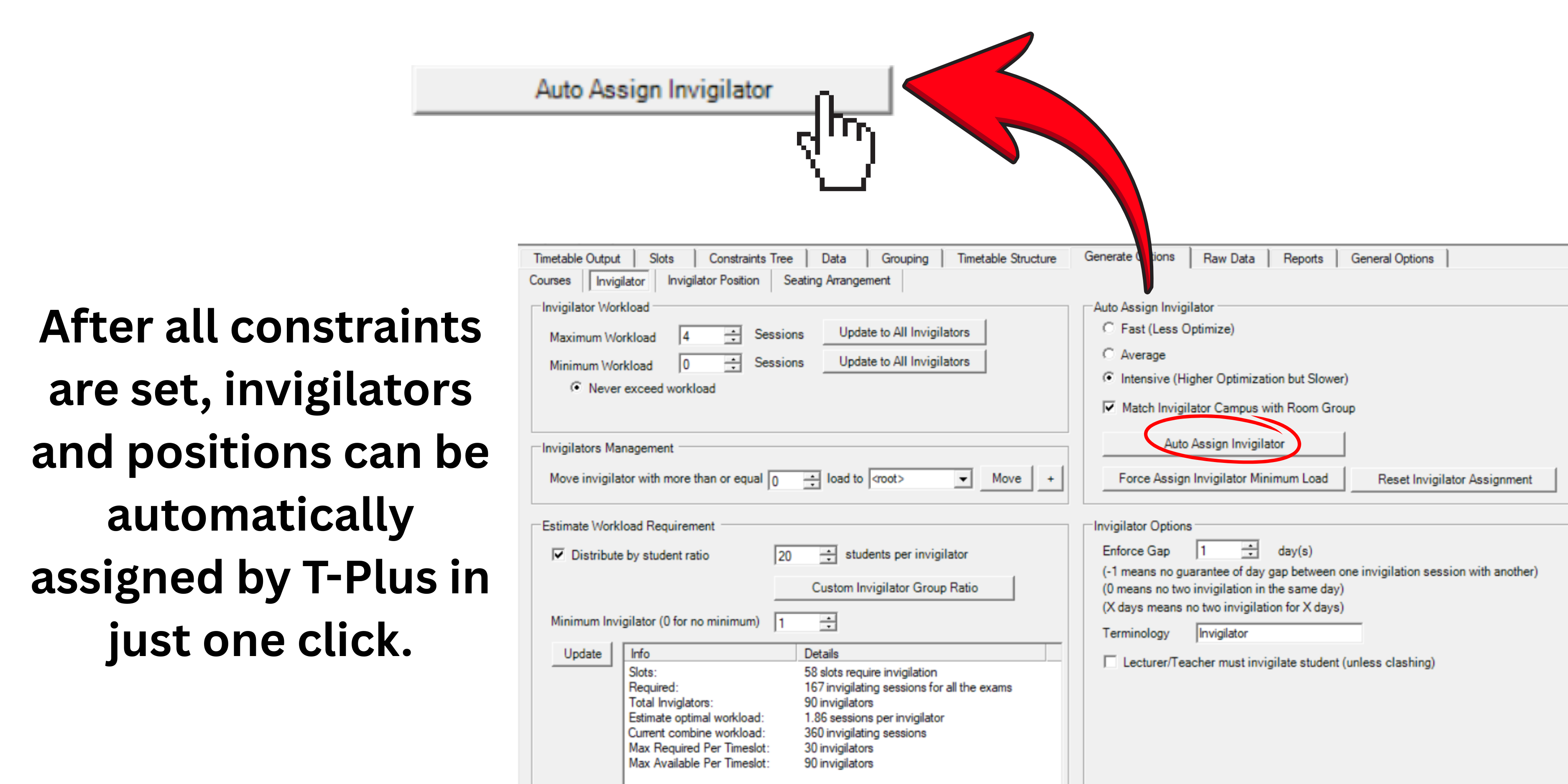
User can group sets of Invigilator like HOP or Part Timer that has special invigilator request like less workload or specific invigilation time before auto assign. Different workload can be set for different group of invigilators in assigning Invigilator and Position (Chief Invigilator). Manual assignment is made easy by our filtering tools such as listing out the available invigilators that have not achieve maximum workload or has no invigilation on the same day.
Users can view all the assigned invigilators and position at the Slot List. The workload can be view at the Invigilator list and user can even view the list of invigilators by the workload quantity. Editing or replacing the invigilator assignment is made easy with our advanced editing and filtering tools just like manual assignment.
Users can use our auto seat arrangement that has the option of Continuos Numbering or Excel Numbering. Further options include if the students will be arranged according to their student IDs or Randomised. If there are many courses in same venue with different exam duration, those with similar exam duration can be grouped together.
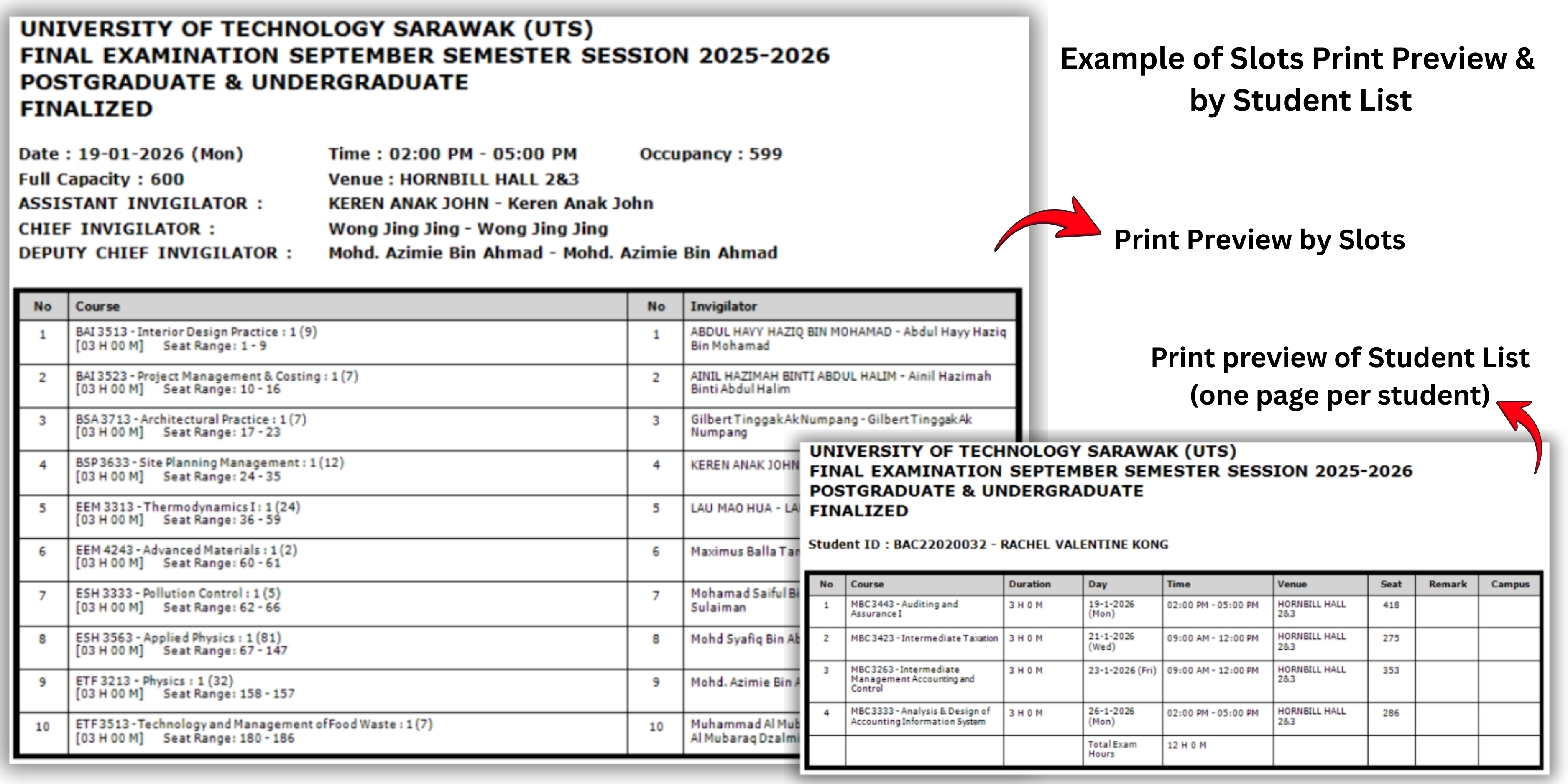
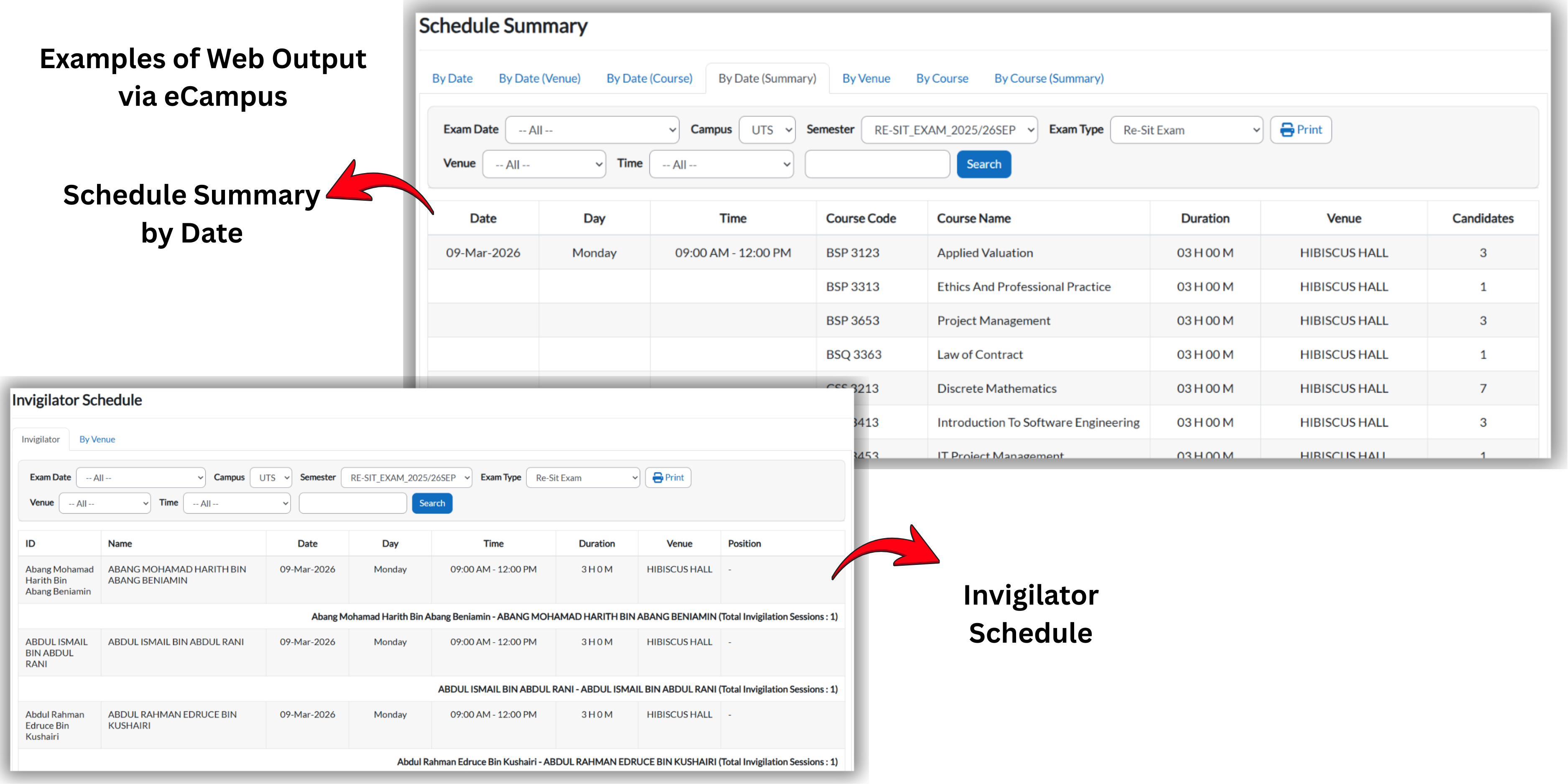
Preview your exam schedules using T-Plus Exam Print Preview and Web Output via eCampus. Users can preview the exam timetable in multiple formats, including via preview of Each Venue displaying all the courses, invigilators and positions. Preview can be also done by Student Lists, Invigilator Lists/Groups, Course Timetables, and Course-Student Lists. Similar formats can also be viewed on eCampus, allowing students and staff to view schedules and summary information online.
Select the T-Plus Exam solution that fits your institution's needs
If you are a small institution without complex exam scenario and do not direct integration with your Student Management System, T-Plus Exam Infiniti is the right solution for you. Enjoy our auto Assign function and other essential exam scheduling features to get you started efficiently.
Our T-Plus Exam is rated as the most advance and most sought after exam timetable software in the market. Complete solution with full integration and advanced features to tackle even complex exam timetable scenario.
T-Plus Exam is an intelligent examination scheduling system that automates the creation of exam timetables for educational institutions. It uses advanced algorithms to optimize venue allocation, prevent scheduling conflicts, and generate complete exam schedules in minutes instead of weeks.
Our AI-powered conflict detection system analyzes student enrollment data, course schedules, and venue availability in real-time. It automatically identifies and prevents scheduling conflicts such as students enrolled in multiple exams at the same time, venue overbooking, and instructor scheduling conflicts.
T-Plus Exam supports Excel (.xlsx, .xls), CSV files, and direct database connections. You can also integrate with most student information systems through our API for seamless data synchronization.
Yes! T-Plus Exam offers fully customizable templates for schedules, reports, and student notifications. You can adjust layouts, colors, logos, and formatting to match your institution's branding and requirements.
Most institutions can complete the initial setup in 1-2 hours. This includes importing your data, configuring preferences, and generating your first schedule. Our onboarding team provides free training and support to help you get started quickly.
No technical expertise is required. T-Plus Exam features an intuitive, user-friendly interface designed for administrators and schedulers. Our step-by-step wizards guide you through each process, and comprehensive documentation is available 24/7.
All customers receive free onboarding training, video tutorials, comprehensive documentation, and email support. Premium plans include live chat support, phone support, and dedicated account managers.
Absolutely! We offer a free 30-day trial with full access to all features. No credit card required. You can also schedule a personalized demo with our team to see how T-Plus Exam works for your specific needs.
T-Plus Exam offers flexible pricing based on institution size and requirements. Plans start at $499/month for small institutions. Contact our sales team for a customized quote tailored to your needs. All plans include free updates and basic support.
Yes! Annual subscriptions receive a 20% discount compared to monthly billing. We also offer special pricing for multi-year contracts and bulk licenses for educational consortiums.
All plans include email support with 24-hour response time, comprehensive documentation, and video tutorials. Premium plans add live chat support, priority phone support, and dedicated account managers. Enterprise plans include on-site training and 24/7 emergency support.
No hidden costs! The quoted price includes everything: software license, updates, basic support, and data storage. Optional add-ons like premium support, custom integrations, or additional training are clearly listed with transparent pricing.
Talk to us about your exam scenarios and our consultant will showcase the power of our T-Plus Exam.
Catered to your institution
Ready for Integration
We use real live data
Talk to our consultant