Timetable Plus Class

Smart Automated Class Timetable Solution

Auto-generate clash-free timetables with proven algorithms to handle complex constraints and overlapping semesters PLUS fully integrated with your Student Management System.

Integration Ready Able to Customize Multiple Constraint Light Weight
T-Plus Class

What is Timetable Plus (T-Plus) Class?

Yes, this is a powerful, intelligent standalone Class scheduling software designed for multi users across faculties and semesters. It is lightweight engineered to eliminate complexity and conflict from various types of Class timetable scenarios.

Say goodbye to student, batch and lecturer clashing PLUS no more headaches or errors from manual assignment. Our platform uses advanced scheduling algorithms to optimize timetable output without sacrificing the demand driven constraints making T-Plus Class software the perfect Class timetabling solution for timetable administrators and managers.

With various timetable reporting and output, timetable stakeholders are able to benefit Clash Free timetable for each semester.

🎯

Auto Generate / Manual Allocation

⚙️

Demand-Driven Constraint Settings

⚠️

Constraint Violation Warning

📊

Various Reporting & Output

Guided Tour

Complete Feature Tour

Navigate through all major modules with interactive screenshots

Database Integration
Click to enlarge

A. DATABASE

Data Entry
Click to enlarge

B. DATA ENTRY

Analysis
Click to enlarge

C. ANALYSIS

Constraint Settings
Click to enlarge

D. CONSTRAINT SETTINGS

Auto Generate
Click to enlarge

E. AUTO GENERATE & MANUAL ALLOCATION

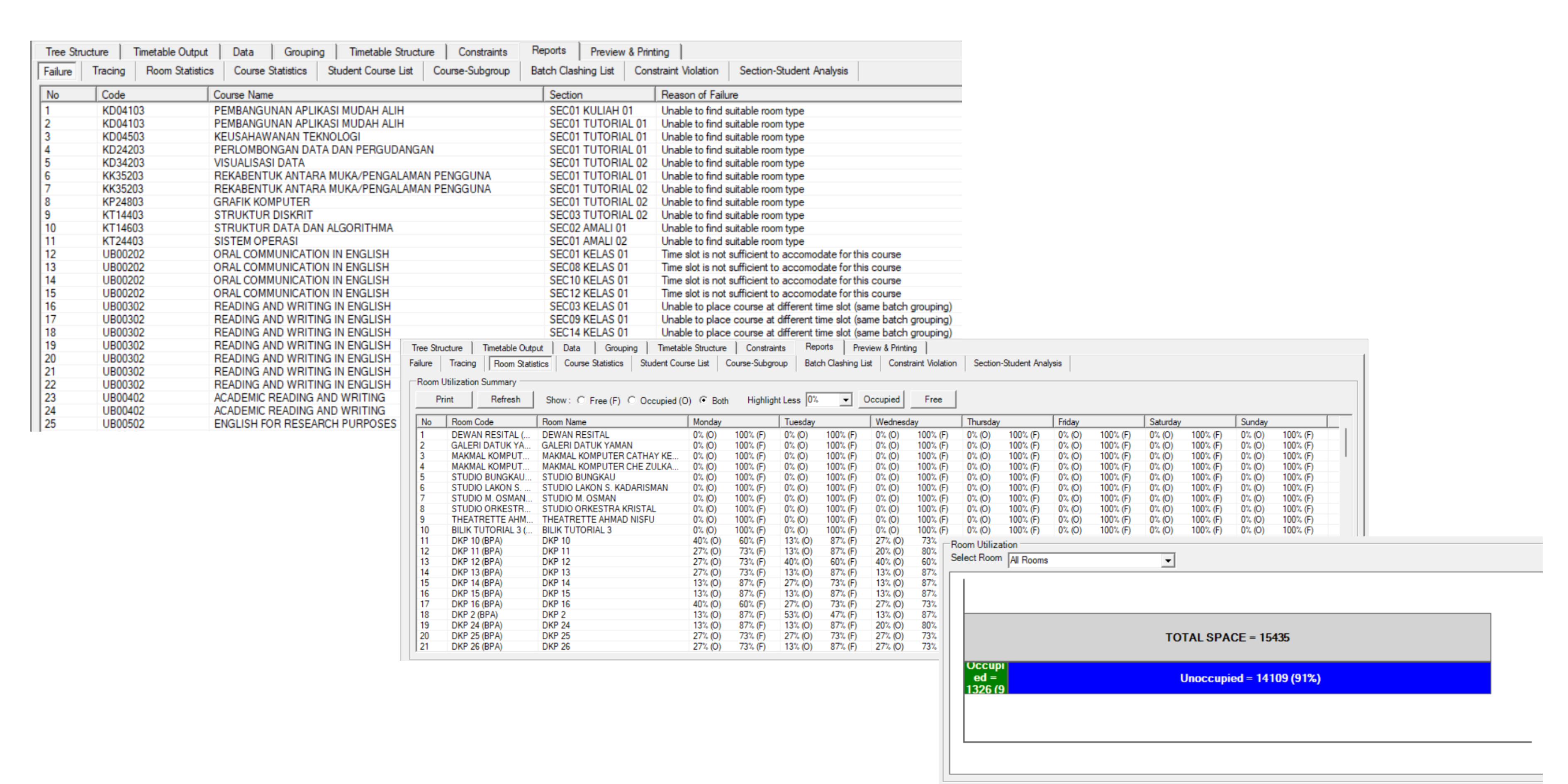
Post Generate Analysis
Click to enlarge

F. POST GENERATE ANALYSIS

Various Reporting
Click to enlarge

G. PRINTING & OUTPUT

"Timetable Plus has made our scheduling and class management so much easier. The system is straightforward to use, and it really helps us stay organized—whether we're planning timetables, assigning lecturers, or checking daily schedules. I especially appreciate how clearly everything is displayed, which makes it easy to avoid conflicts and manage resources efficiently."

UTS
PEONY UPANG ANAK JELANI
UNIVERSITY OF TECHNOLOGY SARAWAK
★★★★★

"Frankly speaking, I'm falling in love with T-Plus. The latest version is more users friendly. The time-table generation function has been improved. The slots allocated have a better spread. I have tested the time-table generation with 3 programmes, and the timetable is more usable."

DR. CHRISTINE LEE
KOLEJ BANDAR UTAMA
★★★★★

Why Choose T-Plus Class?

Auto Assign With Failure Reasons
Manual Editing Made Easy with highlighting
Faster Result with Resource Optimisation
Multiple Constraint Settings
Detailed various kinds of analysis
Unique Include/Exclude tools
Easy and fast editing process with instant generate
Built for even complex class timetable scenarios
Flexibility using Parent & Child concept data management
API Ready to Push to Student Management System
Proven solution for big size institutions with multiple campus
Benefits

Intelligent Features for Complex Class Timetabling

Everything & Anything you need to handle demand-driven class timetabling with proven algorithms & features

Merge & Same Time Grouping

Flexible grouping functionality allows merging multiple classes or scheduling same-time sessions for different student groups with various grouping options.

Bulk Editing & Copy Paste

Efficiently manage multiple timetable entries at once with bulk editing capabilities and convenient copy-paste functionality to speed up your scheduling workflow.

Multiple Printing & View Format

Export and print timetables in various formats and layouts. Choose from different view options to suit your presentation and distribution needs.

Integration

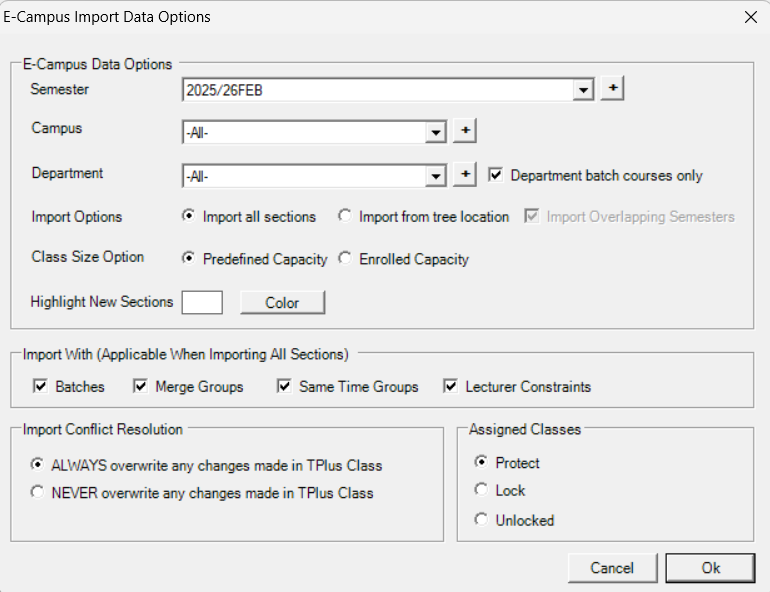
Seamlessly integrate with E-Campus Portal and other Student Management Systems through CSV export/import and API connectivity for real-time data synchronization.

Auto-Generate Algorithm

Proven AI-powered algorithm that automatically generates clash-free class timetables based on multiple constraints in seconds.

Clash Detection & Prevention

Real-time conflict detection instantly identifies scheduling clashes for rooms, lecturers, and student groups before they become problems.

Various Constraints Settings

Configure multiple constraint types including time preferences, room requirements, lecturer workload limits, and course-specific rules.

Full Reports & Analysis

Generate comprehensive reports and analytics to analyze timetable efficiency, resource utilization, and scheduling patterns for data-driven decisions.

Choose Your Version

To meet all our clients' needs and budget, we offer flexible options for every institution

Basic
Coming Soon

T-Plus Class Infiniti

Contact Us

Catered for Small Institutions

  • Scheduling via Batch/Intake Group
  • Auto generate function
  • Manual Allocation
  • Detect Clashing for Batch/Intake, Lecturer & Room
  • Print by PDF or HTML
  • Online Training
Coming Soon
Most Advance

T-Plus Class Campus

Contact Us

Full Package Class Solution

  • Standard functions from Class Infiniti
  • Full Integration with Student Management System
  • Seamless with T-Plus eCampus
  • Mobile Friendly
  • Scheduling via Batch/Intake OR Student Enrolment
  • Onsite & Online Training using Real data
  • Phone/Online Support
Contact Now
FAQ

Frequently Asked Questions

Everything you need to know about T-Plus Class

General

📚 What is T-Plus Class and how does it differ from T-Plus eCampus?

T-Plus Class is a desktop-based class timetabling solution designed for creating and managing academic schedules. It focuses on automated scheduling, clash detection, and resource optimization. T-Plus eCampus, on the other hand, is a web-based platform for publishing and accessing schedules online. They work together seamlessly—you create timetables in T-Plus Class and can export them directly to T-Plus eCampus for student and faculty access.

👥 Who should use T-Plus Class?

T-Plus Class is ideal for universities, colleges, polytechnics, and any educational institution that needs to create complex academic timetables. It's particularly valuable for timetable coordinators, academic administrators, and registrar offices managing hundreds or thousands of class schedules with multiple constraints like room availability, lecturer preferences, and student group requirements.

📄 What file formats does T-Plus Class support?

T-Plus Class supports CSV import/export for institutional data, Excel integration for bulk data entry, PDF export for printable timetables, and direct XML/JSON export to T-Plus eCampus. You can also import existing timetable data from most standard formats used by educational institutions.

Getting Started

🖥️ How to open the software?

After installing T-Plus Class on your Windows computer, you can open the software by double-clicking the T-Plus Class icon on your desktop or finding it in your Start Menu under "T-Plus Class". The first time you launch it, you'll be prompted to set up your institution profile and configure basic settings. The software requires a valid license key which will be provided upon purchase.

Features & Functionality

👥 How can I let other users see my changes?

T-Plus Class is a desktop application, so to share your timetable changes with other users, you have several options: (1) Export your timetable to CSV/PDF and share the file via email or network drive, (2) Use the built-in "Publish to eCampus" feature to upload your schedule to T-Plus eCampus where all users can view it online in real-time, or (3) Save your project file to a shared network location where other licensed users can access and edit it. For real-time collaboration, we recommend using T-Plus eCampus as your distribution platform.

Technical & Support

💻 What's the minimal device spec to use the software?

T-Plus Class requires Windows 10 or Windows 11 operating system. Minimum specifications: Intel Core i3 or equivalent processor, 4GB RAM (8GB recommended for better performance), 500MB available hard disk space, and screen resolution of 1280x720 or higher. For institutions managing large timetables (1000+ classes), we recommend 16GB RAM and an Intel Core i5 processor or better for optimal performance.

📖 Are there any guidance videos or manuals I can refer to?

Yes! T-Plus Class comes with comprehensive documentation including a detailed PDF user manual, step-by-step video tutorials covering all major features, quick start guides for beginners, and interactive help within the software. You can access our video library through the software's Help menu or visit our support website. We also provide free setup assistance where our team guides you through your first timetable creation via screen sharing or on-site training.

Ready To Transform
Your Timetabling Process
with T-Plus Class?

Join our 50+ clients and make T-Plus Class Your Ultimate Class Timetable Solutions