2. Editing
2.1. Remove Slot Assignment
Up on Analysis, unsatisfied slot assignment can be
removed by using the Remove Section Slot
Assignment function at the Right-Click Function. Here are a few locations to remove section in the slot which is:
- Timetable Output
- Tree Structure
- Course List
- Batch Group
- Lecturer List
(Reminder : If the Section is Locked Please Unlock first before Remove the Slot)
1. Remove from Timetable Output
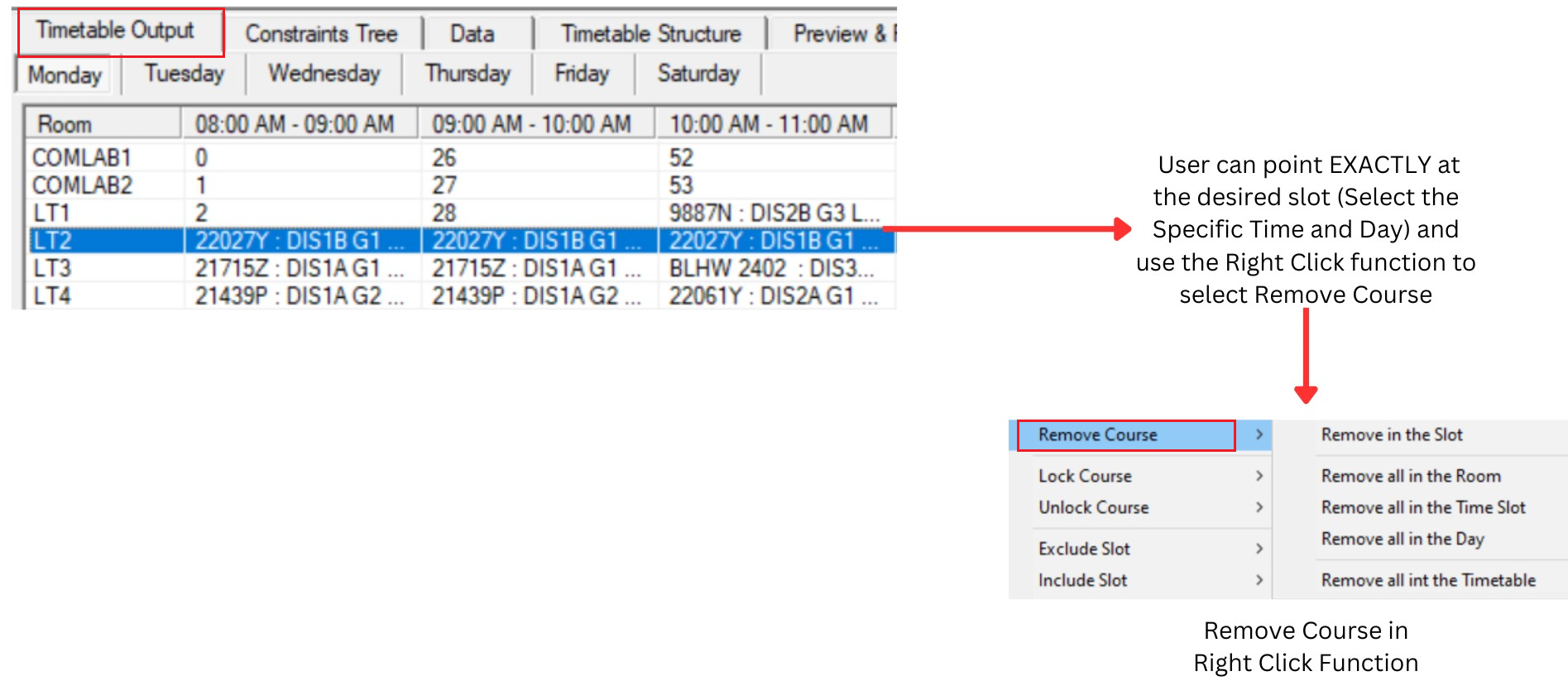
Diagram 2.1.1 : Remove Course at Timetable Output
Remove In a Slot : A single slot
Remove All in the Room : All slots for that particular room
Remove All in the Time Slot : All slots for that particular Time and Day
Remove All in the Day : All Slots for that Particular Day
Remove All in the Timetable : All Slots2. Remove from Tree Structure
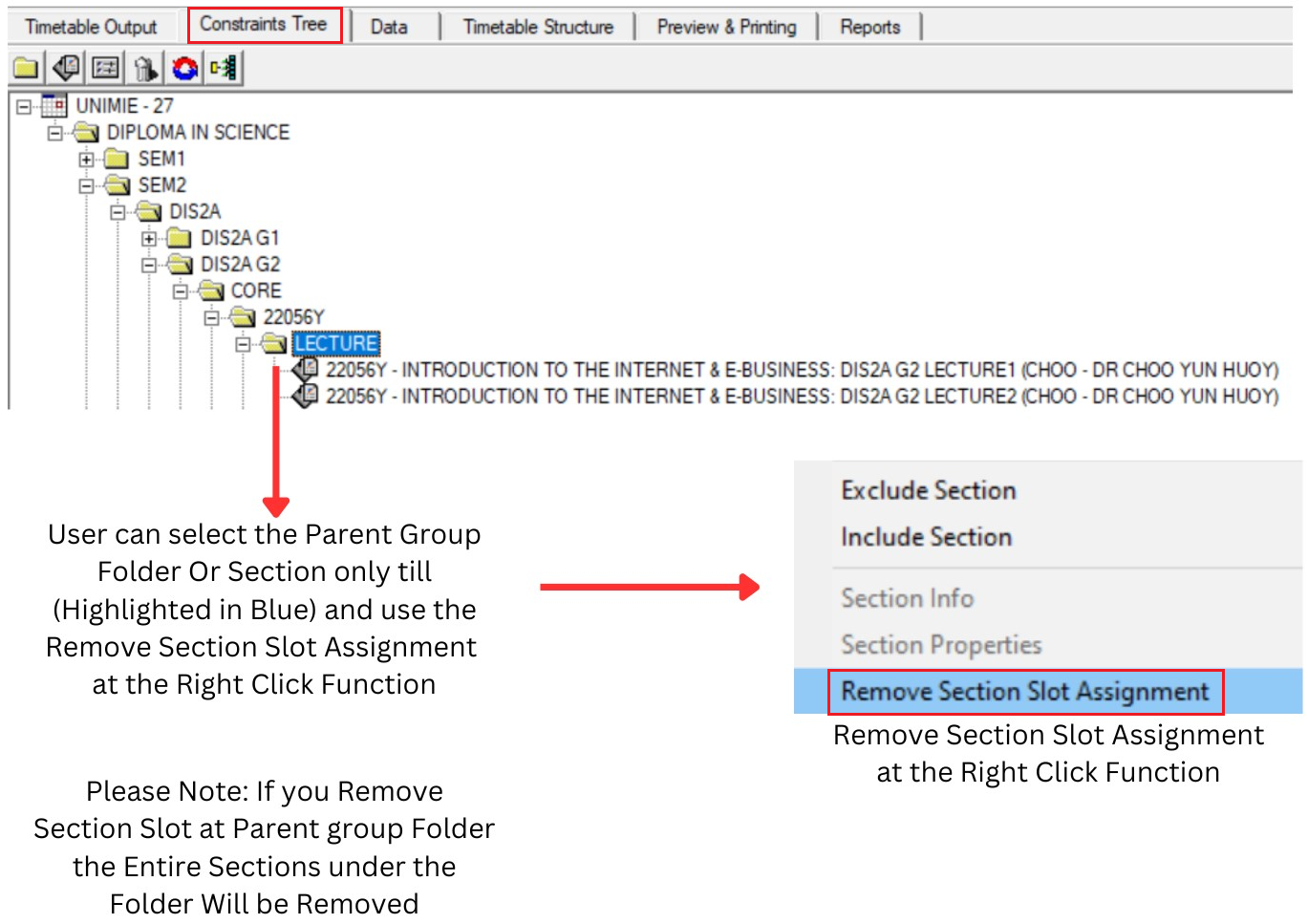
Diagram 2.1.2 : Remove Section Slot Assignment at Tree Structure
3. Remove Slot at Course List
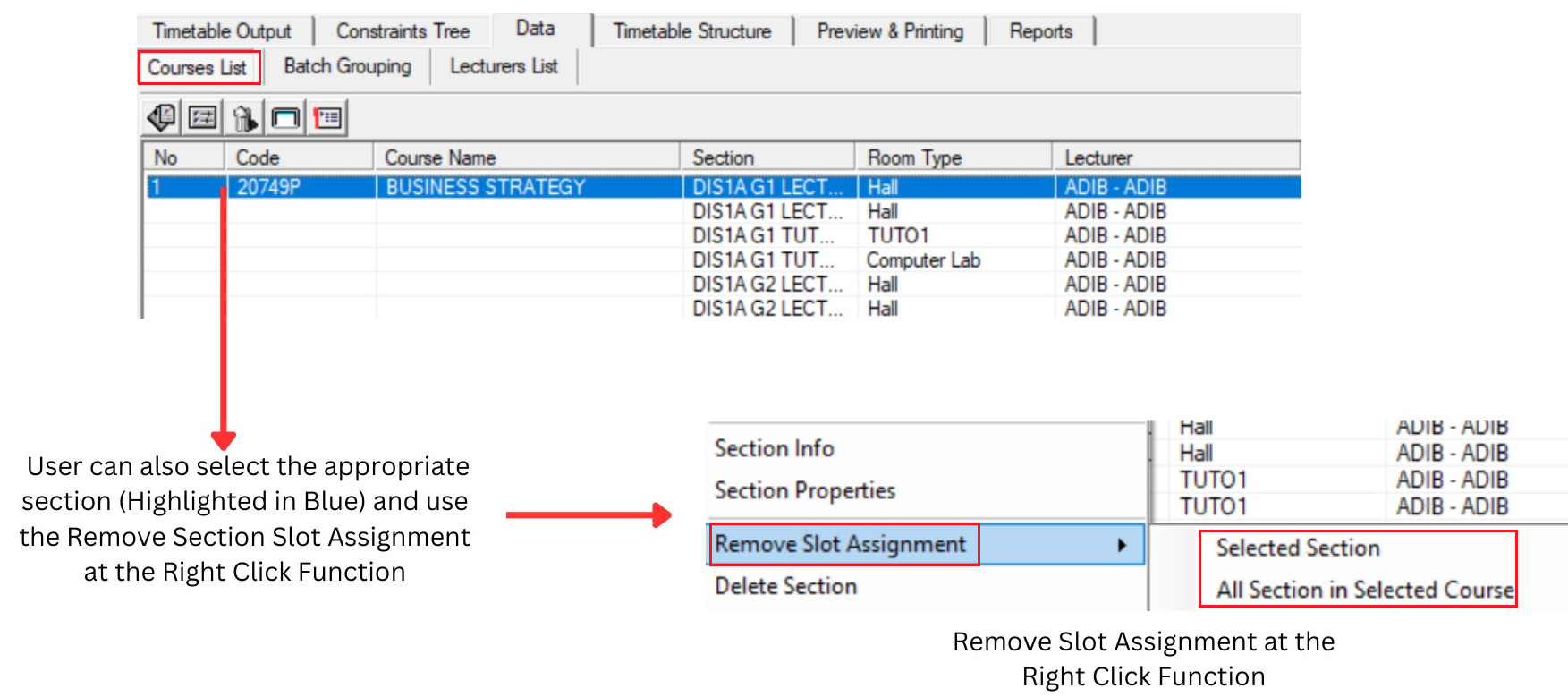
Diagram 2.1.3 : Remove Slot Assignment at Course List
Please Note : Selected section refers to a single section (Highlighted in Blue) & All Sections in Selected Course refers to all sections under the same Course Code
4. Remove at Batch Grouping
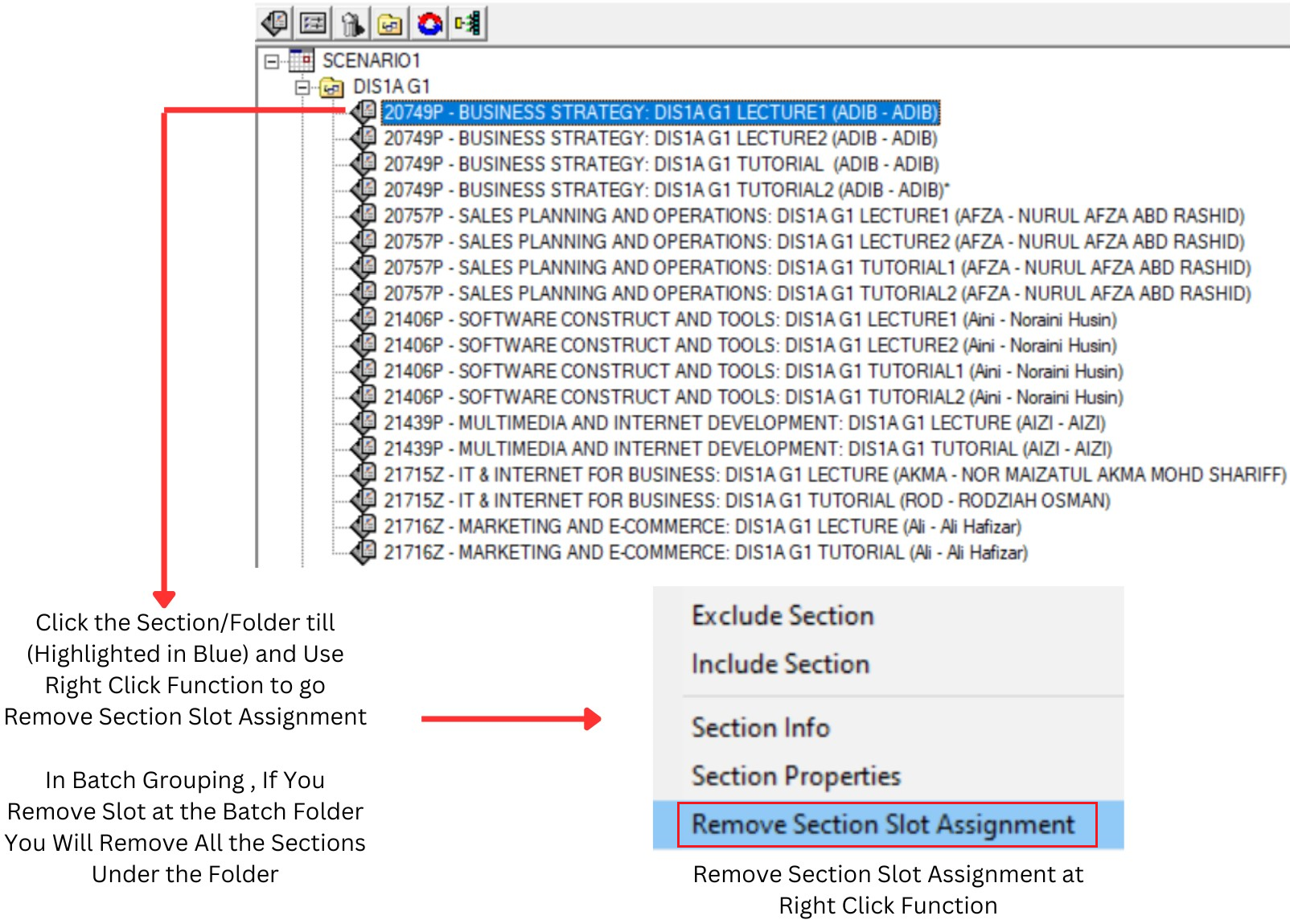
Diagram 2.1.4 : Remove Section Slot Assignment at Batch Grouping
5. Remove at Lecturer List
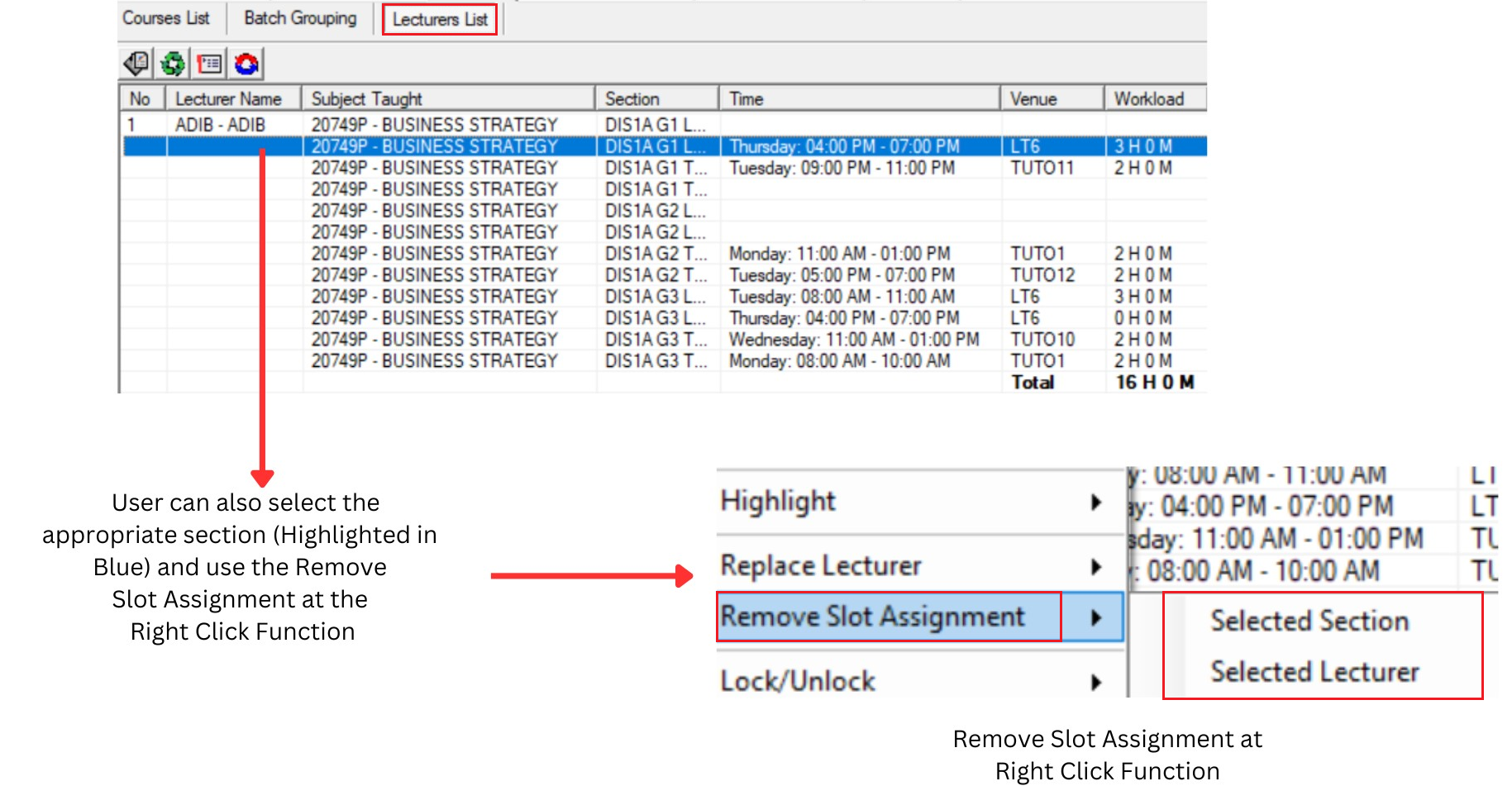
Diagram 2.1.5: Remove Slot Assignment at Lecturer List
Please Note: Selected section refers to a single section (Highlighted in Blue) & Selected Lecturer refers to all sections under the same Lecturer Name