1. Before Auto Generate
1.3. Exclude Slot at Timetable Output
Before Generate, user can also determine
which slot in the timetable to be excluded
temporarily. Exclude Slots are slots that you do not want the Included Sections to be slotted in (Example: user will like to fill up all
the slots on Monday to Thursday first
while excluding all the Friday slots.
Friday slots will only be open when all
the slots from Monday to Thursday have
been filled up).. Excluded slots will be highlighted in Black colour. You can exclude just ONE SLOT (EXCLUDE IN THE SLOT), Room, Day and Time.
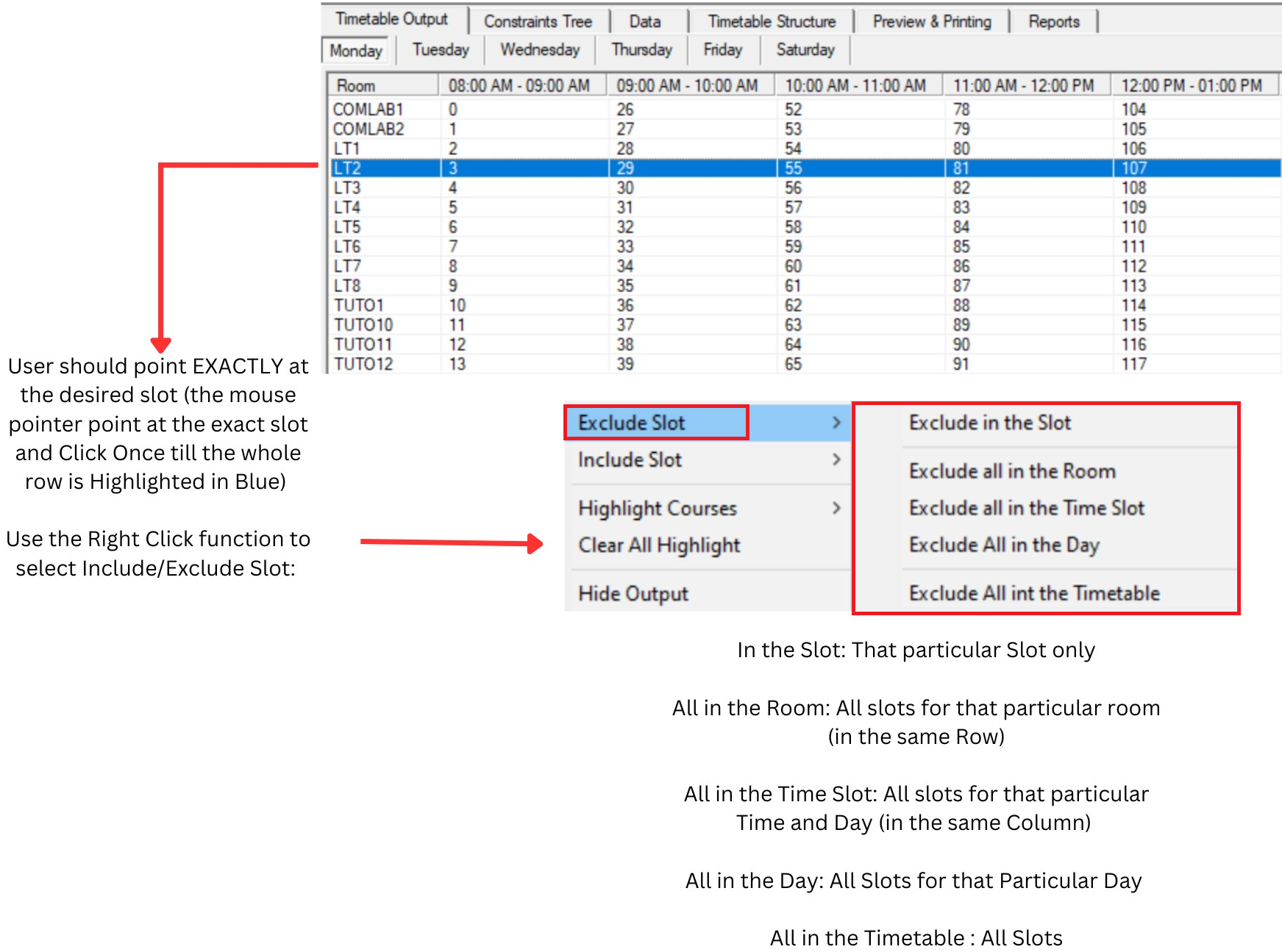
Diagram 1.4.1 : Exclude Slot at Timetable Output