3. Data Entry Analysis & Editing
3.3. Lecturers List
Lecturer List allows users to analyze entry based on Each Lecturer:
- Subject Taught
- Section Name
- Workload (Only Applicable after Timetable has been Generated)

Diagram 4.3.1: Data Lecturer List Tab
Click Data and then Click Lecturer List to open up Data Lecturer List
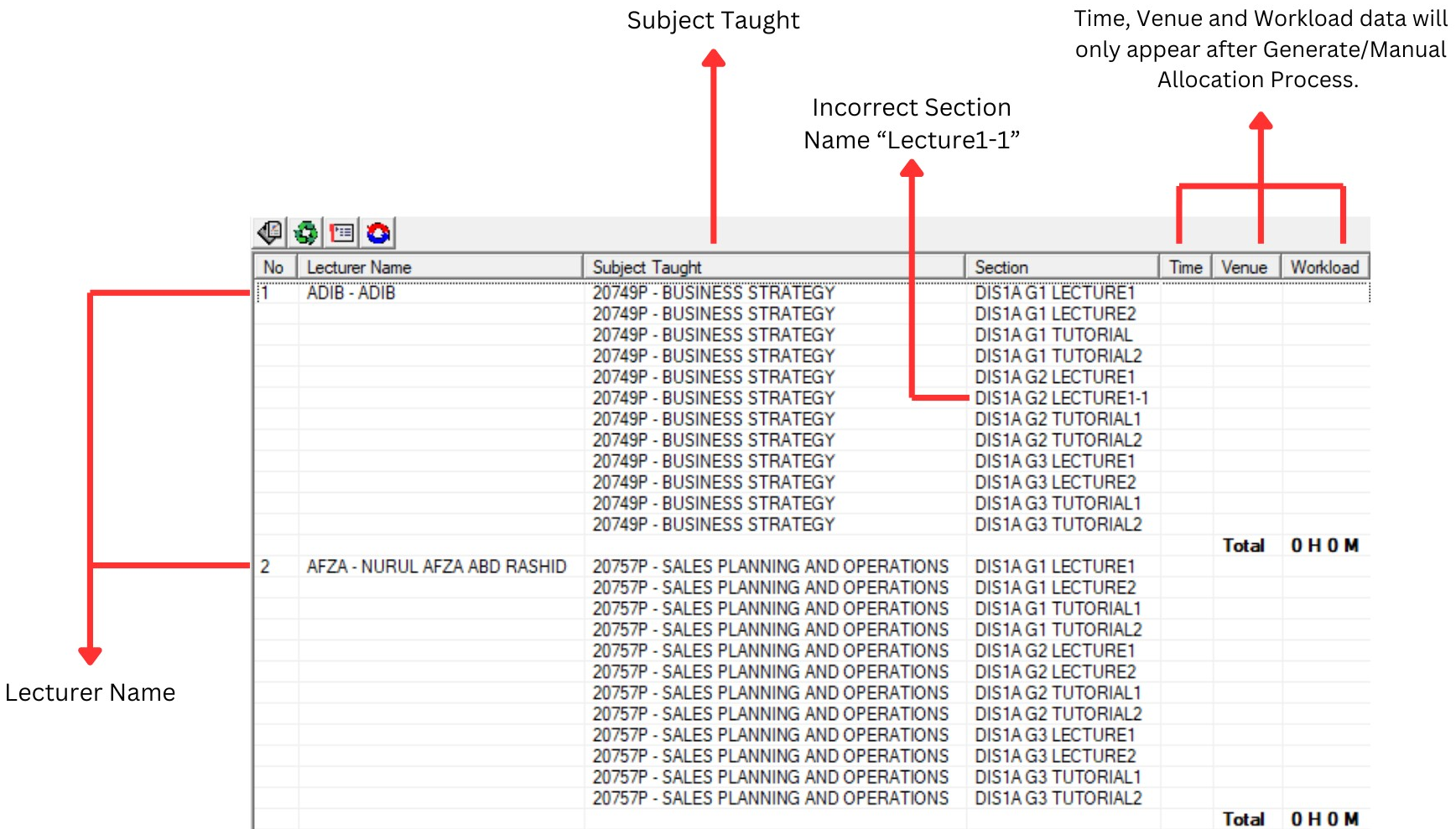
Diagram 4.3.2: Data lecturer listEDITING PROCESS
Editing incorrect data user need to select the particular section until Highlighted in Blue Colour.
Right click at the Blue Coloured section and select Section Properties at Select Function.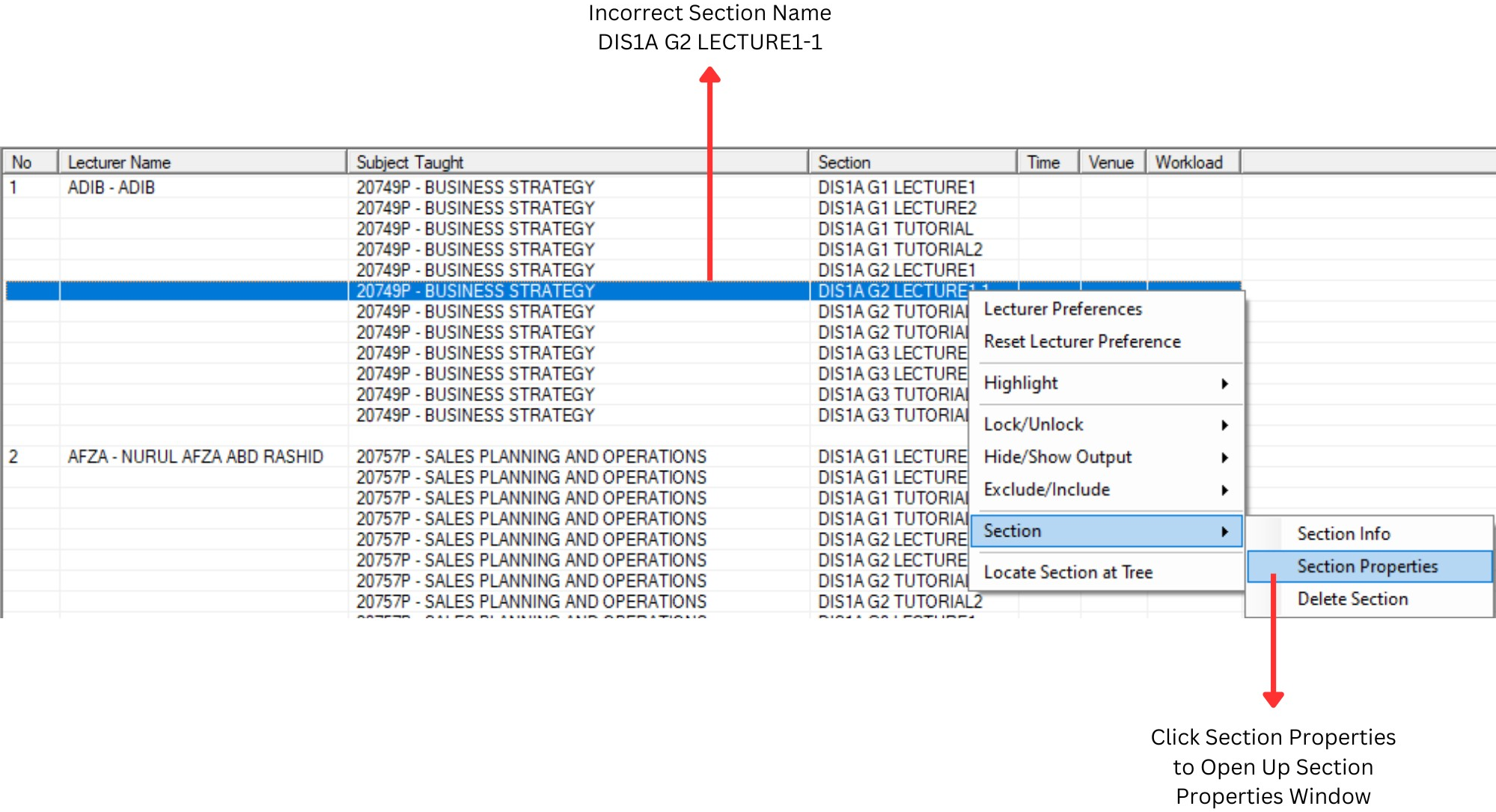
Diagram 4.3.3: Right click function
Section Properties window will appear.
At section name Please change “K1-1” to “K2”. Once finish please Click on Update Button
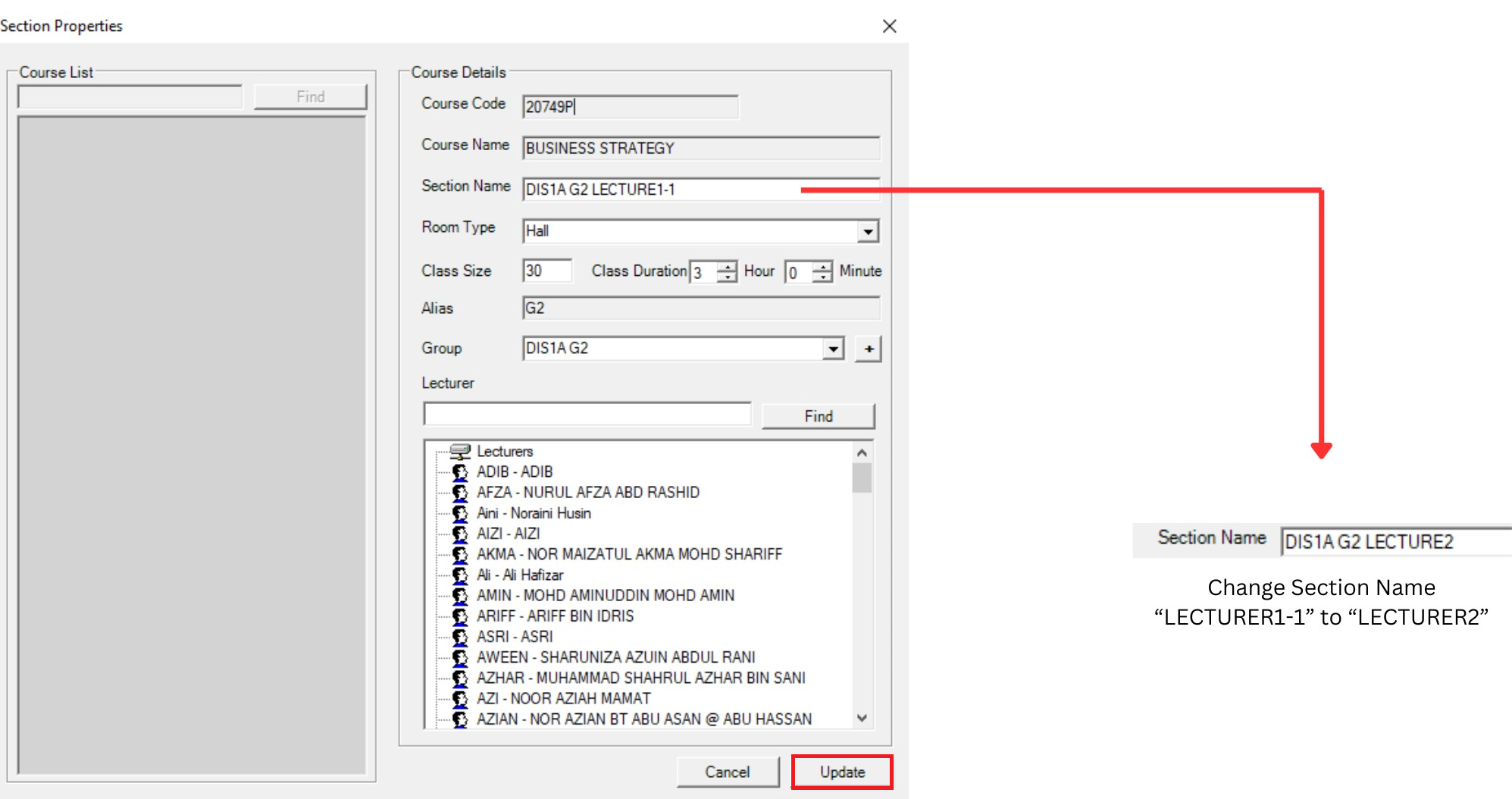
Diagram 4.3.4: Section Properties Window