3. Manual Allocation
Apart from Auto-Generate, user can manually add the section to the desired slot. Manual slot in can be done in Timetable Output. User will use this process for few reasons:
- Specific Time, Day and Room is known
- Alternative Method without using Specific Time Slot and Specific Room at the Constraint Box
- Specified request for sections and lecturer
- Total Control by the User
User can slot section/s manually into the Timetable Output by choosing the slot (Day, Time and Room) and then right click to Add Course.
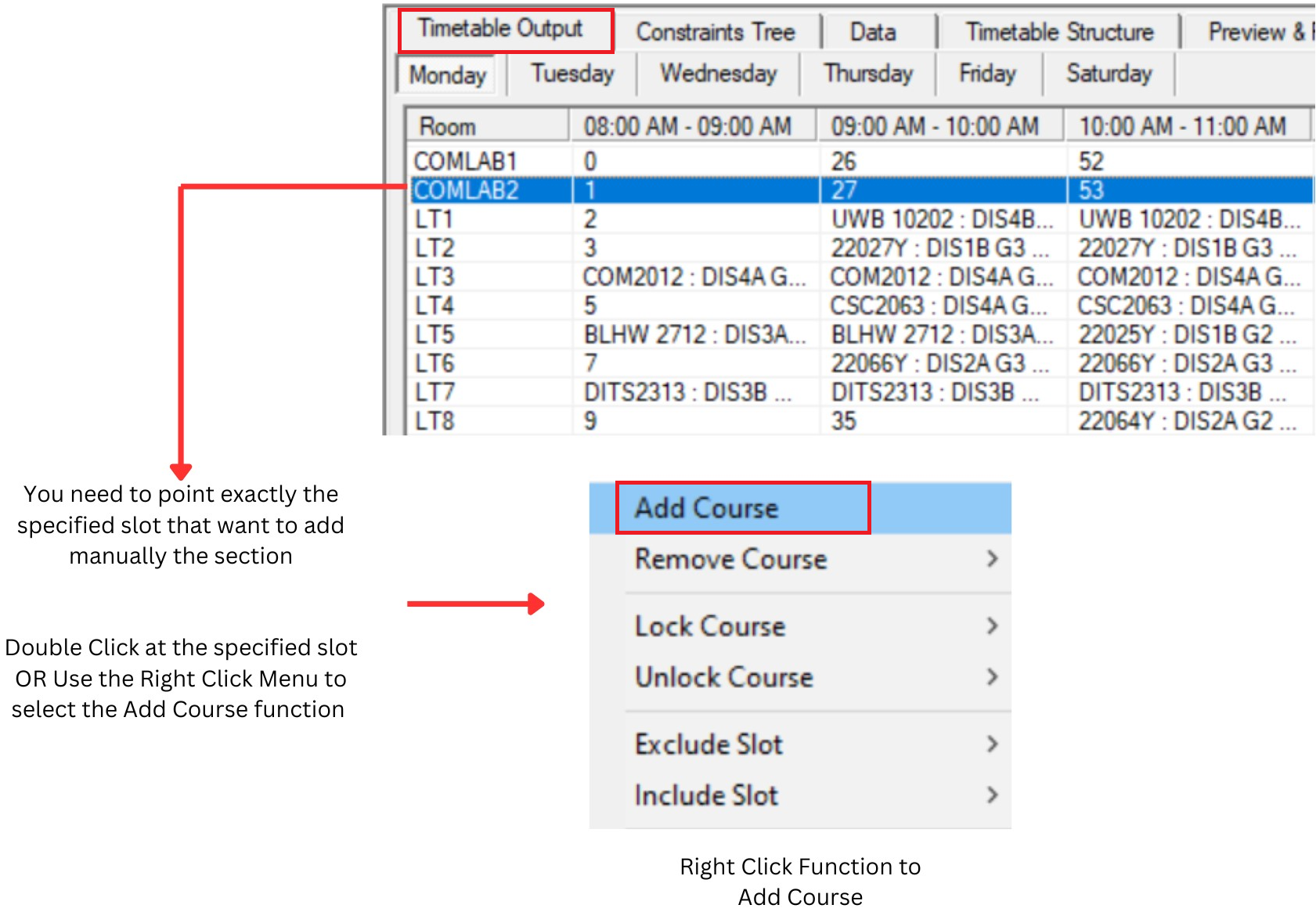
Diagram 3.1 : Add Course Manually
Add course to Slot window will appear
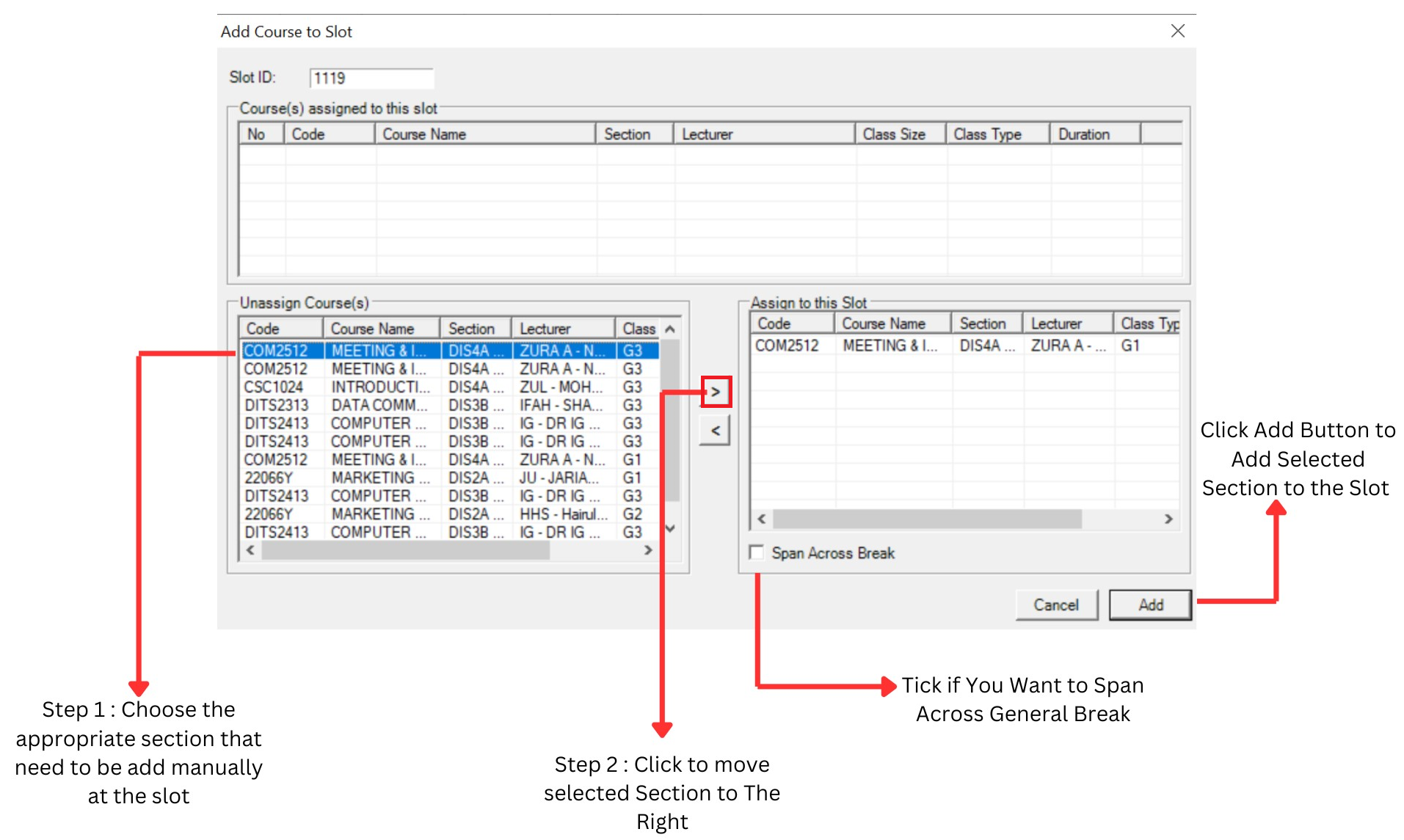
Diagram 3.2 : Step to Add Course Manually
Reminders
There are 4 main Reminders in Manual Allocation Process ;
1. Lecturer Conflict
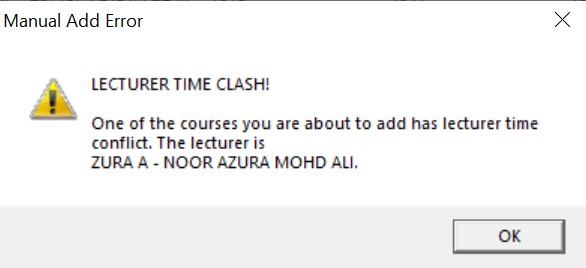
Diagram 3.3 : Lecturer Conflict
2. Same Course Group (Same Batch of Student)
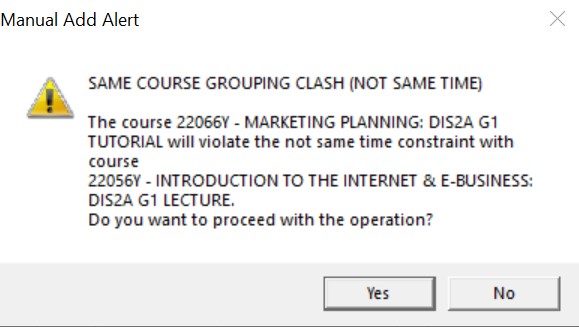
Diagram 3.4 : Same Course Grouping Clash
3. Span Across the Break Violation
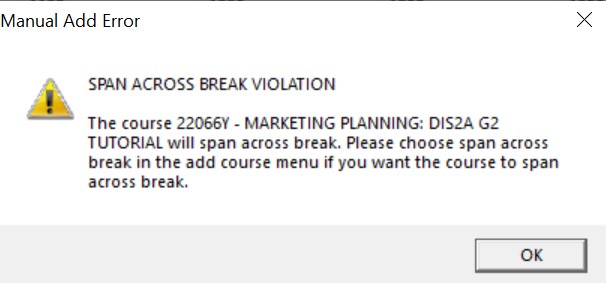
Diagram 3.5 : Span Across Break Violation
4. Auto-Lock Reminder
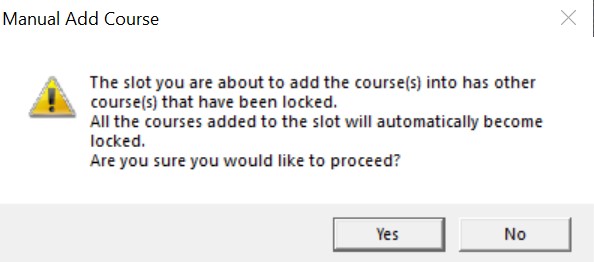
Diagram 3.6 : Auto Lock Reminder