3. Room Management
Room management is important part of creating database. In Room Management, there are few things that you can do which is How to Create A New Room, How to Delete A Folder or Room, How to Import and Export Room List.
There are 2 options to open up Room management window :
Option 1: Click the Room Management icon 

Diagram 3.1: Location icon Room Management
Option 2. Click the  at menu bar and then click

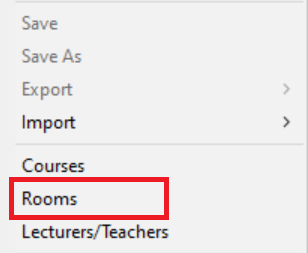
Diagram 3..2: Location of Rooms in the file drop down menu
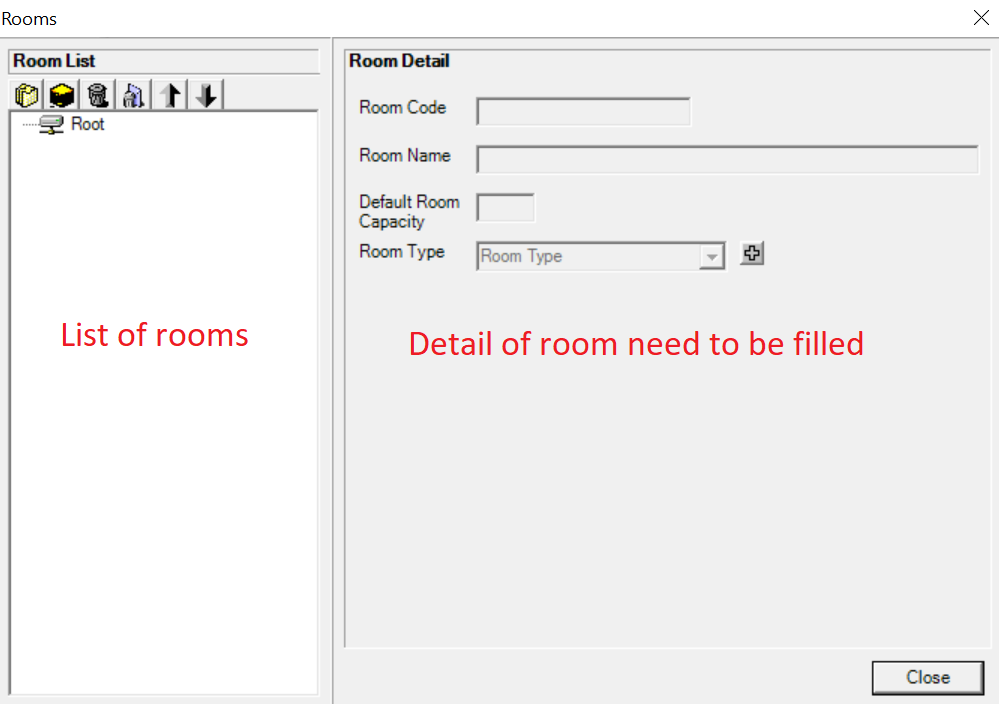
Diagram 3.3: Room Management Window
A new window will pop up, showing the Room management tab.
The icon will be on the top left side of room management tab.

 | Click this icon to create new folder |
 | Click this icon to create new room. |
 | Click this icon to delete the lecturer or folder that you don't want. |
 | Click this icon to delete all the lecturers and folder. |
 | Click this icon to export the lecturer database from software to your file. |
 | Click this icon for import the lecturer database from your file to software. |