3. Manual Allocation
User can slot section/s manually into the Timetable Output by choosing the slot (Day, Time and Room) and then right click to Add Course.
Manual slot in can be done in Timetable Output. 
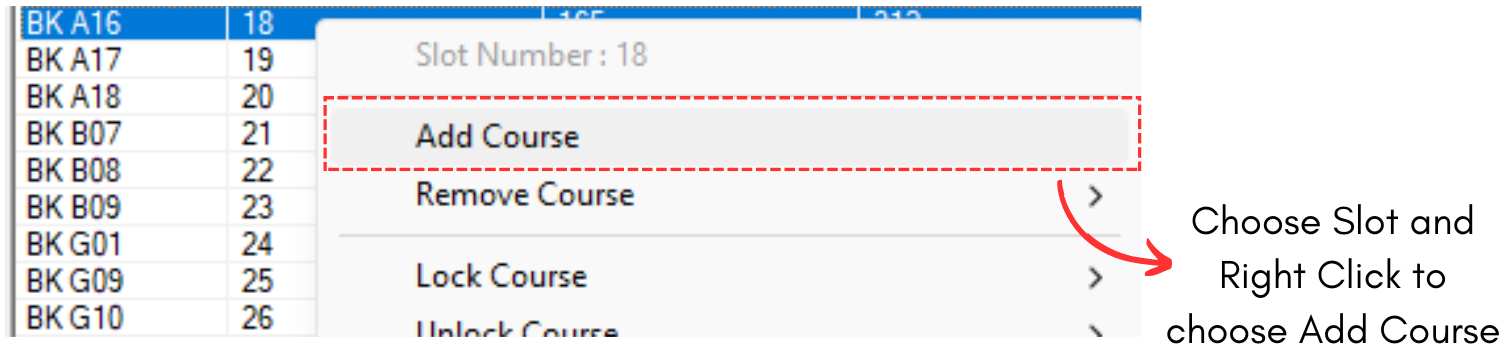
Diagram 3.1 Add Course on Right Click Function
Add course to Slot window will appear.
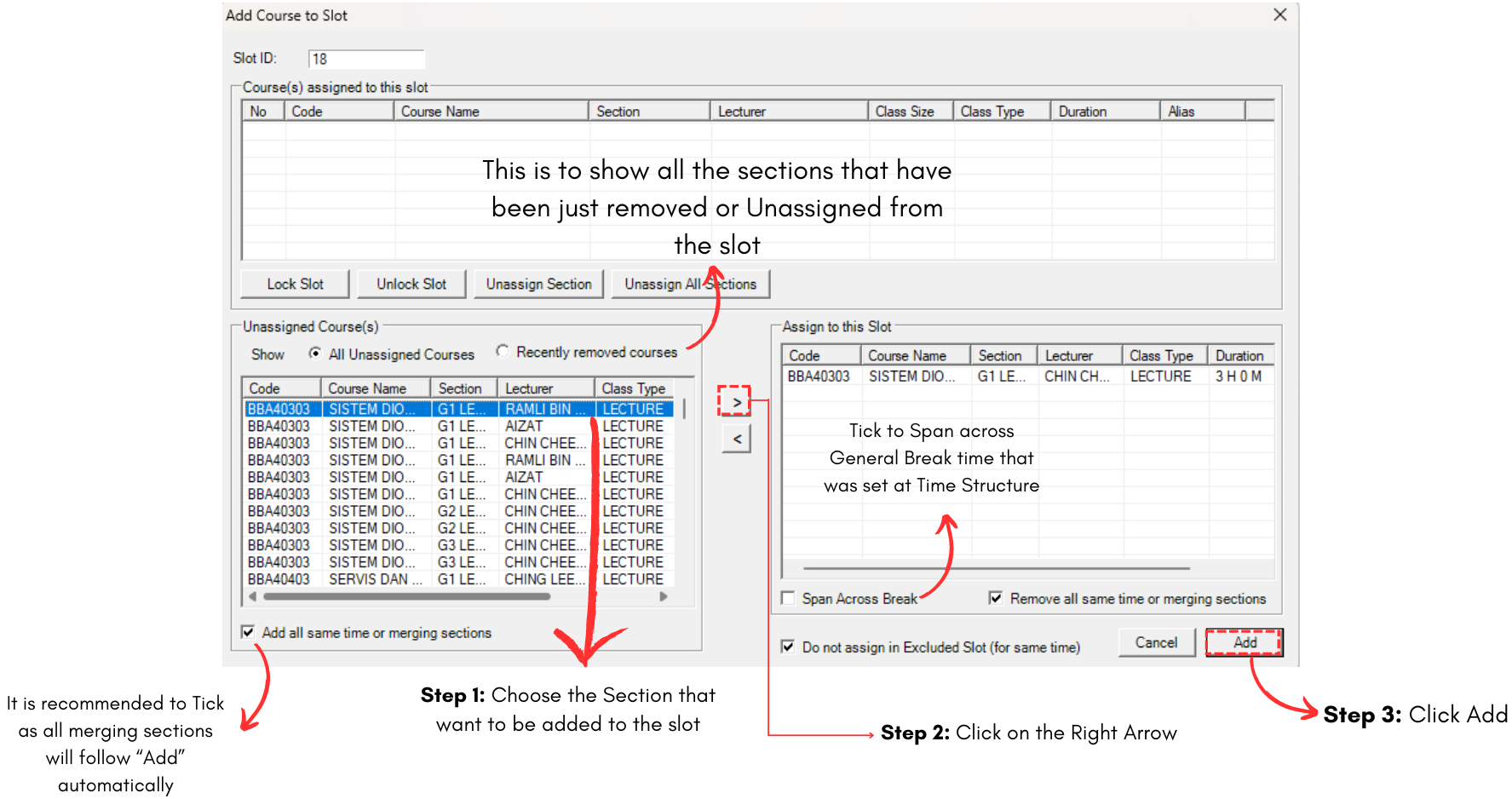
Diagram 3.2 How to Add Course in Add Course to Slot Window
Note that you can Assign, Unassign, Lock and Unlock section/s in the slot from this window.
Manual Slot in Alert
There are few alerts that can help you during Manual Slot in.
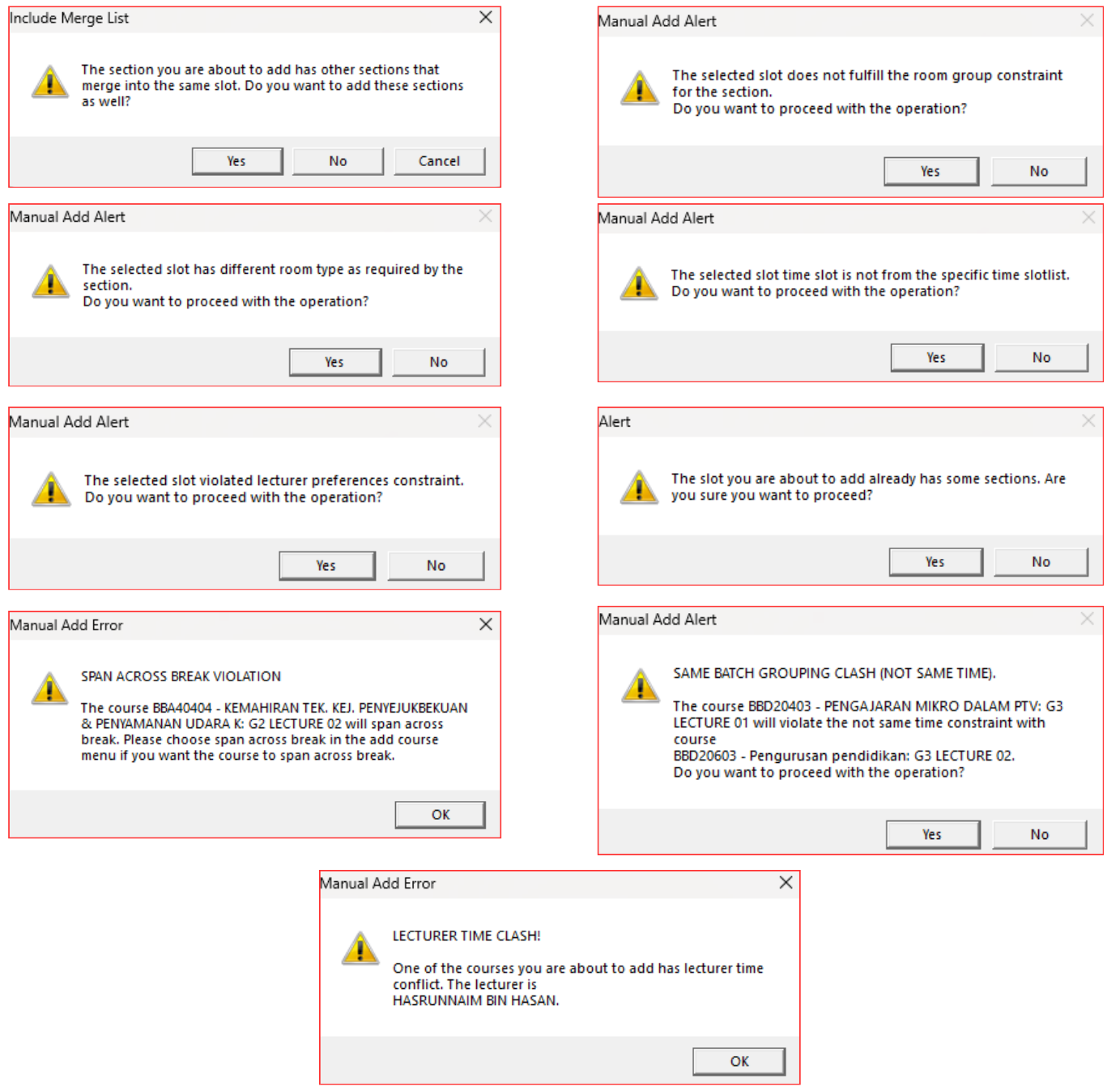
Diagram 3.3 Manual Slot in Alerts
If you choose Yes when Manual Slot In Alert Popup, you will be able to assign section into the desired slot. However, it will be shown as Constraint Violation at Report - Constraint Violation.