3. How to Input Data?
3.5. Step 5
Same Time
After completing the merging process in Step 4, you can set subgroups of different subjects to occur at the same time slot.
This is useful when:
-
Two or more different subjects need to be taught at the same time.
-
Students are divided into separate classes, but the timetable requires both subjects to run simultaneously.
Setting Subgroups at the Same Time
-
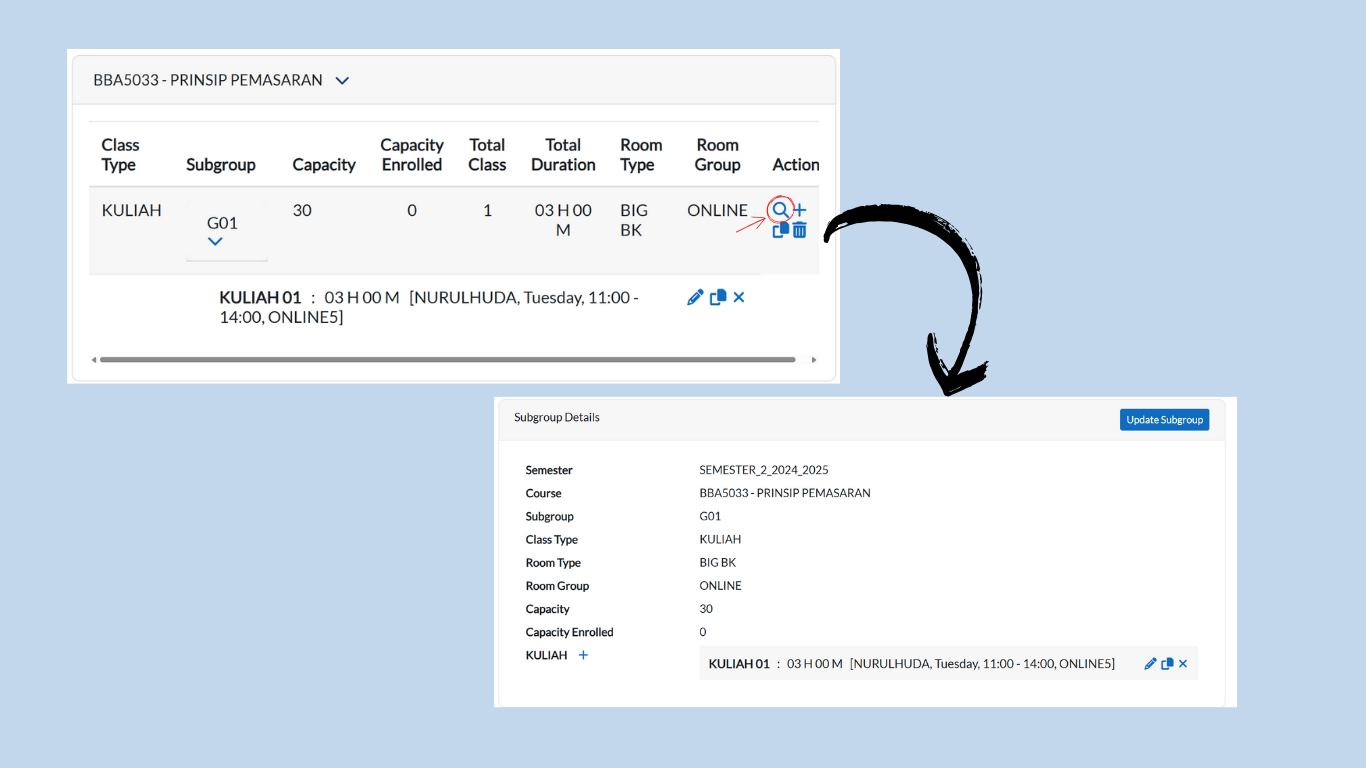
Go to the Subgroup List tab and locate the subgroup you want to set as Same Time.
-
Click on the magnifying glass icon next to the subgroup.
-
You will be redirected to the Subgroup Details page.
Using the Same Time Tab
-
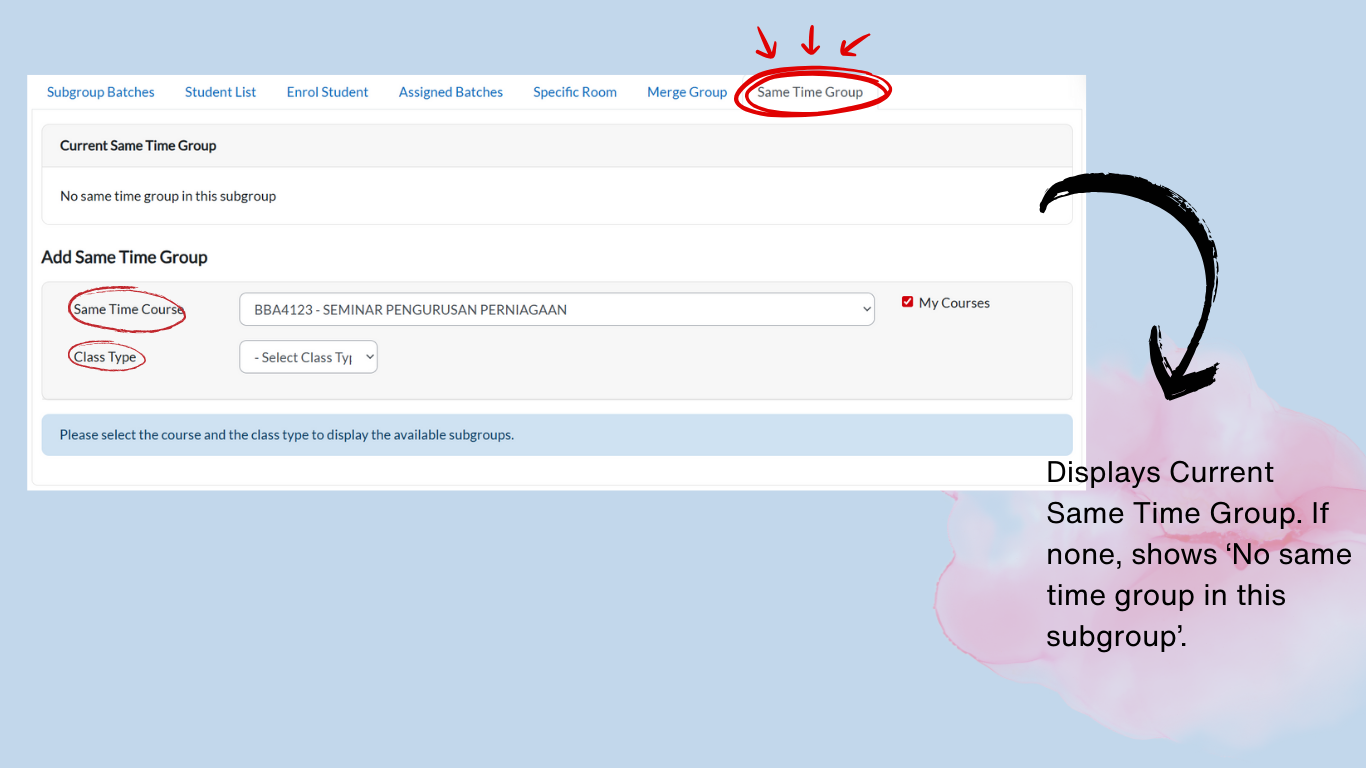
On the same page, go to the Same Time tab.
-
Under Select Course, click the dropdown and choose the course(s) you want to set as Same Time.
-
Under Class Type, click the dropdown and select the appropriate class type.
Assigning Subgroups for Same Time
Below the dropdowns, you will see two boxes: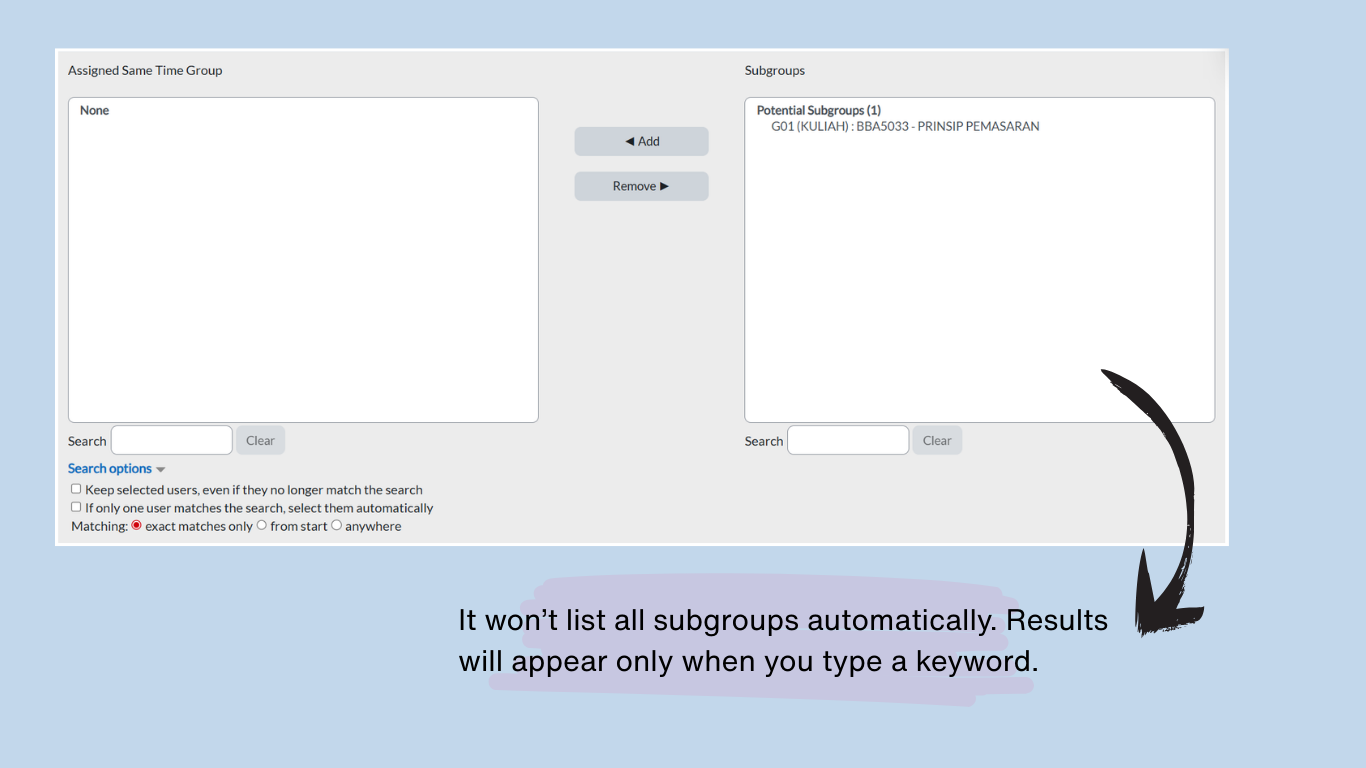
-
Left Box (Assigned Same Time Group):
-
Shows subgroups already set as Same Time.
-
Use the Search field to find and remove subgroups.
-
-
Right Box (Unassigned Same Time Group):
-
Shows subgroups available to set at the same time.
-
Use the Search field to find and assign subgroups.
-
Steps to Assign/Remove Subgroups
To Assign a Subgroup:
-
In the Right Box (Unassigned), search for the subgroup.
-
Click the subgroup name until it is highlighted in blue.
-
Click Add → the subgroup will move to the Left Box (Assigned Same Time Group).
To Remove a Subgroup:
-
In the Left Box (Assigned), search for the subgroup.
-
Click the subgroup name until it is highlighted in blue.
-
Click Remove → the subgroup will move back to the Right Box (Unassigned).
Confirmation:
Changes apply automatically when you click Add or Remove. Verify the Left Box contains only the subgroups you intend to set as Same Time.
Example of Same Time
-
Subject A: BBA5033 – Prinsip Pemasaran
-
Subject B: SM6103 – Statistik Perniagaan
Reminder
Do not use Same Time if:
-
The subjects should run in different slots.
-
The timetable would clash with other compulsory sessions.
-
Students are required to attend both subjects (Same Time is only for cases where subgroups split across different subjects).