3. Export File
3.2. Export to TPlus Campus
To Export to TPlus Campus, first you need to connect to SIS.
Refer to Opening Up and Getting Used to Timetable Plus Exam (SIS Settings)
To export to TPlus Campus, there are 3 simple steps to do so.
STEPS 1: Once connected, click on SIS and select Export Schedule Result.
STEPS 2: Choose your preferred options.
STEPS 3: Click Ok to export.
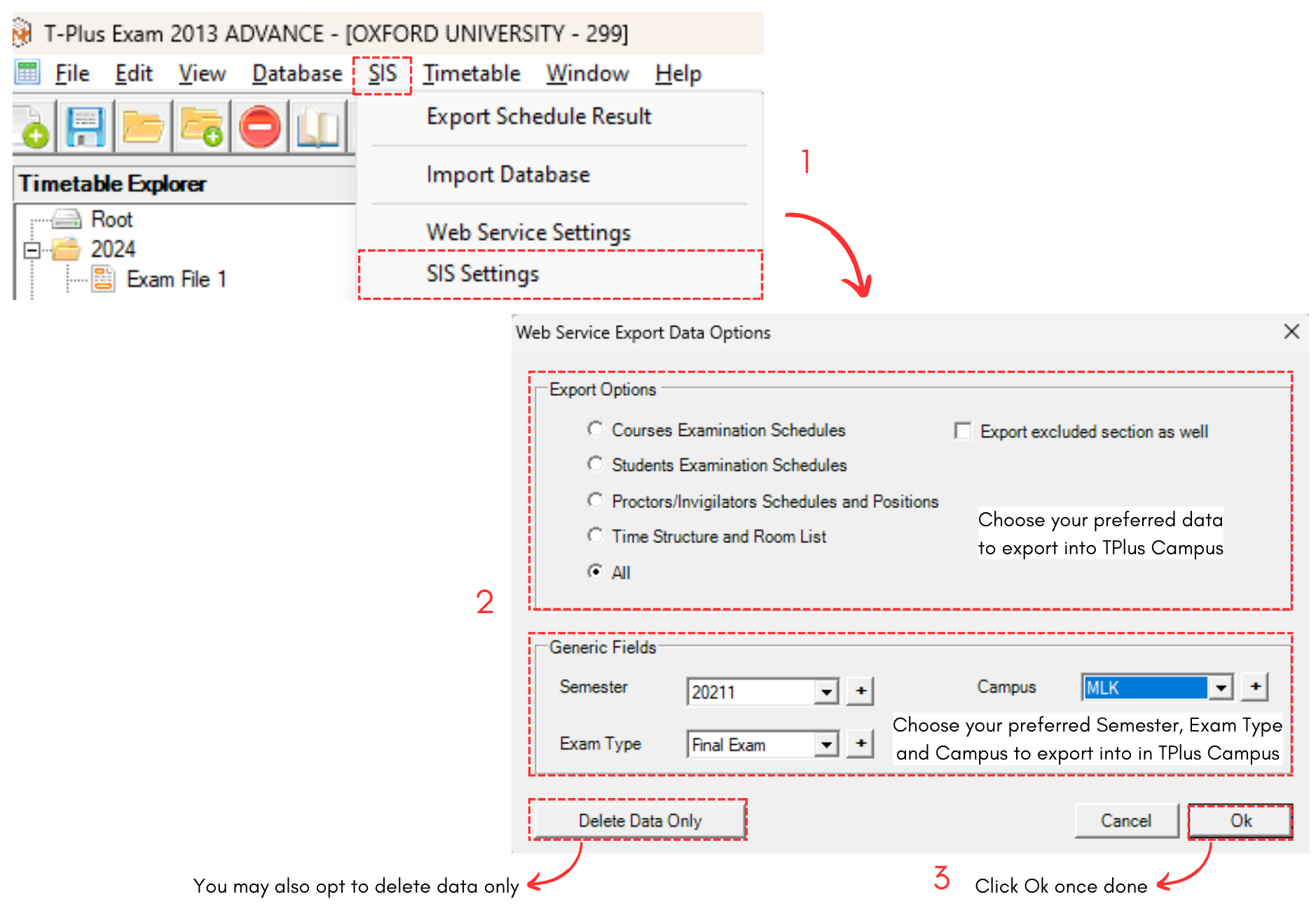
Diagram 3.2.1 Export Examination into TPlus Campus
To view the timetable on TPlus Campus, go to TPlus Campus and select Examination under Examination Timetable.
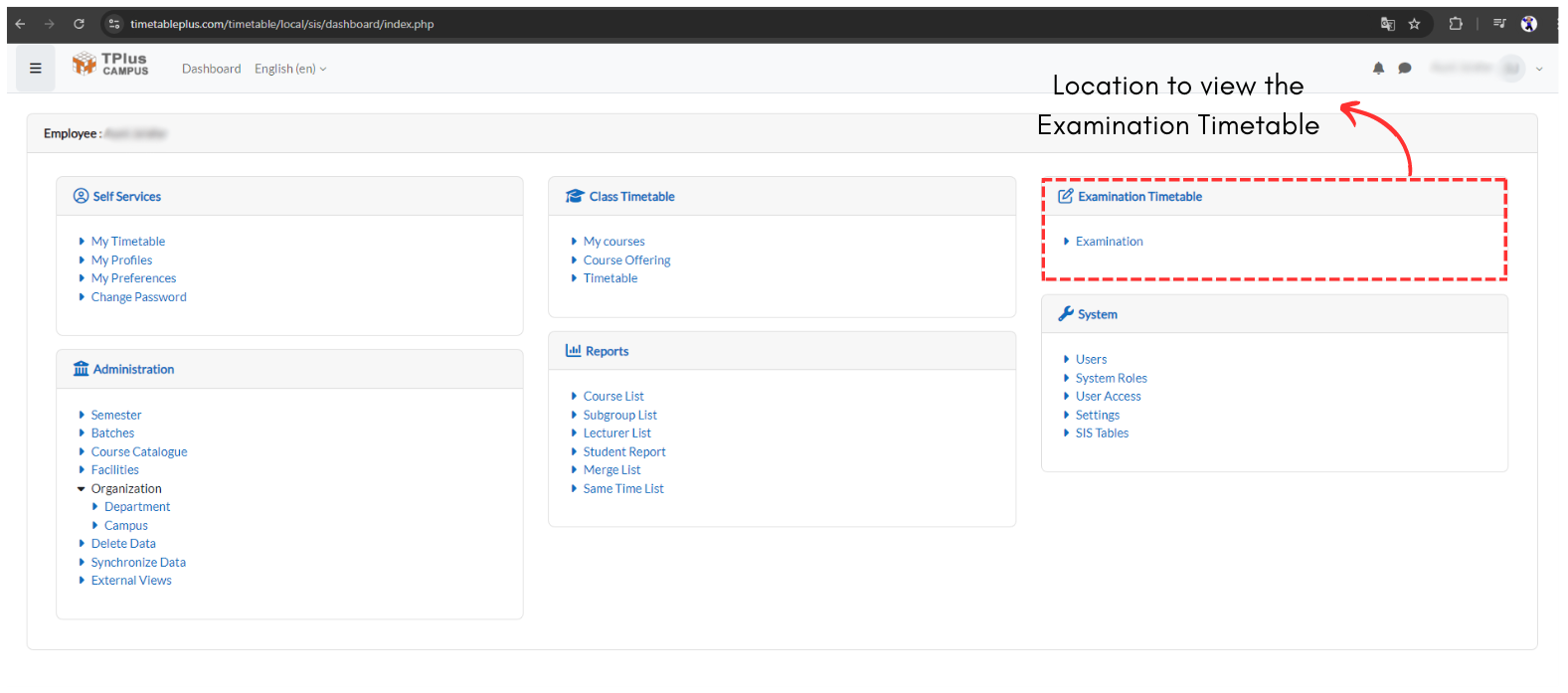
Diagram 3.2.2 Location of Examination Timetable