1. Introduction to the Tree Structure
In Tree Structure, there are severals icons need to be studied before we start to construct a tree.
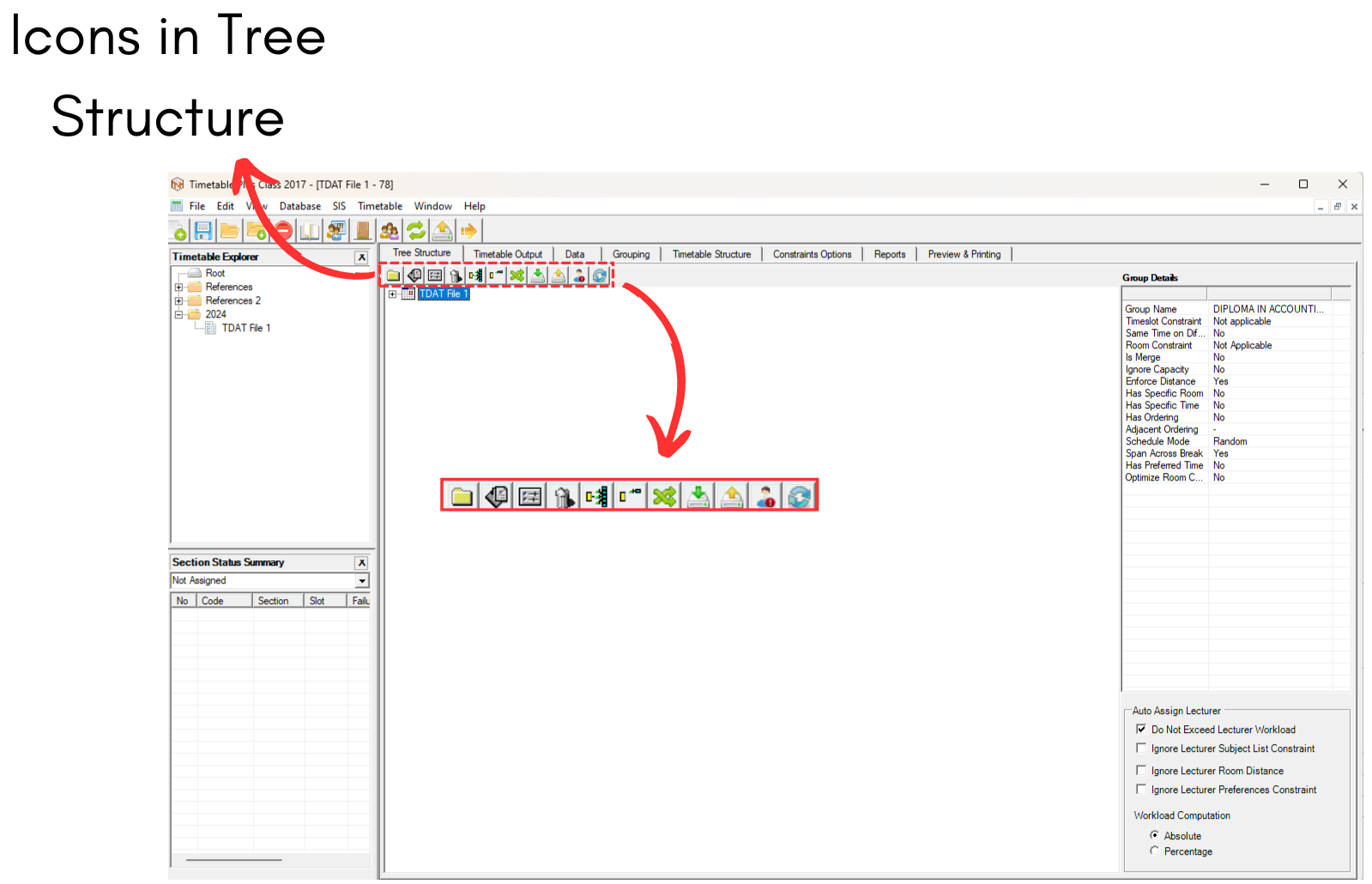
Diagram 1.1 Location of the icons inside Tree Structure
Inside Tree Structure, you will be able to see these icons on the left side.

 | Click this icon to create new constraint group. |
  | Click this icon to add new section. |
  | Click this icon to view properties. |
  | Click this icon to delete constraint group or section. |
  | Click this icon to expand all constraint tree nodes. |
  | Click this icon to close constraint tree nodes. |
  | Click this icon to build no clash section. |
 | Click this icon to get section from SIS. (Student Management System) |
 | Click this icon to update section to SIS. (Student Management System) |
 | Click this icon to import student from SIS. (Student Management System) |
 | Click this icon to refresh view. |
What is Tree Structure?
Tree Structure is like a data entry. This is a platform where you may enter the required information and requests before the system uses the Generate button to automatically slot them into the timetable output.
Why it is important to construct Tree Structure?
Sometimes people view building a tree structure from scratch as a "pain-staking" task, but in the future, all that will be needed is for the user to re-use the initial tree structure by changing and saving it under a different name. As a result, "Construct Once Reuse Forever" is the common name for the tree structure.