1. Merge Group & Same Time Group Analysis & Editing
1.1. Merge List
In Merge List, there are few things you can analyze under the merge group which is:
It is important to analyze the data that has been input typed in to avoid any further mistakes happening with the timetable output. Refer to the table and diagram below to know on how to analyze the merge list data.
If there are incorrect input data in merge list, use right click function on the section and select Section Properties.
- Group
- Slot, Day and Time
- Capacity
- Section Name
- Room
- Class
To locate the Merge List, you may go to Data and select Merge List.

1.1.1 Location of Merge List in Data
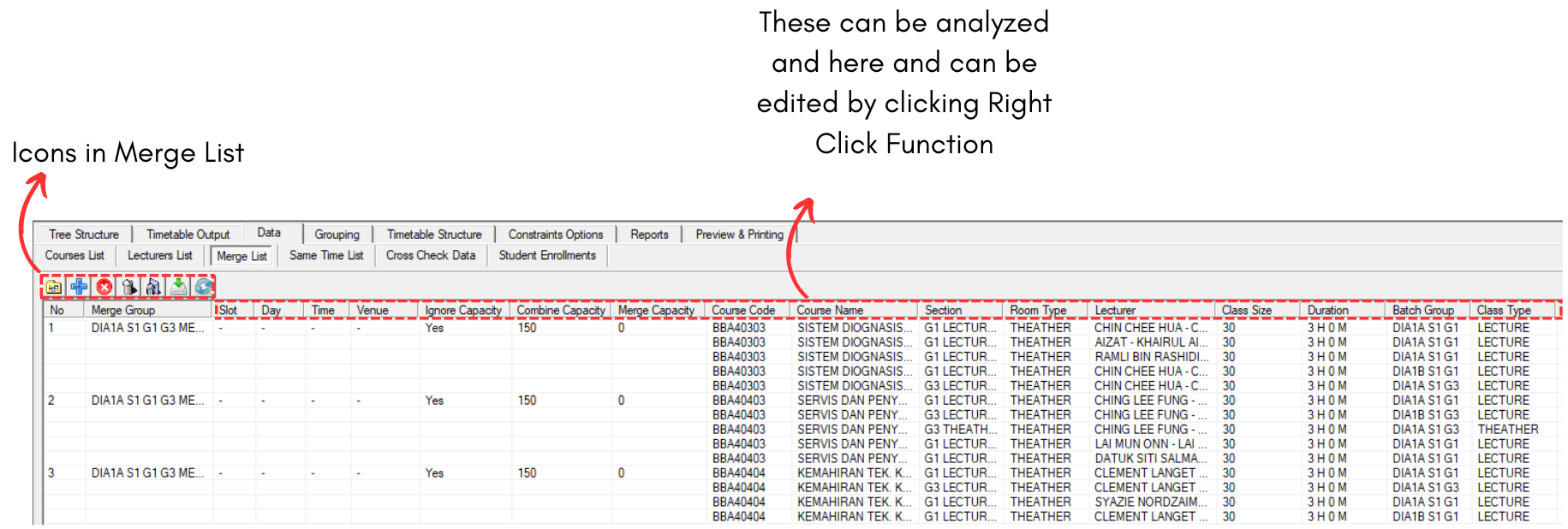
1.1.2 Data Merge List Window
There are few icons that need to be studied in Merge List Data.

 |
Click this icon to add new merge group. |
 |
Click this icon to add section to merge group. |
 |
Click this icon to delete section from merge group. |
 |
Click this icon to delete merge group. |
 |
Click this icon to delete all merge group. |
 |
Click this icon to import merge group from SIS. |
 |
Click this icon to refresh merge list. |
Analyze Merge List Data
It is important to analyze the data that has been input typed in to avoid any further mistakes happening with the timetable output. Refer to the table and diagram below to know on how to analyze the merge list data.
|
Group |
Check if the Merge and Batch Group is correct |
|
Slot, Day and Time |
Check if the slot, day and time placed correctly |
|
Capacity |
Check if the merge group ignore capacity, the total capacity combine value and merge capacity value. |
|
Section Name |
Check if the section name is right and no typograpical error. |
|
Room |
Check if the room type is correct |
|
Class |
Check if the class size and class type is correct |
Table 1.1.1 Merge List Data Analyze
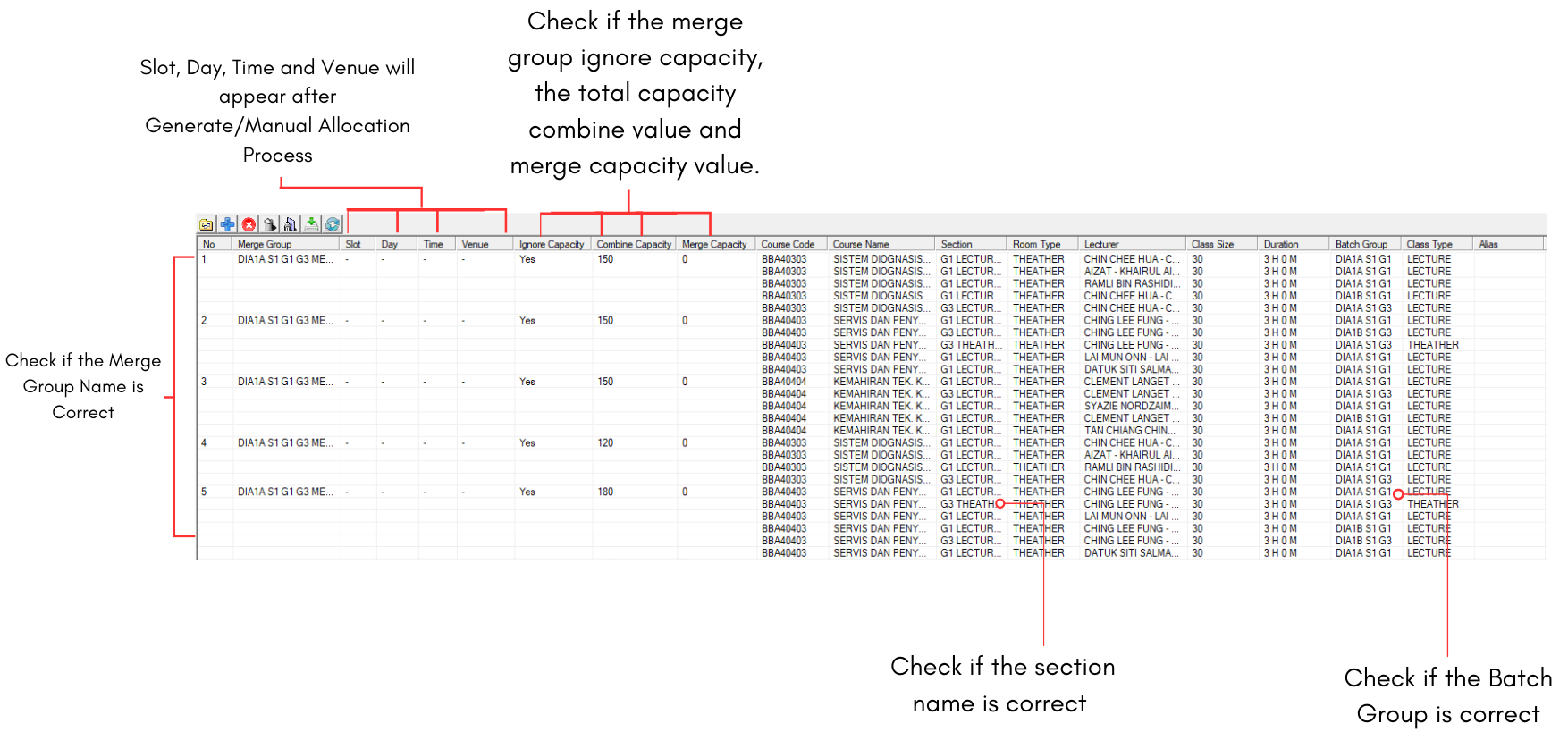
Diagram 1.1.3 Merge List Data Analyzation
Editing The Merge List Data
If there are incorrect input data in merge list, use right click function on the section and select Section Properties.
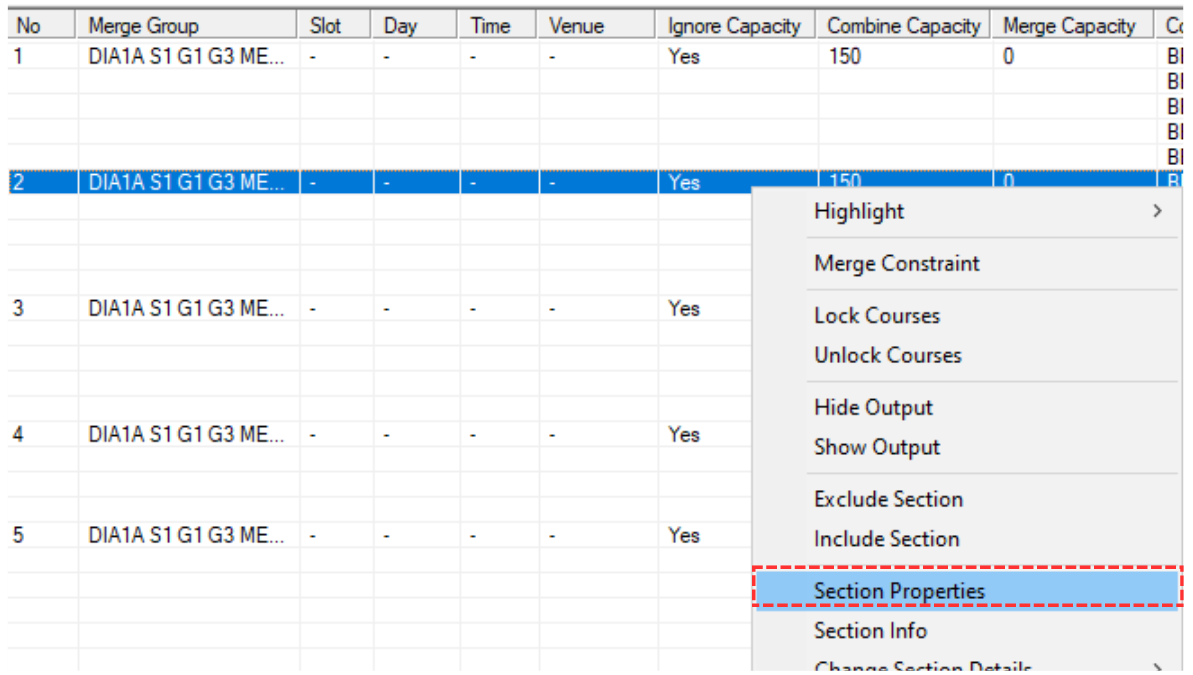
Diagram 1.1.4 Opening Section Properties
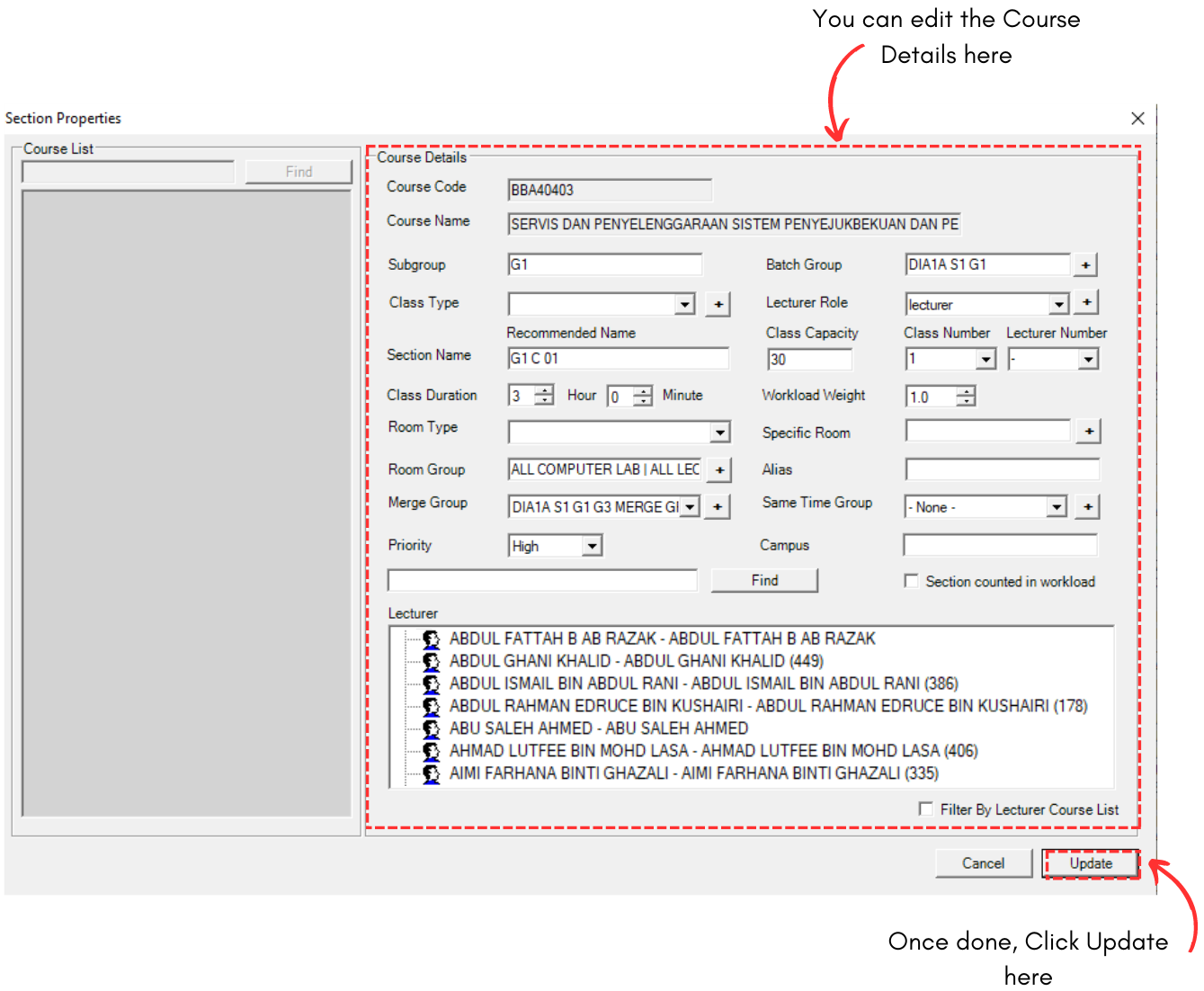
Diagram 1.1.5 Section Properties