1. Data Entry Analysis & Editing
1.1. Batch Grouping
In Batch Grouping, there are few things you can analyze under the batch which is:
- Batch Group Name
- Sections Under Batch
- Section Information

Diagram 1.1.1 Location of Batch Grouping

1.2.2 Batch Grouping Window
Analyze Batch Grouping
It is important to analyze the data that has been input typed in to avoid any further mistakes happening with the timetable output. Refer to the table and diagram below to know on how to analyze the batch grouping.
|
Batch Grouping Name |
Check if the name for Batch Grouping is correct. |
|
Sections Under Batch Grouping |
Check if the sections are placed under the correct Batch Grouping. |
|
Section Details |
Check if the details of the section is correct. |
Table 1.1.1 Batch Grouping Analyze
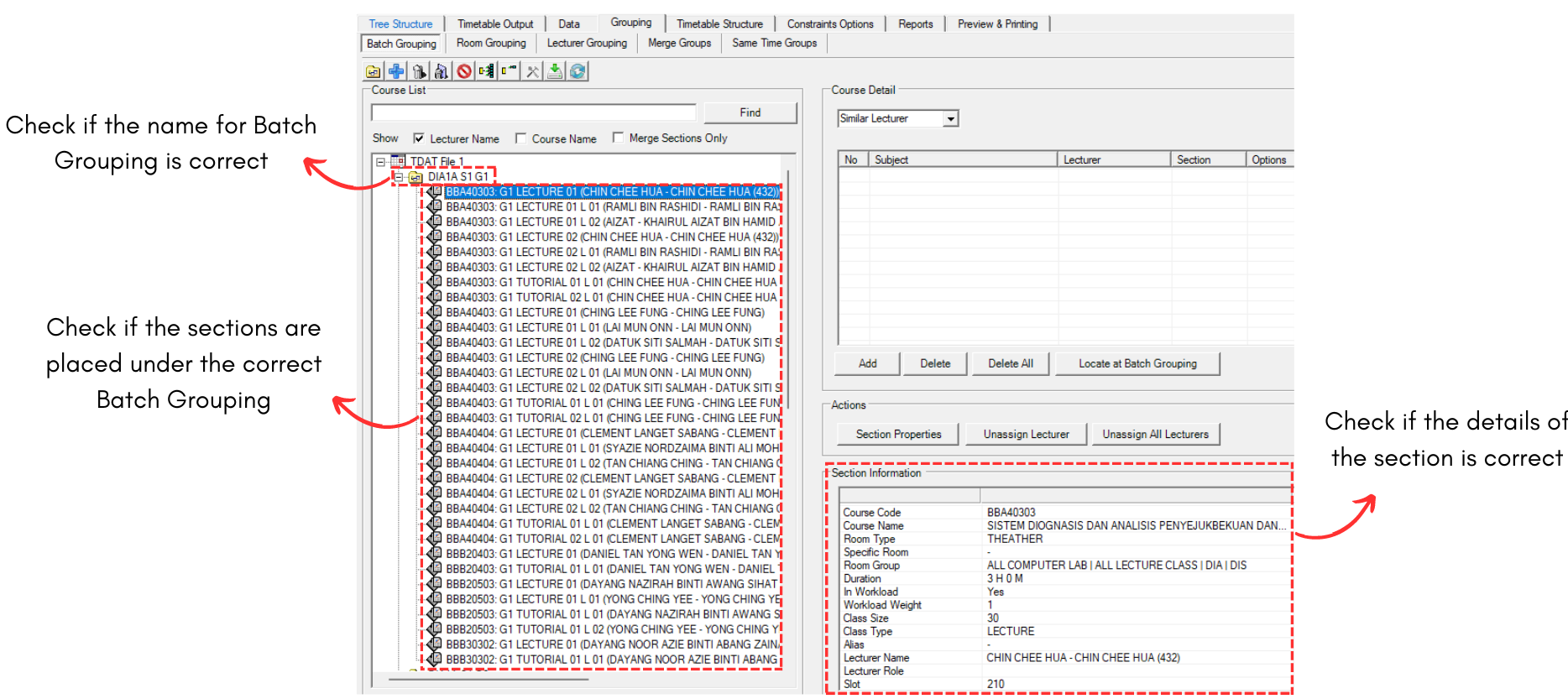
Diagram 1.1.3 Batch Grouping Analyzation
Editing The Batch Grouping
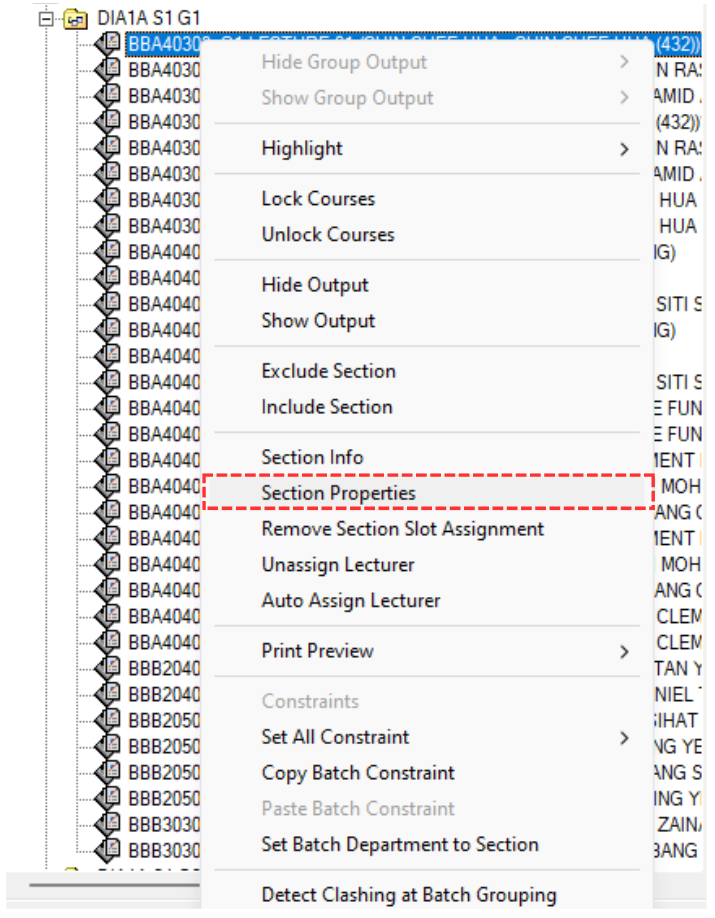
Diagram 1.1.4 Opening Section Properties
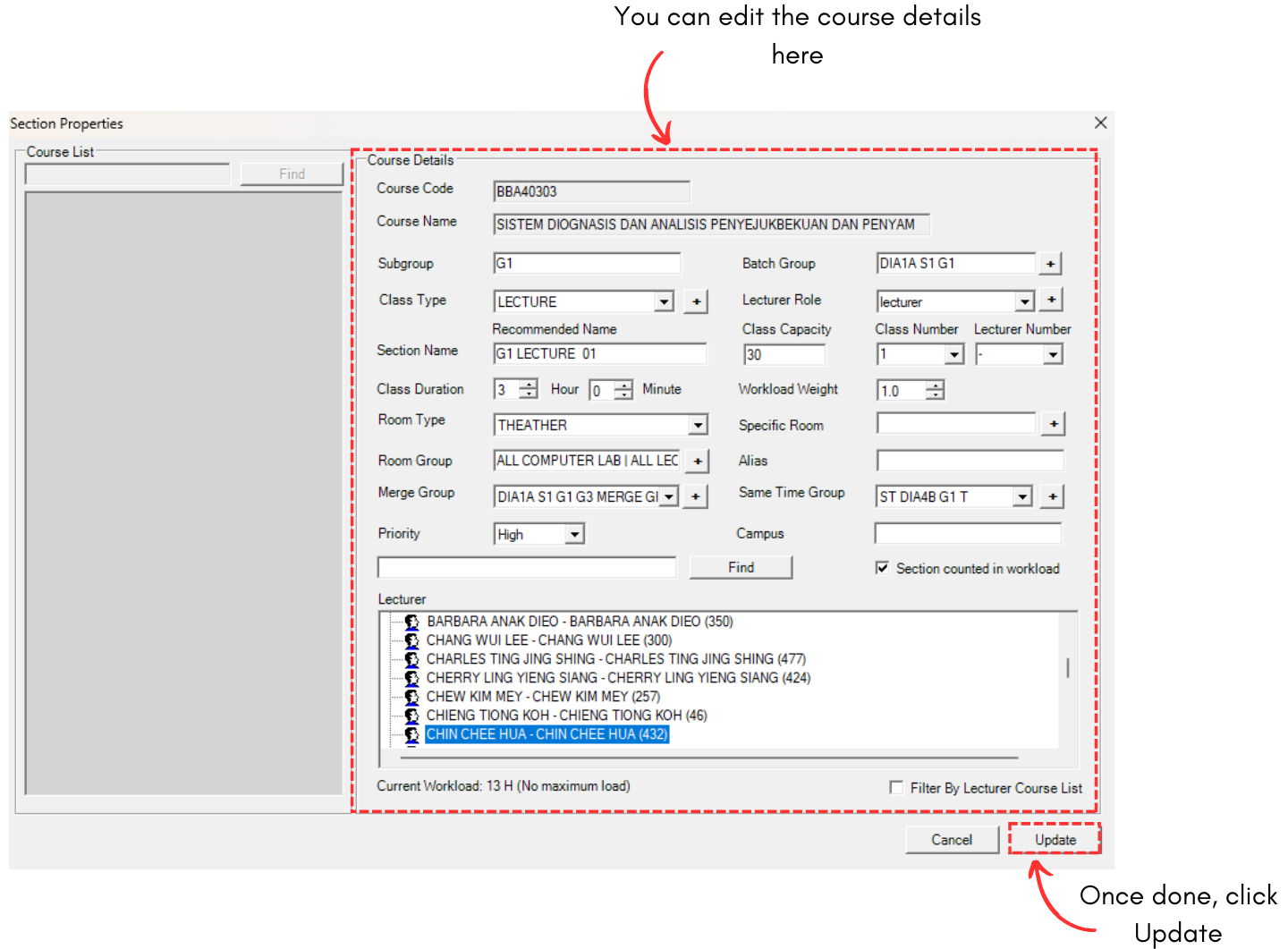
Diagram 1.1.5 Section Properties