3. Customize Tree Structure
3.1. Team Teaching
Some institute prefer to have their classes to be "Team Teaching" or "Multi-Lecturer" where multiple lecturers will be teaching in the same class. Here we will learn on how to add multiple lecturer into the same class.
There are only 4 simple steps to add multiple lecturer into the same section.
STEPS 1: Select a section that you want add team teaching.
STEPS 2: Copy the section.
STEPS 3: Paste the section into the same constraint group folder.
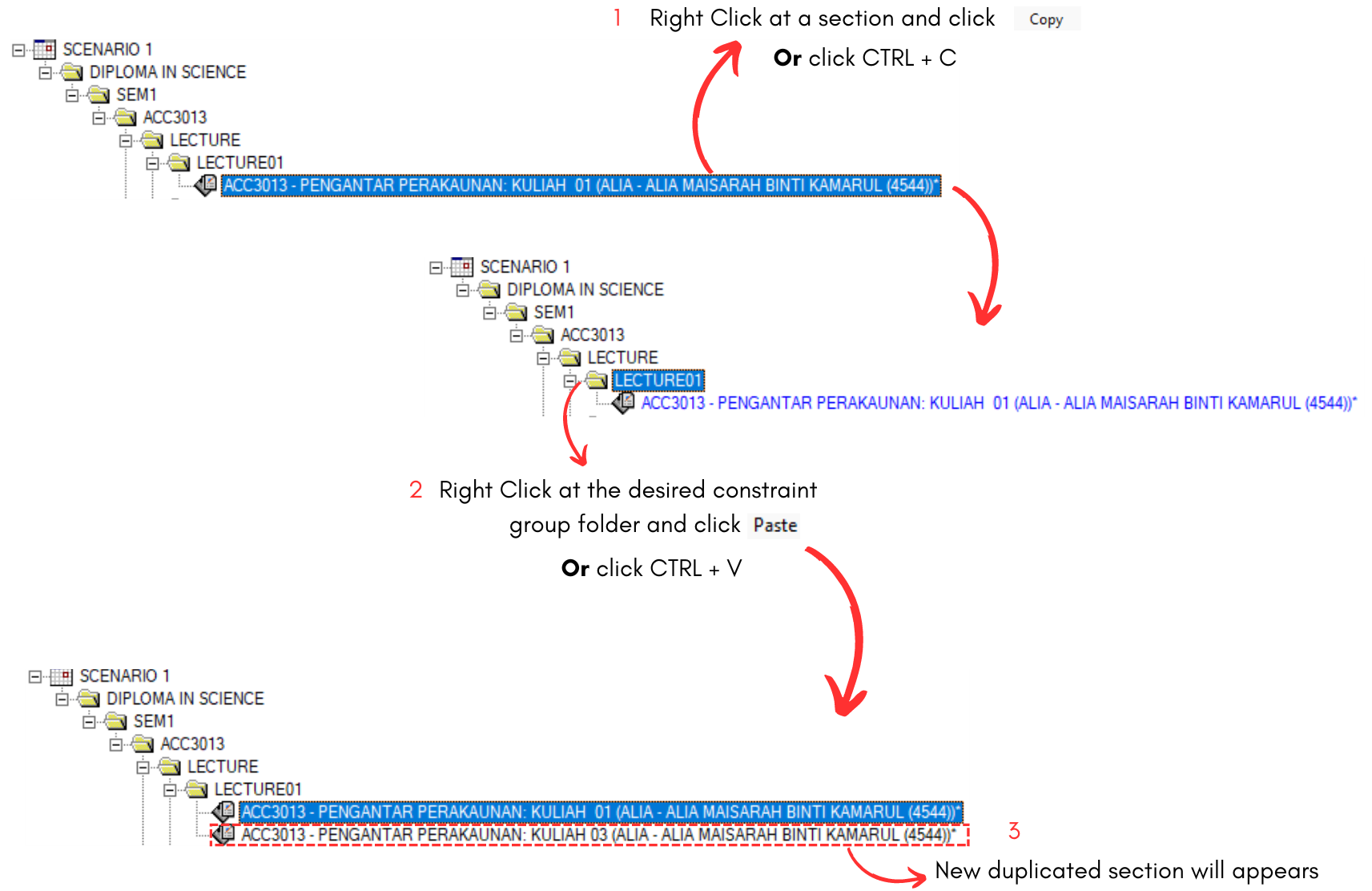
Diagram 3.1.1 Duplicate Section at Tree Structure
STEPS 4: Edit the section properties. Change the class number, lecturer's name & lecturer's number. Click Update once done.
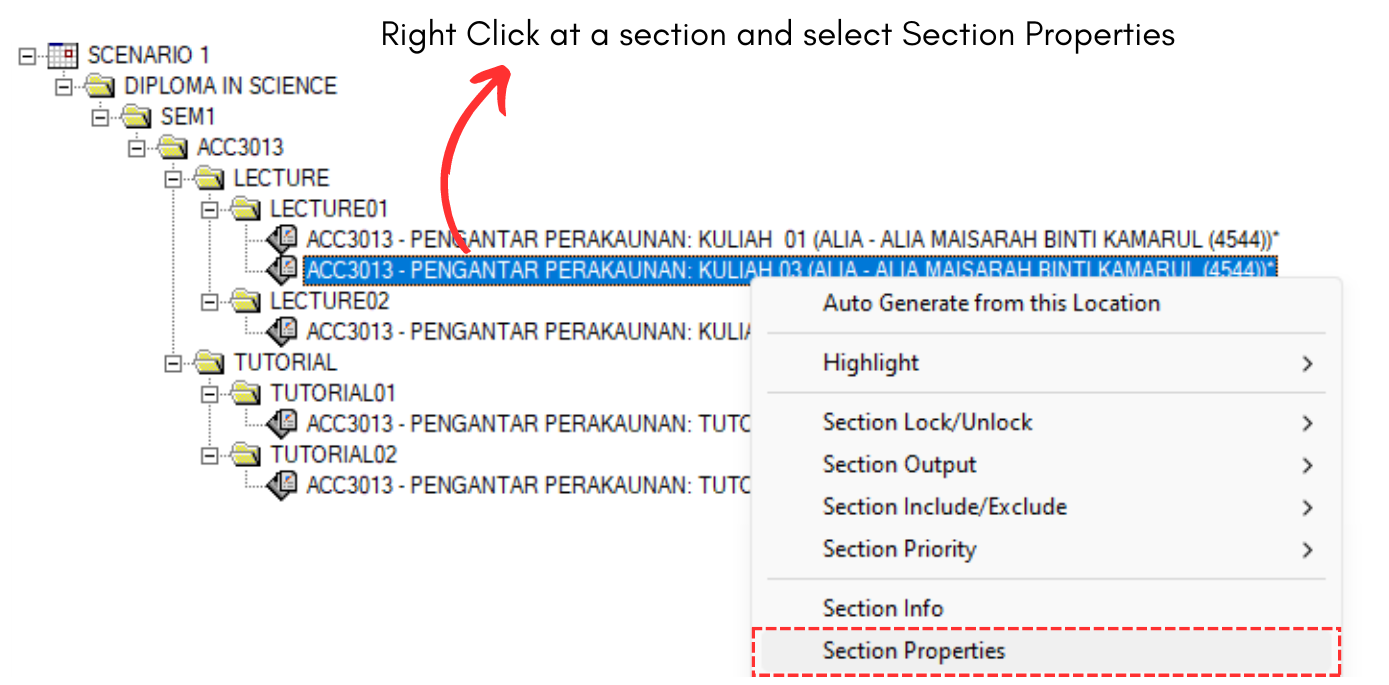
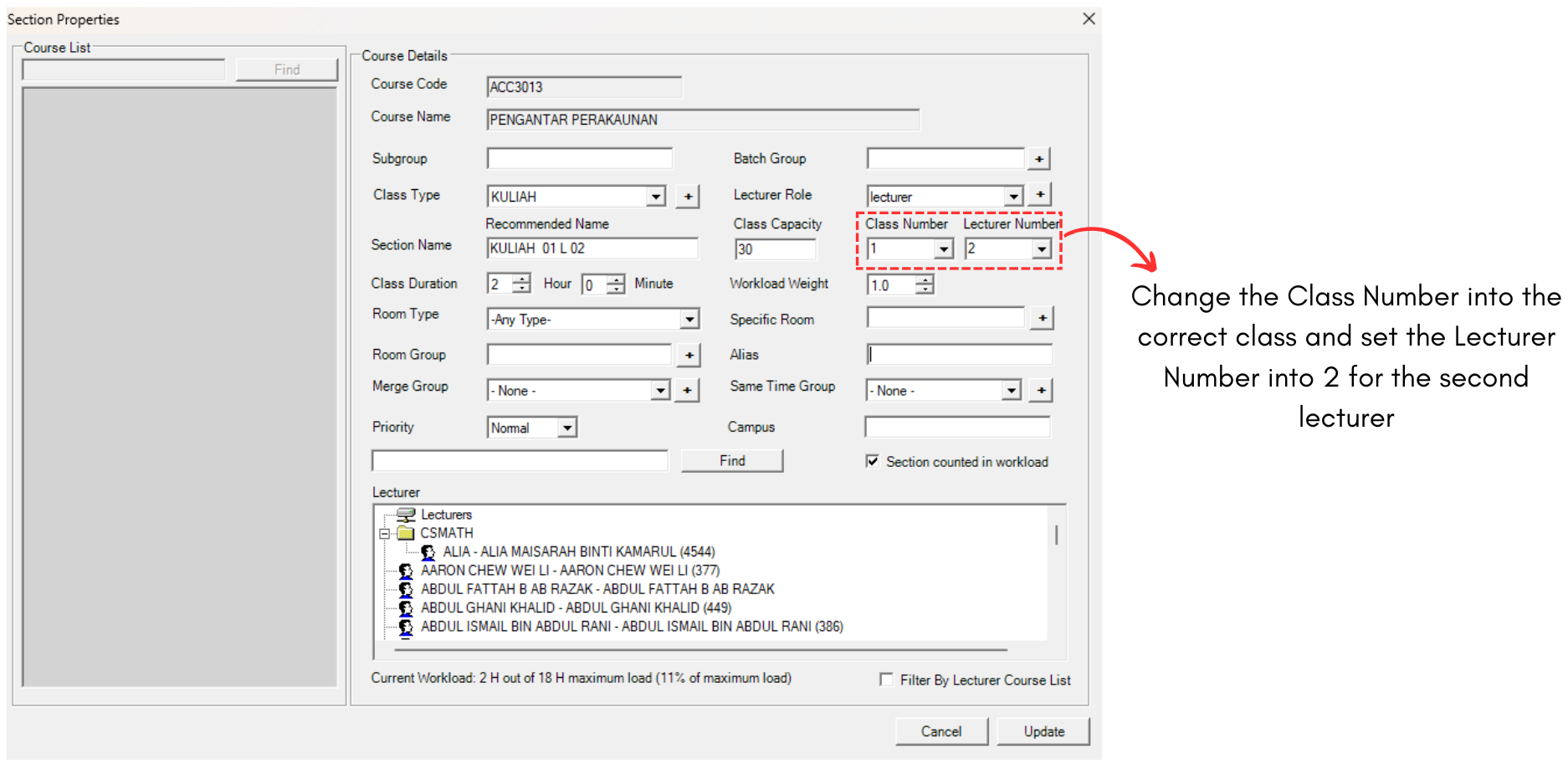
Diagram 3.1.2 Edit Section Details
For multiple lecturer, the first lecturer's number should be put as 1 while the second lecturer's number should be put as 2. Below is how it will looks like.

Diagram 3.1.3 Team Teaching at Tree Structure