3. Assign Invigilator
3.3. Lock Invigilator
If the invigilators are confirm and you want to lock them, there are two ways of doing so:
- Lock Invigilator in a slot.
- Lock all Invigilator
Lock Invigilators in a Slot
To lock only invigilators in a slot, there are 3 simple steps doing so.
STEPS 1: Go to Slots.
STEPS 2: Right Click on any slot.
STEPS 3: Click Lock/Unlock and then select Lock Invigilators in this Slot.
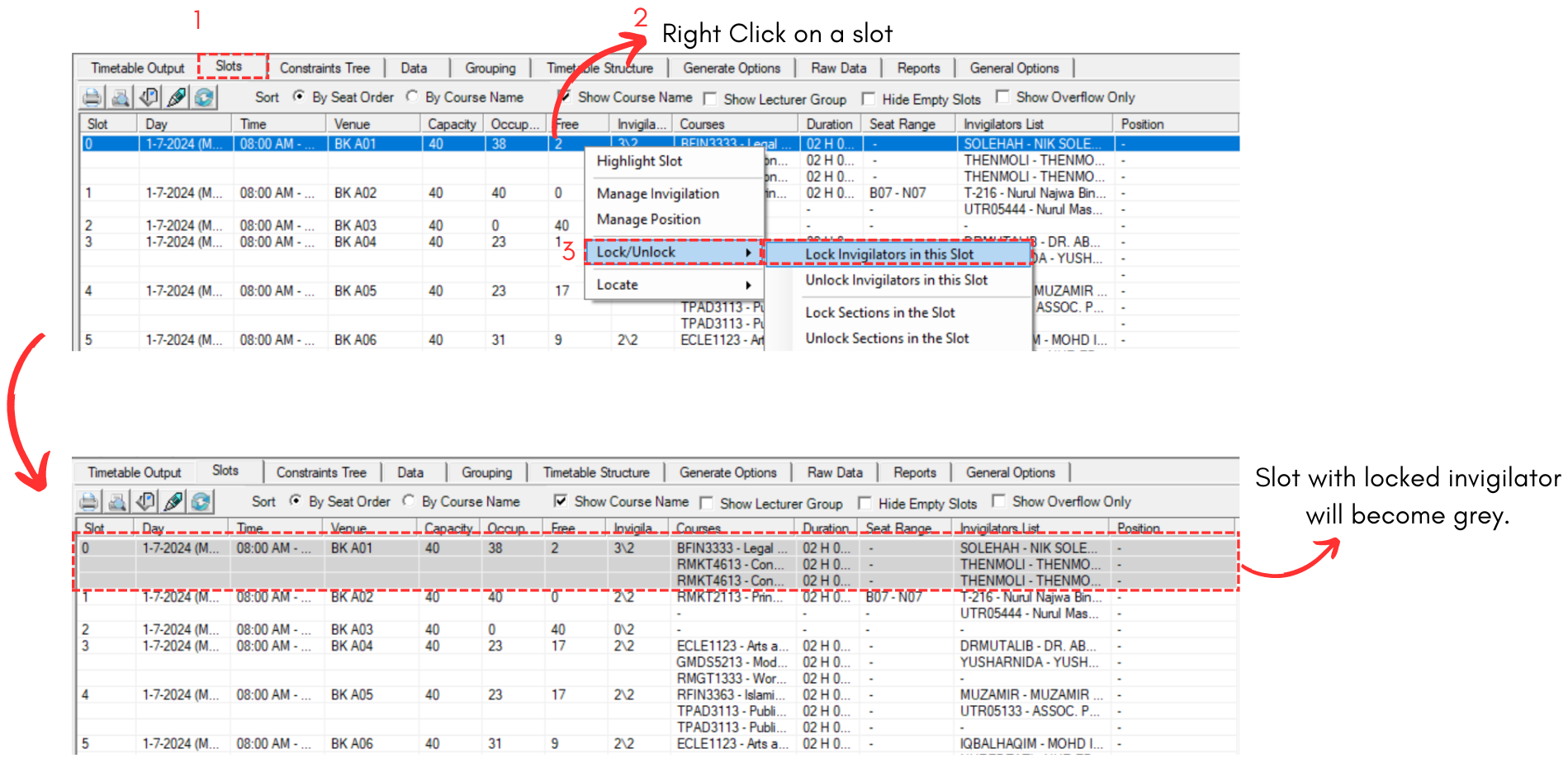
Diagram 3.3.1 Lock Invigilatos in a Slot
Lock All Invigilators
To lock All invigilators, there are 3 simple steps doing so.
STEPS 1: Go to Grouping and Select Lecturer Grouping.
STEPS 2: Click on any preferred group of invigilator. OR you can click on the icon above all folders to include ALL invigilators.
STEPS 3: Click on Lock All Invigilators Slots.
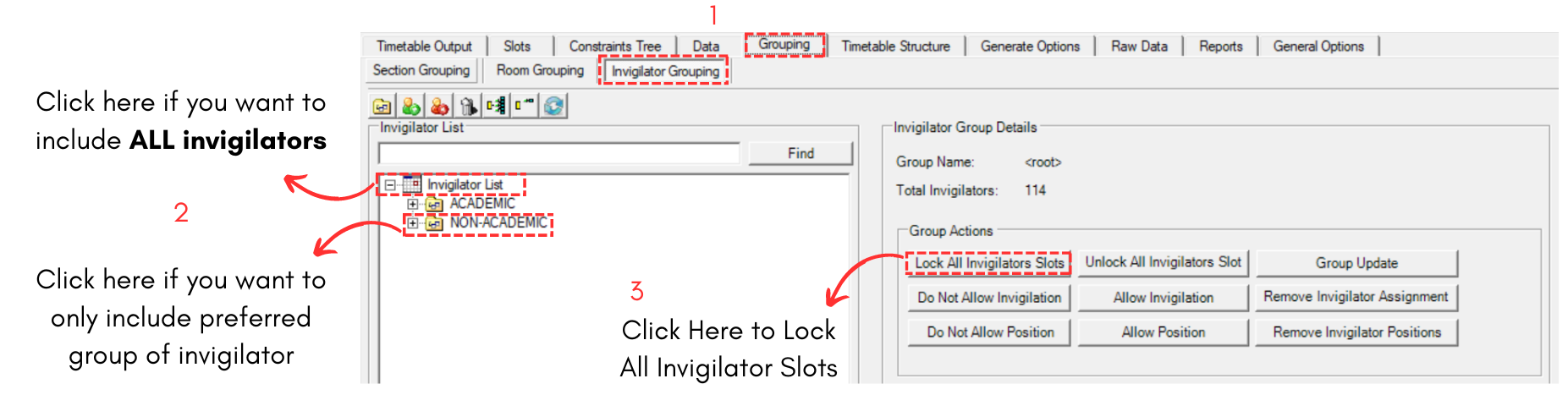
Diagram 3.3.2 Lock All Invigilator