1. Process Raw Data
1.3. Non-Academic Raw Data
In this Chapter you will learn about Process Non-Academic Raw Data

Diagram 1.3.1 Location Of Non-Academic Raw Data
Click Raw Data tab and then Click Non-Academic Raw Data tab to open up Non-Academic Raw Data window.
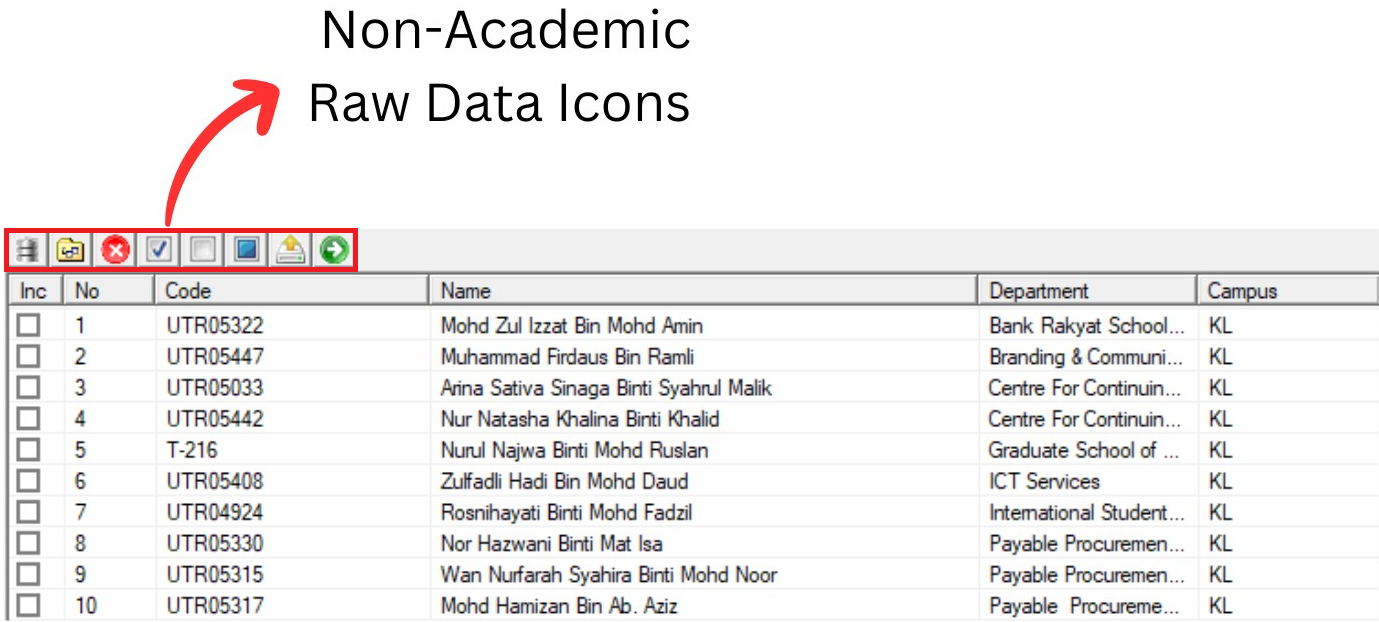
Diagram 1.3.2 Non-Academic Raw Data Window
Inside Non-Academic Raw Data window, you will be able to see icons on the top left side.

 | Click this icon to import data. |
  | Click this icon to delete checked data. |
  | Click this icon to replace field text. |
  | Click this icon to delete fields. |
  | Click this icon to check All. |
  | Click this icon to uncheck all. |
  | Click this icon to toggle checked. |
 | Click this icon to check by course code. |
There are 3 simple steps to process Non-Academic Raw Data.
STEPS 1: Click Check All Icon
to Check All Non-Academic staff.STEPS 2: Click Convert to Invigilator Icon
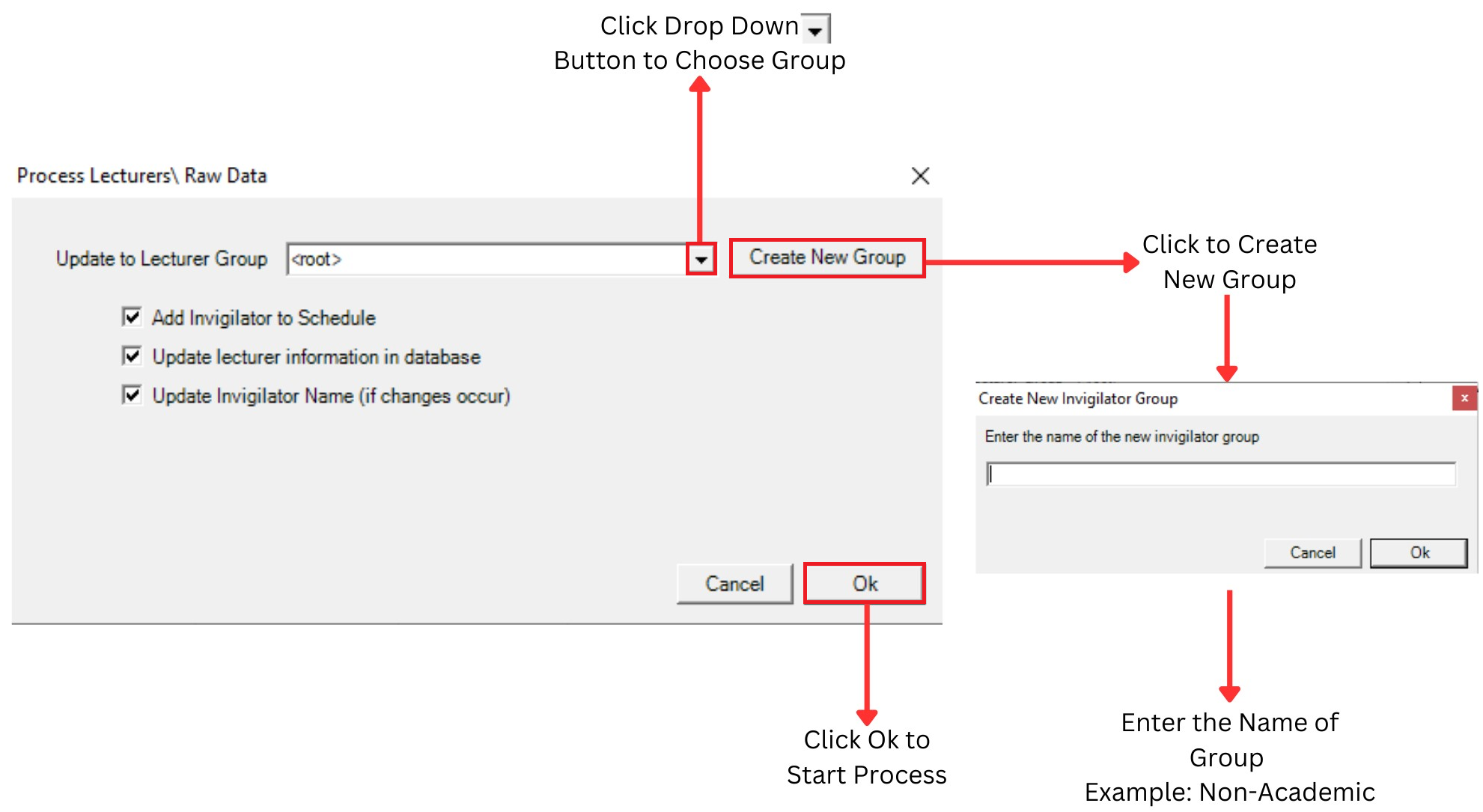
Diagram 1.3.3 Process Non-Academic Raw Data
Create new group then Click drop down button to choose group that you want to Process.
- You can Tick to Add invigilator to schedule
- You can Tick to Update lecturer information in database
- You can Tick to Update invigilator name
STEPS 3: Click Ok to Start Process