Skip to main content
Side panel
Products
Spring
Class
Examination
User Manuals
Services
Profile
Contact
You are currently using guest access (
Log in
)
TPlus Exam
Timetable Plus Exam User Manual
Content
Home
Dashboard
TPlus Exam
Content
Opening Up and Getting Used to Timetable Plus Exam
Print book
Print this chapter
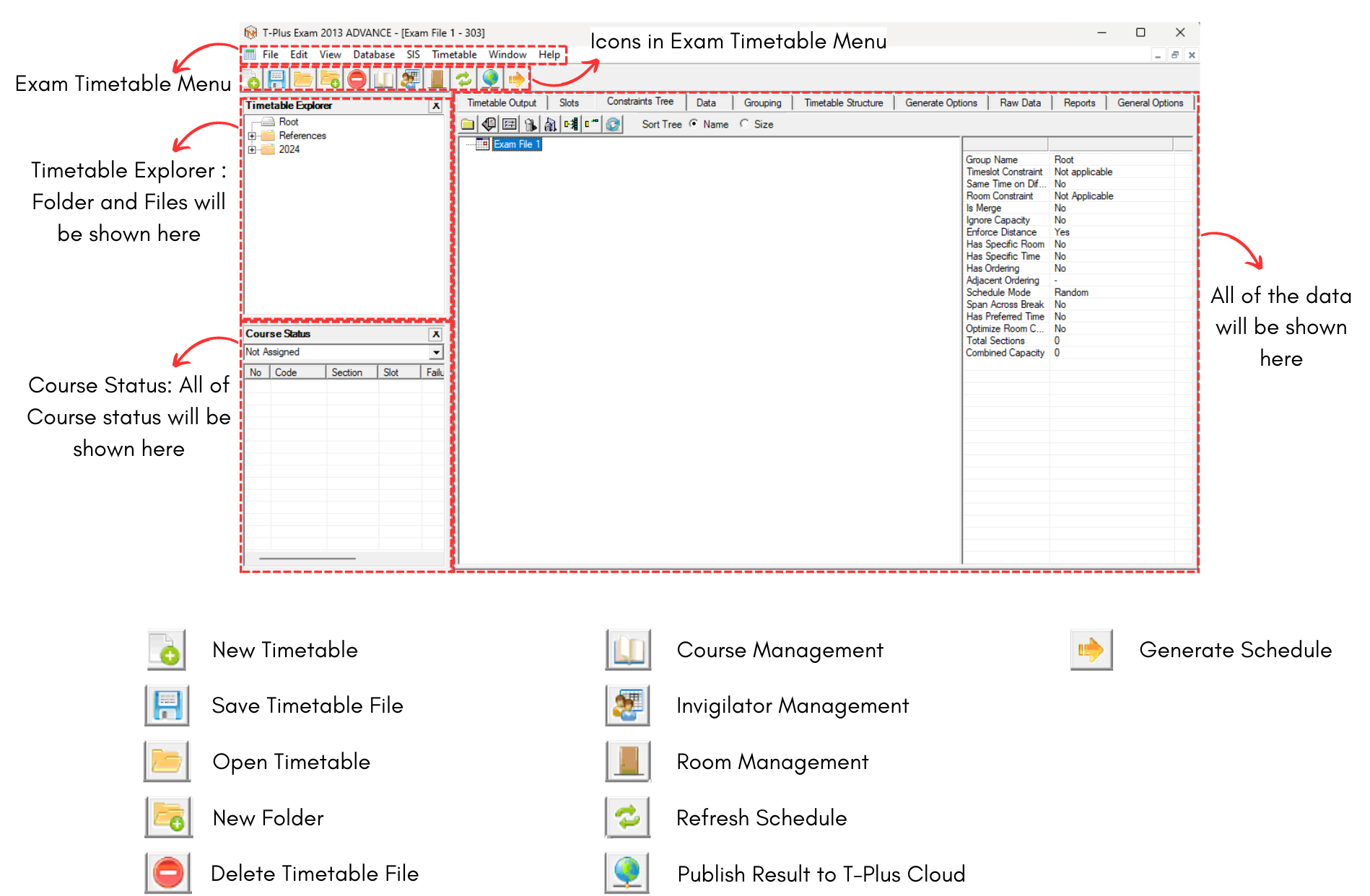
3. Icons & Menu
Below is the Icons and Menu in Timetable Plus Exam
Jump to...
Jump to...
Stage 1: Database
Stage 2: Timetable Structure
Stage 3: Process Raw Data
Stage 4: Exam Course Timetable
Stage 5: Invigilators
Stage 6: Invigilator Position
Stage 7: Seating Arrangement
Stage 8: Print Preview & Export
Stage 1: Database ►