1. Editing the Data Entry
1.1. Edit The Group In The Course
Before you begin to edit, note that you need to Mark the Courses as Incomplete first. To do so, refer to Stage 3: Data Entry Analysis (Mark Courses Complete and Incomplete)
To Edit the Group, select the group in the course that you want to edit and click Edit Group.
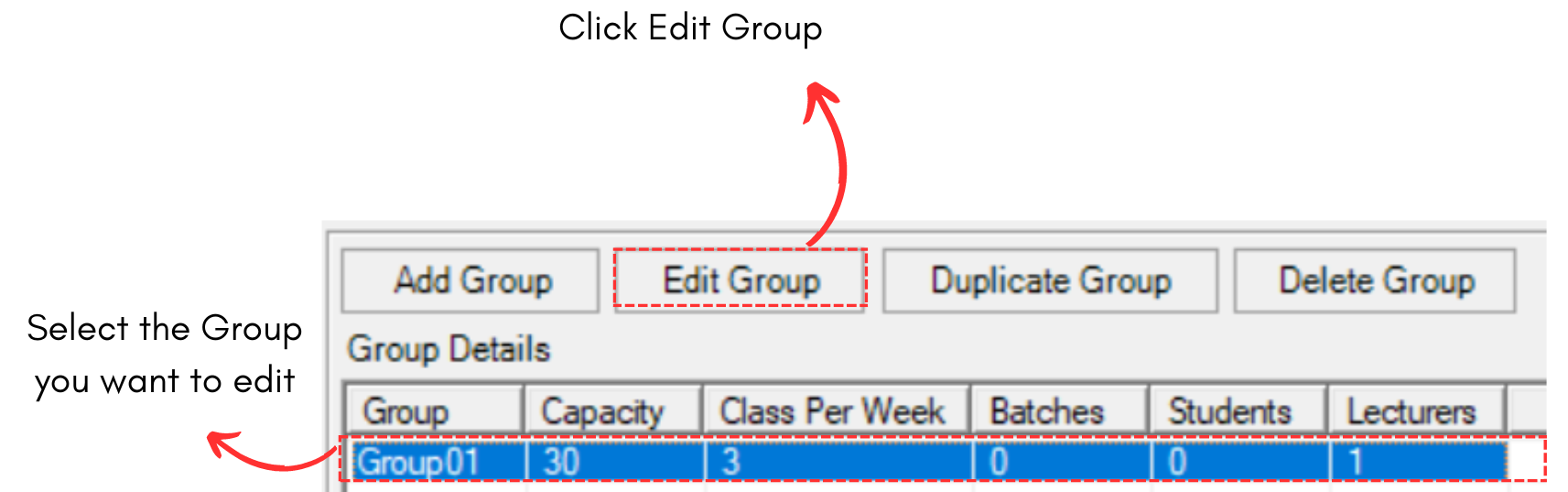
Diagram 1.1.1 Location of Edit Group button
A new popup appear.
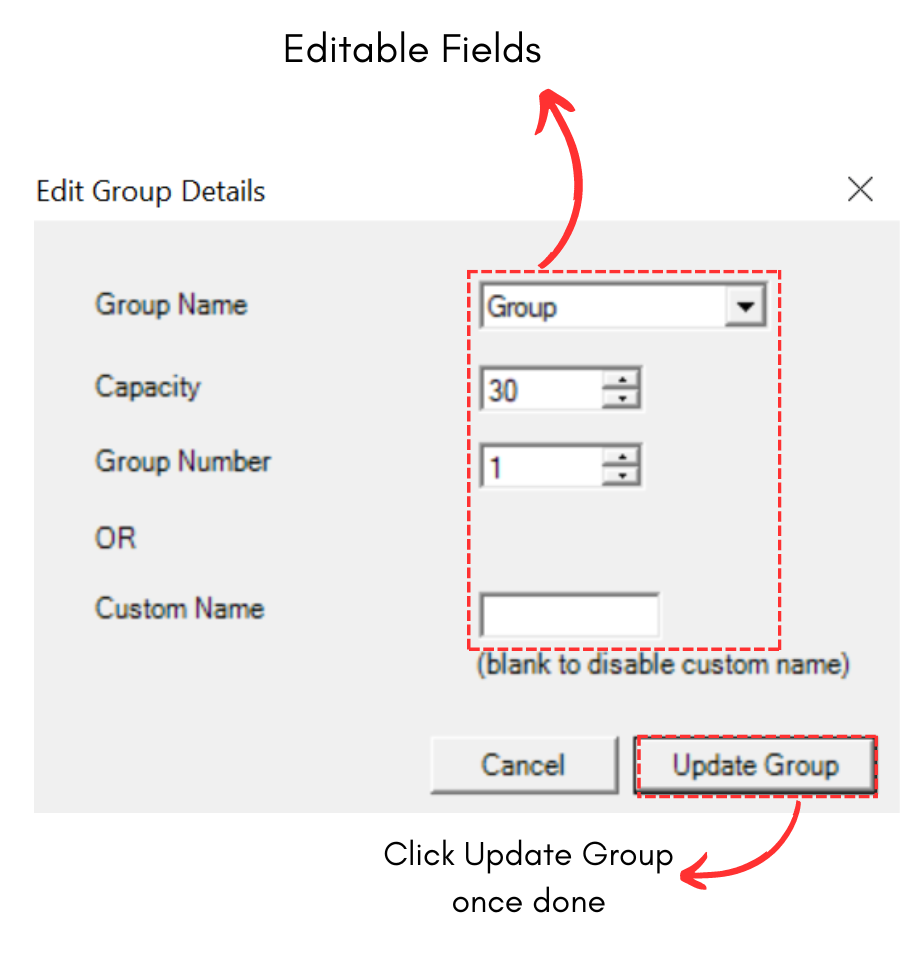
Diagram 1.1.2 Edit Group Details Popup
For example, we change the capacity from 30 to 50.
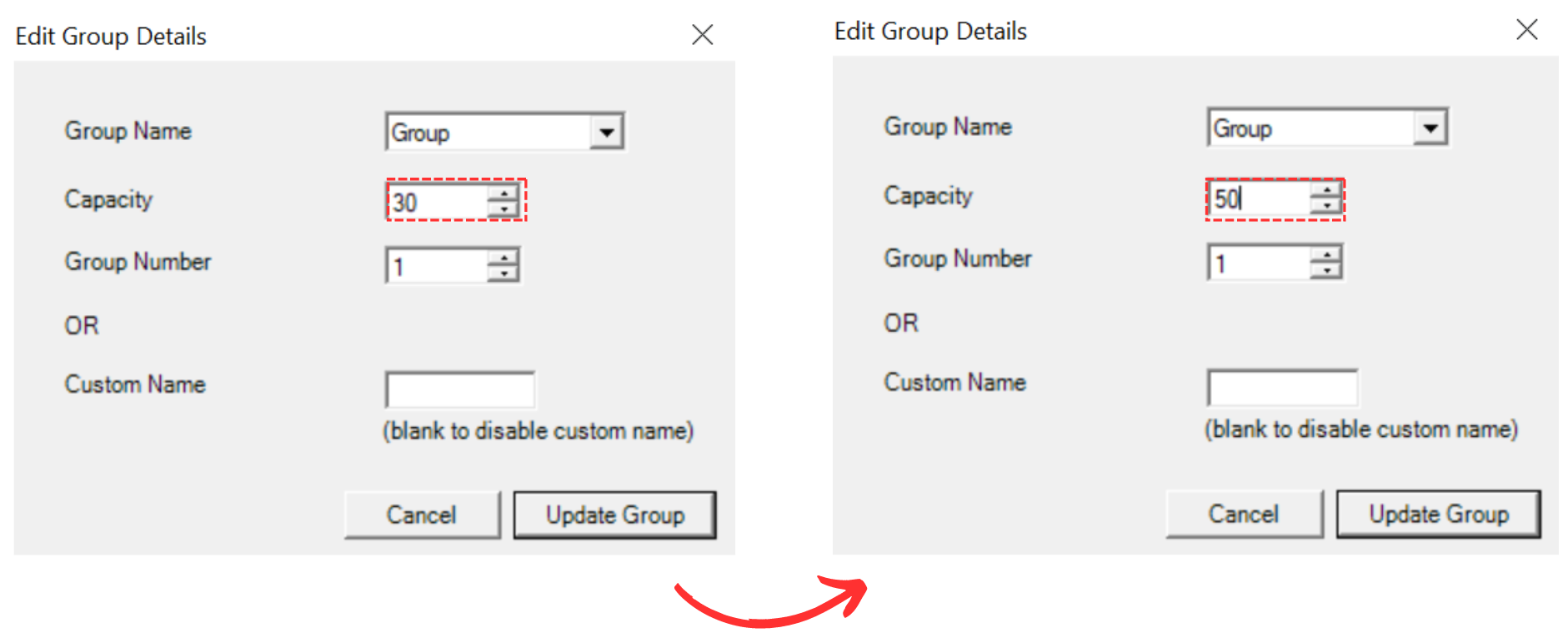
Diagram 1.1.3 Capacity Changed
Click Update Group once done. You will see updated capacity in the group.
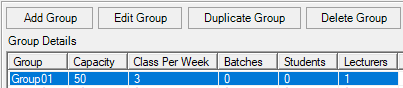
Diagram 1.1.4 Updated Group Details