5. Editing Invigilator
5.1. Highlight
There are two things you able to highlight to edit Invigilator.
- Highlight Slots with Insufficient Invigilator
- Highlight Slots with Excess Invigilator
To Highlight, go to Slot and Click Highlights Icons.
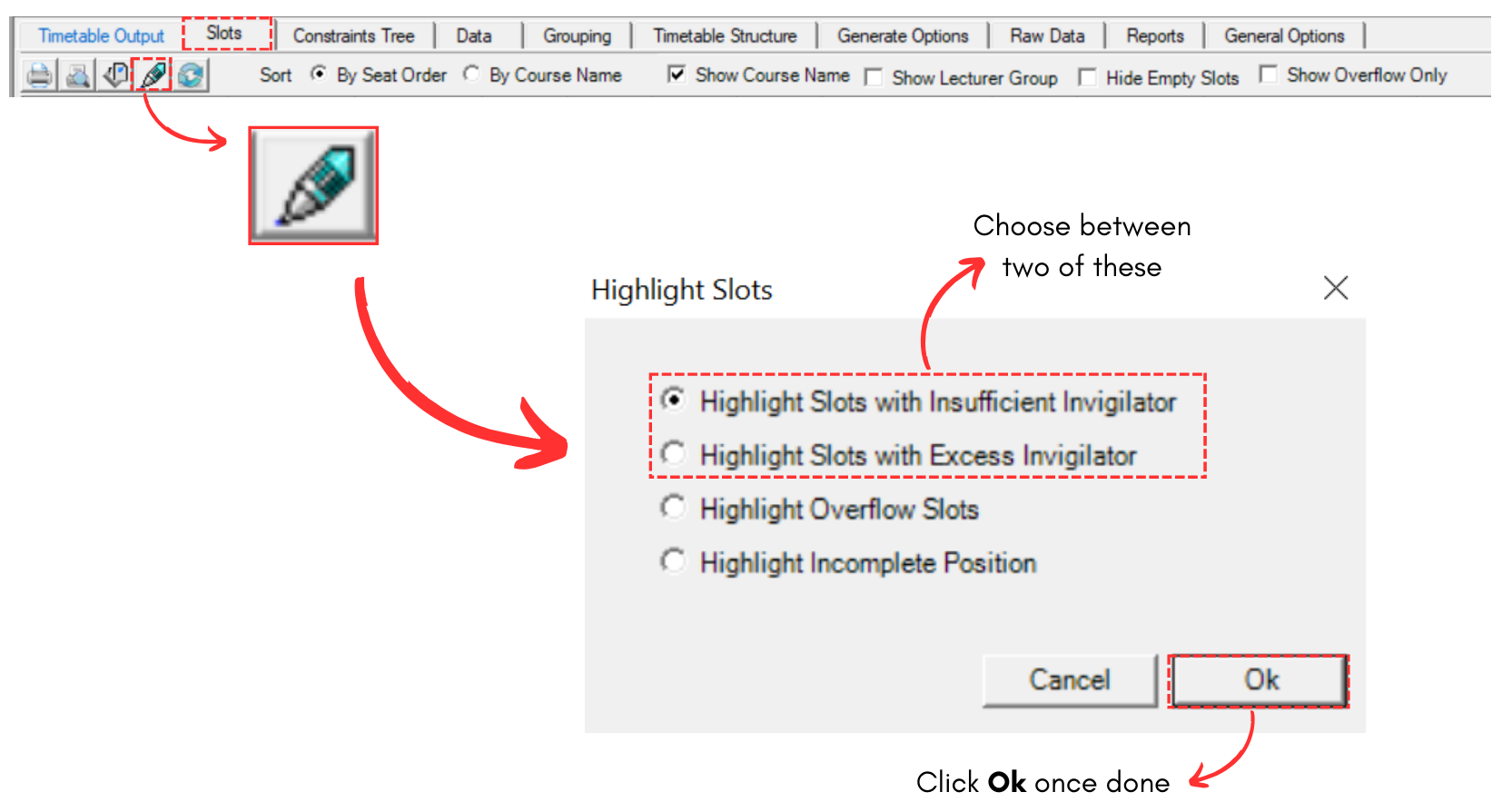
Diagram 5.1.1 Location of Highlight in Slots
Highlight Slots with Insufficient Invigilator
If you choose to highlight this, it will highlight slot that do not have enough invigilator. Refer to the diagram below.
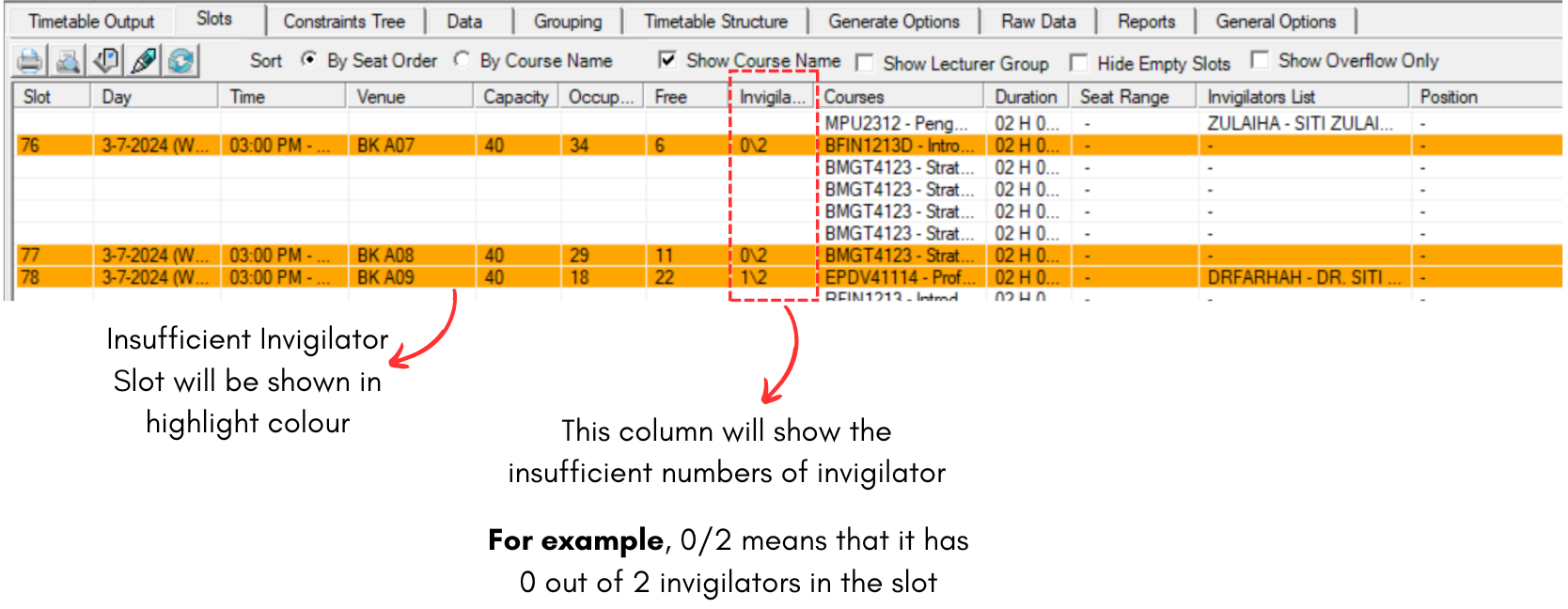
Diagram 5.1.2 Insufficient Invigilator
Highlight Slots with Excess Invigilator
If you choose to highlight this, it will highlight slot that have more than enough invigilator. Refer to the diagram below.
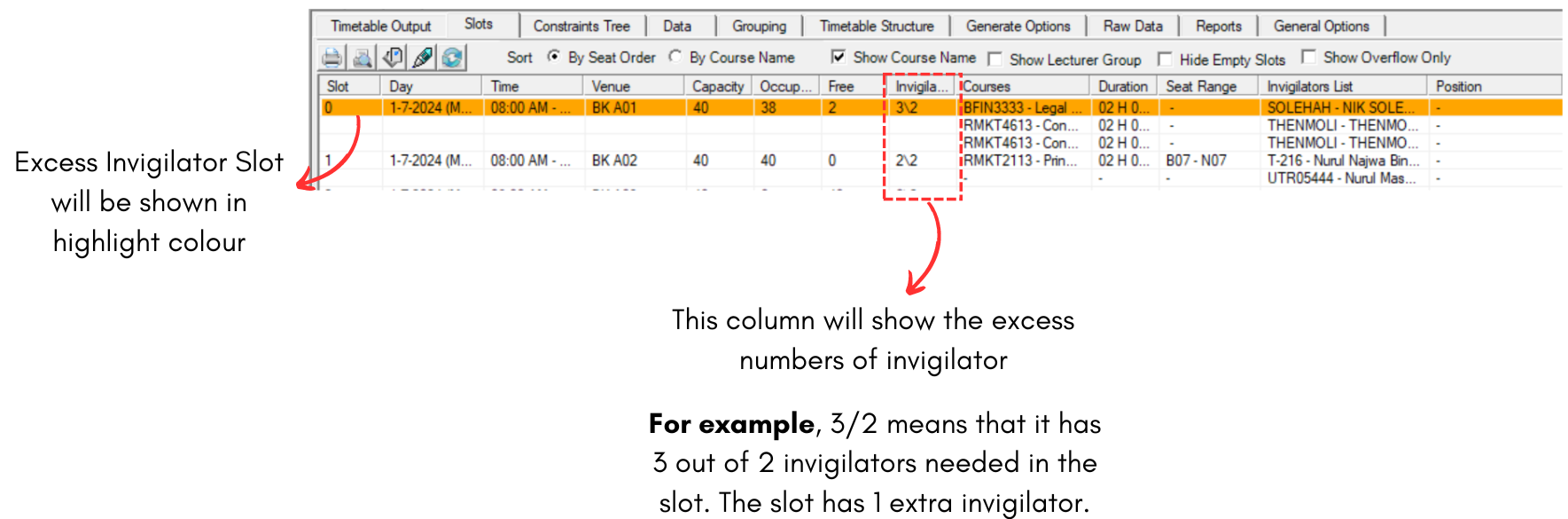
Diagram 5.1.3 Excess Invigilator