3. Assign Invigilator
3.1. Auto-Assign Invigilator
To auto assign invigilator, click Auto Assign Invigilator icon at Invigilator under Generate Options Tab.
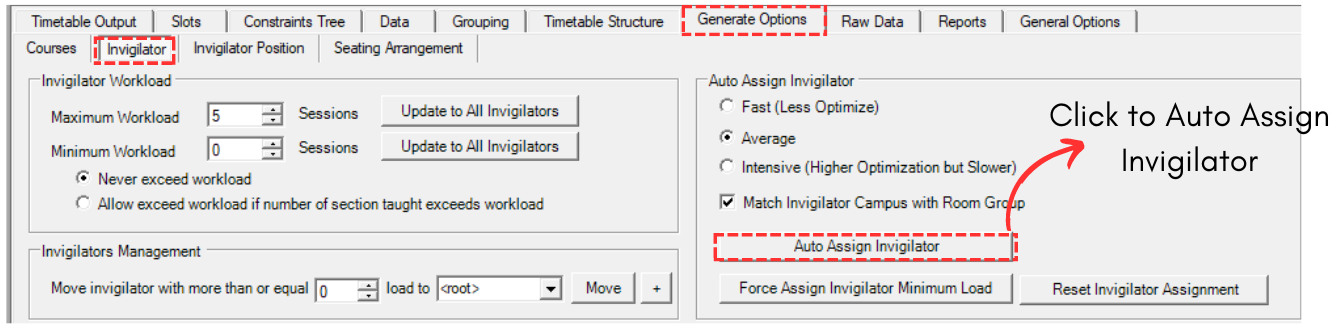
Diagram 3.1.1 Auto Assign Invigilator Location
IMPORTANT: Make sure to set all constraints under Generate Option first. Refer to Set Constraints at Generate Option.
A confirmation popup will appear. Click Yes.
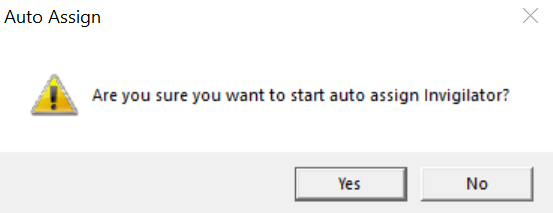
Diagram 3.1.2 Confirmation Popup
Another popup will appear. You may get between these two.
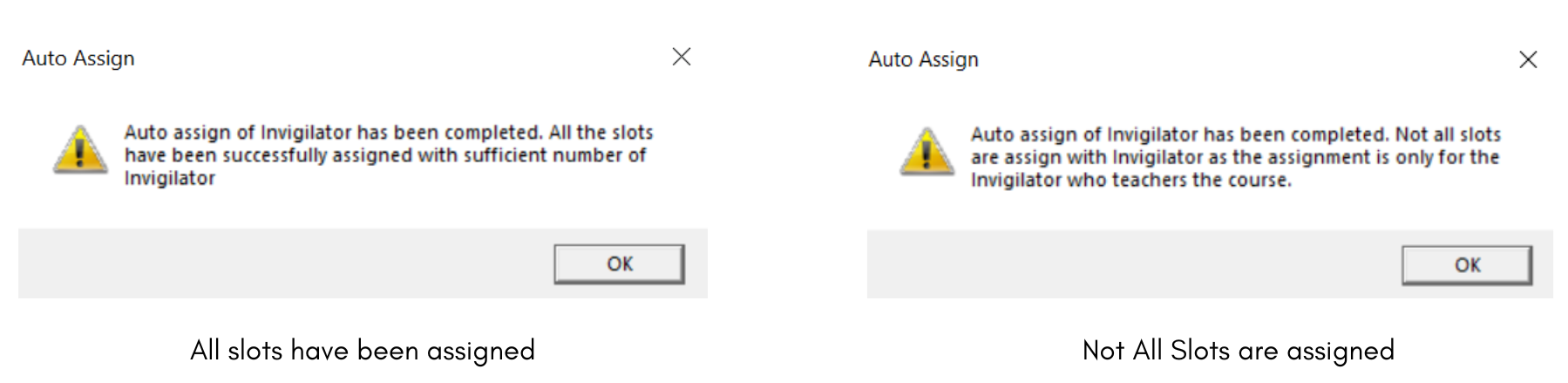
Diagram 3.1.3 Auto Assign Completed
Once done, you can go to Slots to view Invigilator List.
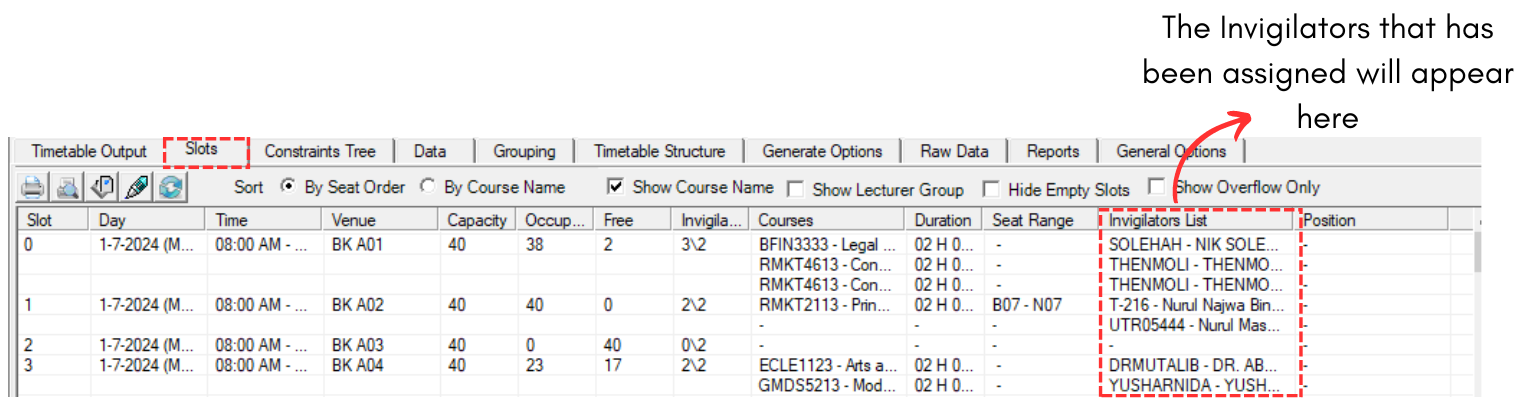
Diagram 3.1.4 Invigilator List at Slots