2. Data Entry Analysis & Editing
2.3. Batches List
In Batches List, there are few things you can analyze under the batch which is:
- Batches
- Sections
To locate the Batches List, you may go to Data and select Batches List.

2.3.1 Location of Batches List in Data
Analyze Batches List
It is important to analyze the data that has been input typed in to avoid any further mistakes happening. Refer to the diagram below to know on how to analyze the batches list data.
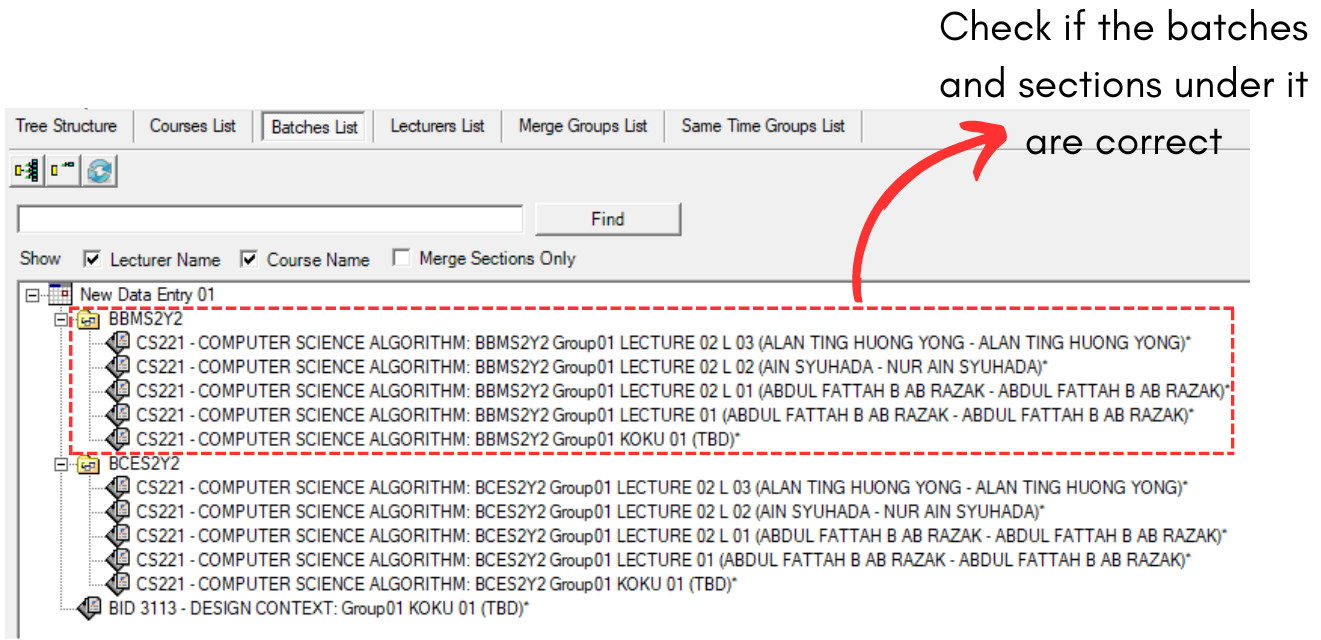
2.3.2 Batches Analyzation
Editing the Batches List
If there are incorrect data input in Batches List, you may right click the section under the batch and choose Locate at your preferred place. As for now, we will locate at Data Entry so that we able to edit.
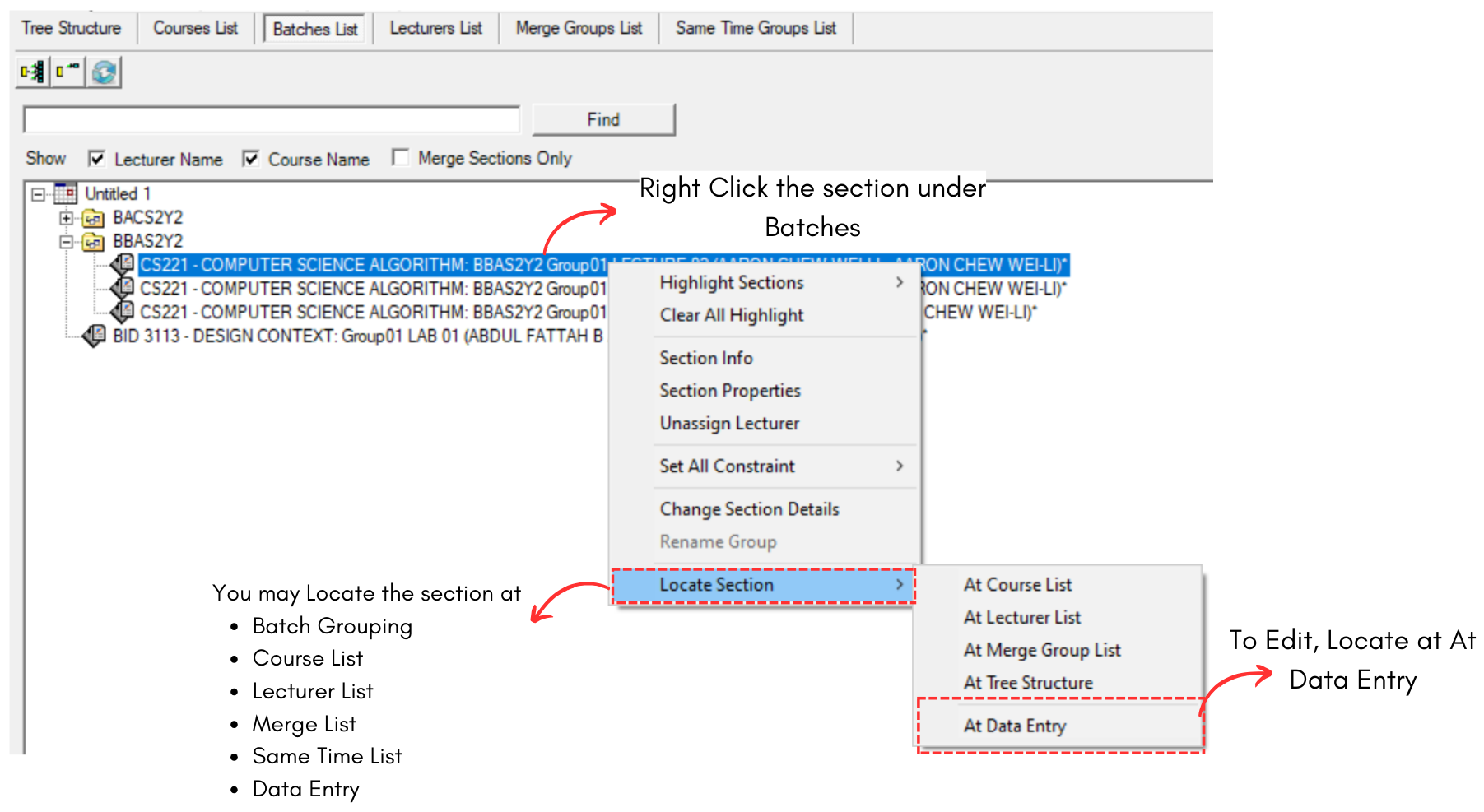
Diagram 2.3.3 Locate Section
Select the course that you want to edit and click Mark Checked Course Incomplete.

Diagram 2.3.4 Mark Checked Course Incomplete
After that, you may edit the course again. It is IMPORTANT to mark the course COMPLETE again after you are done with editing.
To edit, you may refer to the Stage 2: Data Entry (Batches)