2. Data Entry
2.2. Multi Lecturer/Team Teaching
To do Multi Lecturer or Team Teaching, there are 6 simple steps.
STEPS 1: Select on the class that you want to add Multi Lecturer.
STEPS 2: Click on Update Details.
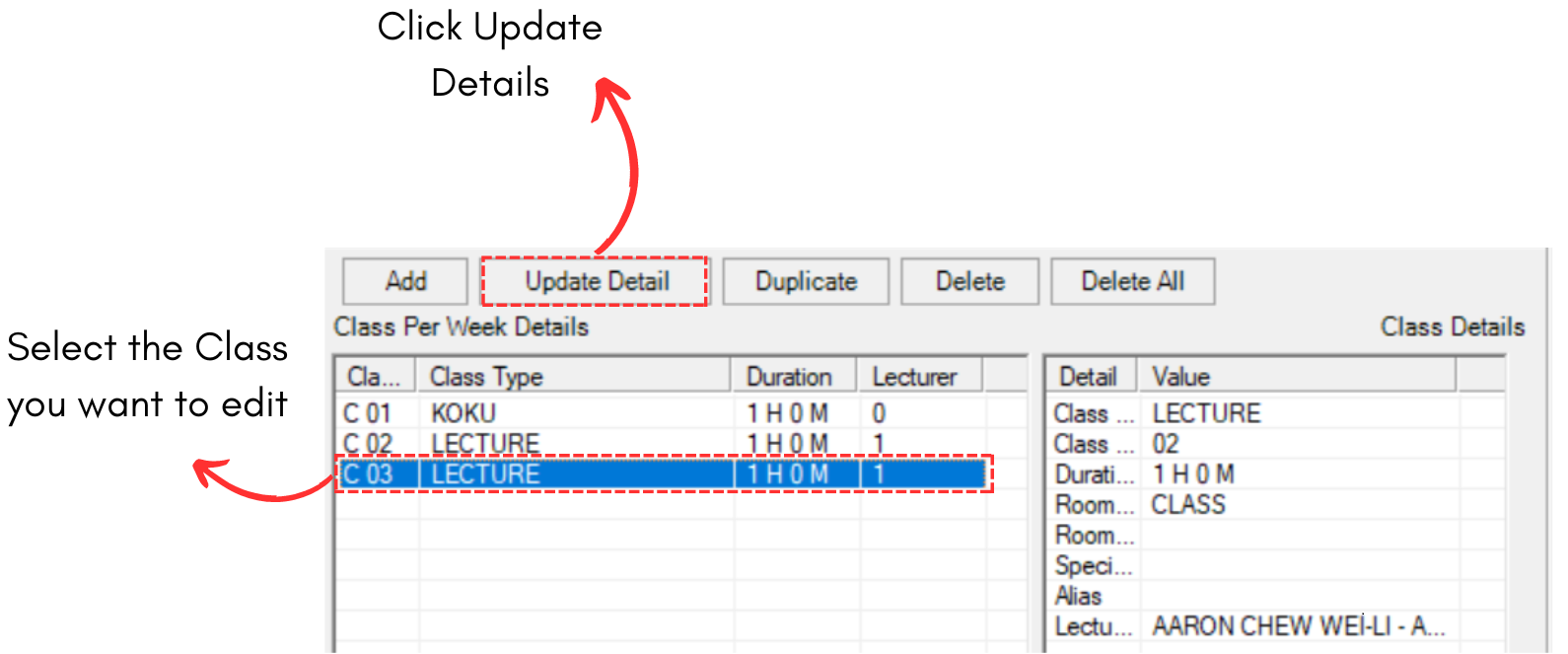
Diagram 2.2.1 Location of Update Details button
STEPS 3: Click on Add icons to add lecturer.
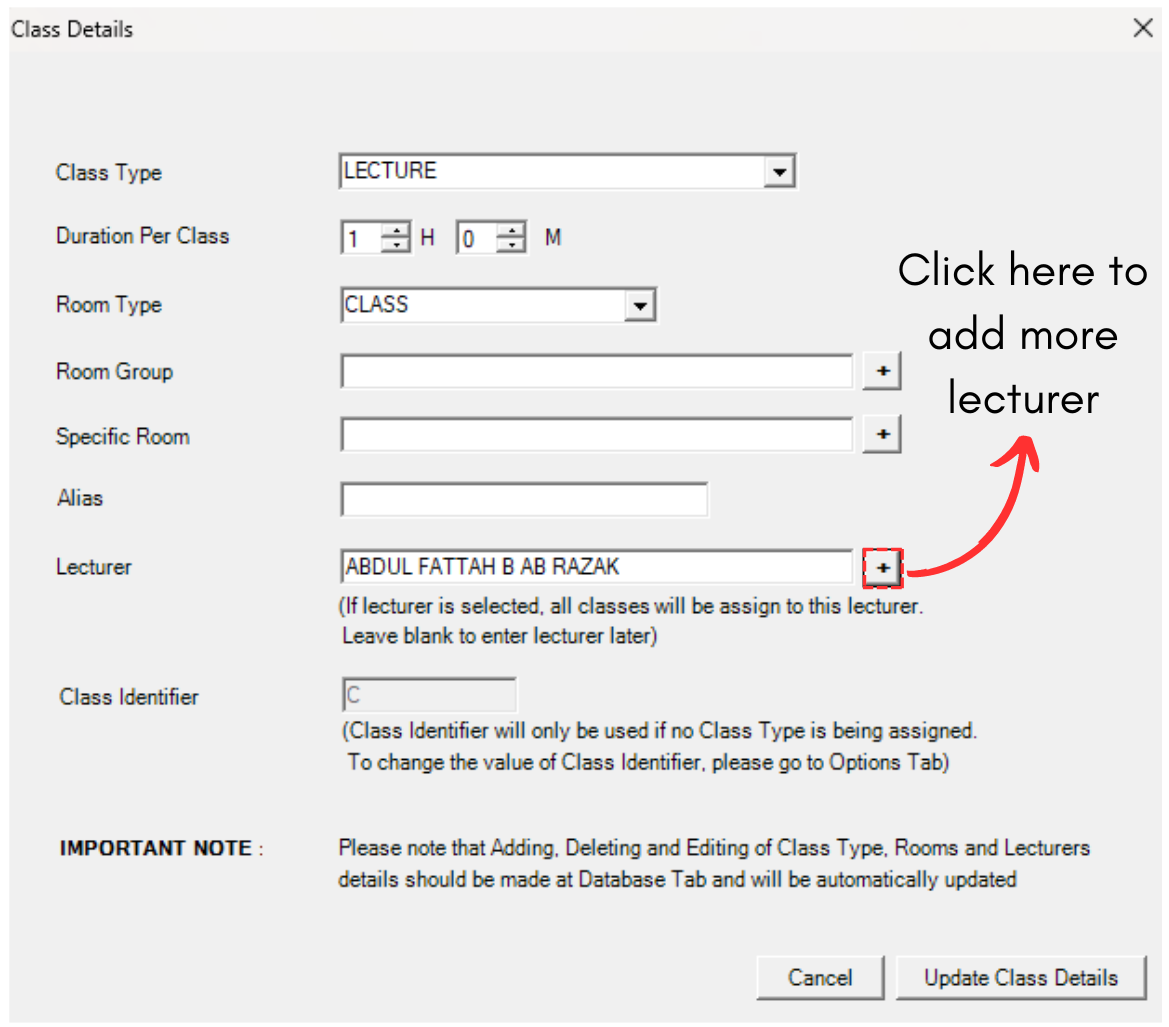
Diagram 2.2.2 Add Lecturer Icon
STEPS 4: You may select more lecturer to bring to the right side.
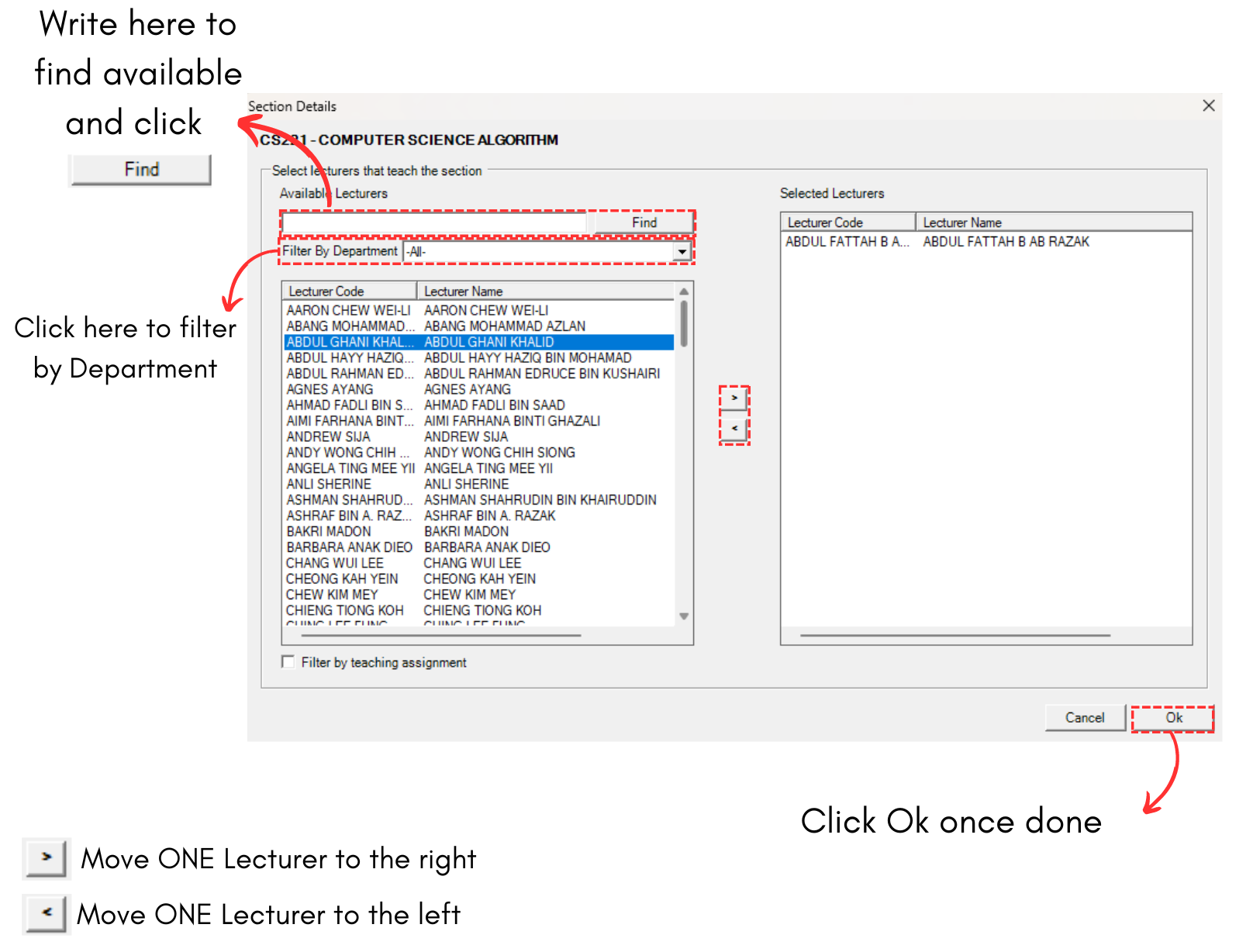
Diagram 2.2.3 Lecturer Popup
Below is the example of multiple lecturers selected.
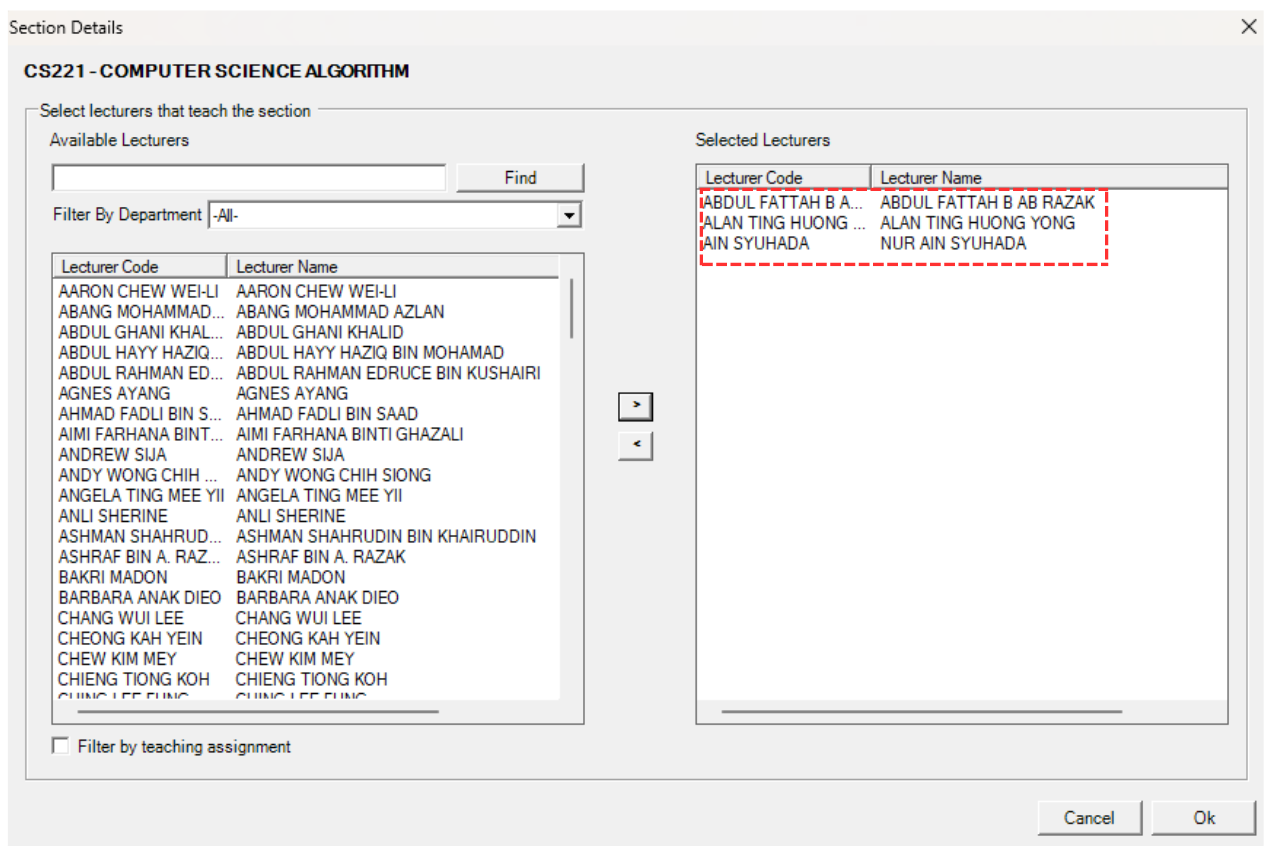
Diagram 2.2.4 Added in Lecturer Popup
STEPS 5: Click Ok.
STEPS 6: Click Update Class Details.
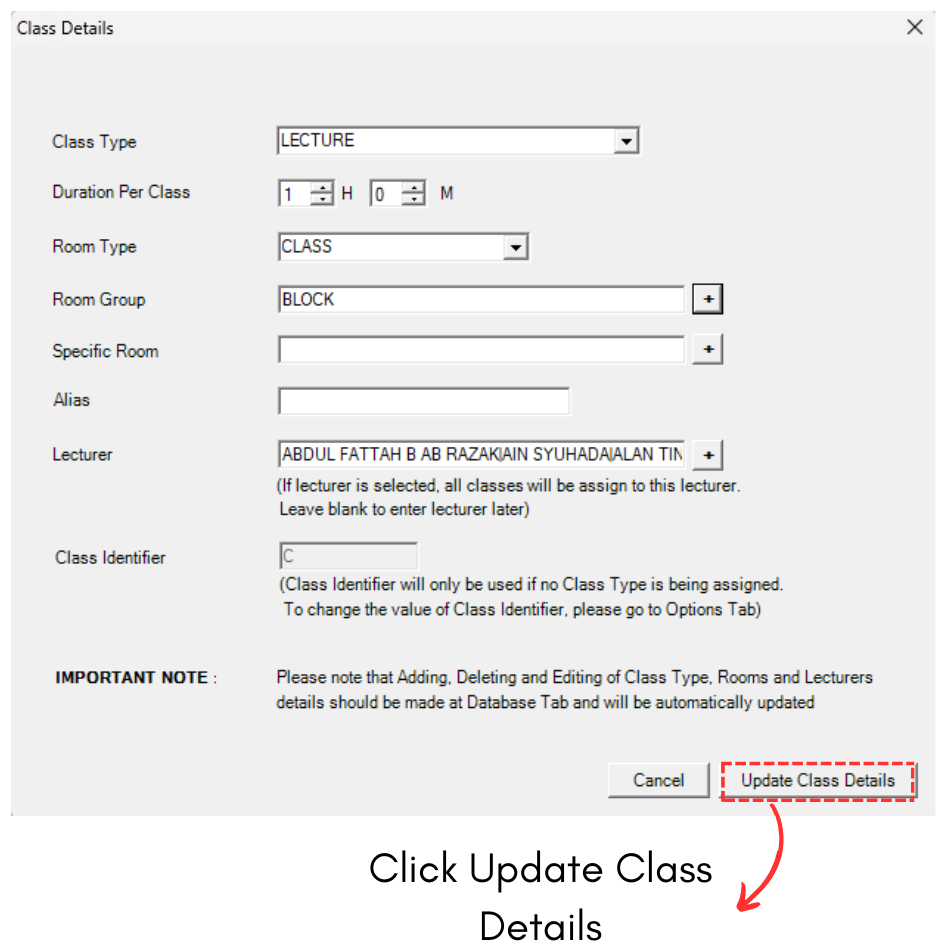
Diagram 2.2.5 Click Update Class Details
This is how it will looks like when there are multiple lecturers in the class.

Diagram 2.2.6 Multi Lecturers in the Class