1. Introduction
1.1. Data Entry Options
Before you proceed with the Data Entry, you have to fill in and examine the Data Entry Options to make sure Data Entry process will be smooth later on.
To open Data Entry Options, go to Options Tab.
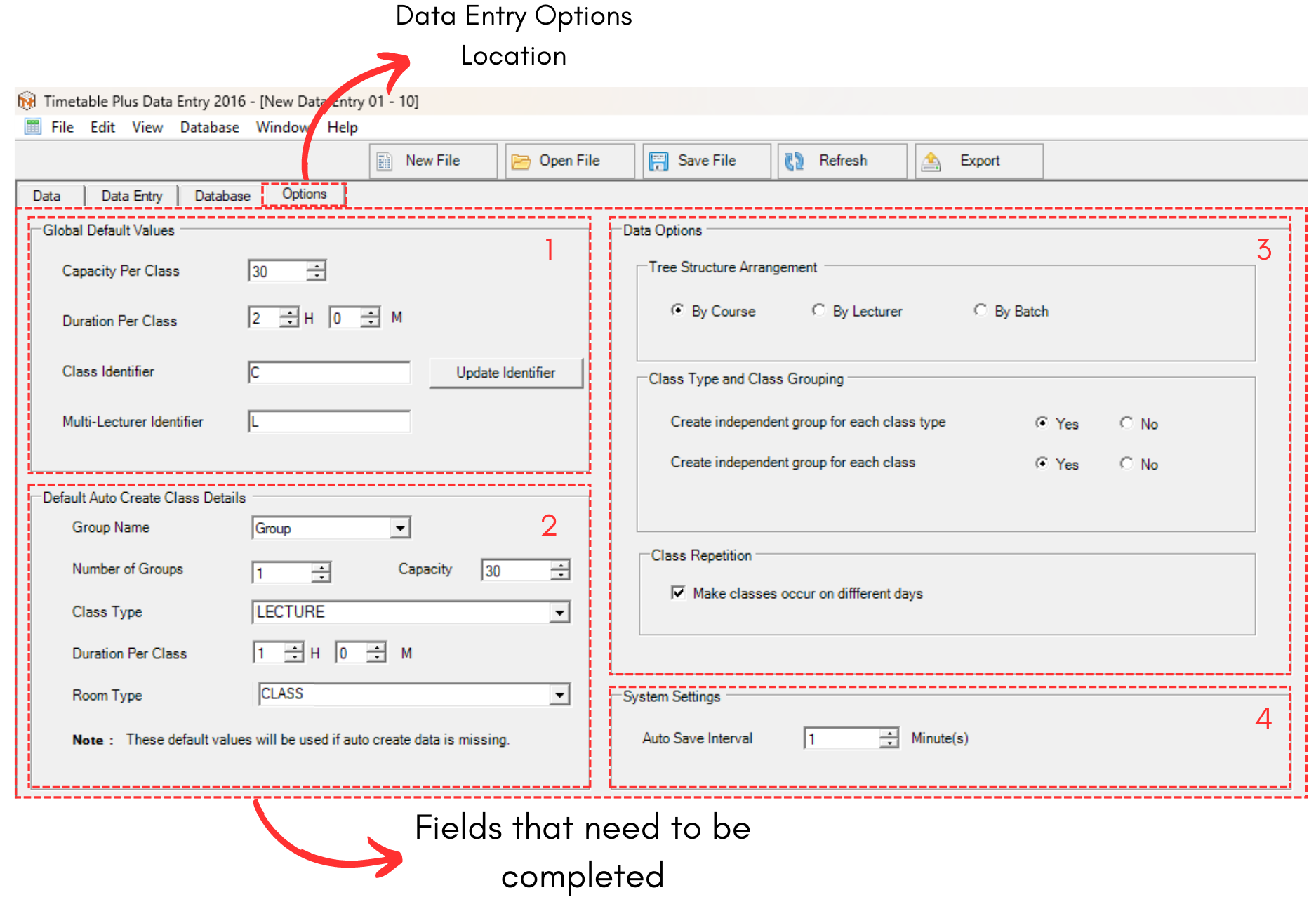
Diagram 1.1.1 Data Entry Options
Options has been divided into 4 sections.
1. Global Default Value
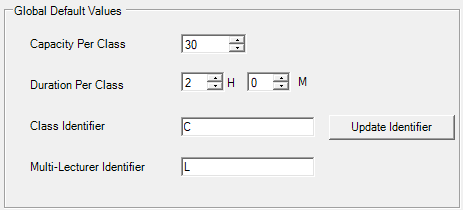
Diagram 1.1.2 Global Default Value
For better understanding, refer to the table below.
|
Capacity Per Class |
Number of students per class.
|
|
Duration Per Class |
Time taken for the class. |
|
Class Identifier |
The alphabet used to describe the class. |
|
Multi-Lecturer Identifier |
The alphabet used to describe the Multi-Lecturer. |
Table 1.1.1 Global Default Value Explaination
Once you are done making changes, click on
 to update Class and Multi-Lecturer Identifier.
2. Default Auto Create Class Details
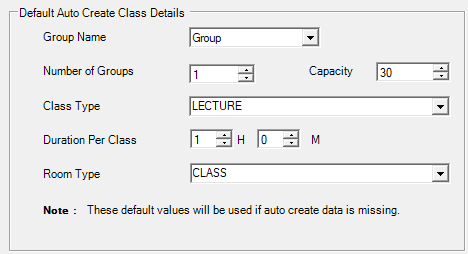
Diagram 1.1.3 Default Auto Create Class Details
For better understanding, refer to the table below.
|
Group Name |
Default Group Name (Can be added in Group Management).
|
|
Number of Groups |
Default Number of Groups that will be available for Data Entry. |
|
Class Type |
Default Class Type for the Data Entry. |
|
Duration Per Class |
Default Time taken for the class. |
|
Room Type |
Default Room Type for the Data Entry. |
Table 1.1.2 Default Auto Create Class Details
3. Data Options
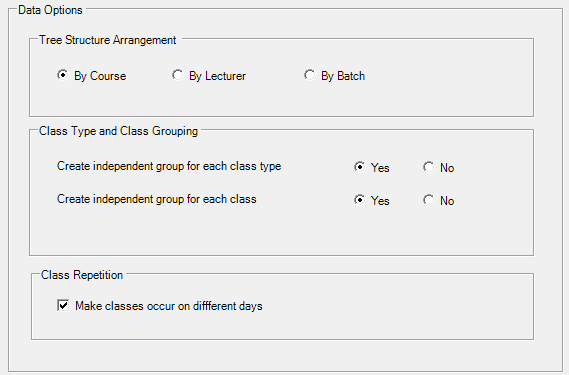
Diagram 1.1.4 Data Options
In Data Options, there are 3 more separated sections that need to be considered.1. Tree Structure Arrangement
You may choose your preferred tree structure arrangment by course, lecturer or batch. Tree Structure can be viewed once you have done the data entry at Data Entry tab.
2. Class Type and Class Grouping
You may choose to create independent group for each Class Type and also Class.
3. Class Repetition
You may tick if you want the classes occur on different days. If you don't tick this, the classes might will be placed under the same day.
4. System Settings

Diagram 1.1.5 System Settings
You may set the auto save interval to your preferred duration. Default and the best would be 1 minute as the data will keep on being automatically updated in short period time.