1. Printing
1.1. Print Formats
Before printing, you are able to customize the printing formats in Preview & Printing Tab.
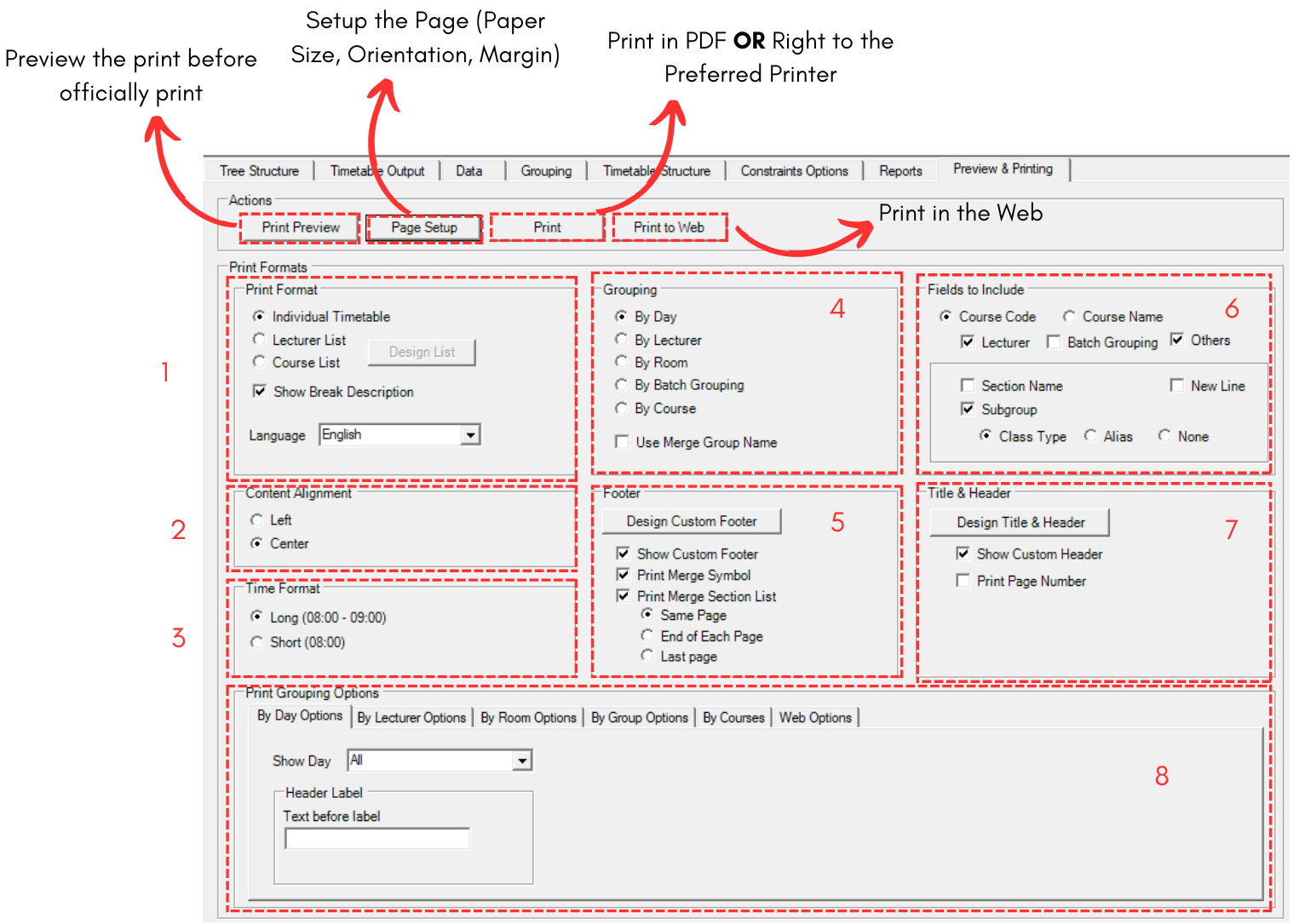
Fill in all the sections. Sections has been divided into below.
1. Print Format
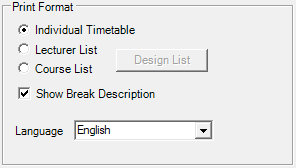
Diagram 1.1.2 Print Format
For Print Format, you are able to choose to print Individual Timetable, Lecturer List or Course List.
For Lecturer and Course List, you are able to click on Design List button  to include items inside the list. refer to the picture below to see Design List window.
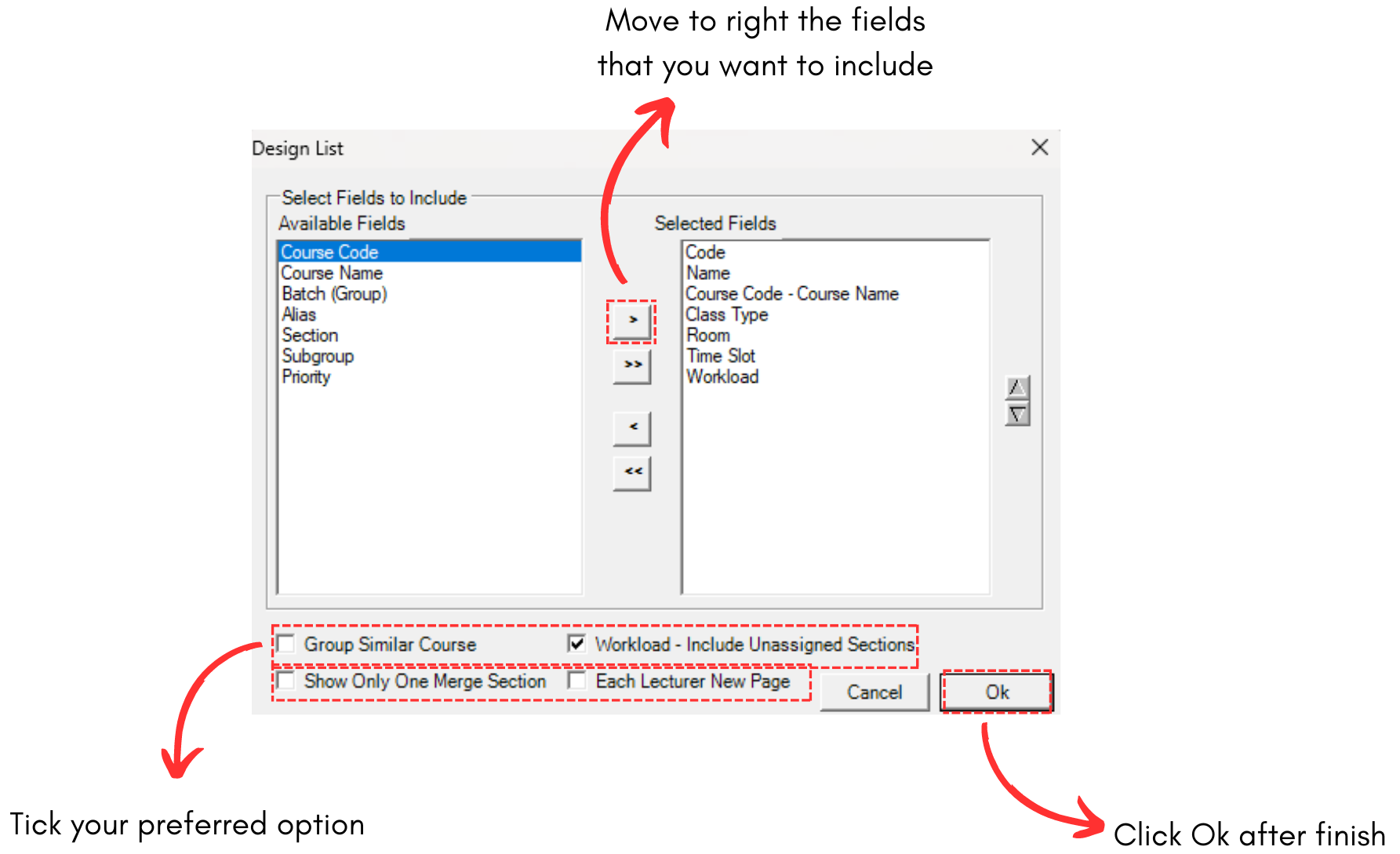
Diagram 1.1.3 Design List on Lecturer List

Diagram 1.1.4 Design List on Course List
For Lecturer, you able to hide or show lecturers by clicking the Hide and Show Lecturers. 

Diagram 1.1.5 Hide and Show Lecturers
2. Content Alignment
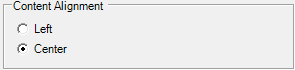
Diagram 1.1.6 Content Alignment
You may choose to have your content on left side or center.
3. Time Format

Diagram 1.1.7 Time Format
You may choose to have your content to have time format of long (begin and end time) or short (begin only)
4. Grouping
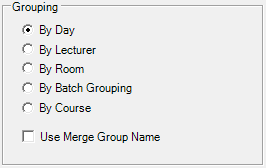
Diagram 1.1.8 Grouping
You can have your content to be printed by day, lecturer, room, batch grouping or course. If you want to use merge group name in the content, tick Use Merge Group Name.
5. Footer
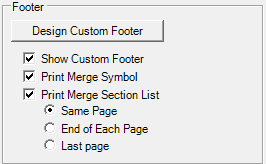
Diagram 1.1.9 Footer
Footer is located at the bottom of your printed content page. You may tick your preferred option and if you want to write text on footer, click Design Custom Footer. 

Diagram 1.1.10 Custom Footer Design
6. Fields to include
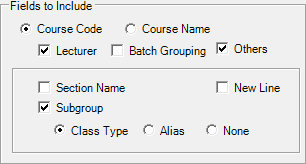
Diagram 1.1.11 Fields to Include
You may choose fields to include in your printed timetable by ticking your preferred option.
7. Title & Header

Diagram 1.1.12 Title & Header
You may include Title & Header at the top of your printed content. And if you want to customize it, you may click the button Design Title & Header. 
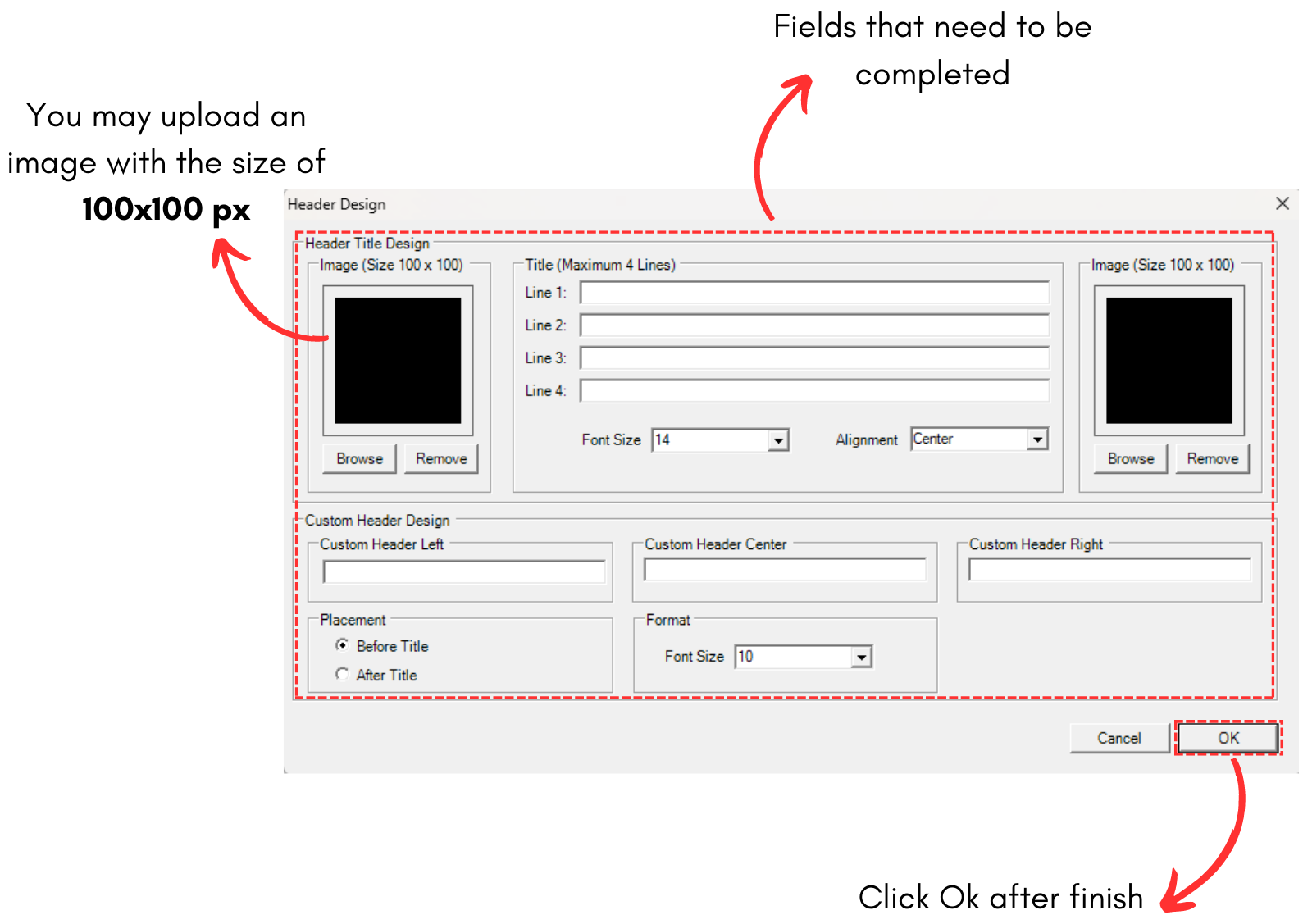
Diagram 1.1.13 Header Design
8. Printing Grouping Options.
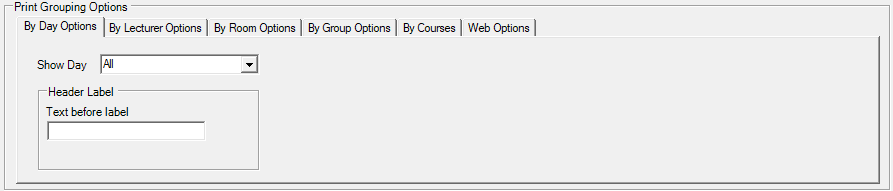
Diagram 1.1.14 Printing Grouping Options
Printing Grouping Options is the option for the Grouping that you have selected above. You may customize your preferred grouping. Below are all of the Printing Grouping Options.
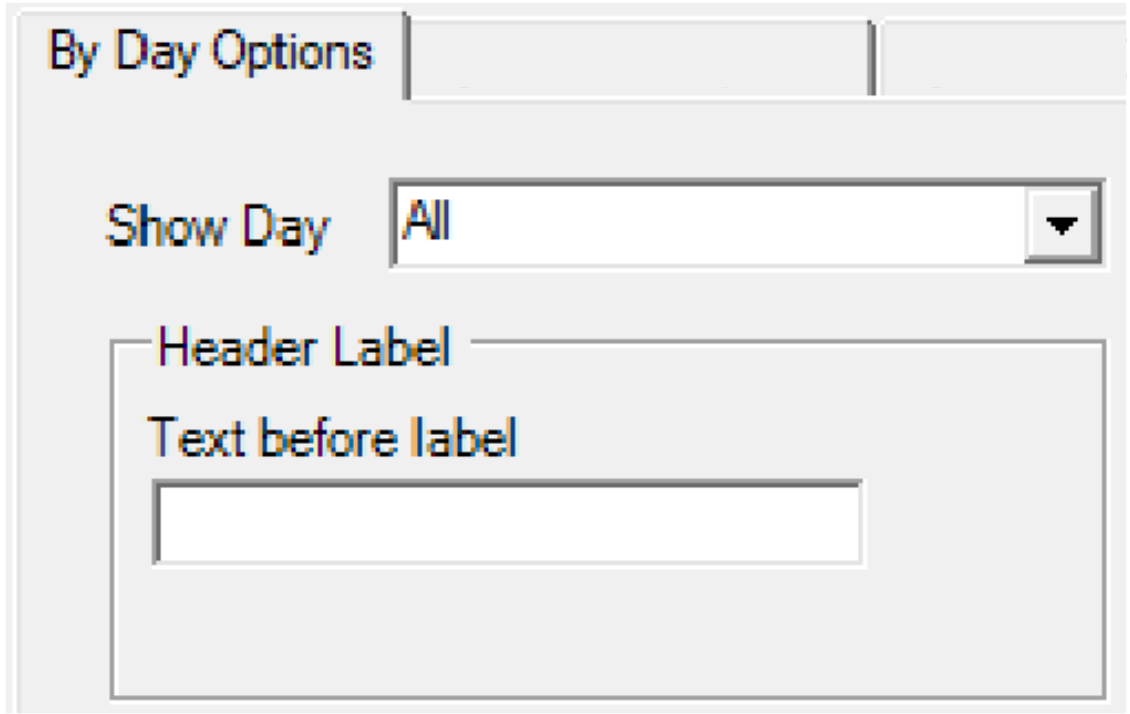
Diagram 1.1.15 By Day Options

Diagram 1.1.14 By Lecturer Options
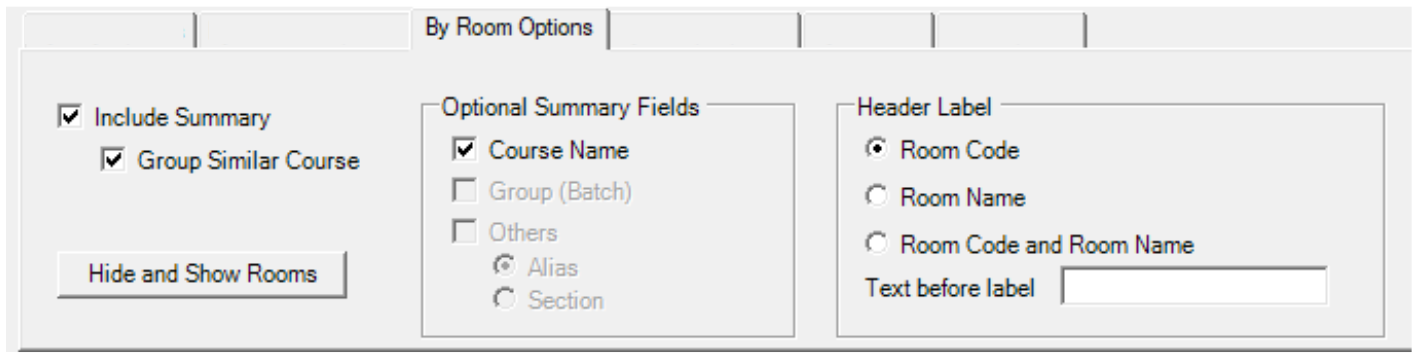
Diagram 1.1.16 By Room Options
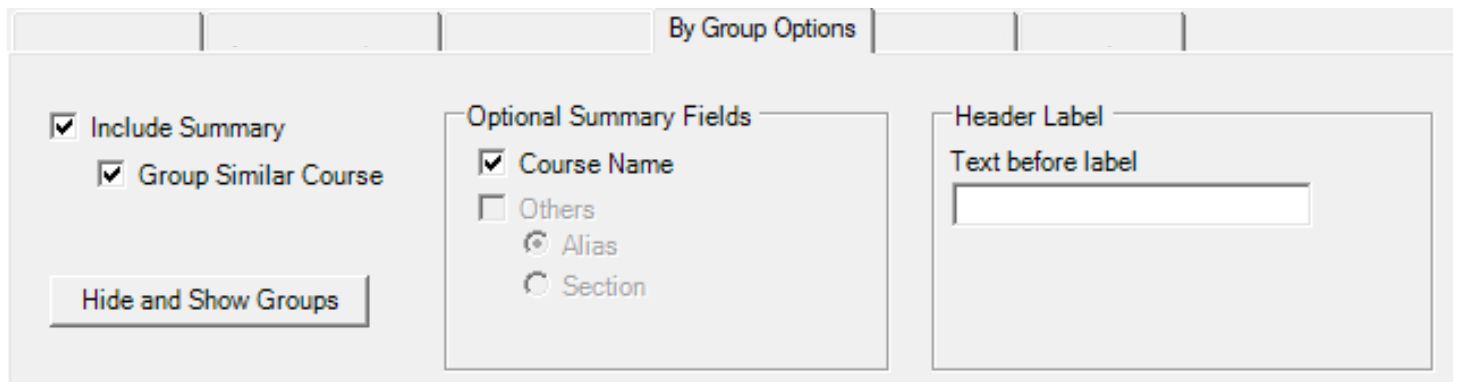
Diagram 1.1.17 By Group Options
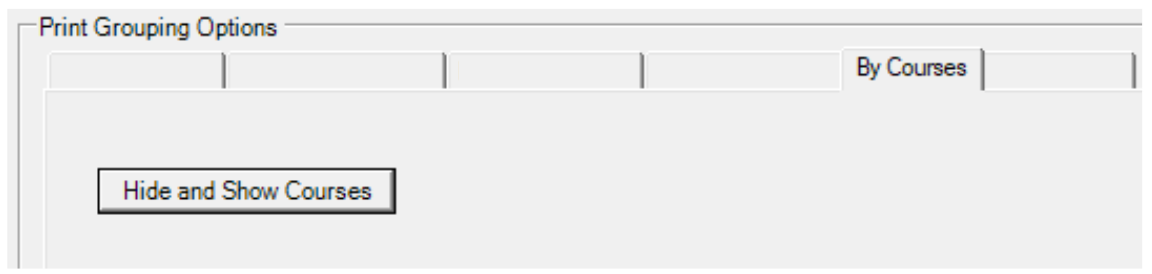
Diagram 1.1.18 By Courses Options
Web Options is the options for Print To Web.

Diagram 1.1.19 Web Options