2. Import
2.1. Import Data Entry File
If you have the Data Entry File in your devices, you may import them into the T-Plus Data Entry. The Data Entry File extension is .TDE
To import, you may go to the File at Timetable Menu, select Import and then click Data Entry File.
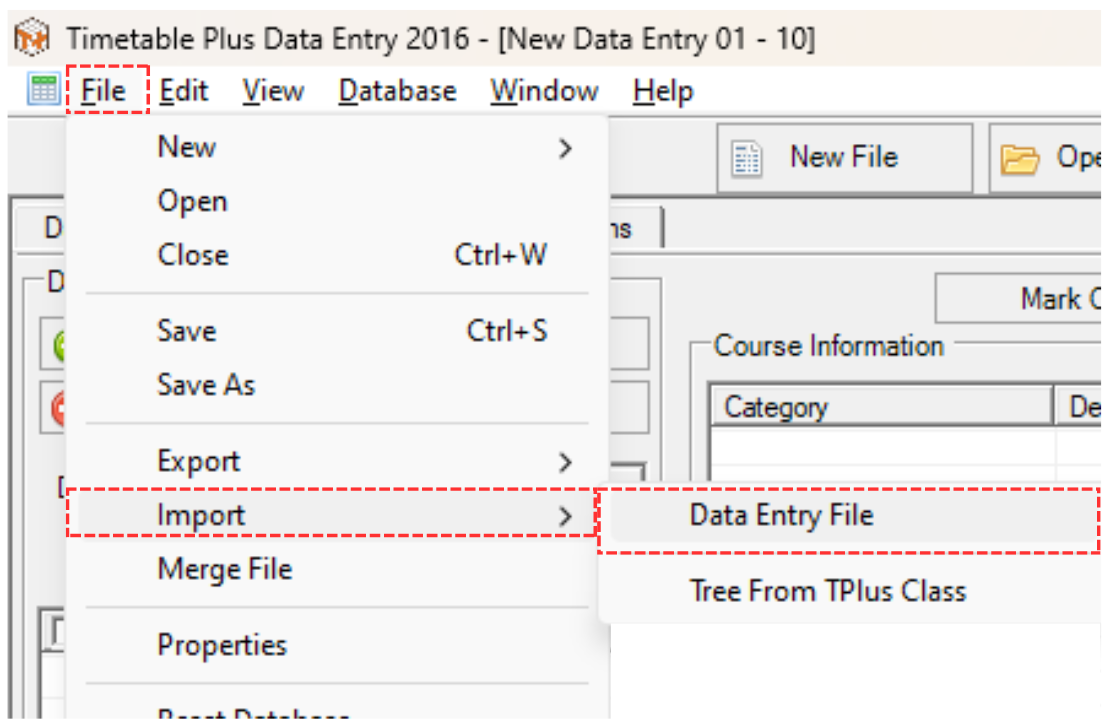
Diagram 2.1.1 Location of Import Data Entry File
Import Timetable pop-up will appear.
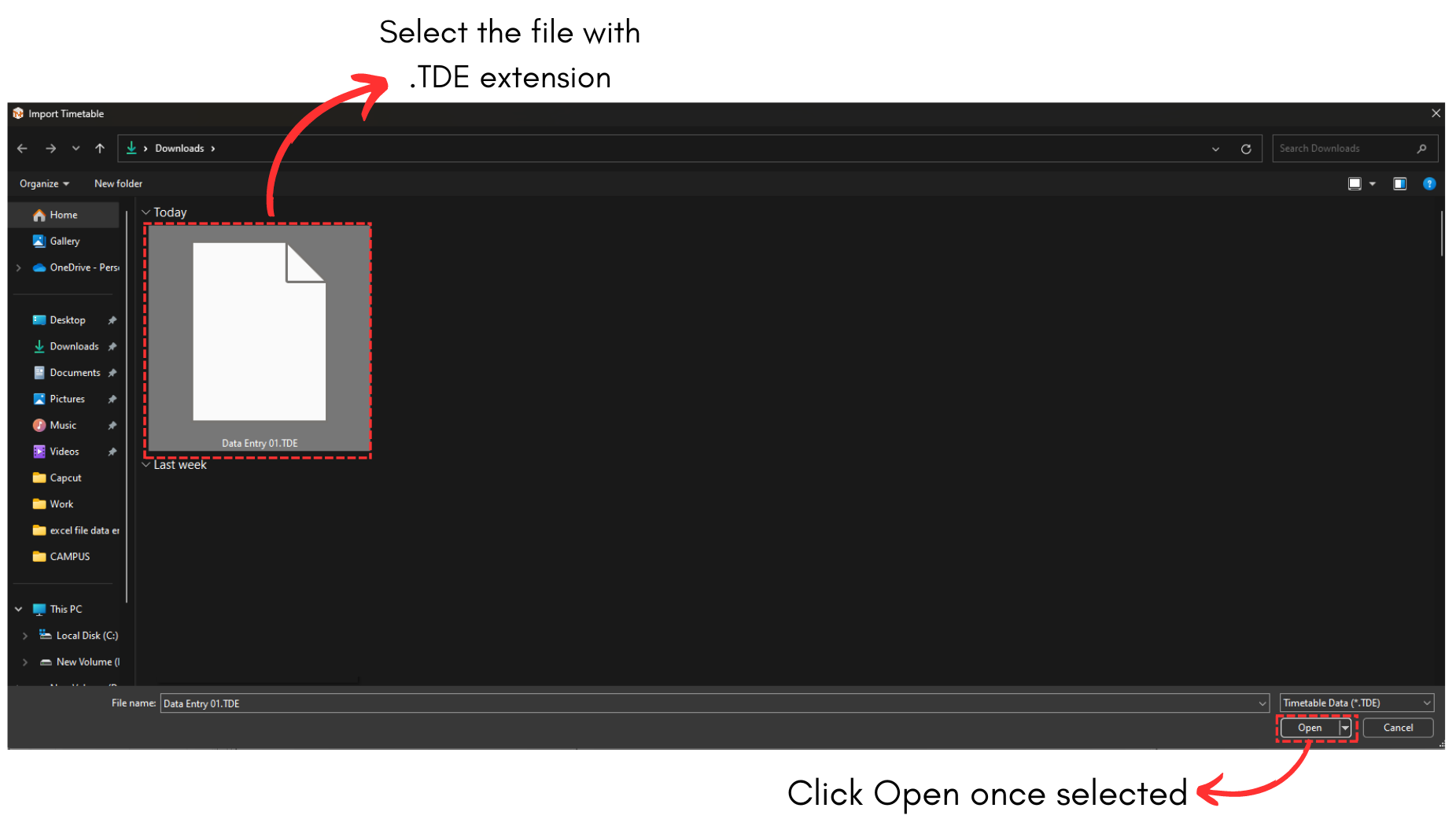
Diagram 2.1.2 Import Timetable Popup
Save Timetable Option will pop-up. Click Yes and then Save your file.
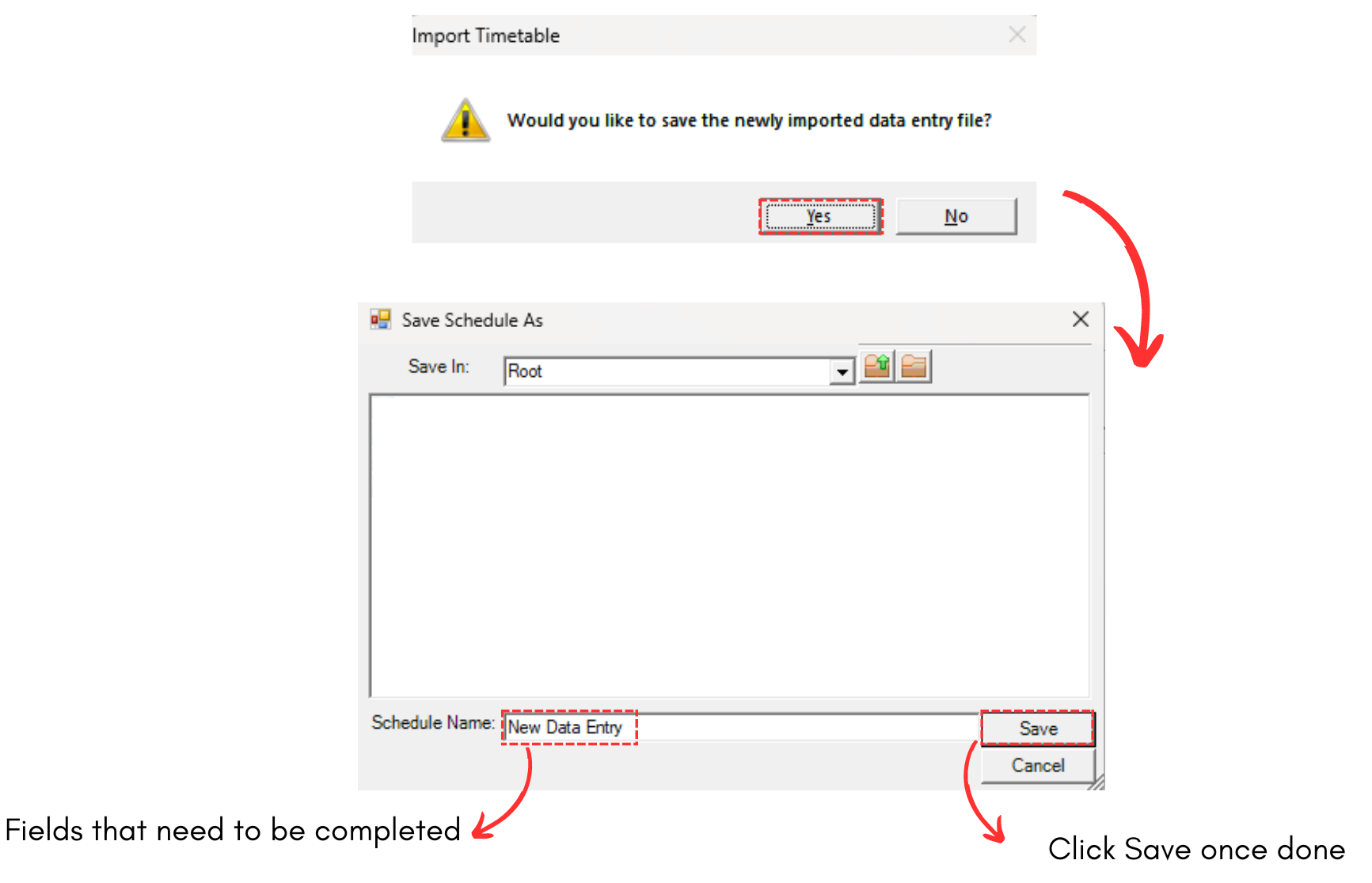
Diagram 2.1.3 Save the Data Entry File