2. Import Database
2.1. Import From External Database Source
To import from external database source, there are 2 ways to do so.
ALTERNATIVE 1: You may go to Database Menu and select Import Data.
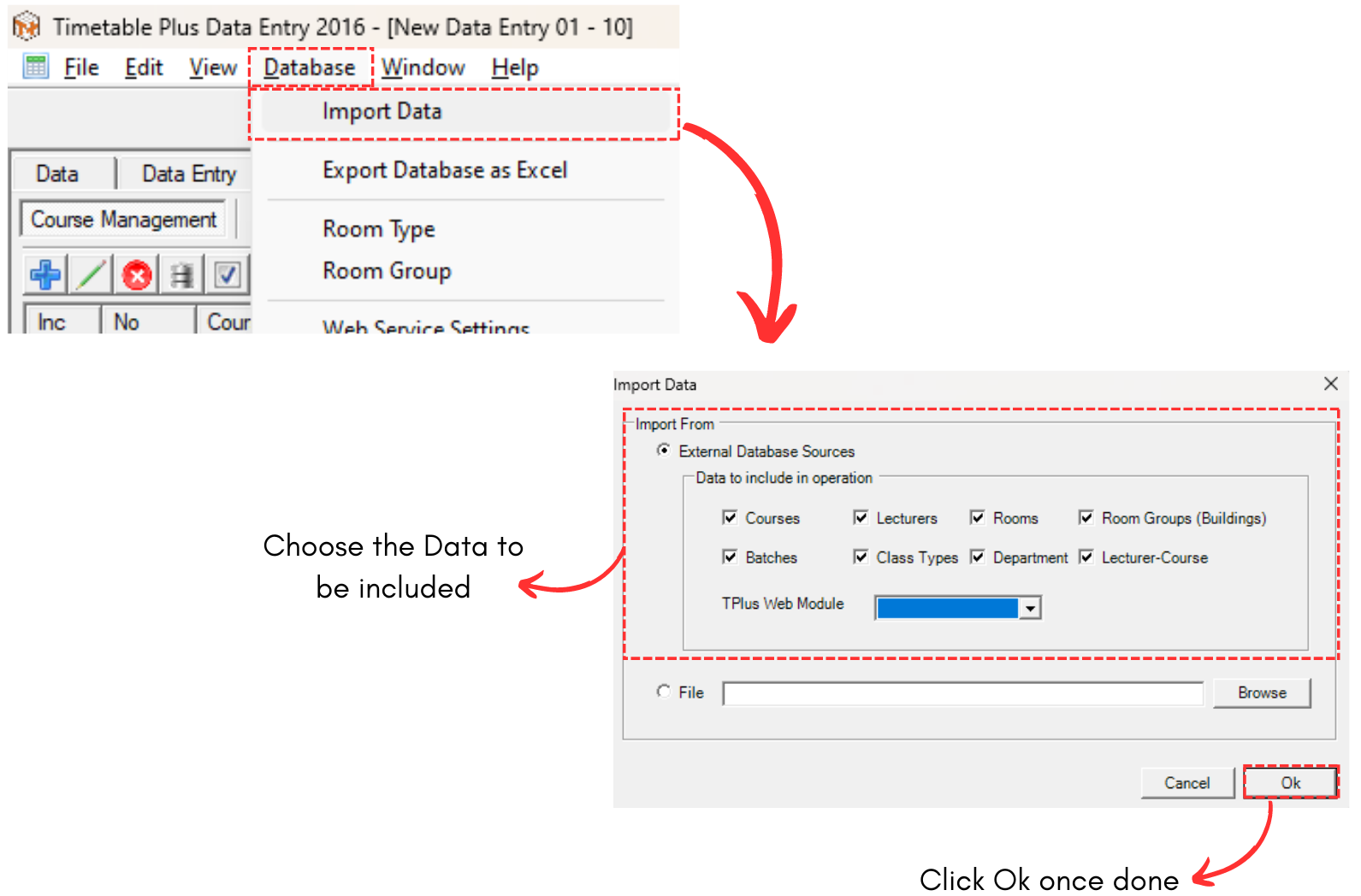
Diagram 2.1.1 Location of Import Data on Database Menu
ALTERNATIVE 2: You can simply choose any under Database and click Import Data Icon. 
Note that, this will only import the data of your preferred database. For example, we choose Course Management.
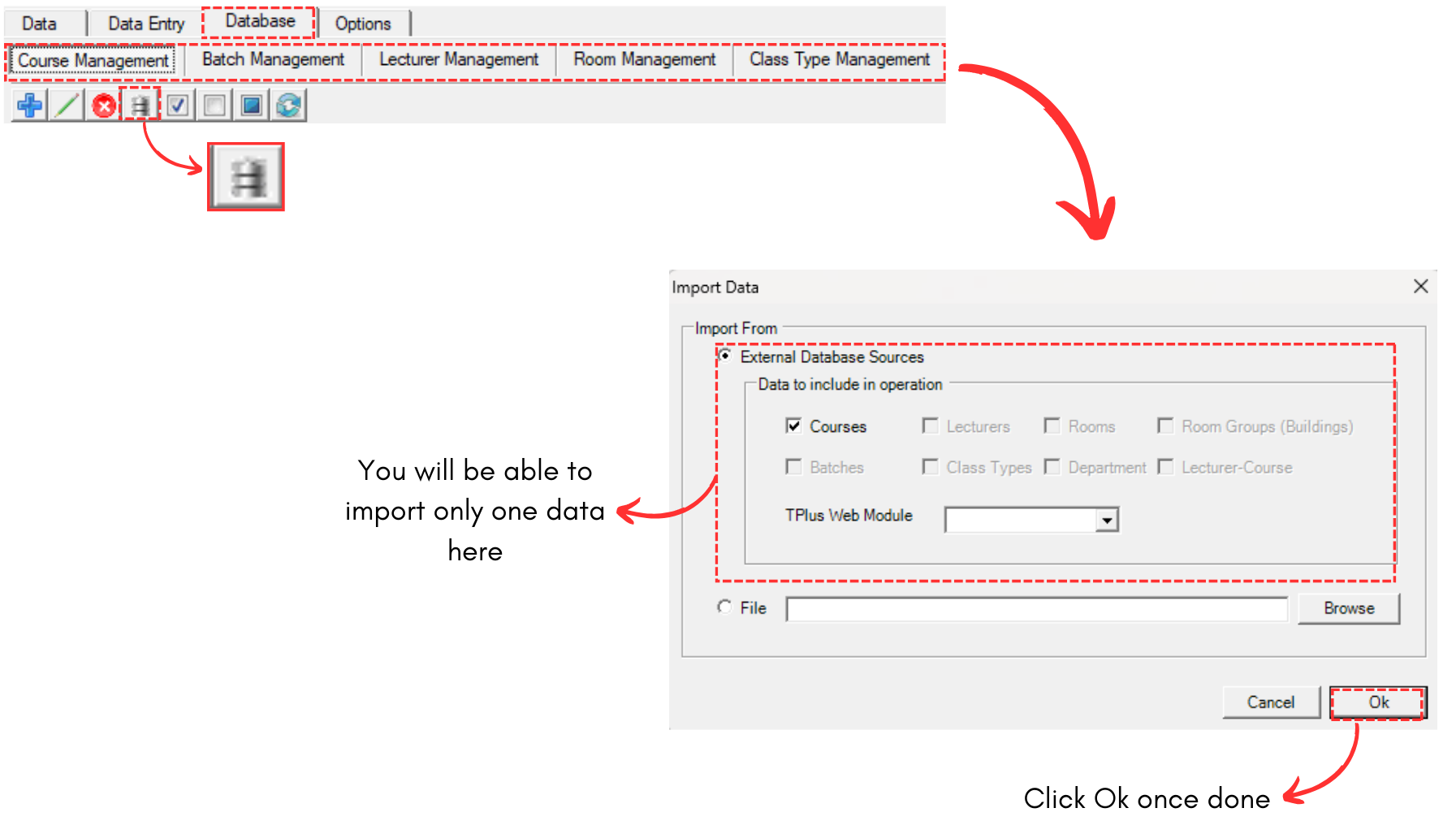
Diagram 2.1.2 Location of Import Data under Database