Stage 7: Constraint Setting
1. Set Constraints
1.4. Room Group (Room Distance) Constraint
Room Distance is the time slot distance between the room group. For Example, to have a gap of 1 time slot, enter 1. Enter 0 for no distance.
You can set Room Distance constraint at Room Grouping which is under Grouping.

Diagram 1.4.1 Location of Room Grouping
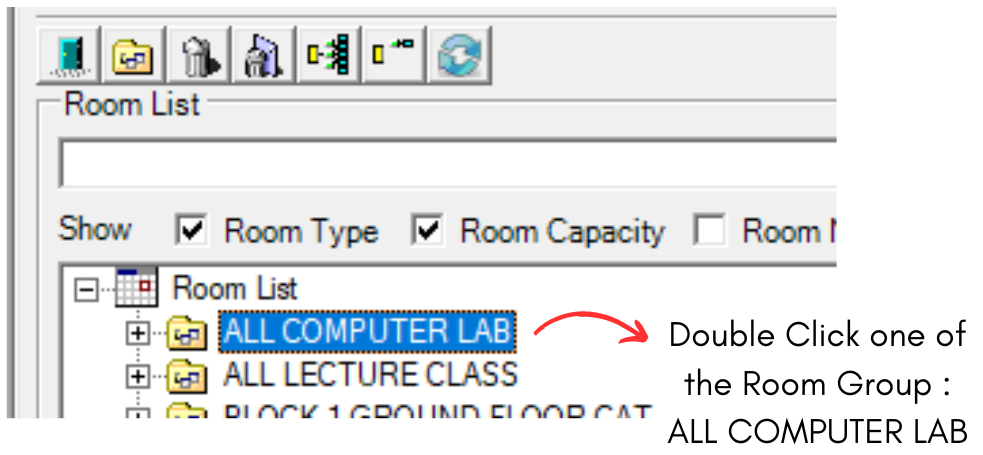
Diagram 1.4.2 Double Click the Room Group
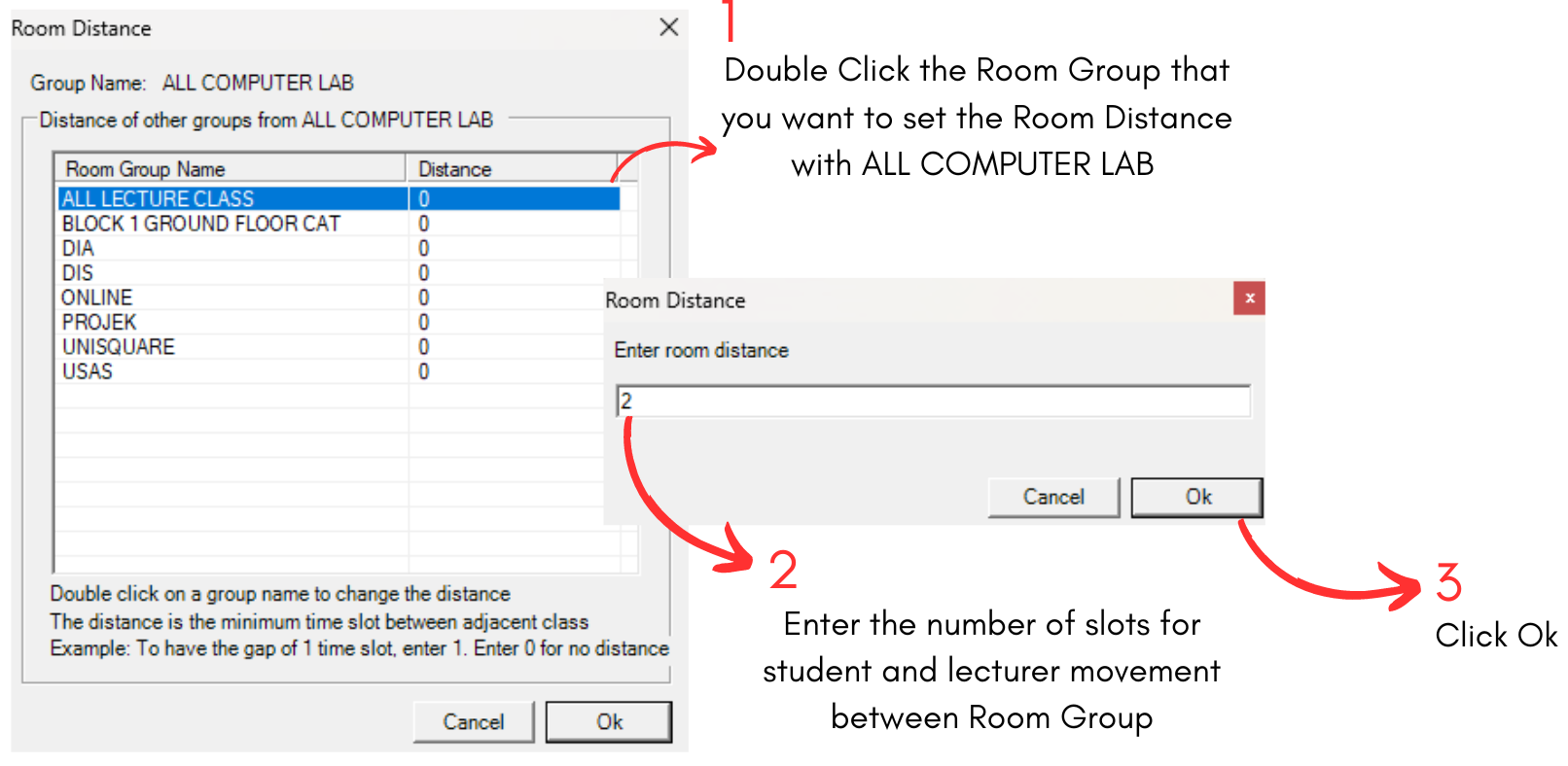
Diagram 1.4.3 Room Distance Explanation
Note that when you select a room group, you will be able to see buttons on the right side of the Room Grouping Window.
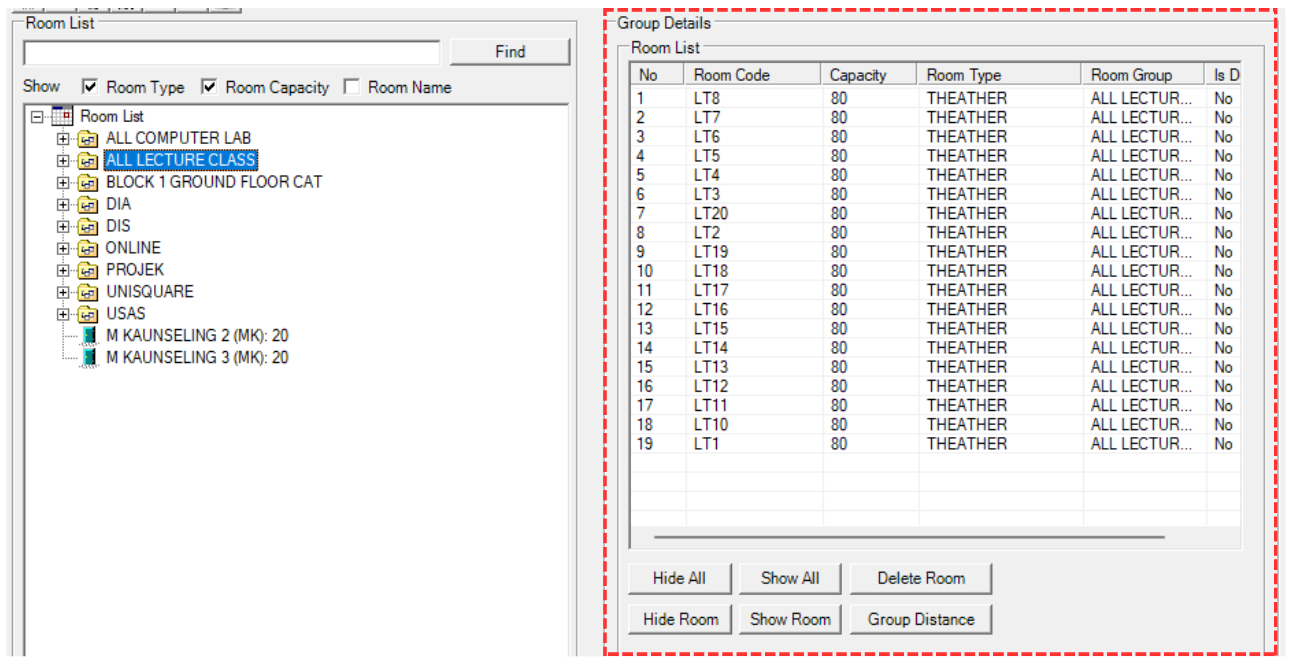
Diagram 1.4.4 Buttons on Right Side of the Room Group Window
To use the buttons, select a room under it first.
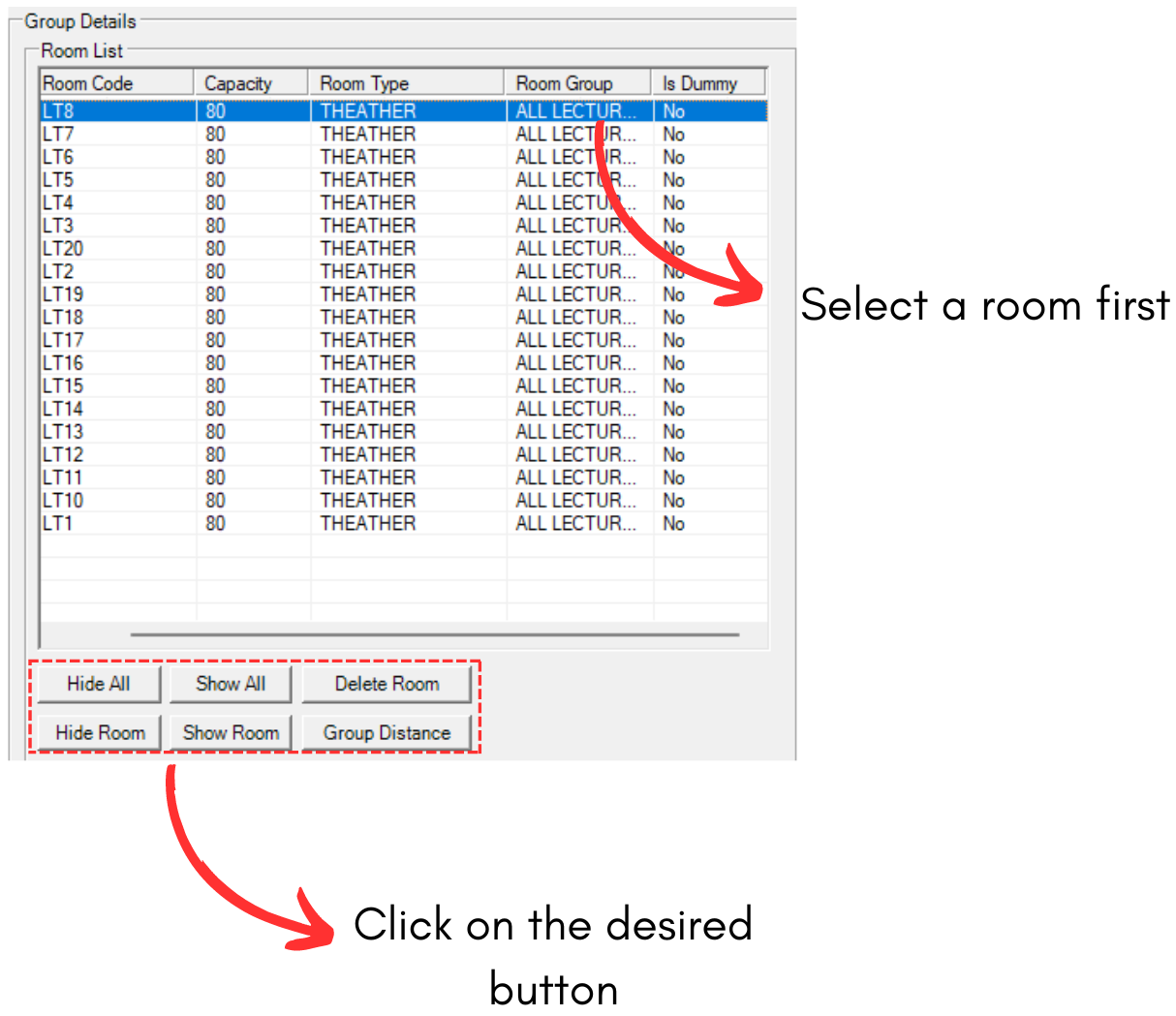
Diagram 1.4.5 Steps on How to Use the Button
Refer to the table below to understand the buttons.
|
Hide All and Show All |
Hide All will hide all the rooms under the selected room group while Show All will show all the rooms under the selected room group.
|
|
Delete Room |
This button will delete the selected room in room group. |
|
Hide Room and Show Room |
Hide Room will hide selected room while Show Room will show selected room. |
|
Group Distance |
This button will open the Group Distance button of the selected Room Group. |
Table 1.4.1 Buttons Explanation