Managing Data in the Admin Portal
3. How to Input Data?
3.2. Step 2
Timetable Structure
Before creating a timetable, the system needs certain data to be in place.
Most Required Data in the Timetable Structure
The timetable structure may include various information such as lecturers, class types, and buildings.
However, the most required data to set up the timetable are:
-
Time
- Room
Without these, you cannot assign classes to a timetable.
Setting Up Time
-
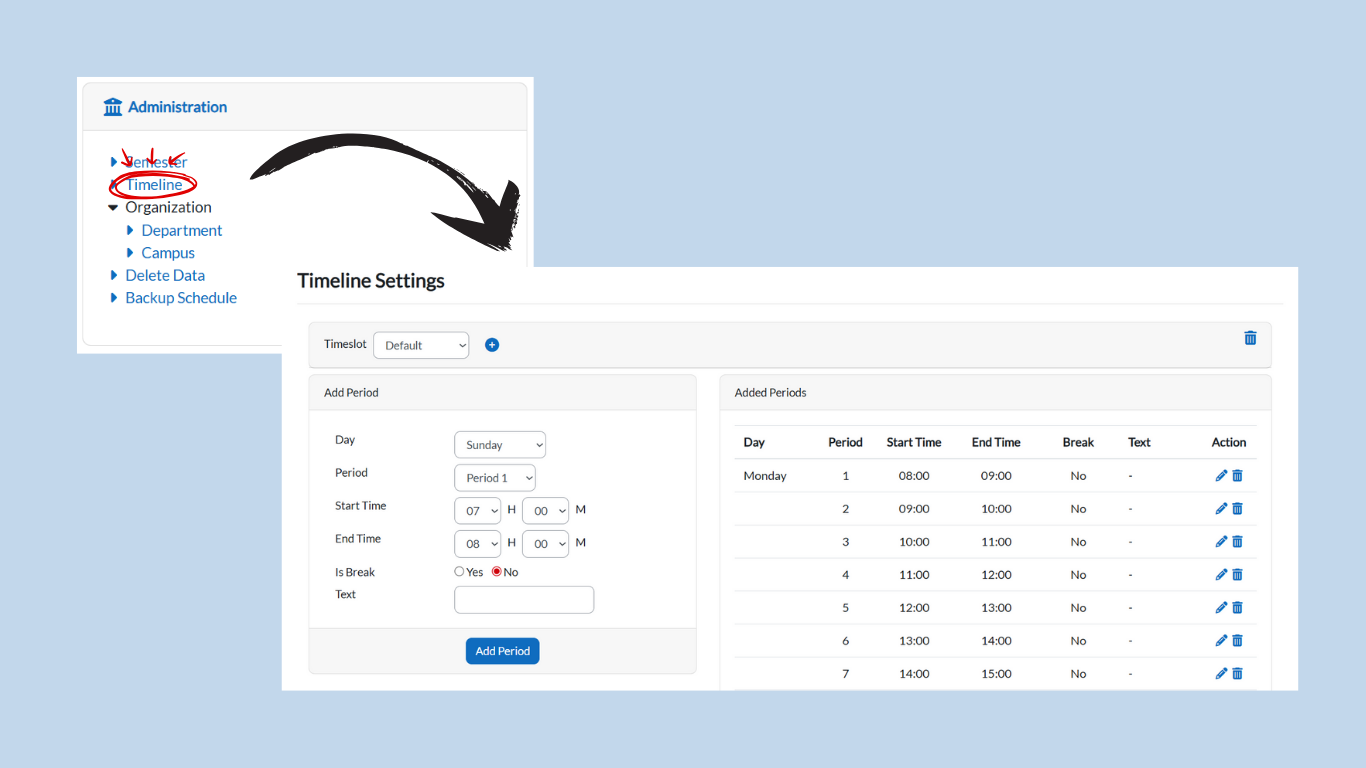
Under the Administration card, click on Timeline.
-
-
This will open the page where you can either use the default timetable or create your own timeslots.
-
-
To create your own timeslot:
-
Click the + (Add) button.
-
Enter a name for the timeslot.
-
Define the period according to your preferences:
-
Example:
-
7:00 AM – 8:00 AM → Class
-
8:00 AM – 9:00 AM → Class
-
9:00 AM – 10:00 AM → Class
-
10:00 AM – 12:00 PM → Break / Lunch
-
12:00 PM – 1:00 PM → Class
-
1:00 PM – 3:00 PM → Class
-
-
-
Repeat the process to add as many timeslots as needed.
-
Note: Timeslots can be customized to match your institution’s timetable structure. You are not limited to the default settings.
Setting Up Room
-
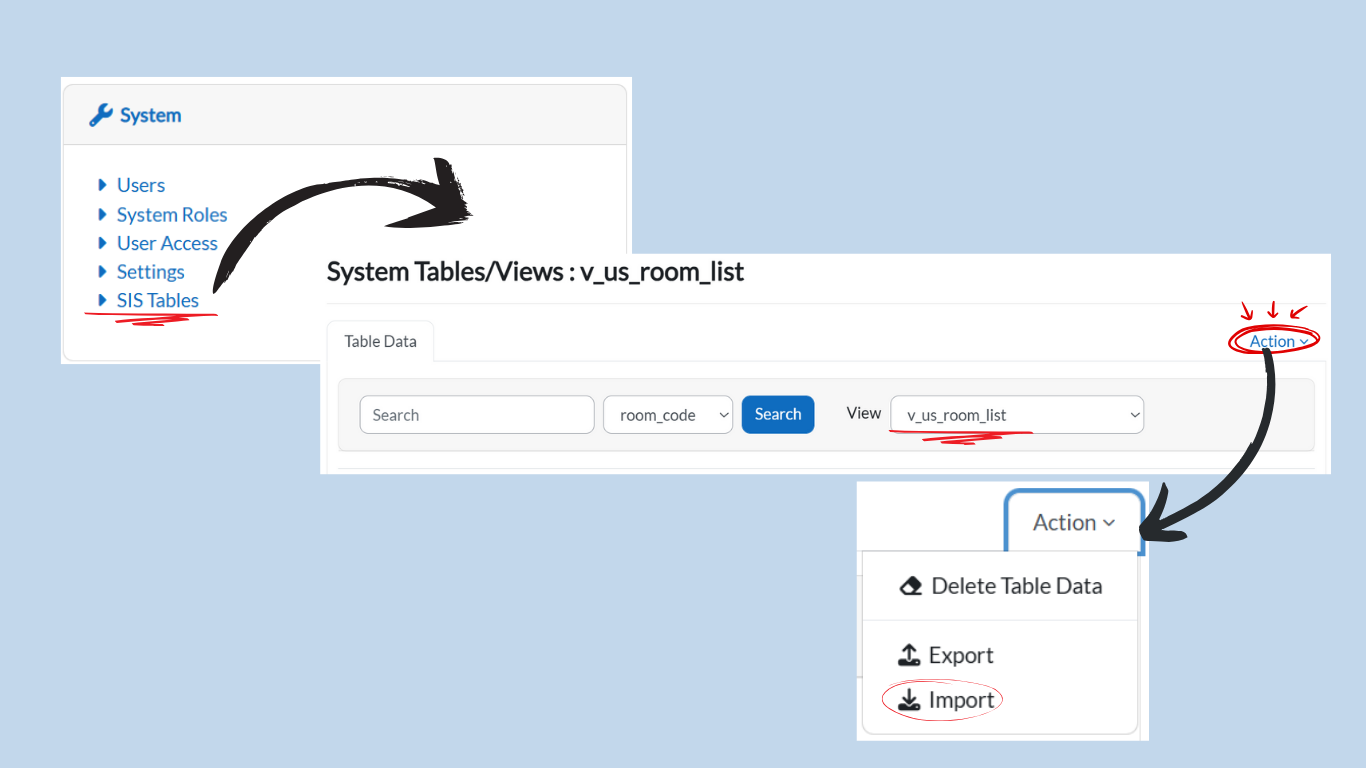
Ensure you have all the room data in the system.
-
If not, follow Step 1: Data Entry to import the data via the SIS Table.
-
Select v_us_room_list from the dropdown View menu.
-
-
When preparing the Excel template for room data, the file must include the following columns:
-
room_code
-
room_name
-
capacity
-
room_type
-
room_usage
-
building
-
campus
-
exam_usage
-
-
Import the Excel file as shown in Step 1.
-
Once imported, the room list will appear in the system and can be used for timetable creation.
Tip: Always make sure both Time and Room are fully set up before assigning classes to avoid scheduling conflicts.