Stage 1: Database
1. Course Management
1.2. How To Delete a Folder Or Course
Keep your Course List tidy by deleting course or folder you no longer need.
There are 2 simple steps to Delete Course/Folder Only or Delete All:
Delete Course/Folder Only 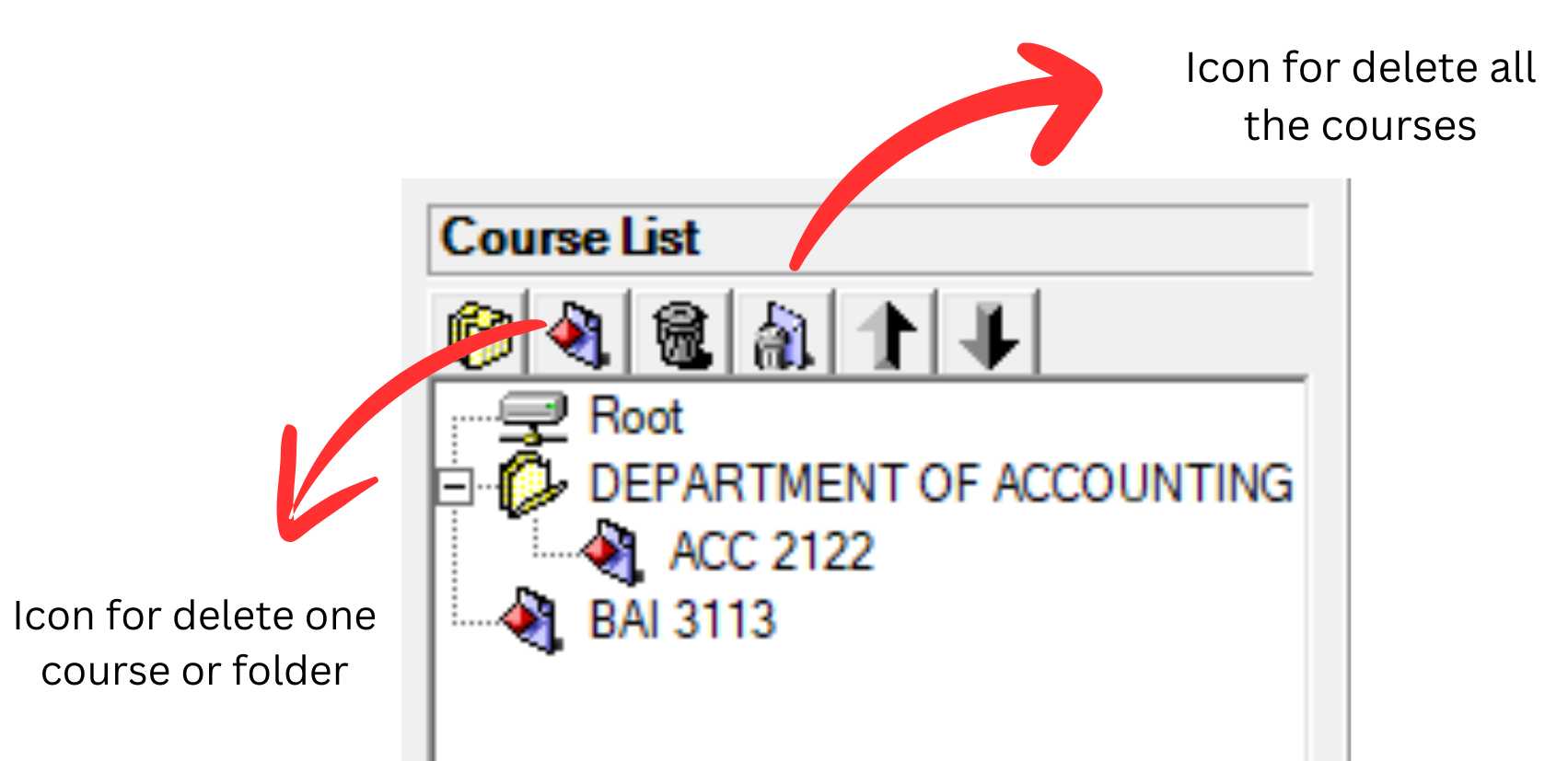
Diagram 1.2.1: Delete course and delete all the courses icon
Step 1: Select the course or folder and Click Delete Course Or Folder Icon 
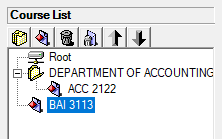
Diagram 1.2.2: Selected course to delete
Step 2: Confirmation window will pop-up and click Yes to Delete.
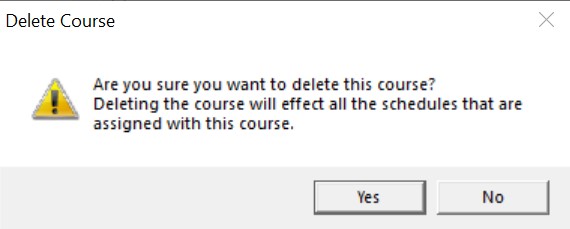
Diagram 1.2.3: Confirmation window to delete course
Delete All
Step 1: To delete all, click the delete all icon 
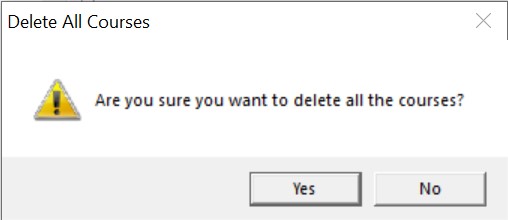
Diagram 1.2.4: Confirmation window to delete all the courses
Step 2: Confirmation window will pop-up and click Yes to Delete.