Stage 4: Exam Course Timetable
7. Editing The Courses
7.3. Manually Allocate Course into the Slot
To allocate course into the slot, you may want to select a slot with no clashing section.
When you found one, you can simply double click the slot and insert the course. Refer to the diagram below.
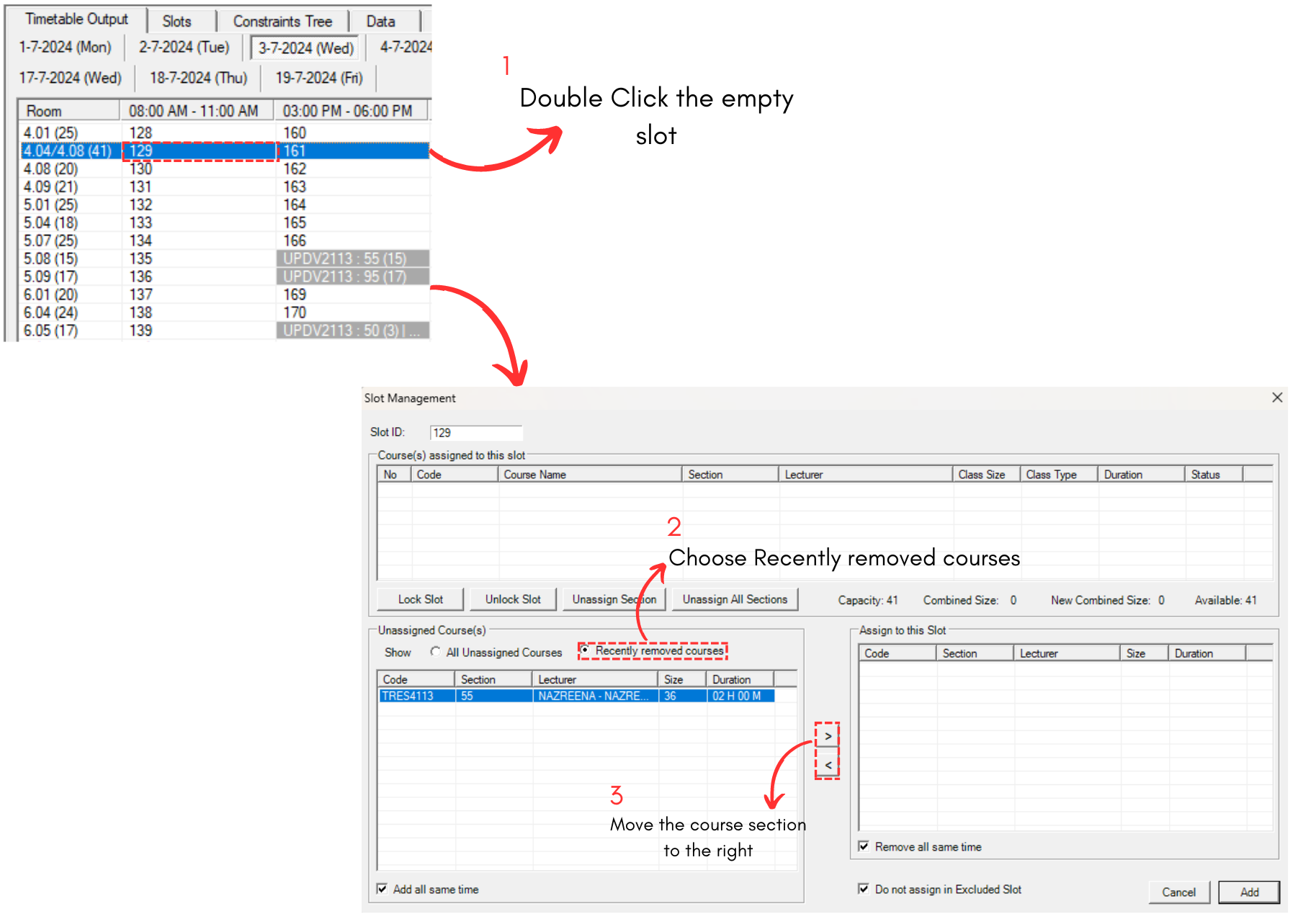

Diagram 7.3.1 Steps on Allocate Course into the Slot
ADDITIONAL NOTE: You may also slot the section into the existing slot as long as there is no clashing section. This steps usually used to ensure all venues for examination are being filled perfectly.
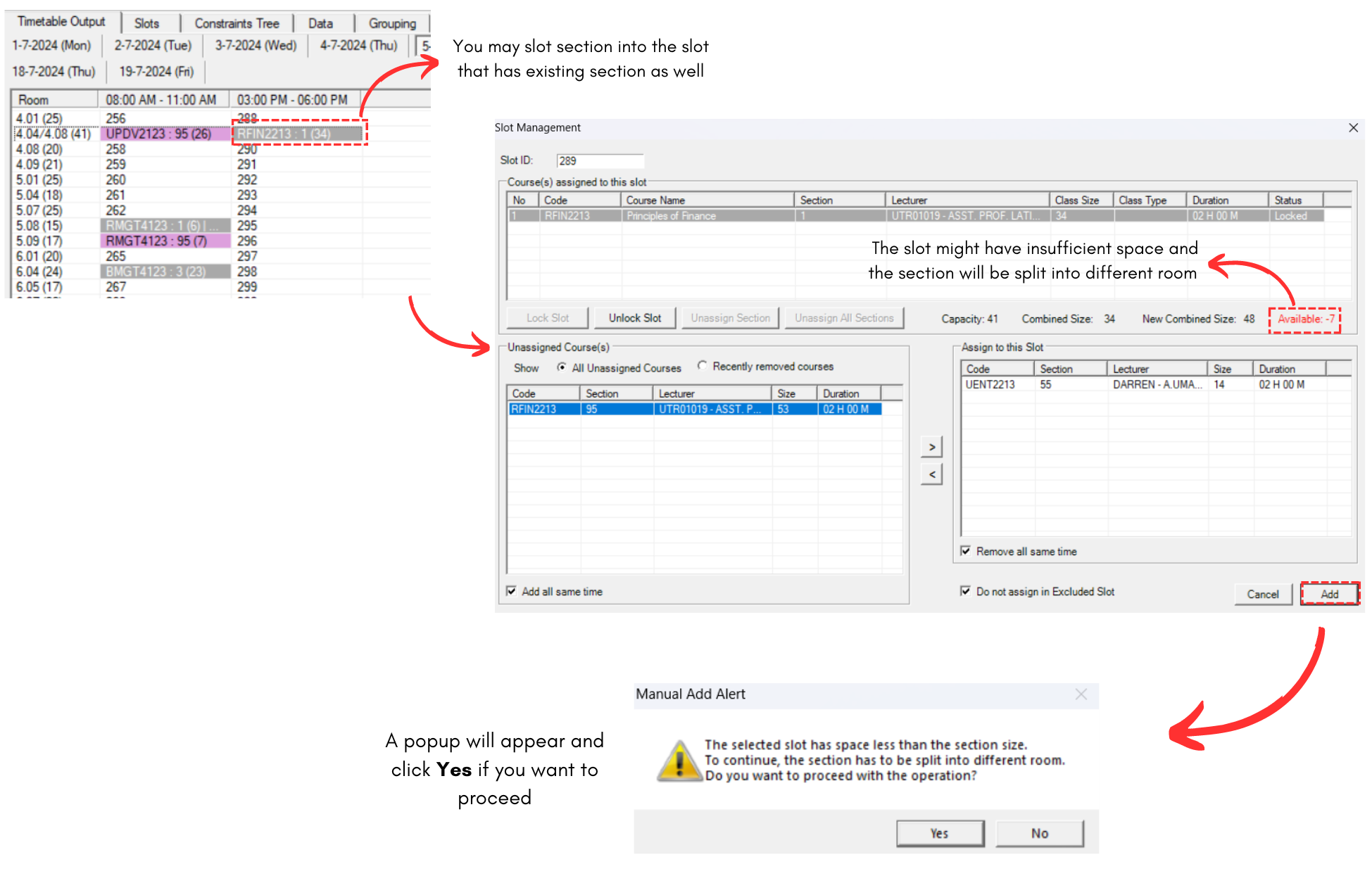
Diagram 7.3.2 Steps on Allocate Course into the Existing Slot
If you click Yes, another popup will appear asking for the split section to be slotted in room according to the previous Room Priority or a new one.
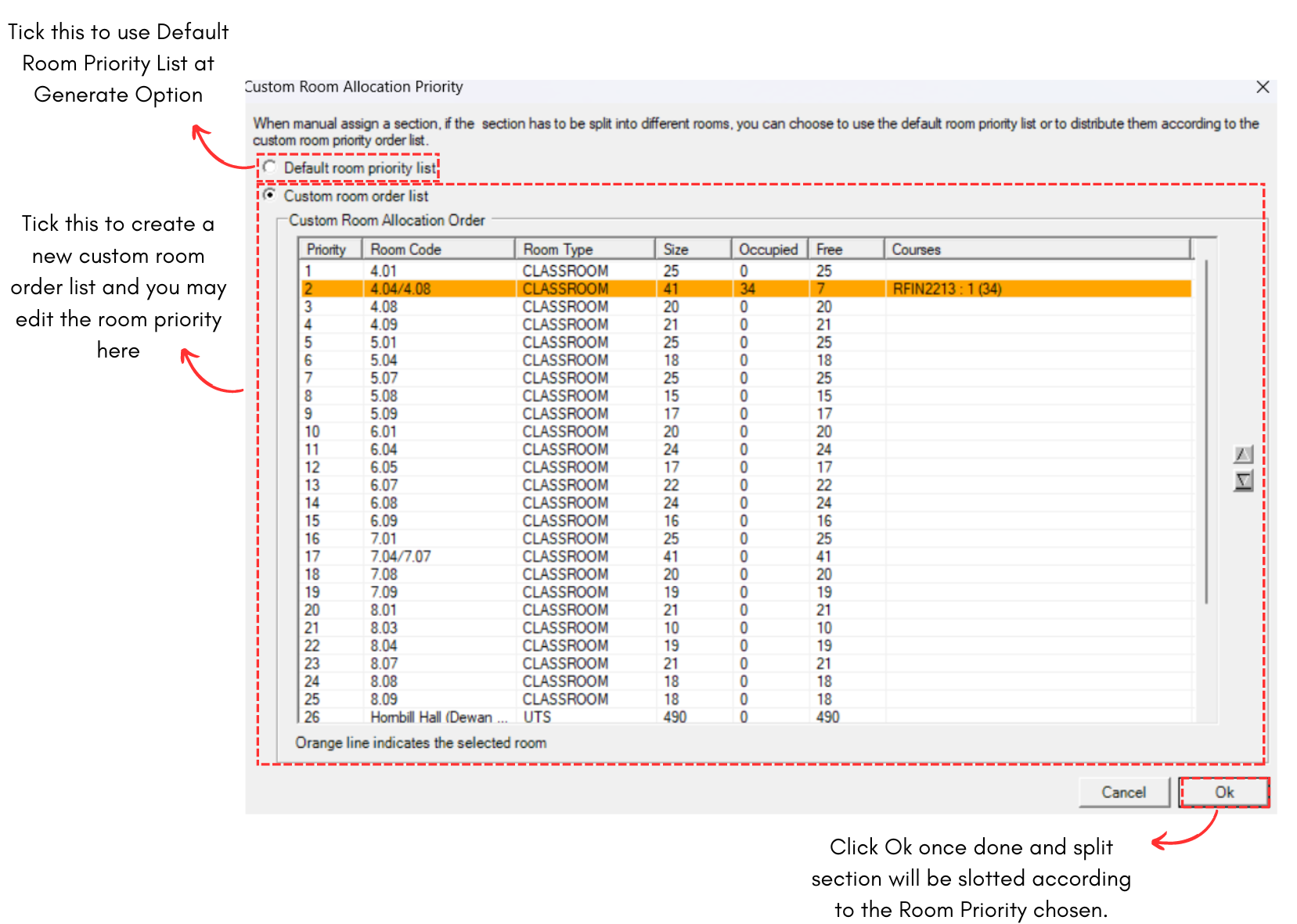
Diagram 7.3.3 Room Priority for Split Section
IMPORTANT NOTE: Before you proceed with the invigilator, make sure to double check your timetable output to ensure no error in next stage.