Stage 4: Exam Course Timetable
7. Editing The Courses
7.2. Locate & Highlight Course
Once you have removed the course from the slot, you may view them at the Course Status under Not Assigned.

Diagram 7.2.1 Course Status
Before we allocate the section into the slot, we need to locate the section at tree so that we will be able to highlight same time and clashing section.
To Locate, right click the section under Course Status and click locate section at tree.
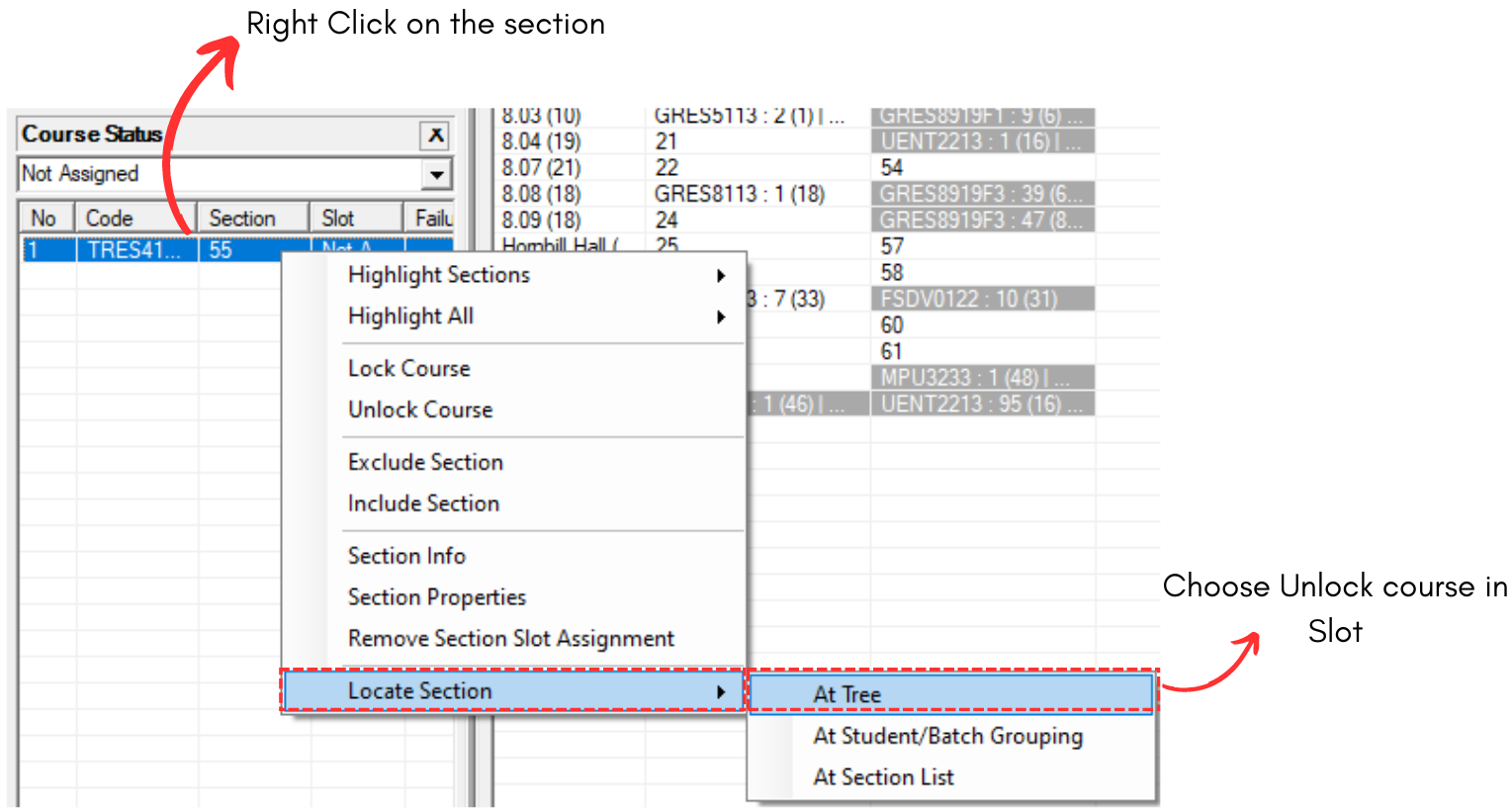
Diagram 7.2.2 Locate Section at Tree
This will bring you to Constraints Tree.
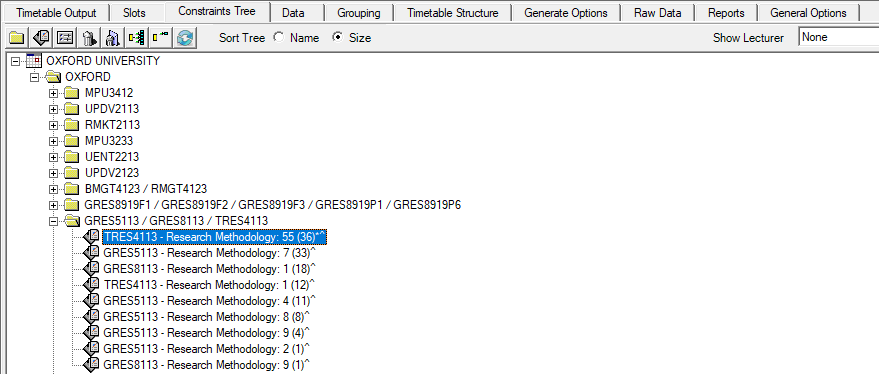
Diagram 7.2.3 Section Location at Constraints Tree
Note that, it is recommended to highlight the folder at Constraints Tree so you will be able to know same time and clashing section.
To highlight, refer to the diagram below.
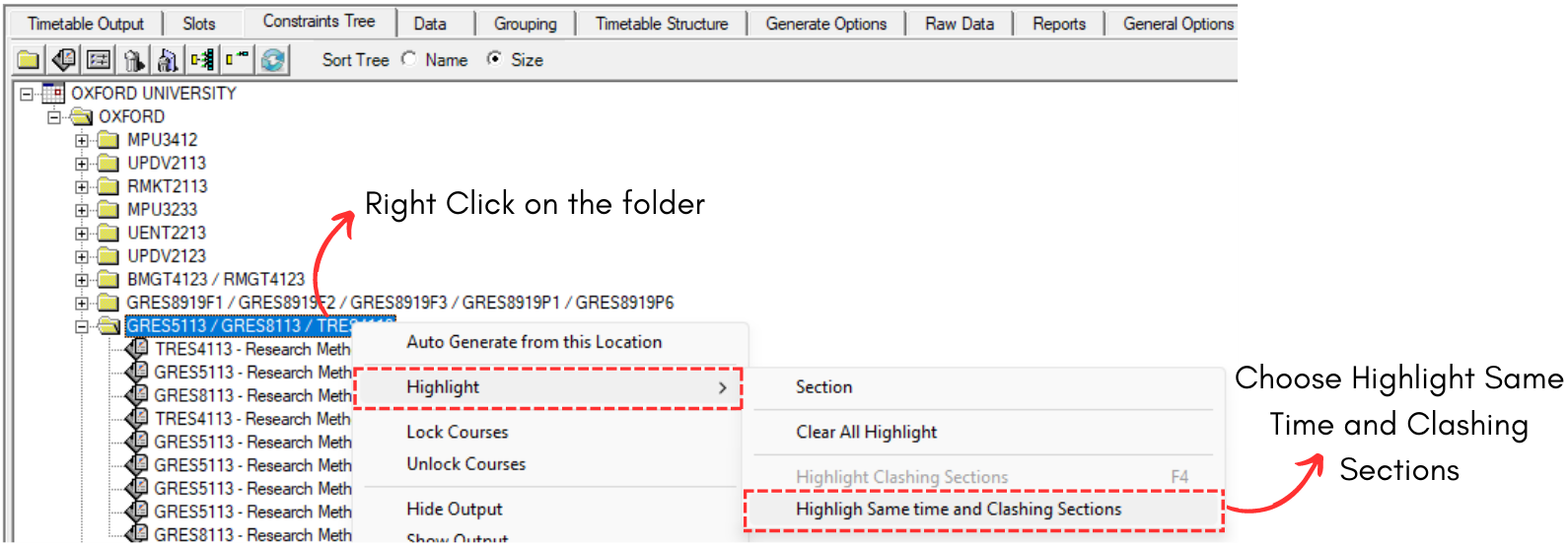
Diagram 7.2.4 Highlight Same Time and Clashing Sections
Once clicked, you will be able to see the highlight right away at the Constraints Tree and also Timetable Output.
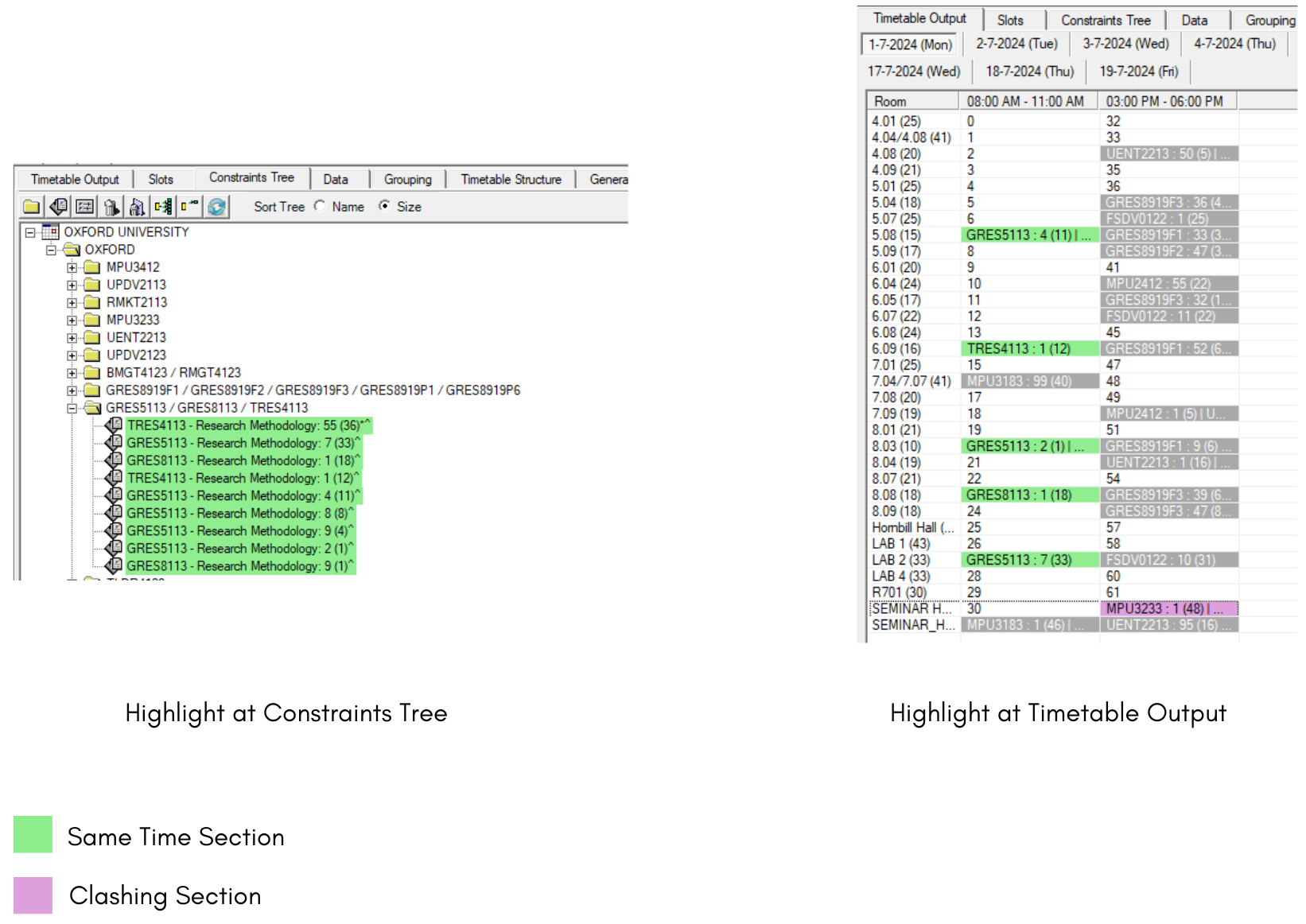
Diagram 7.2.5 Highlight at Constraints Tree and Timetable Output