Stage 4: Exam Course Timetable
7. Editing The Courses
7.1. Remove Course from Slot
Upon Analysis, unsatisfied slot assignment can be removed by using the Remove Section Slot Assignment function at the Right-Click Function. Here are a few locations to remove section in the slot which is:
- Timetable Output
- Tree Structure
- Course List
Note that, if the section is locked, please unlock first before remove in the slot.
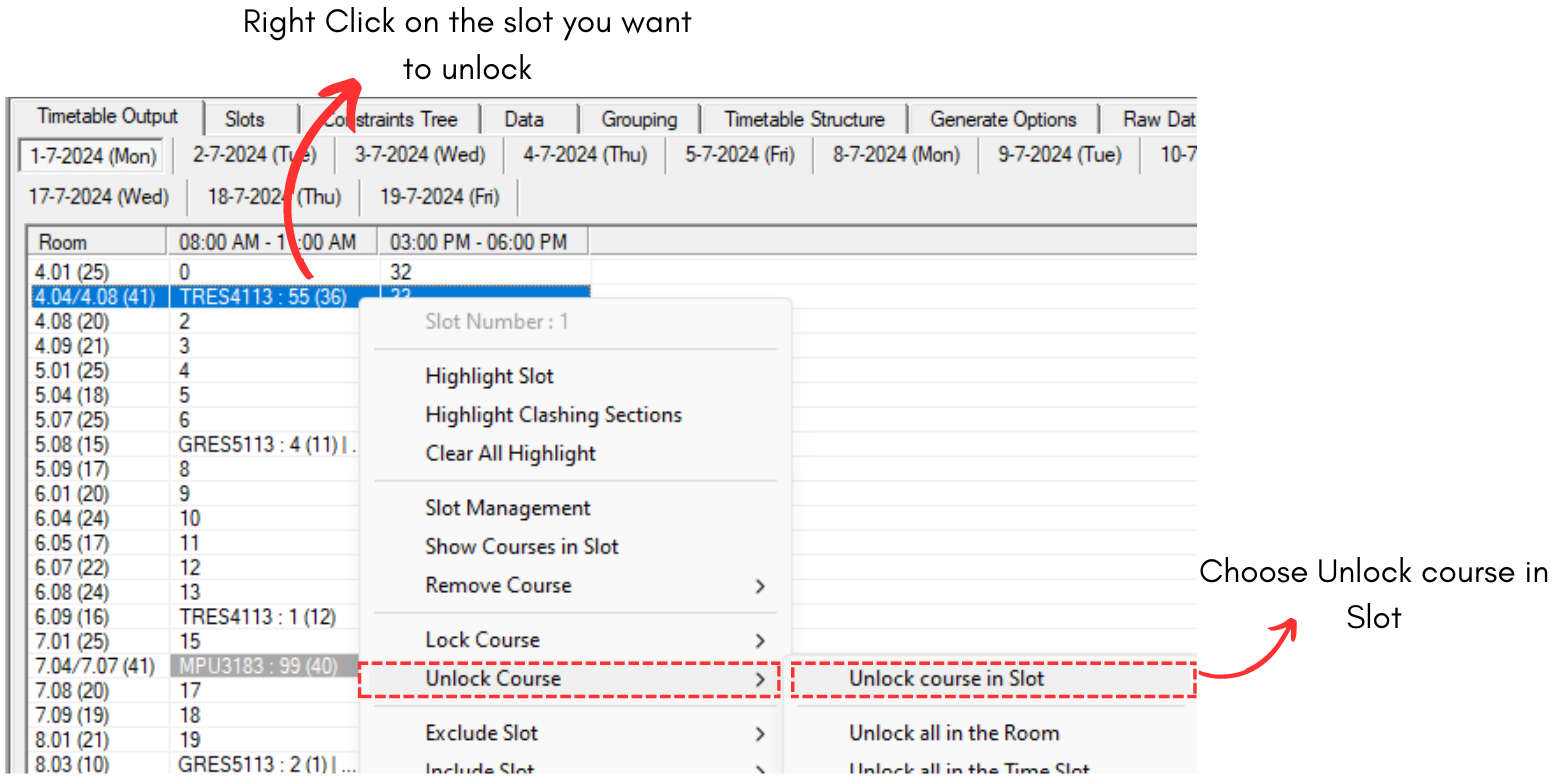
Diagram 7.1.1 Unlock Course in the Slot
1. Remove from Timetable Output
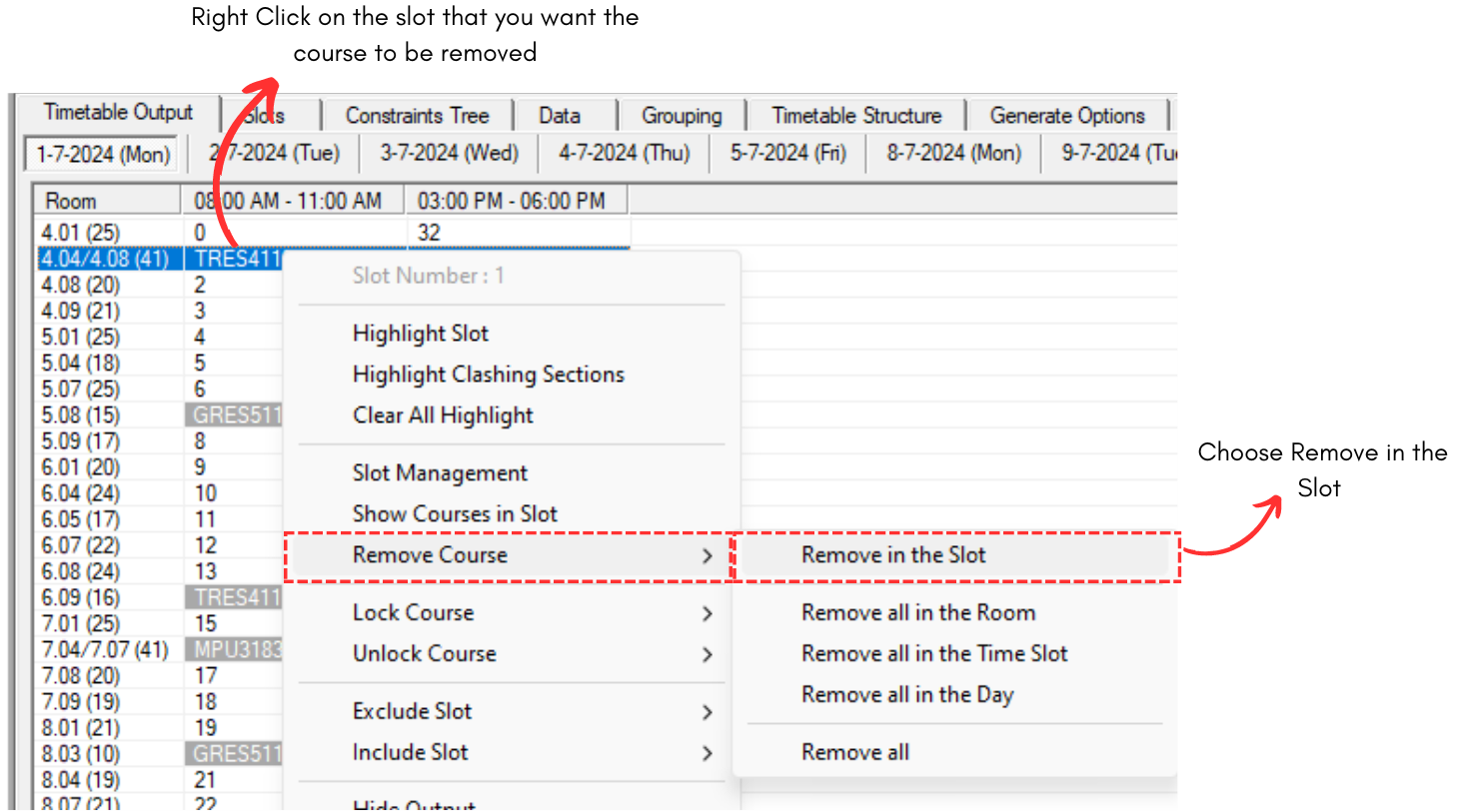
Diagram 7.1.2 Remove Course at Timetable Output
2. Remove Course at Tree Structure
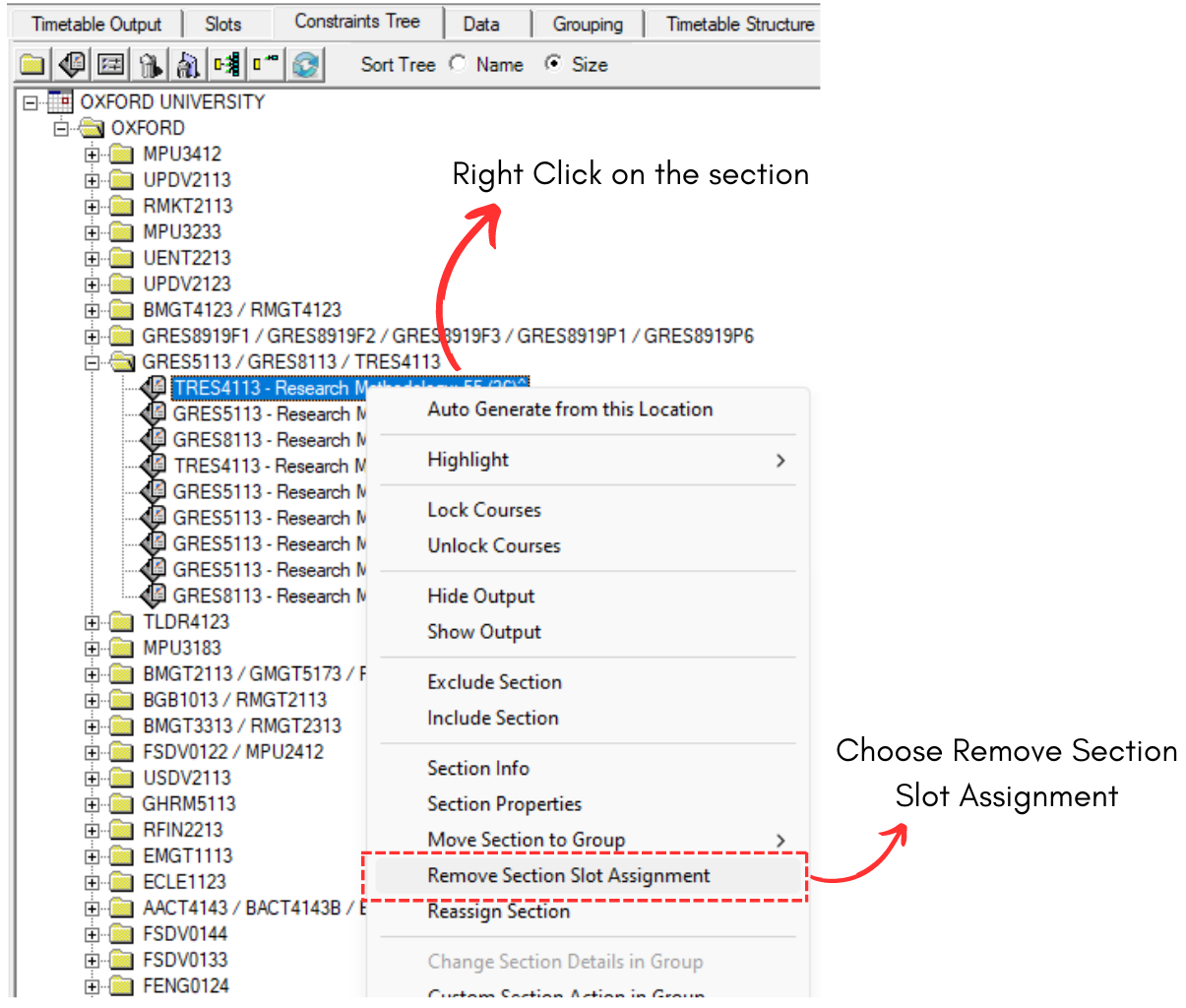
Diagram 7.1.3 Remove Course at Tree Structure
Note that, if you remove the section on the folder instead of the section itself, the entire sections under the folder will be removed from the slot as well.
3. Remove Course at Course List
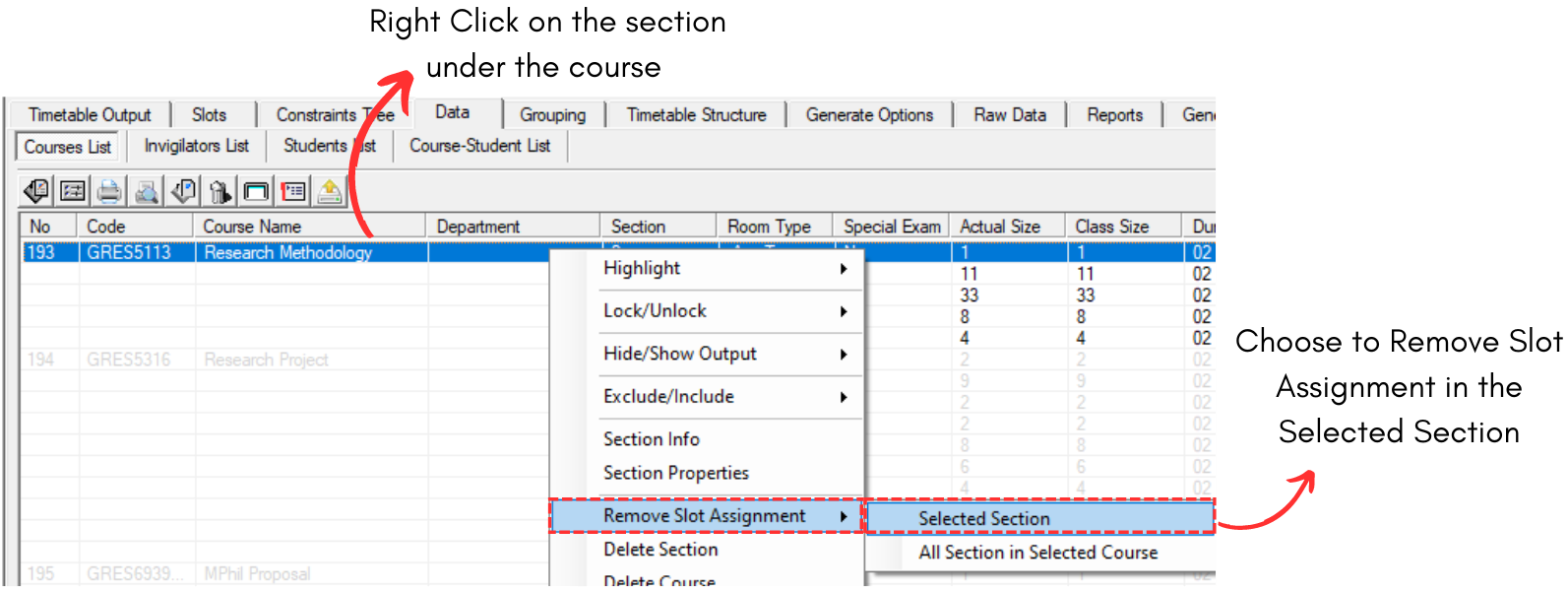
Diagram 7.1.4 Remove Course at Course List
Note that, if you choose All Section in Selected Course, all sections under the course will be removed from the slot.