Stage 4: Exam Course Timetable
4. Set Constraint
4.1. Constraint at Tree Structure
You can set constraints at the Tree Structure. There are 2 types of constraints:
- Group Constraints
- Generate Constraints.
Group Constraints
Go to Constraints Tree and double click the preferred folder to set the group constraints.
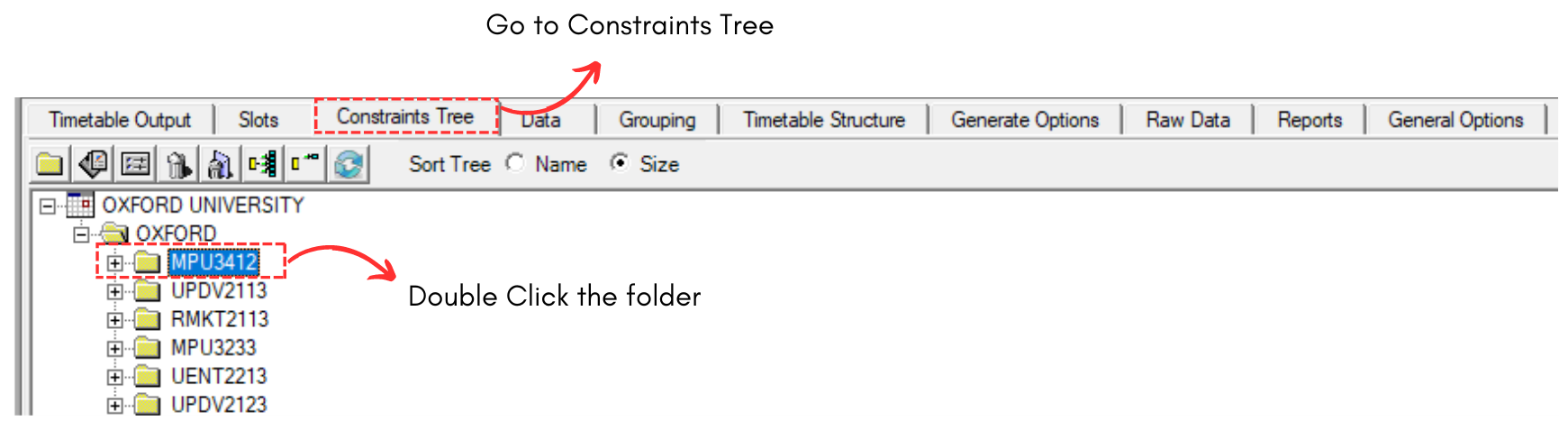
Diagram 4.1.1 Double Click Folder at Constraints Tree
Set Constraint window appear.
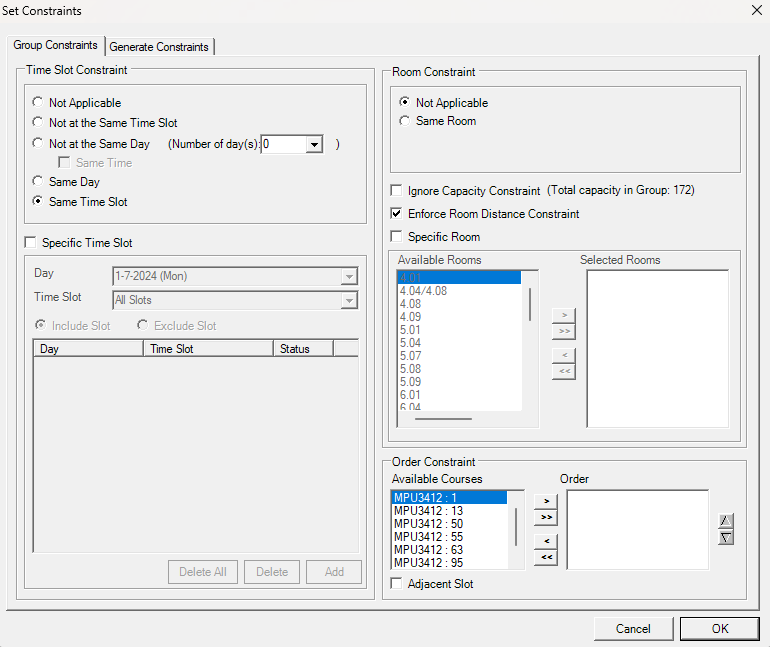
Diagram 4.1.2 Set Constraints window
Refer to the table below to know on IMPORTANT constraint setting at group constraints.
|
Same Time Slot |
Usually this will make all the sections under the group/folder will be having the same examination time. |
|
Specific Time Slot |
You can use this constraint for specific day and time or range of days and time slots for group of courses (Parent) or single section of a course (child). |
|
Enforce Room Distance Constraint |
Usually you may tick this to enforce room distance between the examination rooms. |
|
Same Room |
You can use this constraint setting if all section under the group prefer to be slotted into same room (Parent). |
|
Specific Room |
You can specify a single room or range of rooms for group of courses (Parent) or single section of a course (Child). |
Table 4.1.1 Important Constraints Settings Explanation
Generate Constraints
Click on the Generate Constraints Tab (Next to Group Constraint) Tab.

Diagram 4.1.3 Location of Generate Constraints
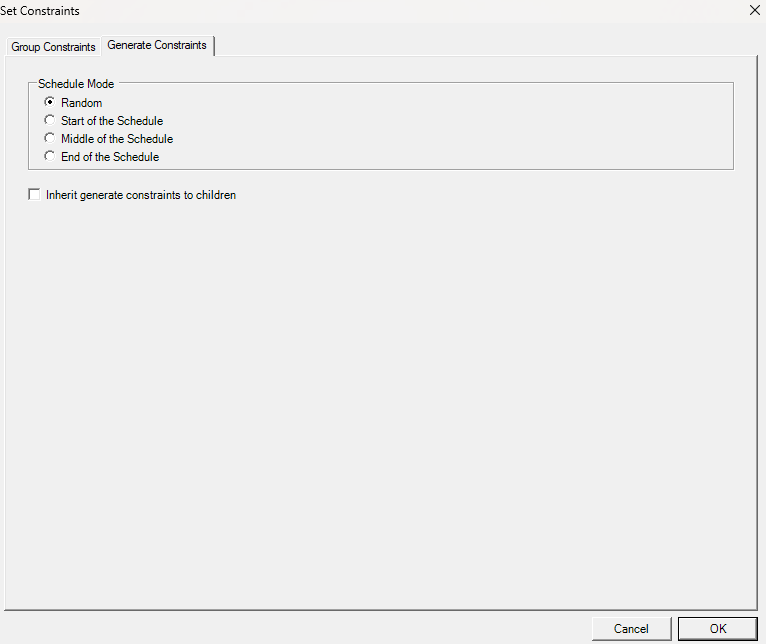
Diagram 4.1.4 Generate Constraints
- Random: Exam will be assigned randomly across the week.
- Start of the Schedule: Exam will be priority assigned at the Start of the week/schedule.
- Middle of the Schedule: Exam will be priority assigned at Middle of the week/schedule.
- End of the Schedule: Exam will be priority assigned at the end of the week/schedule.
If you choose to do Generate Constraint, it is advisable to tick on inherit generate constraints to children. Generate Constraints settings are not compulsory for the Child folder to follow the Parent folder.