Stage 2: Timetable Structure
1. Setting Up Timetable Structure
1.1. Time Structure
Time Structure is where you will set the time and days in Timetable Output.
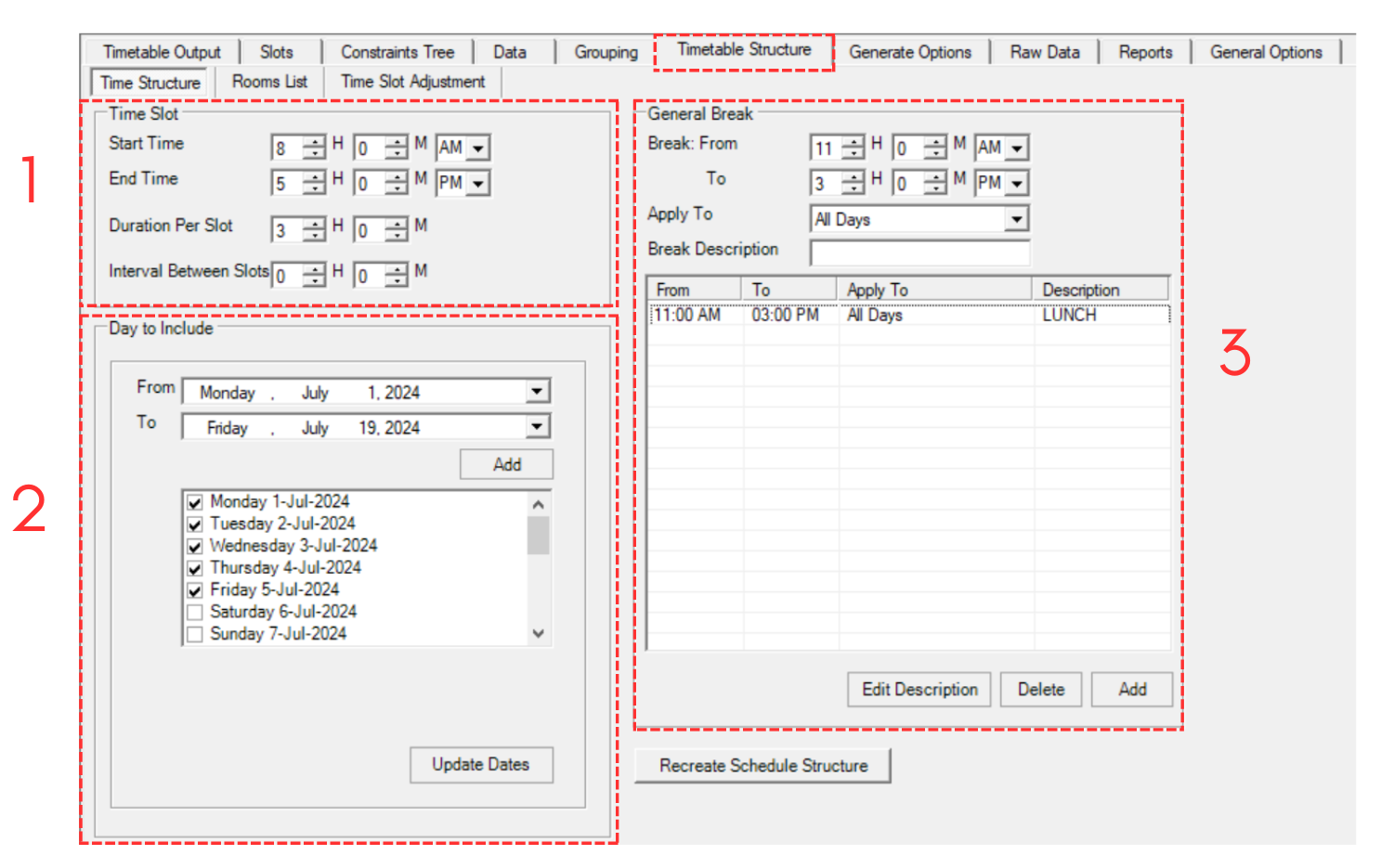
Diagram 1.1.1 Time Structure
1. Time Slot
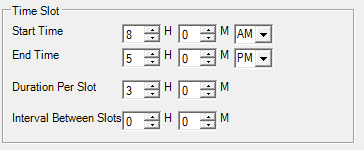
Diagram 1.1.2 Time Slot
Set your preference in time slot:
a. Starting time of the day in the schedule. Example 8.00 AM
b. Ending time of the day in the schedule. Example 5.00 PM
c. Time taken for each slot. (The best practice for exam is 3 hours and 2 session in one day)
d. The interval between slots refers to the amount of time that separates one slot from the next.
2. Day to Include
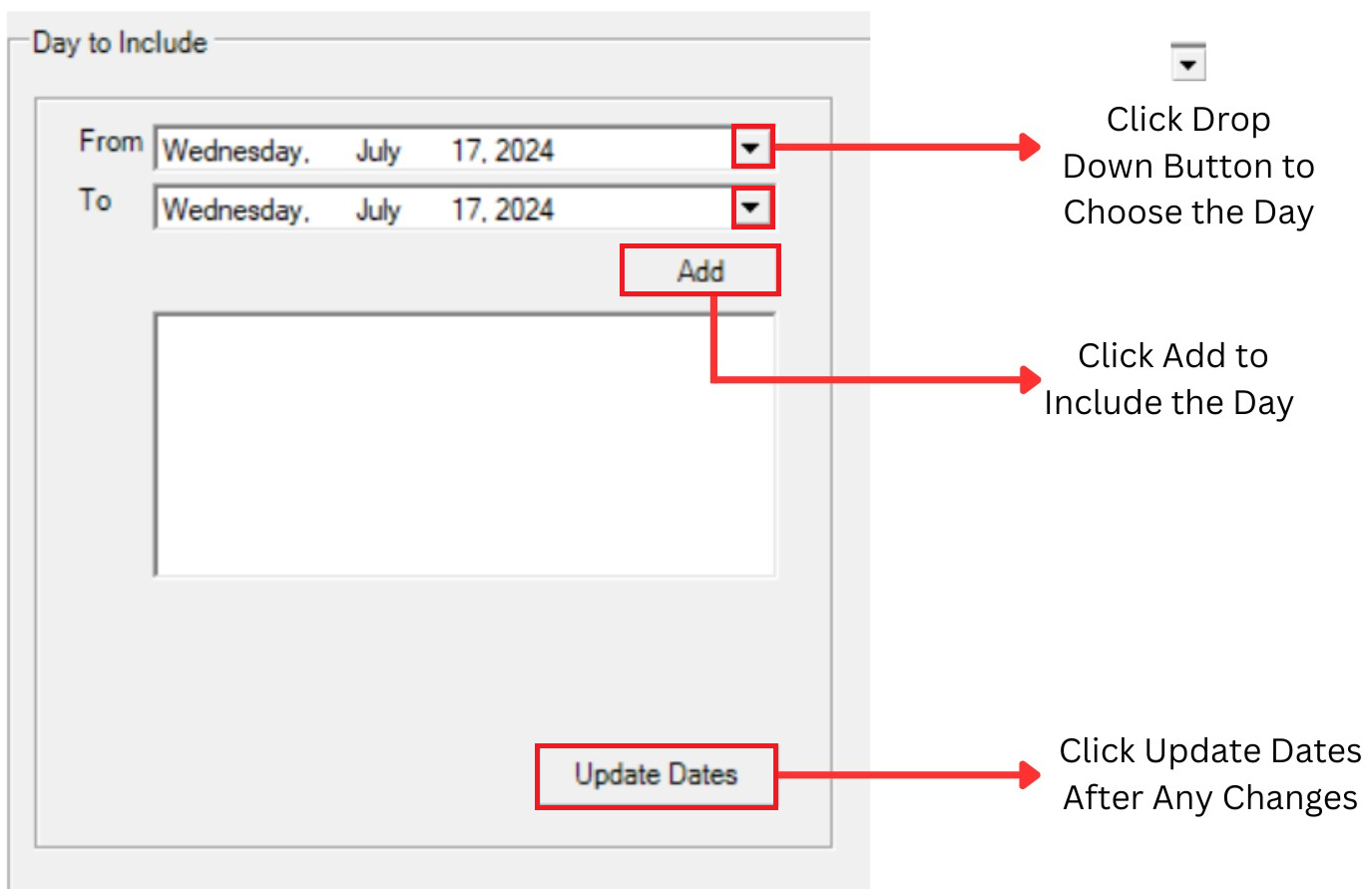
Diagram 1.1.3 Day to include section
Select the day to include in your timetable output. For Example, we use 3 weeks for the Exam Timetable.
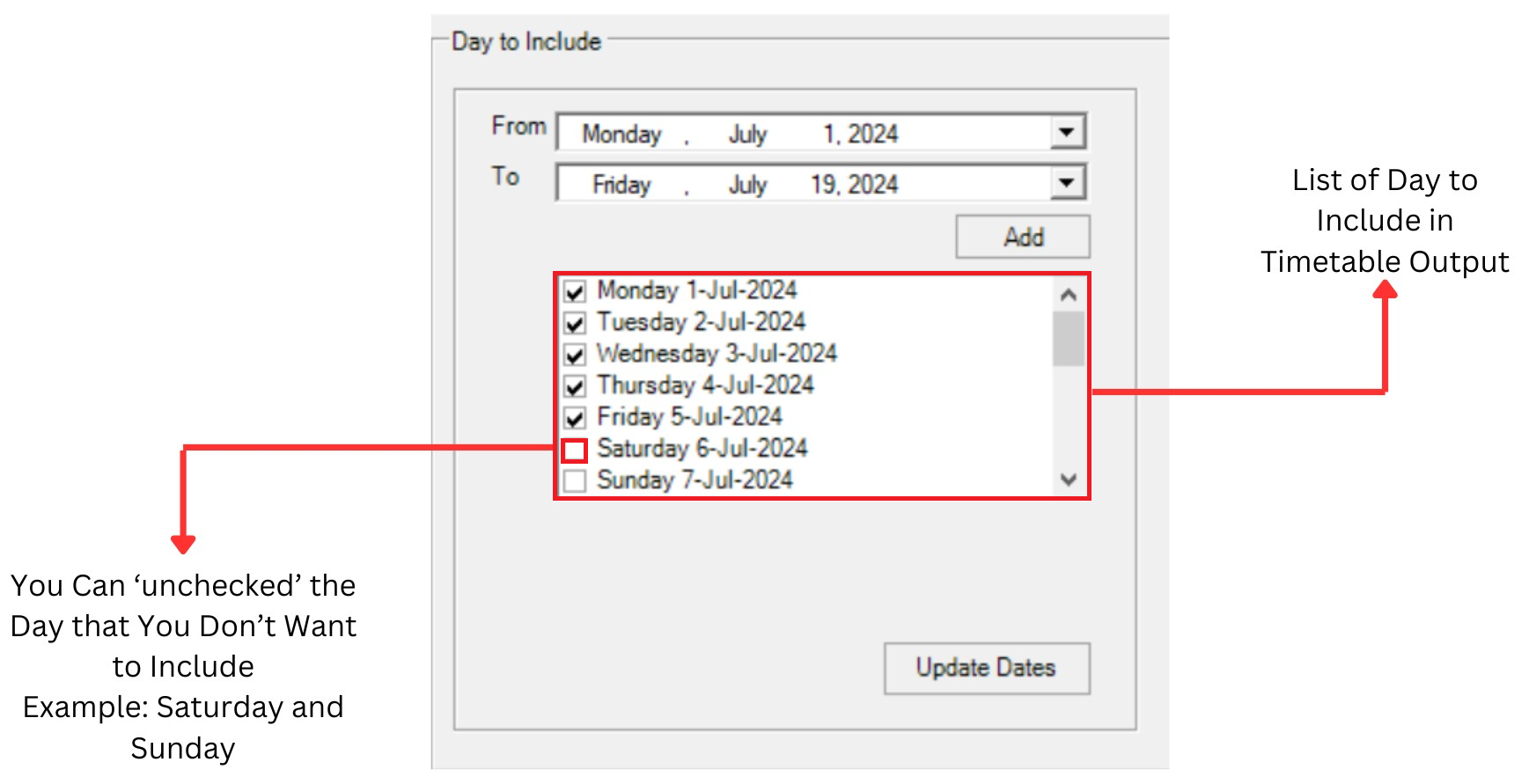
Diagram 1.1.4 Day to Include
Here is the result after add the day to include in timetable output
3.Break
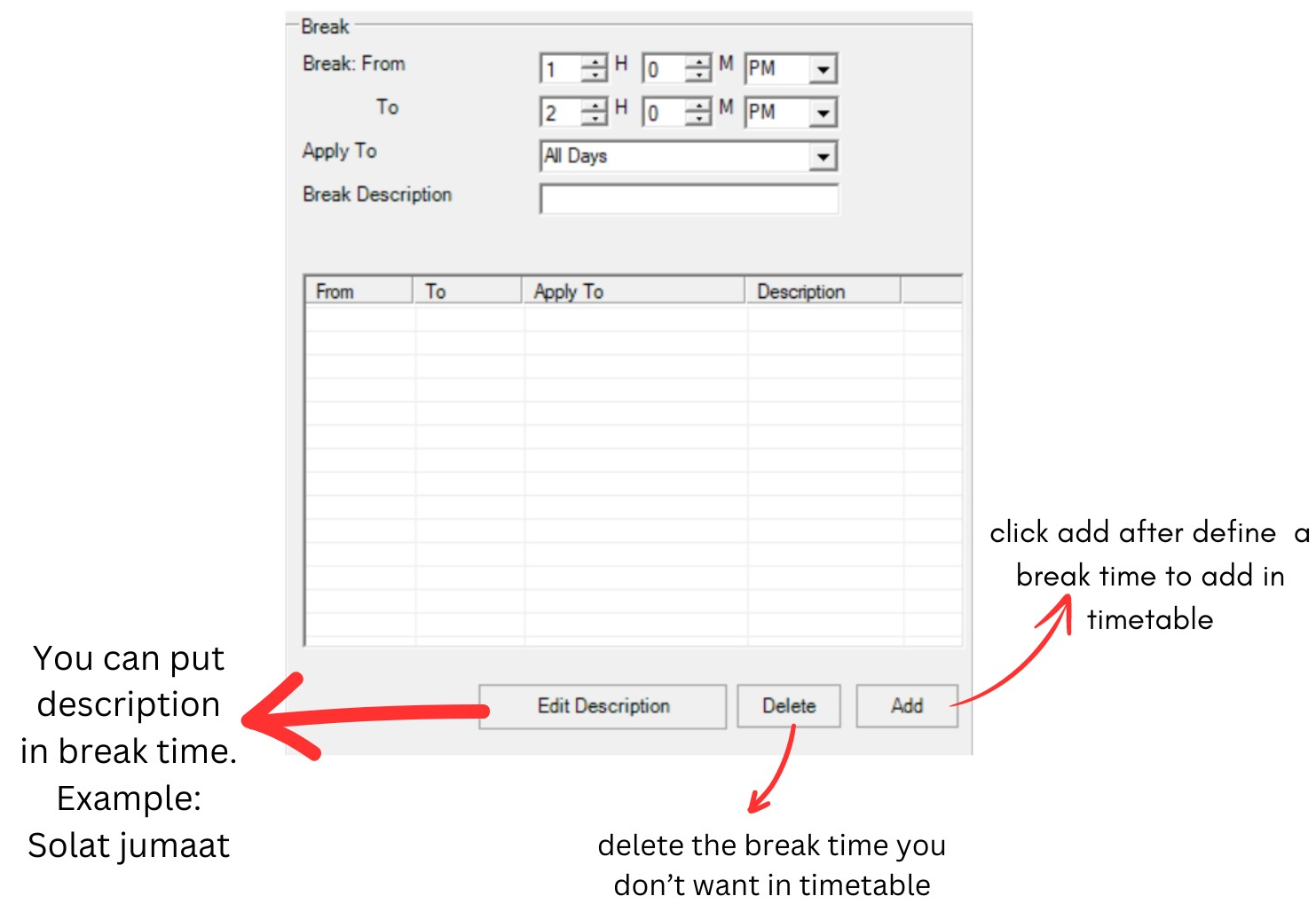
Diagram 1.1.5 Break section
Break is where you will set the break time between exam. You may choose the break time to be apply into All Day or any of your preferred day. But for T-Plus Exam, it is recommended to choose the same break time for the whole week unless there are things that cannot be avoided.
Below is the example on how to fill in Break Time.
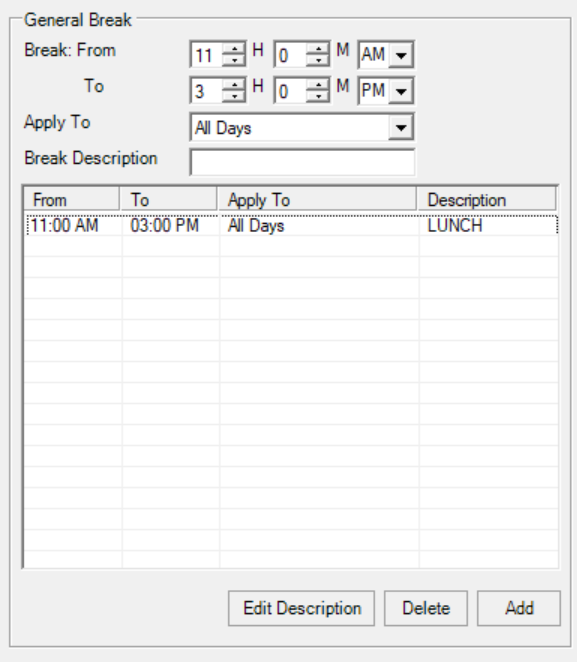
Diagram 1.1.6 Filled break section
Once you are done setting up the Time Structure or you make any changes, click on
 to create the Schedule Structure of Timetable Output.