Stage 6 : Analysis & Editing
1. Analysis
1.1. Failure Report
User need to analyze if all the Included Sections have been slotted in after Generate Process. If not, then you need to know the reason of failure which can be found at "Not Assigned" Status at Course Status window or Failure tab under Report Tab.
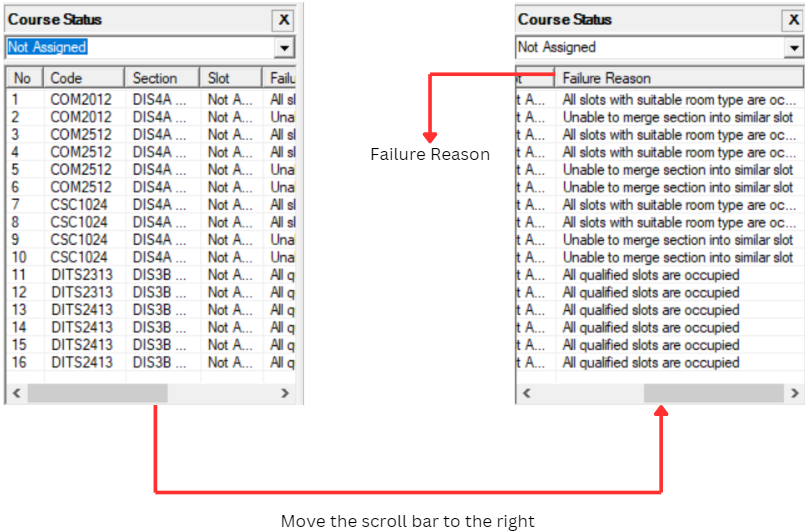
Diagram 1.1.1 : Failure Reason in Course StatusClick Reports Tab and then Click Failure

Diagram 1.1.2 : Getting To Failure Window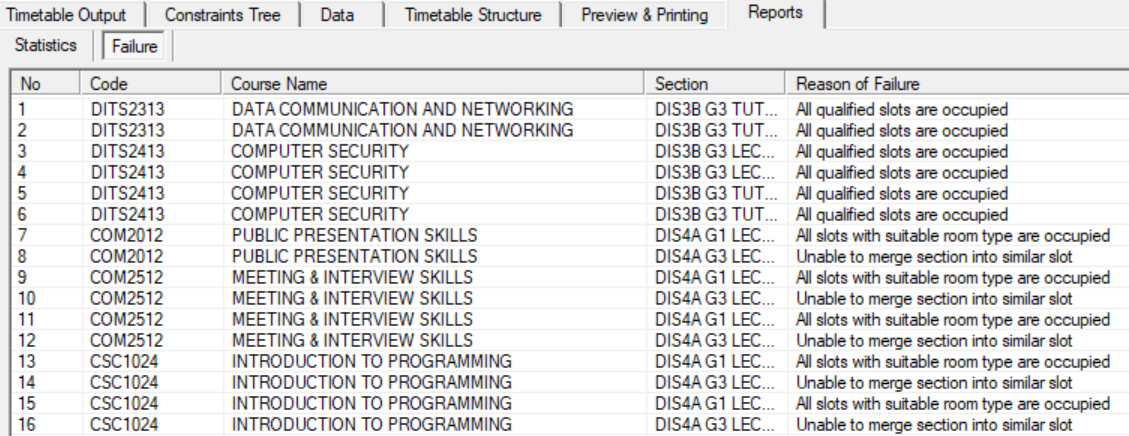
Diagram 1.1.3 : Failure Reason in Failure Window