Stage 9: Post-Generate Analysis & Editing
1. Analysis
1.8. Print Preview
Print Preview can be done at various places inside T-Plus Class. For example, you can do Print Preview at:
- Timetable Output
- Tree Stucture
- Course List
- Lecturer List
- Merge List
- Same Time List
- Batch Grouping
- Section inside Merge Grouping
- Section inside Same Time Grouping
You can Print Preview Individual Timetable such as:
- Course
- Lecturer
- Batch of Student
- Room
Print Preview will help you to locate any empty slots in the Timetable Output.
Just like highlighting, you can use the Right Click function at any section for Print Preview.
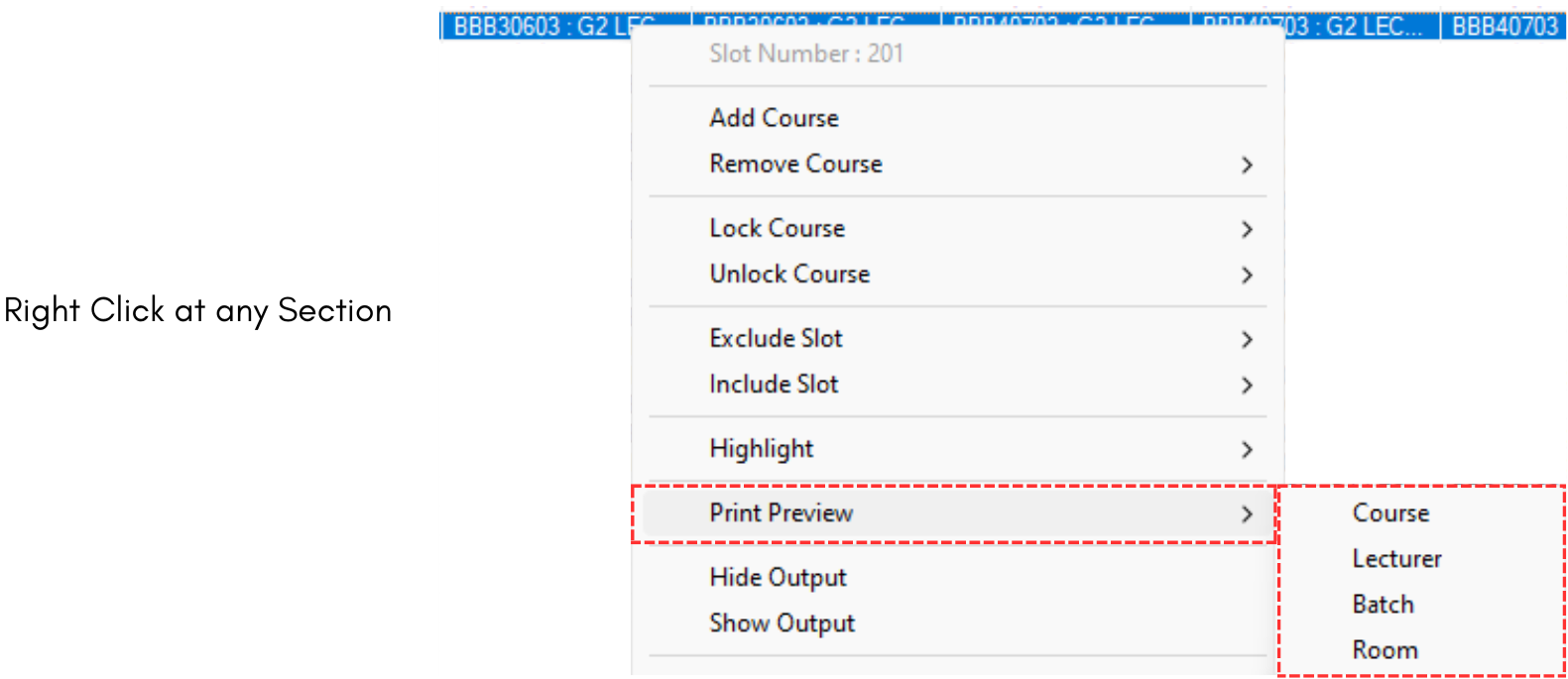
Diagram 1.8.1 Print Preview on Right Click Function
Alternatively, user can go to Preview & Printing tab and click on the Print Preview button 
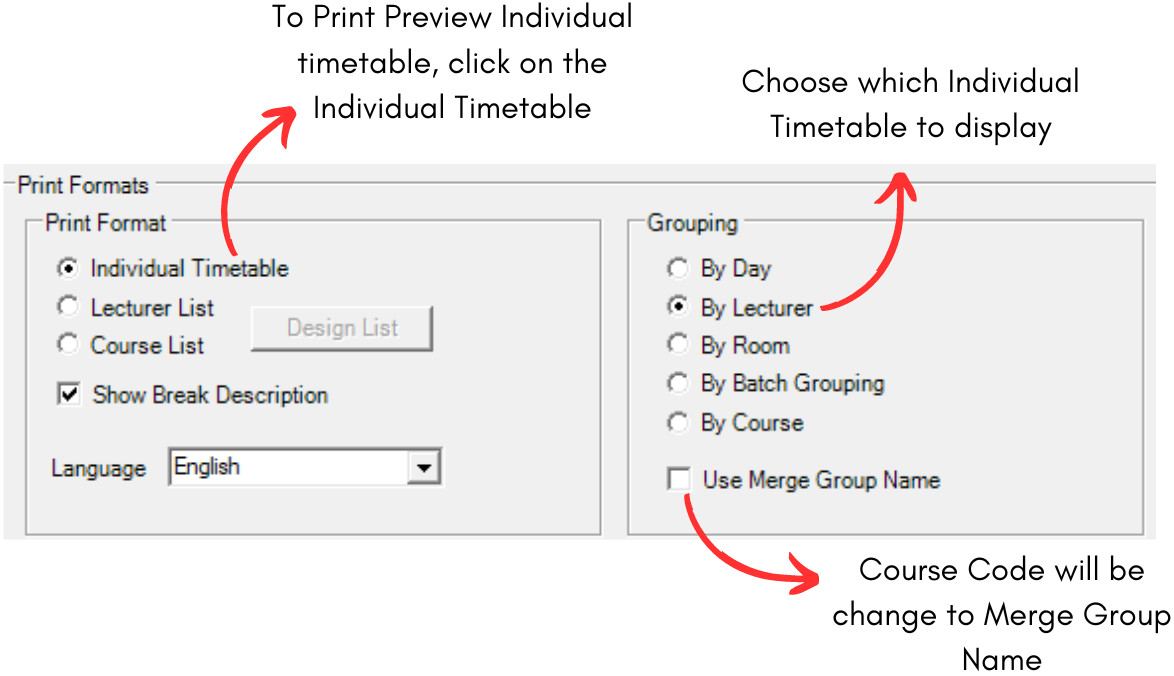
Diagram 1.8.2 Prints Formats in Preview & Printing Tab
You can Print Preview, Design and Hide/Show the Course and Lecturer List at Preview & Printing Window.
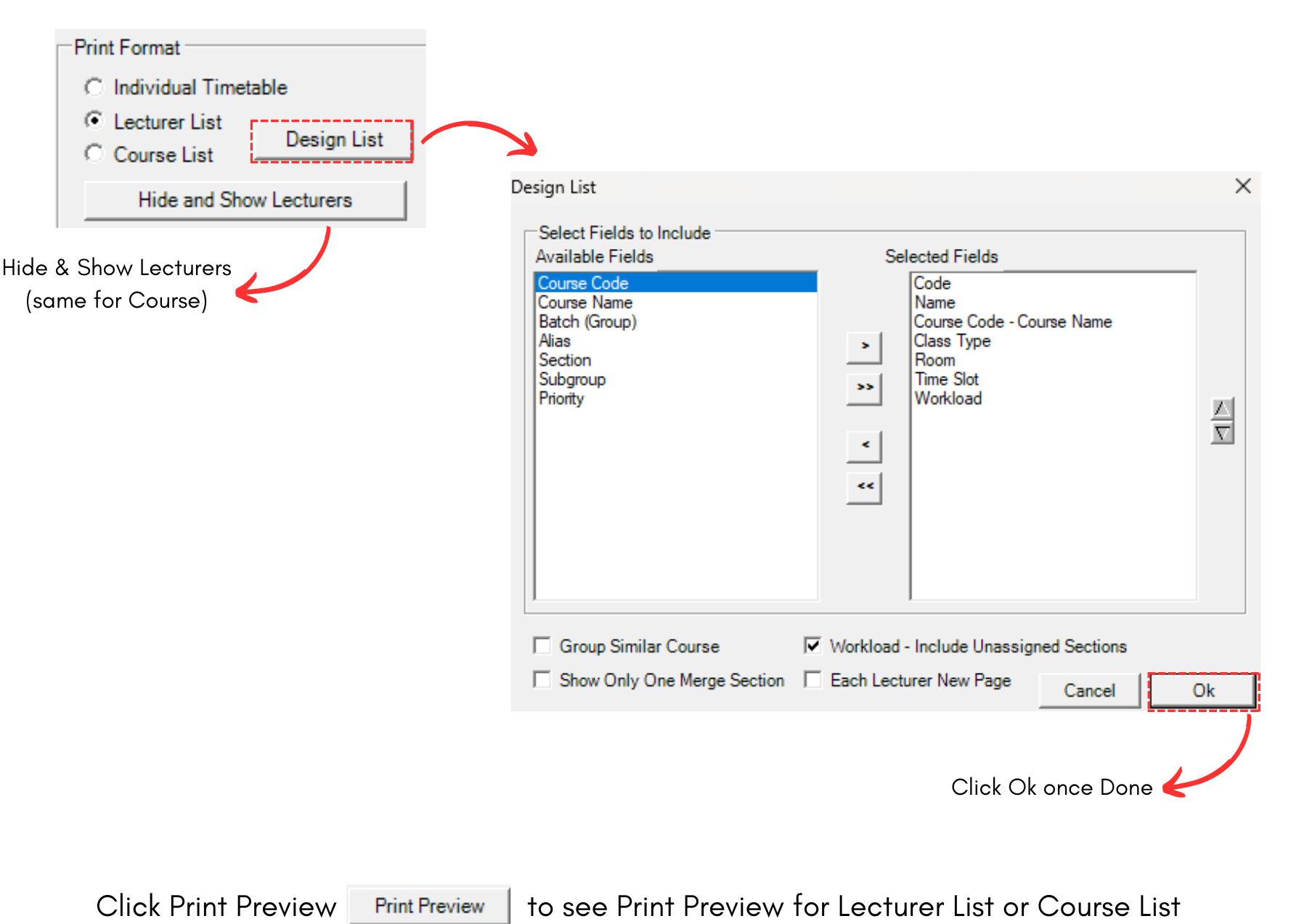
Diagram 1.8.3 Print Preview for Course & Lecturer List