Stage 8: Auto Generate & Manual Allocation
1. Before Auto Generate
1.1. Exclude All Section
Exclude All Sections. The easiest way is to go to Timetable Menu and choose Include/Exclude Sections and then Exclude All Section.
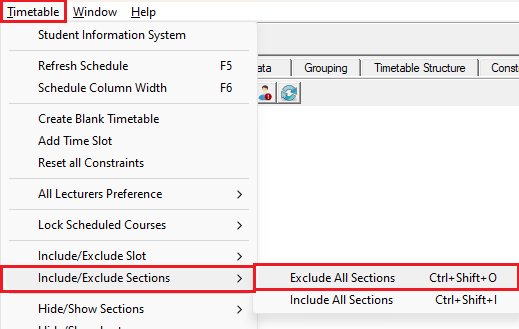
Diagram 1.1.1 Exclude All Sections
This is how it will looks like at tree before and after exclude all sections.
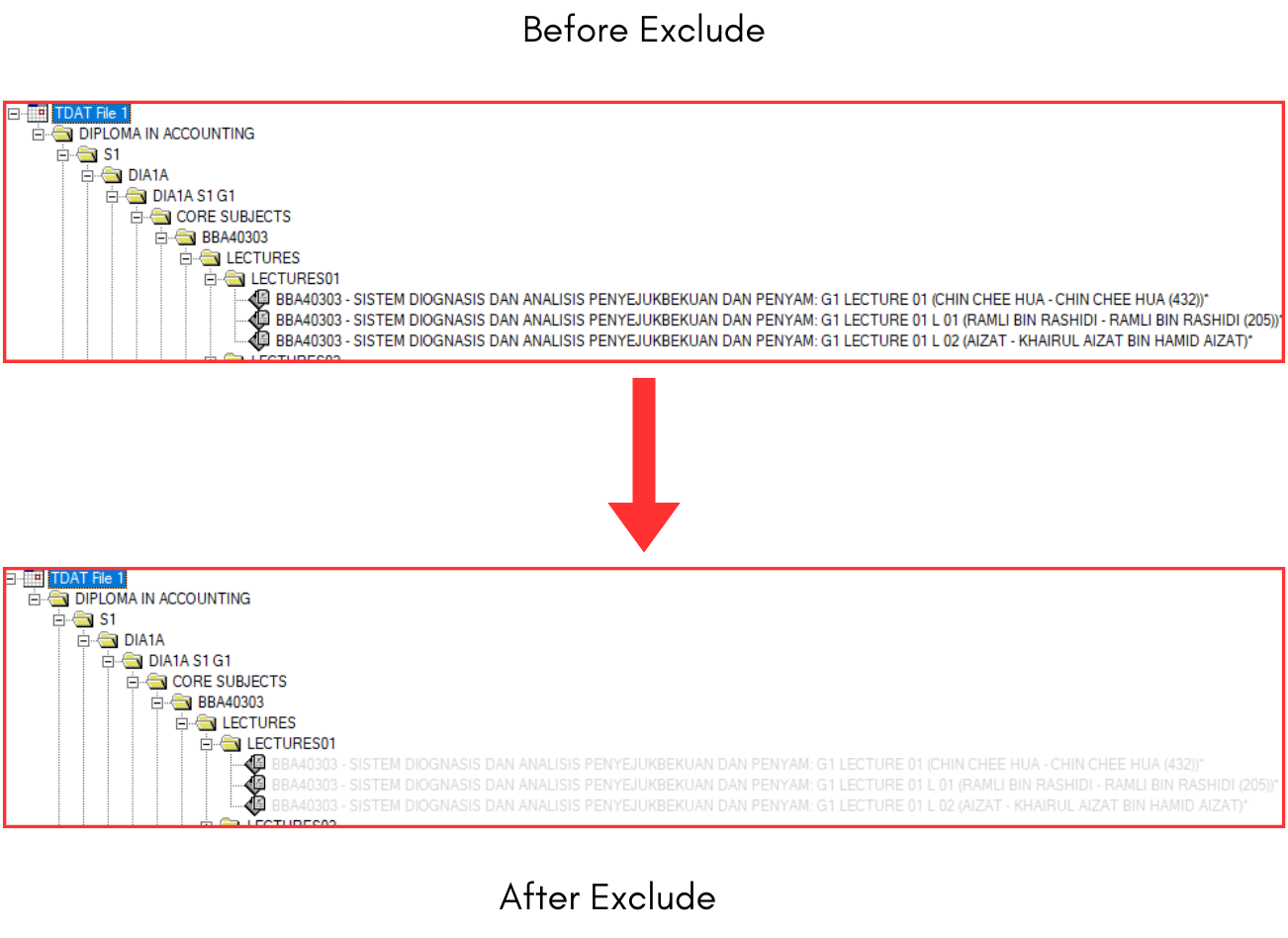
Diagram 1.1.2 Before and After Exclude Looks at Tree Structure
This is how it will looks like at section status summary before and after exclude all sections.
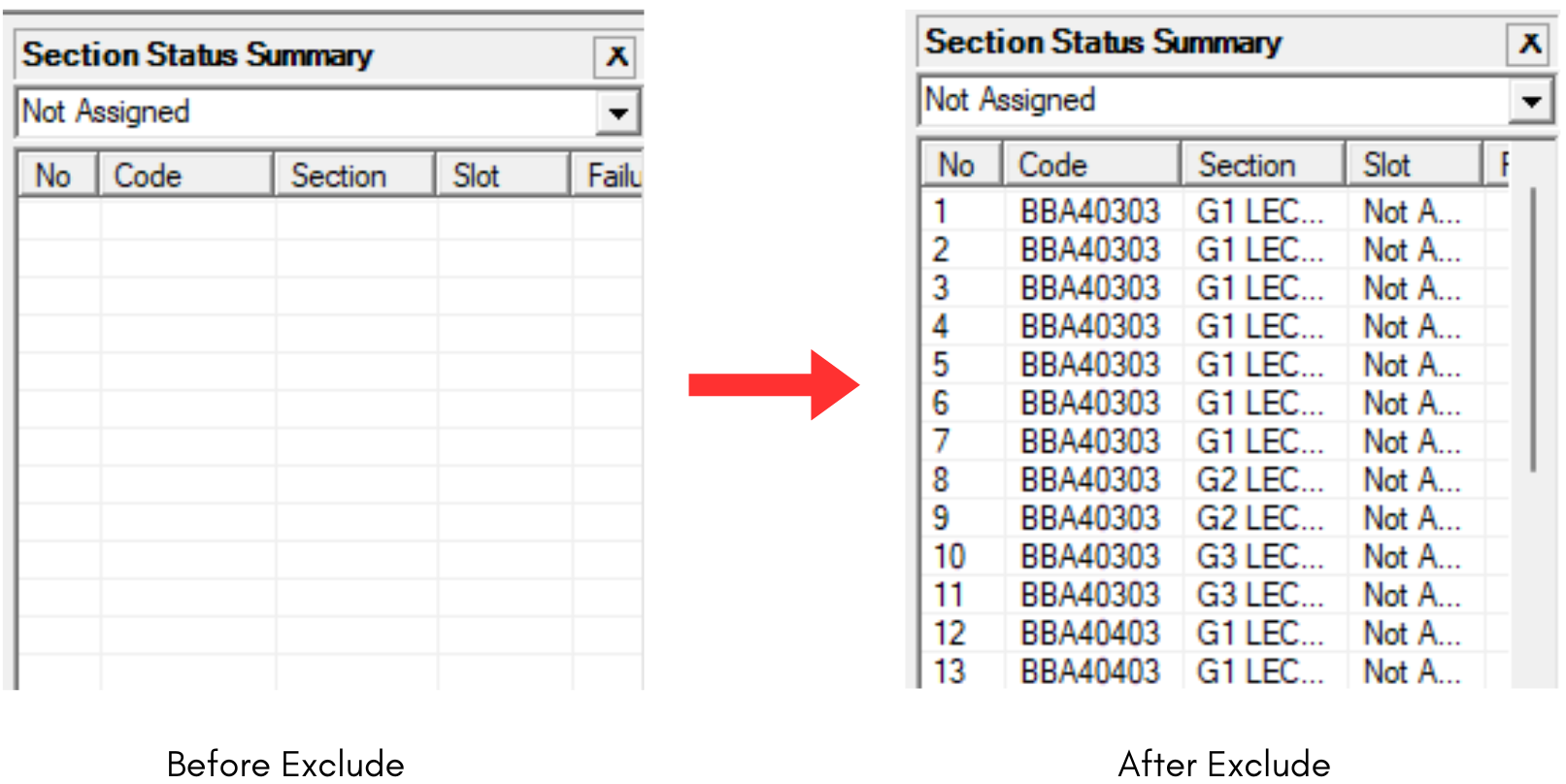
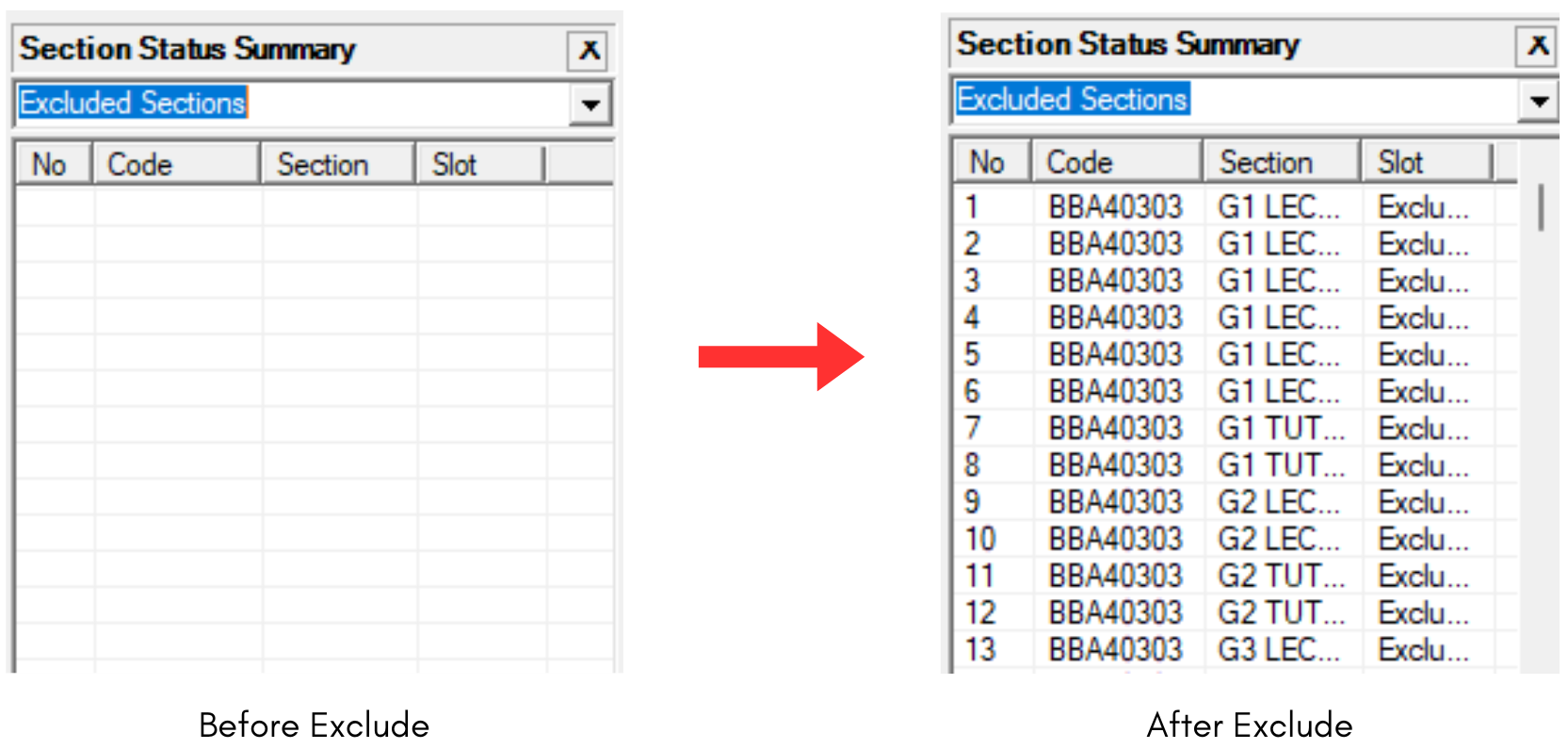
Diagram 1.1.3 Before and After Exclude Looks at Section Status Summary