Stage 3: Tree Structure
3. Data Entry Analysis & Editing
3.1. Course list
1. Course List Page allows user to analyze Each Course :
- Section Name (Correct or not?)
- Room Type (The right Room Type or not?)
- Lecturer (Has been assigned or not? / The right lecturer has been assigned?)
- Class Duration (Correct or not?)
- Group (Has been assigned or not? / Correct Group?)

Diagram 4.1.1: Data Course List Tab
Click Data and then Click Course List to open up Data Course List tab
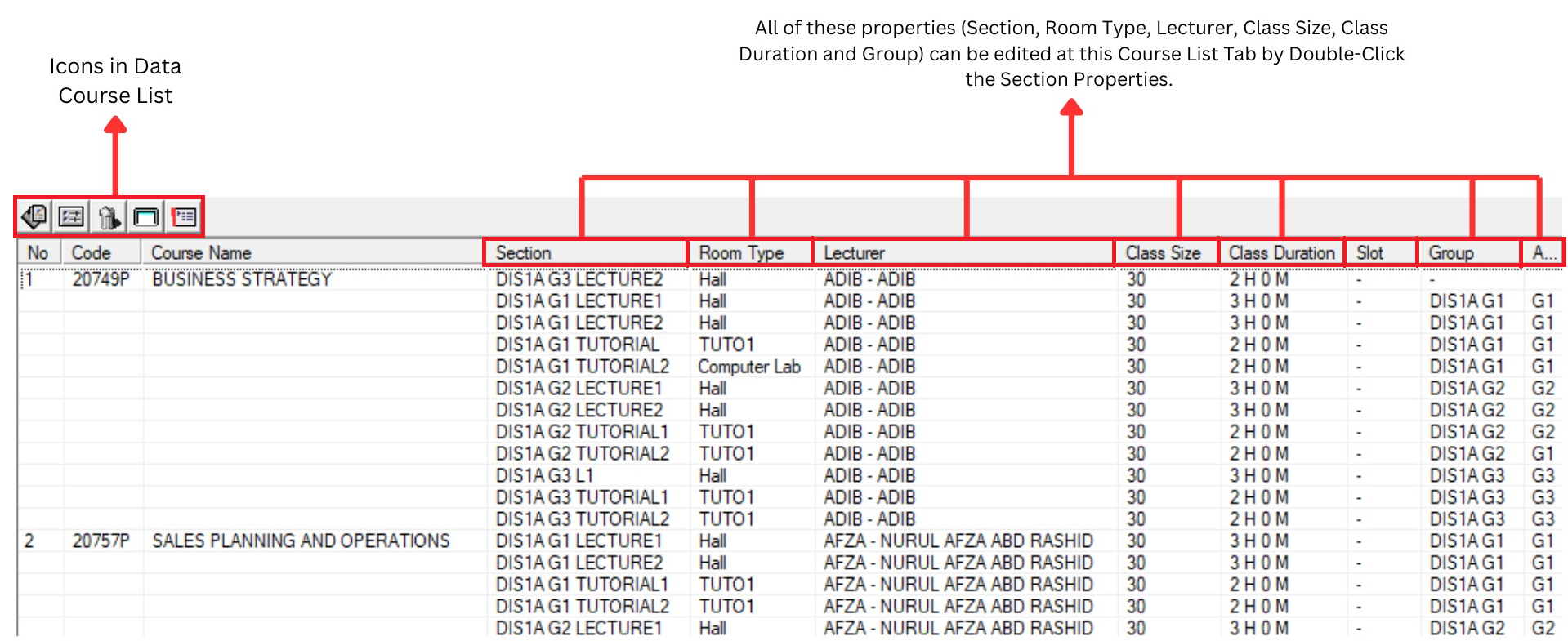
Diagram 4.1.2: Data Course List Tab
Inside Data Course List window, you will be able to see icons on the top left side.

| Click this icon to add new Section |
| Click this icon to open up the Section Properties. |
| Click this icon to delete the room |
| Click this icon to cluster view |
| Click this icon to list view |


Analysis the data course list
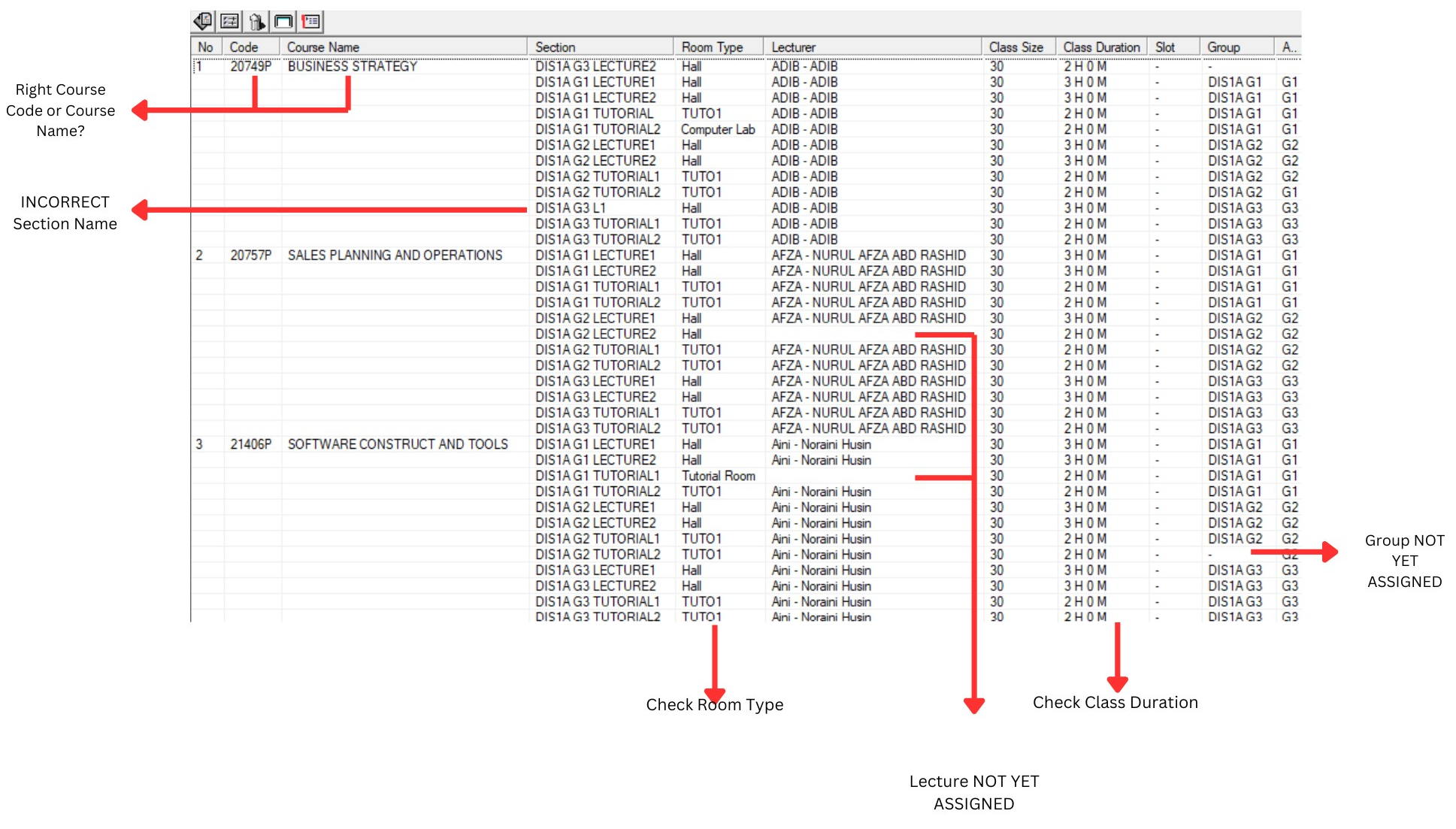
Diagram 4.1.3 : Data course list
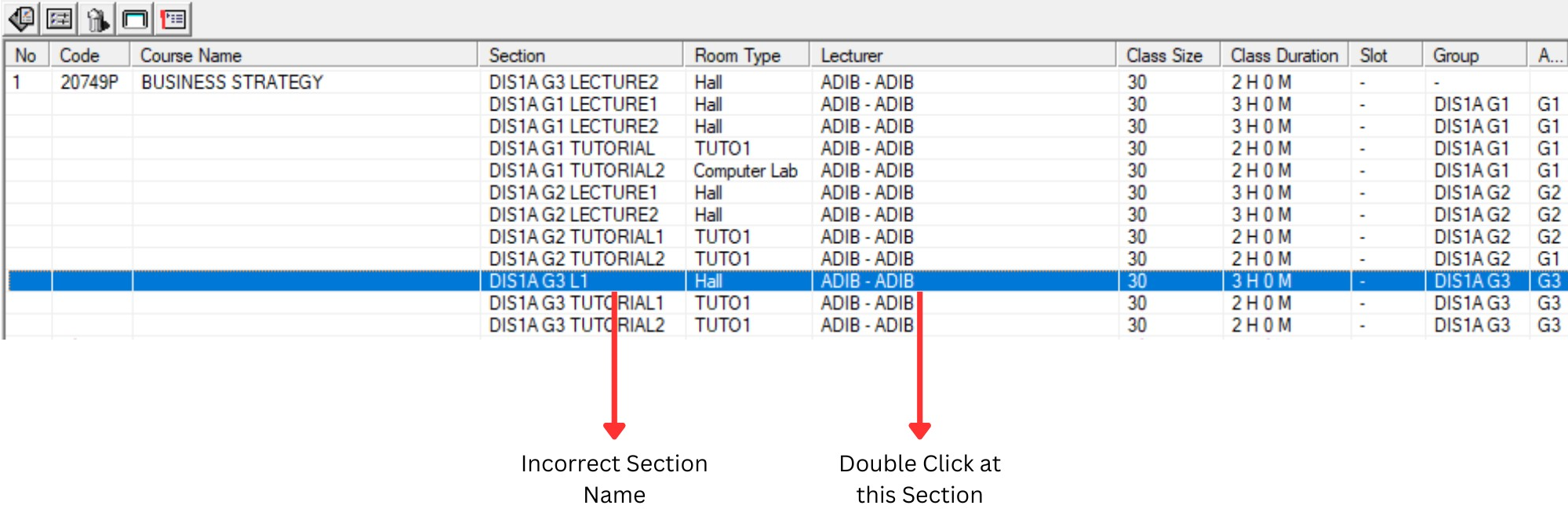
Editing Process :
Incorrect entry can be edited easily by
Double-Clicking the particular Section
(Highlighted in Blue).
Once Section Properties Box Appear,
user can make the necessary editing
process.
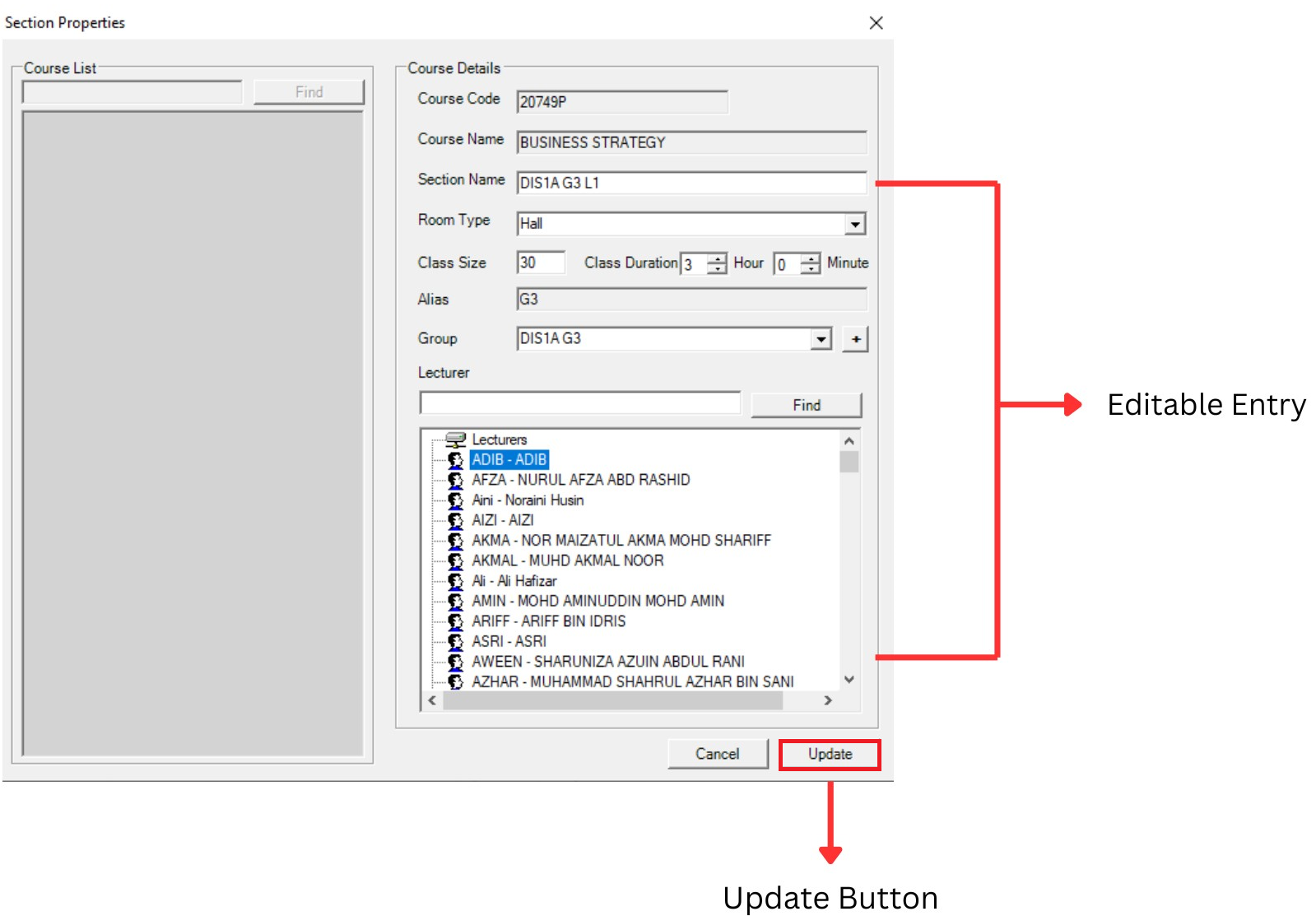
Once editing is completed, then click on Update Button