Stage 4: Constraint Setting
2. Generate Constraint
You can pre-define the way you wants on how the Generate Process for the entire institutions or each
Faculty/Program/Batch of Student/Course/Section.
Step 1 : Getting to Generate Constraints window
Step 1.a : Click Constraint Tree Tab to open up Tree Structure
Step 1.b : Double Click on any Group Folder (Yellow Folder)
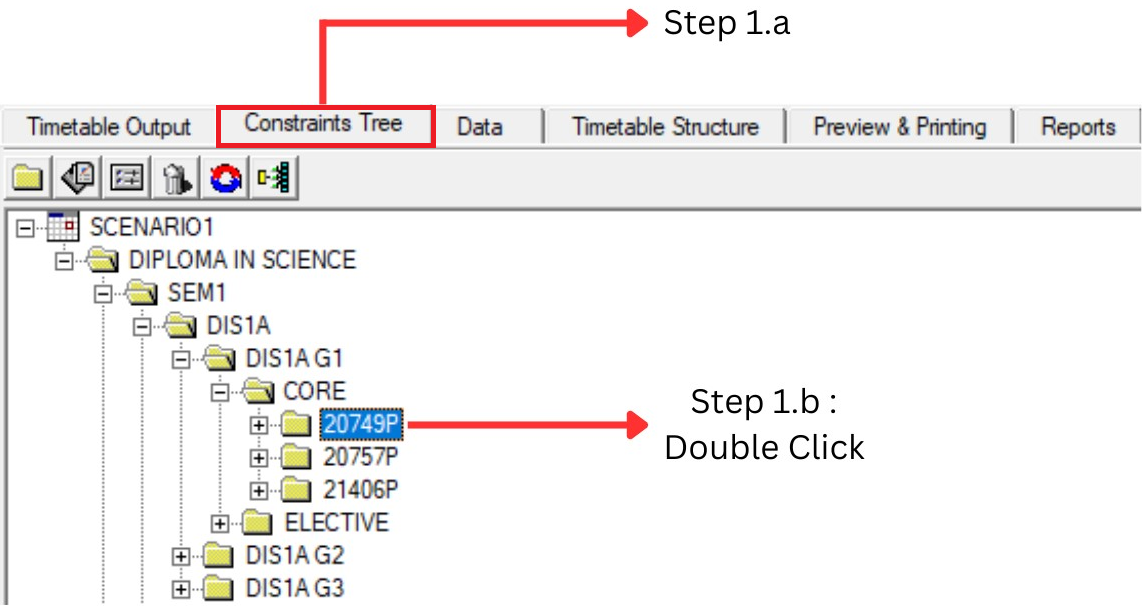
Diagram 1.4 : Getting to Generate Constraints window
Step 1.c : Click on the Generate Constraint Tab (Next to Group Constraint) Tab
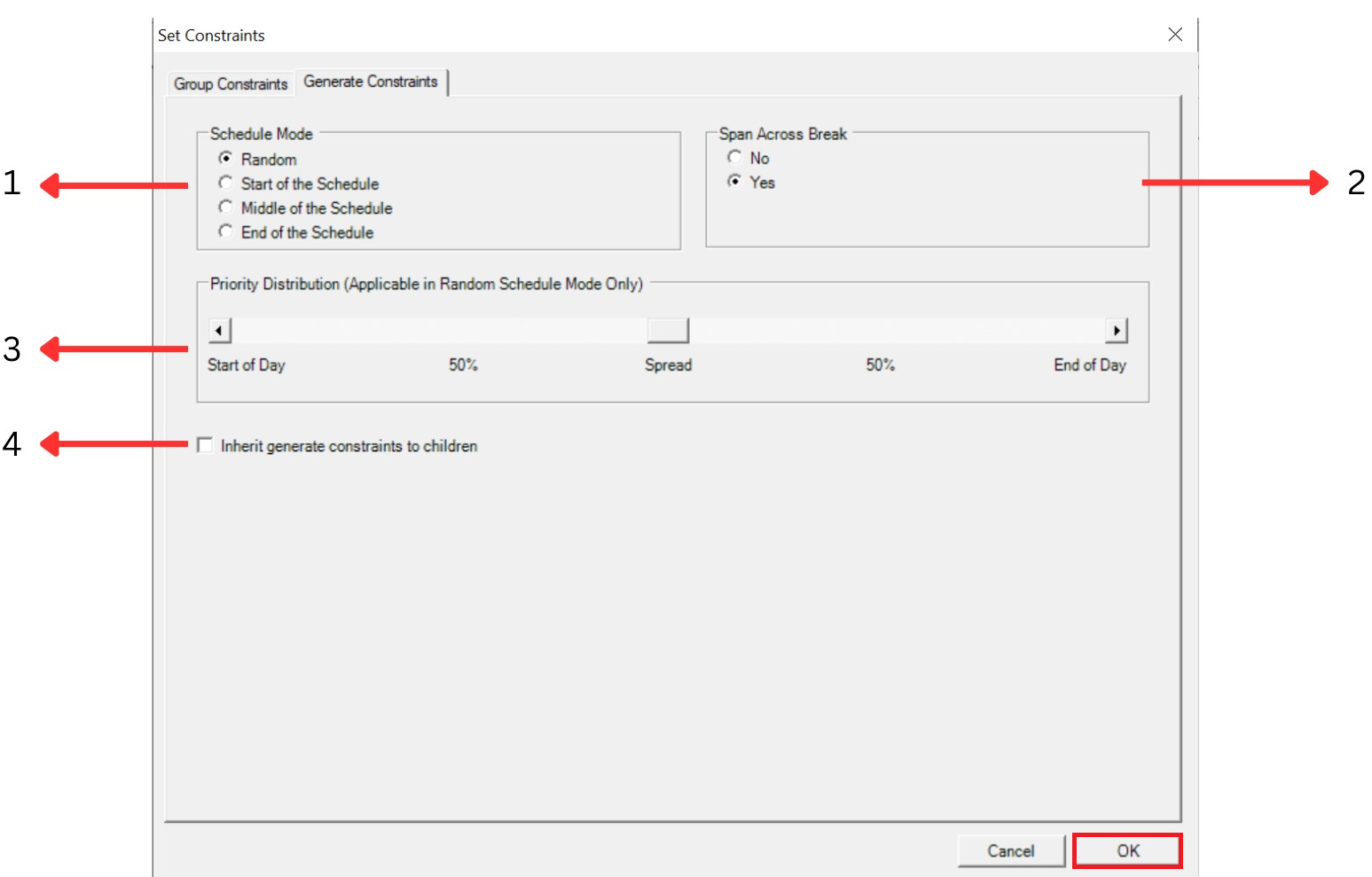
Diagram 1.5 : Generate Constraint Window
Step 2 : Set the Generate Constraint
1. Schedule Mode
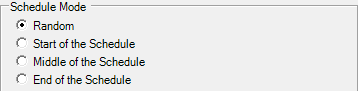
Diagram 1.6 : Schedule Mode Box
You can set the way the schedule mode assign the section in the slot
Random : Sections will be assigned Randomly across the week.
Start of the Schedule : Sections will be assigned at the Start of the week/schedule (Usually start on Monday morning)
Middle of the Schedule : Sections will be assigned at Middle of the week/schedule ((Usually start on Wednesday)
End of the Schedule : Sections will be priority assigned at the end of the week/schedule (Usually Friday/Saturday)
2. Span Across Break
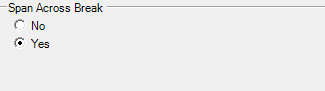
Diagram 1.7 : Span Across Break Box
User can allow section/class that is 2 hours or more in duration to be spanned across the General Break (General Break is set at the Timetable Structure)
3.Priority Distribution

Diagram 1.8 : Priority Distribution Box
This function can only be used if the Schedule Mode is set to Random. You can set the range of distribution which reflect the Start Time and End Time setting at Timetable Structure. User will only use this constraint to set the slot assignment to randomly choose the day but can redefine it by:
Start of Day: The distribution of class will have the earliest morning class (Example : 8 am)
50%: The distribution of class will have class start in the mid-morning (Example : 10 am) if between Start of Day and Spread OR in the mid-afternoon (Example : 2pm) if between Spread and End of Day
End of Day: The distribution of class will be mostly in the evening (Example : 5 pm) and lesser in the morning
4. Inherit

Diagram 1.9 : Inherit Button
Unlike Group Constraint, Generate Constraint do not enforce Parent and Child concept. . However user has the option to enforce Parent and Child Concept b y checking the “Inherit” Box.